@mrclrchtr/supi-code-intelligence
SuPi Code Intelligence extension — architecture briefs, caller/callee analysis, impact assessment, and pattern search for pi
Package details
Install @mrclrchtr/supi-code-intelligence from npm and Pi will load the resources declared by the package manifest.
$ pi install npm:@mrclrchtr/supi-code-intelligence- Package
@mrclrchtr/supi-code-intelligence- Version
2.2.1- Published
- Jul 9, 2026
- Downloads
- 3,535/mo · 1,399/wk
- Author
- mrclrchtr
- License
- MIT
- Types
- extension
- Size
- 49.5 MB
- Dependencies
- 5 dependencies · 4 peers
Pi manifest JSON
{
  "extensions": [
    "./src/extension.ts"
  ],
  "image": "https://raw.githubusercontent.com/mrclrchtr/supi/main/screenshots/supi-code-intelligence.png"
}Security note
Pi packages can execute code and influence agent behavior. Review the source before installing third-party packages.
README
@mrclrchtr/supi-code-intelligence
Adds a focused code-understanding toolset to the pi coding agent.
Install
pi install npm:@mrclrchtr/supi-code-intelligence
For local development:
pi install ./packages/supi-code-intelligence
Quickstart
1. Install the extension
pi install npm:@mrclrchtr/supi-code-intelligence
2. Install the language server for your project
The extension auto-detects your project's language and tries to start the matching LSP server automatically. You must install the server binary yourself and ensure it is on your PATH.
| Language | Binary to install |
|---|---|
| TypeScript / JavaScript | typescript-language-server (npm) |
| Python | pyright-langserver (npm) |
| Rust | rust-analyzer (rustup) |
| Go | gopls (go install) |
| C / C++ | clangd (system package manager) |
| Bash | bash-language-server (npm) |
| HTML | vscode-html-language-server (npm) |
| SQL | sql-language-server (npm) |
| Ruby | ruby-lsp (gem) |
| Java | jdtls (system package manager) |
| Kotlin | kotlin-lsp (Kotlin tooling) |
| R | R with languageserver package installed |
If a server binary is missing, the extension emits a warning at session start telling you exactly which command was not found and which file types are affected.
3. Verify the stack is healthy
You can check status interactively with the overlay command:
/supi-ci-status
This shows which language servers are active, which are missing, and any degraded coverage warnings in a TUI overlay.
Alternatively, ask the pi agent to check for you:
"Check the status of code intelligence servers."
The agent will run code_health(include=["servers"]) and report back which servers are active. Semantic tools like code_resolve and code_graph need an active server for your project's language.
4. Optional: tune or disable servers
By default every detected language server starts concurrently. In polyglot repos this can spike CPU. To disable servers you do not need, run:
/supi-settings
Navigate to LSP → Disabled Servers and toggle off any languages you are not using. This writes per-language opt-outs into .pi/supi/config.json (project) or ~/.pi/agent/supi/config.json (global).
You can also edit the config file directly:
{
  "lsp": {
    "servers": {
      "python": { "enabled": false },
      "rust": { "enabled": false }
    }
  }
}
Note: The global
lsp.enabledswitch andlsp.activeallowlist are deprecated since v0.7.0 and have no effect.
5. Optional: tune instruction-file names
Directory code_orientation surfaces local instruction files using the code-intelligence.instructionFileNames setting. Defaults:
{
  "code-intelligence": {
    "instructionFileNames": ["CLAUDE.md", "AGENTS.md"]
  }
}
Edit this through /supi-settings → Code Intelligence, or directly in .pi/supi/config.json / ~/.pi/agent/supi/config.json.
What you get
After install, pi gets:
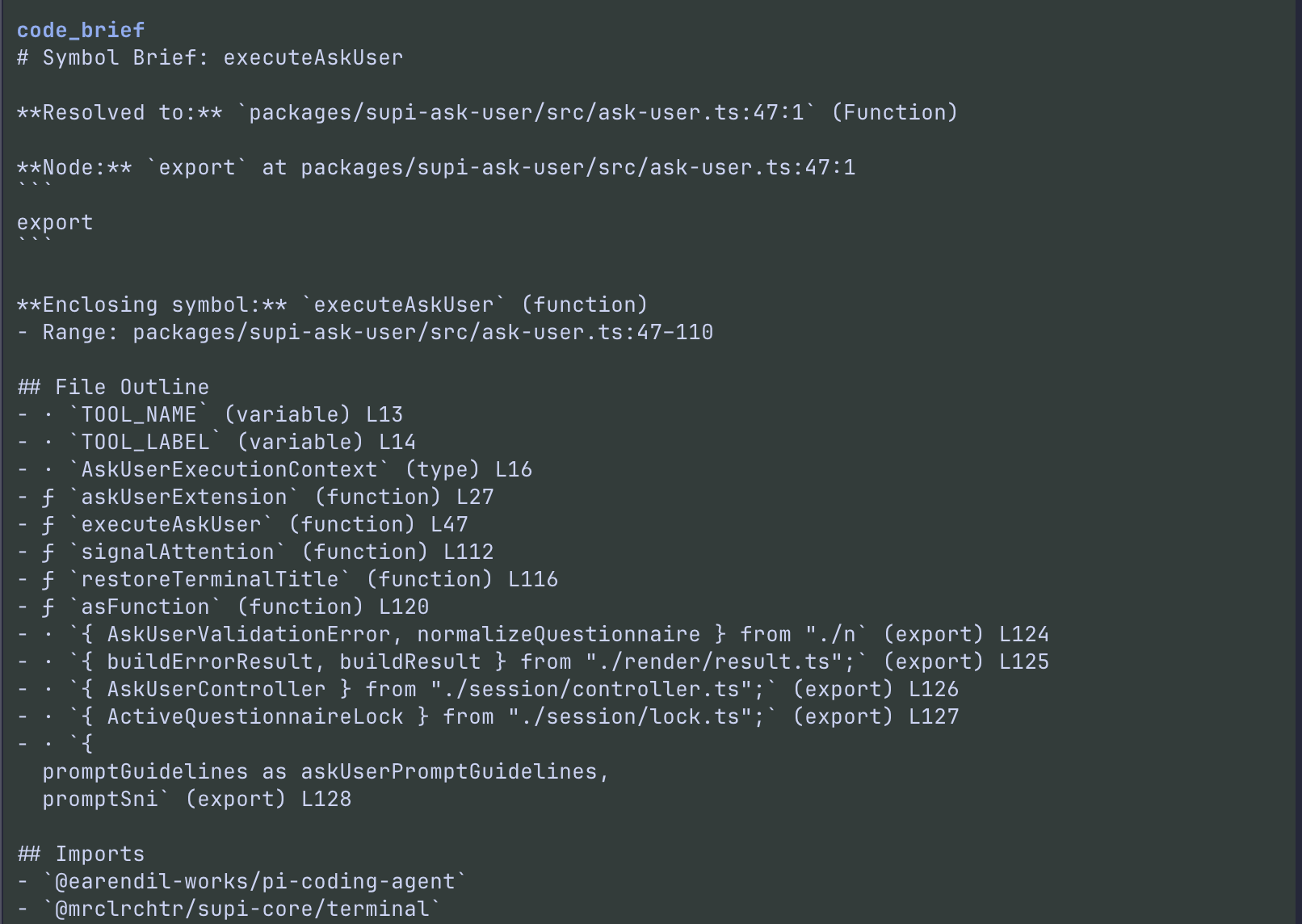
code_orientation— first-pass orientation for projects, discovered modules, directories, files, or precise symbols; directory focus also surfaces applicable local instruction files such asCLAUDE.md/AGENTS.md(code_briefand the oldcode_contextsurface have been replaced)code_inspect— factual point inspection for one precise file positioncode_graph— unified relation graph (references, callees, imports, exports, implementations, tests) from a resolved targetcode_impact— preferred workflow-oriented blast radius, downstream impact, and user-supplied change-set analysiscode_find— unified ranked search (text, regex, AST, semantic)code_health— diagnostics, server status, dirty workspace, coverage, and unused-code health signalscode_refactor_plan— pure planner; preview an operation-aware semantic refactor plan without mutating filescode_refactor_apply— sole mutator; apply a previously stored, validated plan byplanIdcode_resolve— resolve human/code references into precise targets with stable target handles for follow-up calls- a lightweight hidden architecture overview injected near the start of a session when a project model can be built
- bundled support from
@mrclrchtr/supi-lsp,@mrclrchtr/supi-tree-sitter, and@mrclrchtr/supi-core
Coming from standard tools?
| Standard approach | code_* equivalent |
|---|---|
rg "symbol" --type ts |
code_resolve(query="symbol") → code_graph(targetId, relations=["references"]) |
read + manual symbol tracing |
code_inspect(file, line, character) for point facts, then read the suggested source range |
| manual dependency/reference tracing | code_graph(targetId, relations=["references", "callees", "tests"]) |
git status + diagnostics commands |
code_health(refresh=true, include=["diagnostics", "servers", "dirty"]) |
rg + counting + intuition |
code_impact(targetId, change="...") or code_impact(changeSetFiles=[...]) |
rg for defs/imports/exports |
code_find(mode="ast", kind="definition") |
| Multi-file find-and-replace | code_refactor_plan → review → code_refactor_apply |
ls + read to explore a package |
code_orientation(focus="packages/..."), then inspect identified entrypoints |
rg "symbolName" (ambiguous) |
code_resolve(query="symbolName") |
💡 Key insight:
code_resolve→targetId→code_graph/code_orientation/code_impactis the core chained workflow.code_*tools summarize and prioritize; usereadon the suggested ranges before editing.
Standard-tools cookbook
Find references to a symbol
Standard:
rg -n "myFunction" packages/my-package
Then manually separate declarations, docs, imports, and actual symbol uses.
Code intelligence:
code_resolve(query="myFunction", scope="packages/my-package") → targetId
code_graph(targetId, relations=["references", "tests"])
Use the Read Next section to inspect the resolved target or top reference sites.
Understand a package or module
Standard:
find packages/my-package -maxdepth 3 -type f
cat packages/my-package/package.json
Then read likely entrypoints by hand.
Code intelligence:
code_orientation(focus="packages/my-package")
code_orientation(focus="packages/my-package/src/tool")
code_orientation(focus="packages/my-package/src/tool/health/execute.ts")
Directory orientation includes applicable local instruction files, shallowest first and deepest last, so package-local guidance is visible before editing. Orientation briefs are summaries, not source replacement; read the files before editing.
Estimate impact before a change
Standard: run rg, inspect consumers, infer test files, and decide risk manually.
Code intelligence:
code_resolve(query="myFunction") → targetId
code_impact(targetId, change="change output formatting", includeTests=true)
For already-known files, use code_impact(changeSetFiles=["packages/.../file.ts"], includeTests=true).
Check health quickly
Standard: combine editor diagnostics, git status, coverage files, and project commands.
Code intelligence:
code_health(refresh=true, include=["diagnostics", "servers", "dirty"])
code_health(include=["coverage", "unused"])
code_health is a quick status surface; it does not replace the project's required verification commands after edits.
Quick start — three most common workflows
Find references and trace usage
code_resolve(query="myFunction")              → capture targetId
code_graph(targetId, relations=["references"]) → inspect usage
code_orientation(targetId)                       → orient around the symbol
Understand a package before editing
code_orientation(focus="packages/my-package")           → package orientation + local instruction files
code_orientation(focus="packages/my-package/src/tool")   → directory drill-down
code_health(scope="packages/my-package", refresh=true) → check diagnostics
Safe rename refactoring
code_resolve(query="oldName")                                  → capture targetId
code_impact(targetId, change="rename to newName")              → estimate blast radius
code_refactor_plan(targetId, operation="rename_symbol", newName="newName") → preview
code_refactor_apply(planId)                                     → apply
⚠️ targetId lifecycle — essential for chained workflows
💡 Every chained workflow — references, impact, refactoring — flows through
targetId. Spend 30 seconds here.
targetId handles are the backbone of the chained workflow:
- Session-scoped — handles live only within the current agent session. A new session resolves targets fresh.
- Fingerprint-gated — when the backing file is modified, the stored fingerprint no longer matches and the handle becomes stale. Re-run
code_resolveto obtain a fresh handle. - Content-hash based —
targetIds are derived from the symbol's name, kind, container, and file fingerprint (position is excluded). Re-resolving the same symbol across reloads produces the same ID. - No cross-session persistence —
planIdhandles follow the same lifecycle.
┌─────────────┐     ┌──────────────┐     ┌─────────────┐
│ code_resolve │ ──→ │  targetId    │ ──→ │ code_graph  │
│              │     │  (stable)    │     │ code_orientation│
└─────────────┘     └──────────────┘     │ code_impact │
       ↑                  │              └─────────────┘
       │  re-resolve       │  stale after
       └───────────────────┘  file edit
When each tool won't help you
- No silent fallback: non-search tools do not silently turn semantic requests into grep. If the required provider is unavailable, results say so or the tool errors.
- LSP warmup/provider gaps:
code_resolvesymbol queries, semanticcode_find, references, implementations, impact, and refactor planning need an active semantic/LSP provider. Retry after warmup or checkcode_health. - Tree-sitter/structural gaps: AST
code_find, callees, imports, exports, outlines, and structural test-label extraction need the structural provider. code_graphcallees — won't find calls inside nested functions, callbacks, or method bodies unlesscalleeDepth: "deep"is requested. Callees are structural source-shape evidence, not symbol identity.code_findsemantic mode — fails when no LSP provider is active. It does not fall back to text search — usemode: "text"explicitly.code_refactor_plan— requires LSP precise edit support. When the LSP can't produce semantic edits for the target, the tool throws — there is no text fallback.code_healthcoverage/unused — depends oncoverage/coverage-summary.jsonandknip.jsonat the project root. UsecoveragePathandunusedPathparams for non-standard locations.code_impact—change-only requests (no target, no changeSetFiles) return insufficient-evidence instead of guessing.code_findAST test mode —mode: "ast"withkind: "test"matches outline entries with test-like names. Does not find test blocks within untest-like wrapper functions.
Installing @mrclrchtr/supi-code-intelligence activates only the public code_* tool surface. @mrclrchtr/supi-lsp and @mrclrchtr/supi-tree-sitter remain bundled library substrates that power the semantic and structural parts of that surface. Historical compatibility aliases are not registered as public tools.
Startup performance
LSP language servers start automatically on session open. By default, every server with matching source files in the project is started concurrently — in polyglot repos or monorepos with multiple language footprints, this parallel startup can cause a significant CPU spike.
If you experience high CPU on startup:
Disable specific language servers you don't need by adding per-language opt-outs to your config:
{
  "lsp": {
    "servers": {
      "python": { "enabled": false },
      "rust": { "enabled": false }
    }
  }
}
Add this to .pi/supi/config.json (project) or ~/.pi/agent/supi/config.json (global). Only the listed language servers are excluded; all others start normally.
Note: The global
lsp.enabledswitch andlsp.activeallowlist are deprecated and ignored since v0.7.0. LSP now always attempts to start detected servers. If your config still haslsp.enabledorlsp.activekeys, a one-time deprecation warning will appear at session start, but the keys have no runtime effect.
Degraded coverage warnings
When the code-intelligence stack cannot provide full coverage for a workspace, you will see:
- Deprecated key warnings — if
lsp.enabledorlsp.activeare present in your config (ignored keys) - Language-scoped semantic warnings — when a detected language's LSP server binary is missing from PATH, or has been explicitly disabled via
lsp.servers.<language>.enabled: false - Structural warnings — when Tree-sitter initialization fails (structural coverage unavailable)
These warnings appear once near session start and are also visible in:
/supi-ci-status— the interactive overlaycode_health— the health check tool
V2 workflow roadmap
The workflow-oriented surface is rolling out incrementally.
The current public surface now includes:
code_resolve— active (Phase 1)code_inspect— active (explicit point inspection tool)code_orientation— active (orientation surface; replacescode_briefand oldcode_context)code_find— active (Phase 2a, supersedes code_pattern)code_health— active (Phase 1.5)code_graph— active (Phase 3, supersedes code_references/code_calls/code_implementations)code_impact— active (Phase 4, preferred workflow impact tool)code_refactor_plan— active (Phase 5, pure refactor planner)code_refactor_apply— active (Phase 5, refactor plan applier)
The design source of truth lives in src/tool/ with types, schemas, and metadata.
This package is for questions like:
what is in this package or directory?
where is this symbol referenced?
what does this function call?
what are the implementations of this interface?
what is the likely blast radius of a change?
where is this pattern defined, imported, or exported?
@mrclrchtr/supi-lspprovides the semantic library substrate used by the publiccode_*tools@mrclrchtr/supi-tree-sitterprovides the structural library substrate used by the publiccode_*tools@mrclrchtr/supi-code-intelligenceowns the publiccode_*tool surface and the orchestration layer above those substrates
Workflow cookbook
Trace a symbol and prepare a change
code_resolve(query="executeHealthTool")→ capturetargetIdcode_graph(targetId, relations=["references", "callees", "tests"])→ inspect usagecode_impact(targetId, change="add coverage unused section")→ estimate blast radiuscode_orientation(targetId)→ orient around definitions, docs, and local diagnostics- Edit files, then
code_health(scope="packages/...", refresh=true)→ verify diagnostics
Context from a known source location (one call)
When you already know the file and identifier coordinate, skip the separate code_resolve turn and pass coordinates directly to code_orientation:
code_orientation(focus="packages/.../execute-health.ts", line=42, character=17)→ resolves the target, renders the sections, and returns a reusabletargetIdcode_graph(targetId, relations=["references"])→ follow up using thetargetIdfrom step 1
Understand a package before editing
code_orientation(focus="packages/supi-code-intelligence")→ package orientationcode_orientation(focus="packages/supi-code-intelligence/src/tool")→ directory drill-downcode_orientation(focus="packages/.../execute-graph.ts")→ file overview
Safe refactoring
code_resolve(query="oldFunctionName")→ capturetargetIdcode_graph(targetId, relations=["references"])→ confirm scopecode_refactor_plan(targetId, operation="rename_symbol", newName="newFunctionName")→ preview plancode_refactor_apply(planId)→ apply after reviewing the plan
Tool overview
code_orientation
Primary orientation surface for understanding where you are before choosing surgical tools.
- accepts
focus,targetId,line,character, andmaxResults - omit
focusfor project orientation focusis path-first and language-agnostic; if no path exists, discovered module-name lookup is attemptedfocus+line+characterresolves a real symbol target through the same provider-backed path ascode_resolveand exposes a reusabletargetIdtargetIdtakes precedence overfocus/coordinates; stale target IDs error and do not fall back- symbol orientation renders definitions, JSDoc/TSDoc docs, local diagnostics near the target, and Read Next guidance
- use
code_graphfor references/callees/imports/exports/tests,code_impactfor blast radius, andcode_healthfor full health/status maxResultsdefaults to 10 and caps each rendered list independentlycode_orientationreplacescode_briefand the oldcode_contextpublic surface; there is no compatibility alias
code_inspect
Factual point-inspection tool for one precise file position.
- requires
file,line, andcharacter - returns best-effort syntax, enclosing symbol, hover/type info, definition target(s), nearby diagnostics, and code-action titles
- stays honest when providers are missing by rendering explicit unavailable sections instead of heuristic guesses
- keeps diagnostics summary/refresh on
code_health;code_inspectonly reports local facts near the inspected point
code_graph
Unified relation-graph tool. Replaces code_references, code_calls, and code_implementations. Resolves one target and dispatches to the appropriate substrate per requested relation.
- targetId (preferred from
code_resolve) or file+line+character or symbol - relations:
["all", "references", "callees", "imports", "exports", "implements", "tests"]— default["references"]; use["all"]for the full graph in one call - Each relation is best-effort: unavailable substrates skip with a note rather than failing the call
- Each relation annotates its evidence source in the output. For the
testsrelation, provenance describes file discovery only —semantic+conventionsmeans semantic references contributed,conventions-onlymeans only deterministic path/layout conventions contributed. calleesreports structural outgoing calls from the enclosing executable scope at the target anchor. It matches call expressions by source shape, not symbol identity. By default (calleeDepth: "direct"), calls inside nested function/method/callback scopes are excluded. PasscalleeDepth: "deep"to include all callees within the enclosing scope, including those inside nested scopes.- Test-producing surfaces also include a small structured tests metadata shape in tool details: discovery status/provenance plus per-file label status and extracted labels.
- Targeted graph results include a
Read Nextguidance section for the resolved target, enclosing scope, or top relation sites when those source ranges are known. importsandexportsuse file-level tree-sitter analysis;testsdiscovers companion tests using semantic import/reference evidence plus deterministic package-layout conventions (__tests__/unit/…,__tests__/integration/…)- Test-label extraction is tracked separately from discovery provenance. When a discovered test file has no recognized
describe/it/test/specblocks, user-facing output shows_(no recognized test blocks)_intentionally instead of helper or variable names. - Bounded package/tool-aware candidates are generated for source files at
src/tool/<name>/execute.ts. Exact candidates such ascode-<name>-tool.test.ts,<name>-tool.test.ts, andexecute-<name>.test.tsare checked in both__tests__/unit/and__tests__/integration/. No broad search, fuzzy matching, or AI guessing is performed.
code_impact
Preferred workflow-oriented impact analysis.
- supports target-based analysis through a
targetIdfromcode_resolve - supports change-set entry points through
changeSetFilesand explicitincludeTests includeTestsuses the same shared test discovery ascode_graph(import/reference evidence plus package-layout conventions)- Target-based analysis uses semantic references and fails explicitly when no LSP provider is available
- changeSetFiles analysis uses structural evidence by default and, when LSP/export data is available, merges semantic references for symbols defined in change-set files.
changeSetFilesis user-supplied; it is not inferred from git and carries no line-level diff evidence. Evidence is annotated as either**Evidence: structural**or**Evidence: semantic+structural**. - test list annotations — when likely tests are shown, impact headings annotate discovery provenance explicitly (
Likely Tests (semantic+conventions)orLikely Tests (conventions-only)) - explicit empty-test note — when
includeTests: trueis set and bounded companion/package discovery completes without finding any test files, an explicitNo likely tests found by bounded companion/package discovery.note appears instead of silently omitting test information. This note is not shown whenincludeTestsis omitted or unavailable. - target-based analysis seeds the target file itself — zero-reference targets still report affected evidence and likely tests
- target and change-set impact results include a
Read Nextguidance section for source ranges worth inspecting before editing - when the workspace clearly uses Vitest, likely test files also come with concrete
pnpm vitest run … --reporter=verbosecommands change-only requests stay honest and return an explicit insufficient-evidence result instead of heuristic guessing- uses real workspace/provider evidence only; no heuristic grep fallback
code_find
Unified ranked search tool with a strict evidence contract.
- omitted
modeormode: "text"→ literal text search;kindis not accepted mode: "regex"→ ripgrep regex search;kindis not acceptedmode: "semantic"→ LSP workspace symbol search;kindis not accepted and semantic mode does not fall back to text searchmode: "ast"→ tree-sitter structured search; requires explicitkind- supported AST kinds:
definition,import,export,call,type,interface,class,method,enum,test - AST
callmode matches call-site identifiers by name, not by symbol identity; usecode_graphwithrelations: ["references"]on a resolved target for identity-aware callers - unsupported mode/kind combinations fail explicitly instead of being broadened into best-effort search
Supports query (required), scope (one path or an array of paths), mode, kind, contextLines, and maxResults.
code_health
Health/status summary for the current workspace or a scoped path.
- defaults to diagnostics + servers when
includeis omitted includecan requestdiagnostics,servers,dirty,coverage, andunusedcoveragereadscoverage/coverage-summary.jsonwhen present and reports low-coverage filesunusedreadsknip.jsonwhen present and reports unused files/exports- when a requested coverage/unused report is missing, the result says so explicitly instead of silently falling back to diagnostics
code_refactor_plan
Pure refactor planner.
- previews a precise semantic refactor plan without mutating files
- returns a
planIdfor follow-upcode_refactor_apply - uses the workflow schema (
operation, target/file coords, optional selectedrange, and operation-specific fields) - legacy
operation: "rename"is accepted as a compatibility alias forrename_symbol - extract operations require a 1-based
range,newName, and an LSP code action that returns precise text edits
Supported operations:
rename_symbolextract_functionextract_variable
Notes:
- only precise semantic text edits become plans
targetIdfromcode_resolvecan replace raw file + line + character targeting- this tool never mutates files
code_refactor_apply
Sole mutator in the refactor workflow.
- applies a previously stored plan by
planId - rejects stale plans using file fingerprints and re-validates ranges/overlap before mutation
- this is the only tool in the refactor workflow that writes files
Internal compatibility paths
The code_affected tool has been fully removed. Use code_impact exclusively.
Shared input conventions
Depending on the tool, inputs may include:
scopefilelinecharacterquerysymbolkindtargetIdchangeSetFilesincludeTestsmaxResultscontextLines
Notes:
- line and character positions are 1-based
lineandcharacterrequirefile, notscopecode_inspectis the public point-inspection tool forfile+line+charactertargetId(fromcode_resolve) can replace raw coordinates incode_orientation,code_graph, andcode_refactor_plan; it is the only public target selector forcode_impact. Incode_orientation,targetIdtakes precedence overfocus/line/character; a stale/invalidtargetIderrors and does not fall back to coordinates.code_orientationacceptsfocus+line+characterdirectly as a coordinate target mode: it resolves a real symbol target through the same provider-backed path ascode_resolveand exposes a reusabletargetId. Coordinate mode requires all three fields when any is present;focusmust be a file path and partial coordinates are a validation error.focusis the selection input forcode_orientation; other tools keepscopefor narrowing/filtering.focus,scope, andfileuse pi-style paths where applicable: a leading@is stripped and relative paths resolve from the current cwd- non-search tools do not silently fall back to heuristic grep behavior
code_resolve anchored coordinate resolution
code_resolve({ file, line, character }) resolves a real symbol target from provider-backed evidence, not an anonymous point target:
- an exact coordinate on a symbol identifier resolves to a named
nameanchor with a stabletargetId. - a coordinate on a declaration header/modifier (such as an
exportkeyword) snaps to the symbol's name anchor only when provider-backed evidence identifies exactly one enclosing symbol. Snapped results carry a visible note and structured resolution metadata (requested vs. resolved coordinate and evidence source). - ambiguous coordinates return ranked candidates with
targetIds and do not pick one silently. - whitespace, comment, or other non-symbol coordinates return an explicit error and recommend
code_inspectfor point-level facts —code_resolvedoes not register anonymous point targets.
Target handle lifecycle
targetIdhandles are session-scoped; they are valid only within the current agent session.- A handle becomes stale when its backing file is modified and the stored fingerprint no longer matches. Stale handles return an explicit error — re-run
code_resolveto obtain a fresh handle. - Handles have no cross-session persistence; a new session resolves targets fresh.
planIdhandles follow the same session-scoped, fingerprint-checked lifecycle. Seedocs/adr/0002-refactor-planner-applier-split.mdfor the planner/applier invariant.
Result style
Results report evidence provenance such as:
semantic— backed by LSP/semantic providerstructural— backed by tree-sitter/structural providerheuristic— pattern-based, may include false positivesunavailable— the required provider or substrate was absent
heuristic results may appear from code_find in text/regex modes. The other tools prefer explicit unavailable states over silent search fallbacks.
Evidence-strictness principle: Every tool result that depends on LSP or TreeSitter explicitly declares its evidence source. For test discovery, provenance describes how companion test files were found: semantic+conventions means semantic references contributed, conventions-only means only path-based conventions ran. Test-label extraction is a separate concern; _(no recognized test blocks)_ is an intentional honest placeholder, not silent degradation.
Architecture
@mrclrchtr/supi-code-intelligence is the orchestration layer that consumes
semantic and structural providers through the shared workspace broker and routes
user intents through a planner.
supi-code-runtime      ← shared broker + canonical provider/result contracts
        ↑
supi-lsp / supi-tree-sitter
 (semantic)   (structural)
        ↑
supi-code-intelligence ← analysis orchestration, UI, code_* tools
Package surfaces
@mrclrchtr/supi-code-intelligence— package-root type re-export surface@mrclrchtr/supi-code-intelligence/api— reusable type contracts@mrclrchtr/supi-code-intelligence/extension— pi extension entrypoint
Source
src/extension.ts— extension composition root: substrate lifecycle, tool registration, status UI, overview/warning injectionsrc/app/— app-level session lifecycle and manager wiringsrc/session/— session-scoped target handles and refactor plan storagesrc/substrate/— LSP and Tree-sitter adapter lifecycle/state/overrides/recoverysrc/analysis/— target resolution, architecture briefs, provider composition, search/reference helpers, project signals, coverage warnings, and test discoverysrc/tool/specs.ts— single source of truth for the current public tool surfacesrc/tool/register.ts— focused tool registration wiringsrc/tool/guidance.ts— prompt surfaces derived from tool specssrc/tool/<tool>/— per-tool execution, orchestration, markdown, and TUI rendererssrc/tool/infra/— tool pipeline, validation, progress, truncation, readiness messages, and error-result helperssrc/ui/— shared status UI, message/footer renderers, and non-tool-specific markdown/TUI helperssrc/types/— small cross-cutting internal type surface