@mrclrchtr/supi-code-intelligence
LSP and Tree-sitter AST code intelligence for the Pi coding agent — semantic navigation, structural search, diagnostics, and safe refactoring
Package details
Install @mrclrchtr/supi-code-intelligence from npm and Pi will load the resources declared by the package manifest.
$ pi install npm:@mrclrchtr/supi-code-intelligence- Package
@mrclrchtr/supi-code-intelligence- Version
4.5.1- Published
- Aug 4, 2026
- Downloads
- 4,222/mo · 1,425/wk
- Author
- mrclrchtr
- License
- MIT
- Types
- extension
- Size
- 50.3 MB
- Dependencies
- 5 dependencies · 4 peers
Pi manifest JSON
{
  "extensions": [
    "./src/extension.ts"
  ],
  "image": "https://raw.githubusercontent.com/mrclrchtr/supi/main/packages/supi-code-intelligence/assets/social-preview.png"
}
Security note
Pi packages can execute code and influence agent behavior. Review the source before installing third-party packages.
README
@mrclrchtr/supi-code-intelligence — LSP and Tree-sitter AST Code Intelligence for Pi
Gives the Pi coding agent direct, model-callable LSP semantic navigation and Tree-sitter AST structural code analysis.
LSP + AST, directly available to the agent
Instead of relying on file reads and text search alone, Pi can call focused code_* tools backed by:
- Language servers (LSP) for types, definitions, references, implementations, diagnostics, workspace symbols, and semantic refactoring.
- Tree-sitter ASTs for syntax, outlines, source structure, structural search, and outgoing calls.
The two sources complement each other without silently pretending one is the other. Results say which capability supplied the evidence and when semantic or structural analysis is unavailable.
What your agent gets
After installation, keep asking Pi normal coding questions. The agent can:
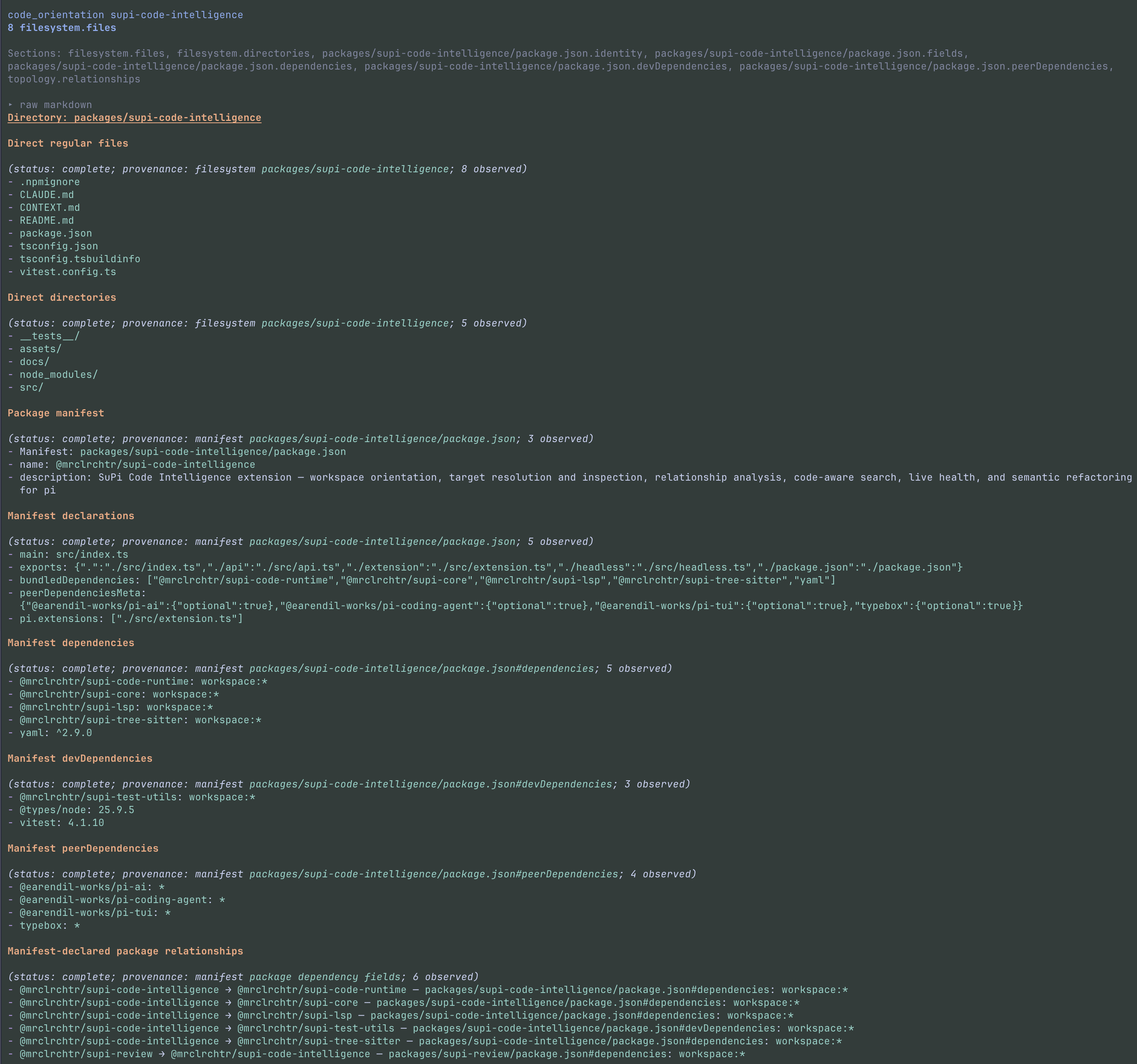
- Map an unfamiliar repository — understand workspaces, packages, entry points, dependencies, and local
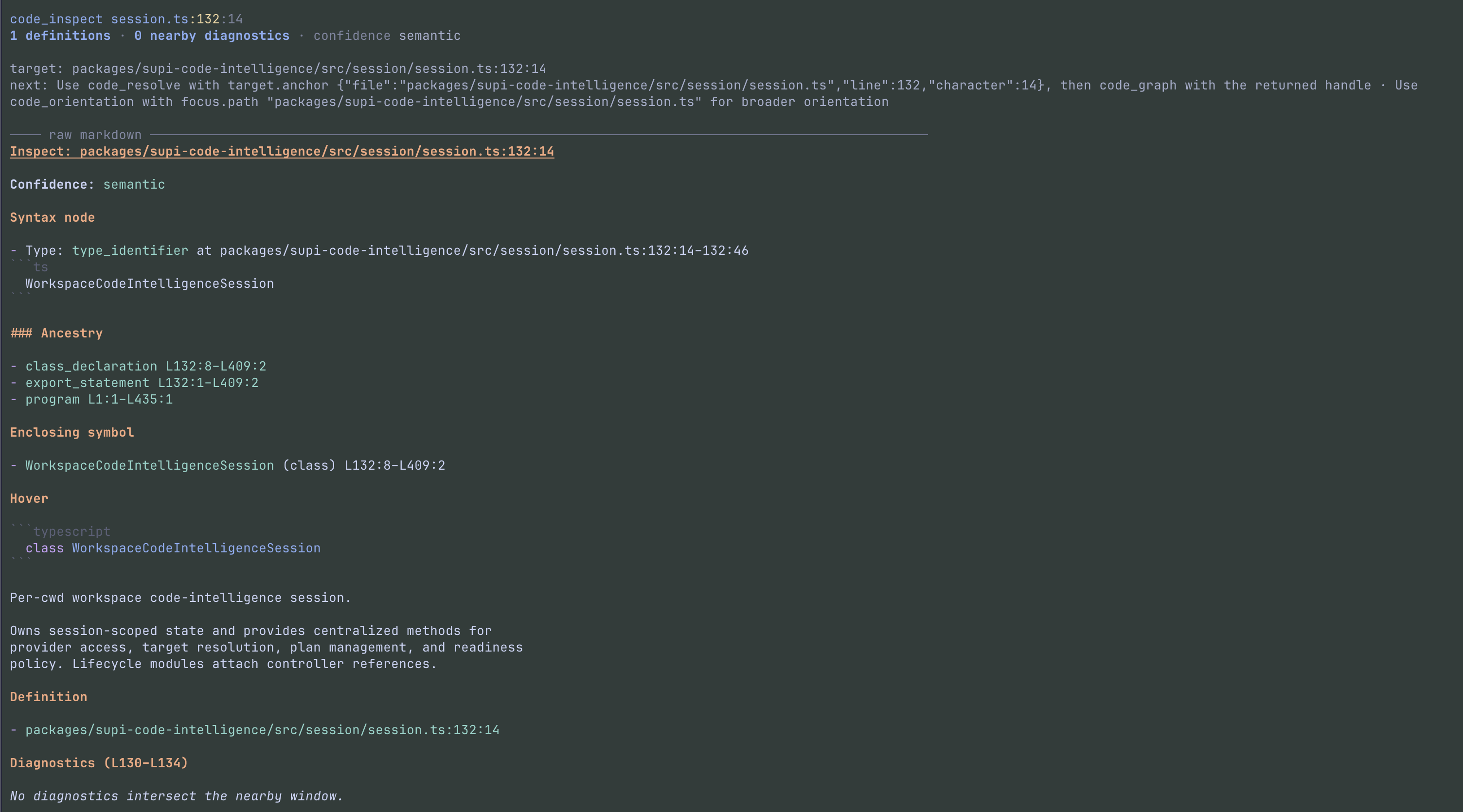
CLAUDE.mdorAGENTS.mdinstructions before editing. - Navigate precisely with LSP — identify the exact symbol at a source location and inspect its type, definition, enclosing declaration, and nearby diagnostics.
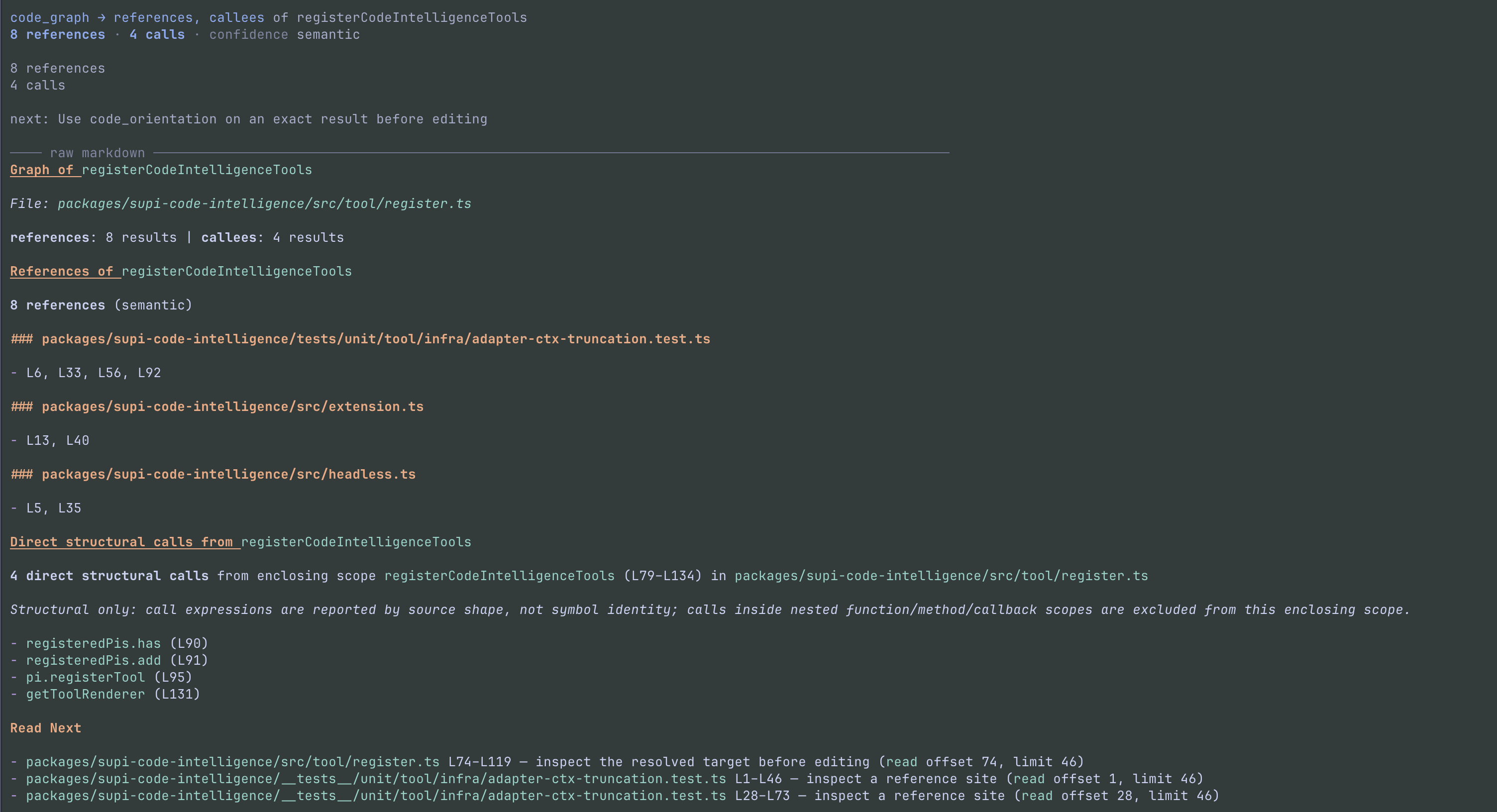
- Follow relationships across LSP and AST evidence — find references, implementations, and outgoing calls without guessing from matching text.
- Search parsed code structure — query AST definitions, types, interfaces, classes, methods, enums, imports, exports, and call sites.
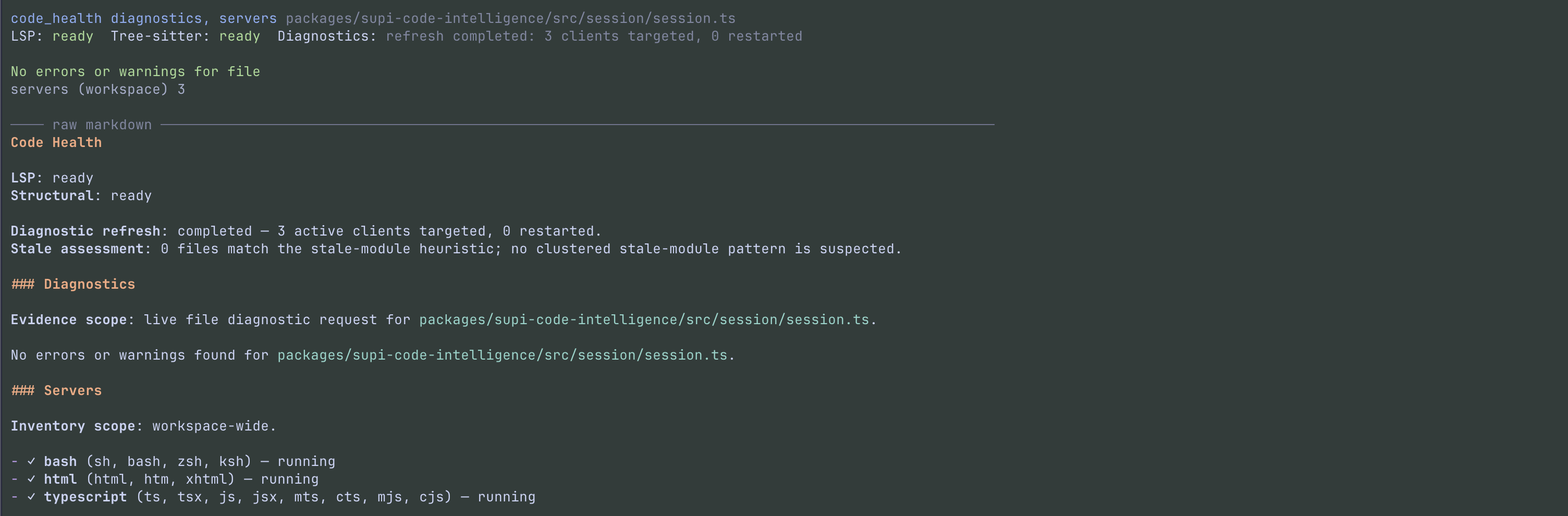
- Check live project health — inspect language-server status and current errors or warnings, with an option to refresh stale diagnostics.
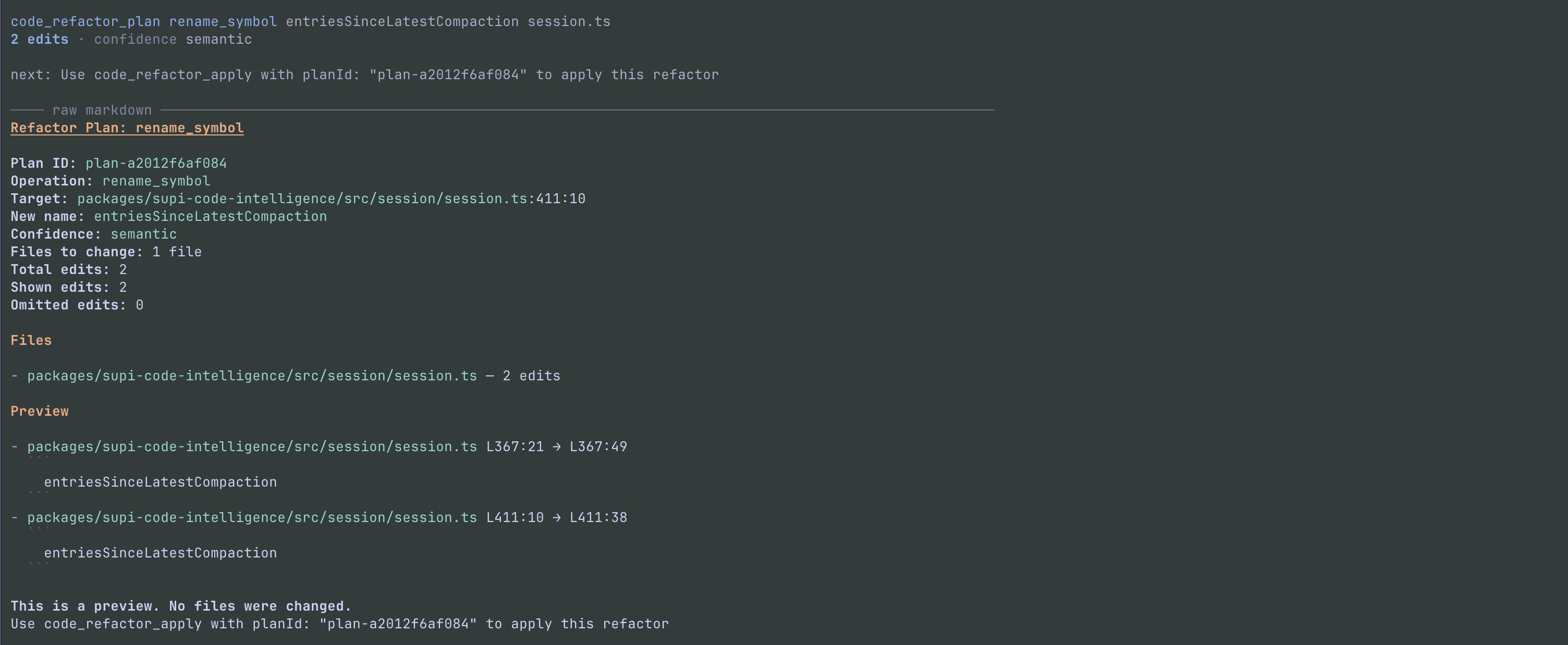
- Refactor safely — preview language-aware renames and extractions before applying them. Plans are rejected if the files changed in the meantime.
- See uncertainty clearly — results distinguish “nothing found” from incomplete or unavailable analysis and disclose omitted matches.
When Pi recognizes a workspace, the agent also receives an architecture overview near the start of the session, so it can orient before spending turns opening files.
Example requests
You do not need to learn the tool-call syntax. Try asking Pi:
- “Map this repository and explain where authentication lives.”
- “Find every use and implementation of
PaymentProvider.” - “What does
executeAskUsercall, and where is it referenced?” - “Find all exported interfaces under
packages/api.” - “Check this project for current language-server diagnostics.”
- “Rename
oldNametonewName, but show me the refactor plan before applying it.”
See it in action
Select any screenshot to open it at full resolution.
Understand the workspace
Inspect an exact symbol
Follow references and calls
Check live health
Preview a safe refactor
Agent tools
The package adds eight tools that Pi selects as needed:
| Tool | What it lets the agent do |
|---|---|
code_orientation |
Understand a workspace, package, directory, file, or symbol before reading broadly |
code_resolve |
Resolve an exact symbol, disambiguate matches, or list declarations in a file |
code_inspect |
Combine AST syntax with LSP type, definition, symbol, and diagnostic facts at one source location |
code_graph |
Follow LSP references and implementations plus AST calls made by a symbol |
code_find |
Search LSP workspace symbols or parsed AST source structure rather than raw text |
code_health |
Check live diagnostics, language servers, and code-intelligence availability |
code_refactor_plan |
Preview a precise rename or extraction without changing files |
code_refactor_apply |
Apply a fresh refactor plan after safety checks |
Pi's built-in grep remains the right tool for literal or regular-expression searches; these tools add symbol and source-structure awareness.
Install
pi install npm:@mrclrchtr/supi-code-intelligence
To try it for one run without installing:
pi -e npm:@mrclrchtr/supi-code-intelligence
Language support
Structural code search is bundled with the package. Full symbol navigation, references, diagnostics, and semantic refactoring require the matching language server on PATH.
The extension detects project languages and starts installed servers automatically:
| Language | Required binary |
|---|---|
| TypeScript / JavaScript | typescript-language-server |
| Python | pyright-langserver |
| Rust | rust-analyzer |
| Go | gopls |
| C / C++ | clangd |
| Bash | bash-language-server |
| HTML | vscode-html-language-server |
| SQL | sql-language-server |
| Ruby | ruby-lsp |
| Java | jdtls |
| Kotlin | kotlin-lsp |
| R | R with the languageserver package |
If a server is missing, the agent can still use available workspace and structural evidence. Semantic features report that they are unavailable rather than silently guessing.
Status and settings
Open the status view to see detected languages, running or missing servers, and capability warnings:
/supi-ci-status
Use /supi-settings to disable language servers you do not need or change the instruction filenames surfaced during directory orientation. The defaults are CLAUDE.md and AGENTS.md.