@mrclrchtr/supi-debug
Capture and inspect SuPi debug events
Package details
Install @mrclrchtr/supi-debug from npm and Pi will load the resources declared by the package manifest.
$ pi install npm:@mrclrchtr/supi-debug- Package
@mrclrchtr/supi-debug- Version
11.2.0- Published
- Nov 1, 2026
- Downloads
- 1,941/mo · 430/wk
- Author
- mrclrchtr
- License
- MIT
- Types
- extension
- Size
- 249.9 KB
- Dependencies
- 1 dependency · 4 peers
Pi manifest JSON
{
  "image": "https://raw.githubusercontent.com/mrclrchtr/supi/main/packages/supi-debug/assets/social-preview.png",
  "extensions": [
    "./src/extension.ts"
  ]
}
Security note
Pi packages can execute code and influence agent behavior. Review the source before installing third-party packages.
README
@mrclrchtr/supi-debug


Adds shared debug-event capture and inspection for SuPi extensions in the pi coding agent.
Install
pi install npm:@mrclrchtr/supi-debugFor local development:
pi install ./packages/supi-debug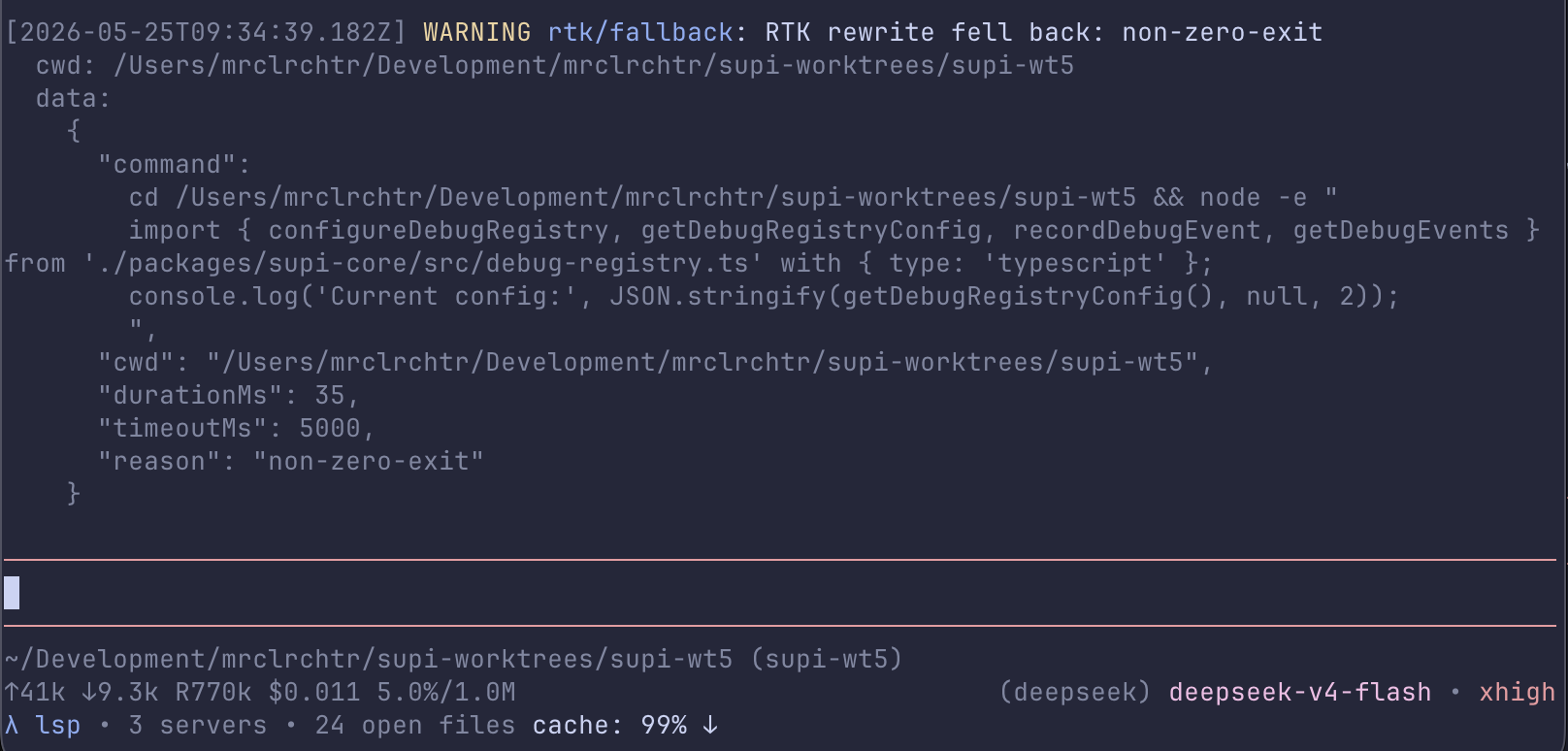
What you get
After install, this package wires the shared debug registry into three user-facing surfaces:
/supi-debug— show recent debug events in a readable TUI reportdebug— let the model query recent debug events during troubleshooting/supi-settingsintegration — configure whether events are captured and how much data is exposed
It also registers a Debug provider section for /supi-context, ships a /supi-tooling-retro prompt template for feedback on the task just completed, and discovers the gather-retrospectives skill for collecting feedback from past sessions.
Gather past retrospectives
Ask naturally, for example “gather retrospective feedback about packages/supi-agent,” or invoke:
/skill:gather-retrospectives collect feedback from delegated runs in this workspaceThe skill uses a bundled Node.js collector to read existing structured Agent Run assessments. It defaults to the current workspace directory tree and all dates, preserves source references, deduplicates cloned runs, and saves paginated evidence in temporary files. Other projects and sibling worktrees require explicit scope. Source filters identify who produced an assessment, not which package it concerns. The collector displays complete assessments within a 16 KB stdout budget; omittedRefs identifies assessments that need a targeted read from the full evidence file.
The collector excludes older interactive /supi-tooling-retro reports. It does not enable capture, execute new assessments, or verify historical claims. Stored prose may still contain sensitive task details. Run the bundled skills/gather-retrospectives/scripts/collect.mjs with --help for storage overrides and filters. Node and shell access are required; no extra runtime dependencies are needed.
Event behavior
- events are session-local
- sanitized events are also persisted in the session JSONL for later inspection
- the event buffer is cleared on
session_start - if debug capture is disabled, no events are retained
- agent-facing access is blocked, sanitized, or raw depending on settings
Identity disclosure
Retained and persisted LSP debug events may identify local workspaces and files. Since the LSP telemetry expansion, LSP events can carry the absolute workspace root (cwd), the configured server name (server), workspace-relative file paths (file), exact LSP method names (method), and the server root (root). Identity strings are bounded to 512 UTF-16 code units and server lists to 16 entries.
Identity fields are not secret-redacted. The debug registry redacts secret keys and secret-looking values (tokens, passwords, API keys, authorization headers, URL credentials), but server names, file paths, method names, and workspace roots pass through unredacted by design, so local protocol failures stay diagnosable. Treat retained and persisted LSP events as potentially identifying your local machine, project layout, and file names.
Rendering
/supi-debug uses a custom TUI message renderer that shows two levels of detail:
Collapsed (default) — a one-line summary:
3 events — lsp/rewrite +2 moreExpanded — full details with timestamp, level, source/category, message, cwd, and data for each event. Click/expand the collapsed message in the TUI to reveal the full output.
Rendered fields per event:
- timestamp
- level
source/category- message
- optional
cwd - optional
data - optional
rawData - optional
operationIdfor events directly owned by one publiccode_*call
Why collapsed by default
Event payloads can be large (full command strings, structured data). Collapsing keeps the conversation focused; expand only when you need the details.
Seeing full details without expanding
The agent-facing debug tool returns the expanded plain-text
representation, subject to PI's standard tool-output truncation limits. This is
useful for automated troubleshooting flows while protecting the model context
from very large event payloads.
Structured results
debug declares PI's native outputSchema. Direct calls retain readable, bounded
text; default codemode calls resolve to structured data without parsing that text:
const result = await tools.debug({ source: "lsp", limit: 20 });
return {
  messages: result.events.map((event) => event.message),
  complete: result.selection.complete,
  omitted: result.selection.omittedEventCount,
};| Field | Contract |
|---|---|
events |
All query-selected events, newest first: id, millisecond timestamp, source, level, category, message, and optional operationId, cwd, data, rawData. Producer-defined diagnostic fields remain data, not rendered Markdown. |
provenance |
Live: { kind: "live", scope: "retained-buffer" }. Historical: { kind: "persisted", sessionFile, persistedEventCount, invalidEventCount, malformedLineCount }, with the resolved file path. Event counts cover recognized persisted debug entries. malformedLineCount counts every nonblank line that cannot be parsed, independently of event filters; malformed contents are never returned. Blank lines and valid unrelated entries are ignored. |
selection |
Exact matchedEventCount before the query limit, returnedEventCount, omittedEventCount, and complete. Complete means all matches in this source were returned, no recognized persisted debug payloads were invalid, and no nonblank JSONL lines were malformed. Live evidence covers only the retained buffer, not the entire session. |
rawAccessDenied, rawDataUnavailable |
Disclose denied live raw requests or requested historical raw data, which is never available. Sanitized data retains the existing best-effort secret redaction; identity fields remain identifying. |
dataNormalized |
Non-JSON diagnostic values were replaced with text markers. Ordinary JSON values are preserved without the UI's data-size bounds. |
emptyReason |
Present for empty selections: no-persisted-events, no-matches, or query-limit (a positive fractional limit can round down to zero). no-persisted-events requires a parseable session with no recognized debug entries; a malformed-only file reports no-matches with incomplete evidence instead. An empty selection is not a failure; check selection.complete for incomplete evidence. |
modelOutput |
truncated, plus outputLines, totalLines, outputBytes, and totalBytes when text was truncated. These bounds do not truncate structured events. |
Structured event data is a detached JSON snapshot. Bigints become strings such as
"2n"; non-finite numbers become their text names. Unsupported values use
[Undefined], [Function], [Symbol], [Non-JSON object], [Circular], or
[MaxDepth] (nesting at 64 containers). Runtime instances and hidden state are not
exposed. Repeated non-cyclic JSON objects are preserved independently.
Filters and limit control structured selection; there is no separate format or
execution mode and no pagination. Use a smaller limit or narrower filters when
processing large historical sessions. Tool UI details remain separately bounded
to 12 raw-free events; query-limit omissions, invalid event payloads, and malformed
JSONL lines are disclosed in the transcript. Requested raw-access warnings are
retained even for empty selections. Opted-in live raw data can appear in both result text
and structured data, even though it is excluded from UI details and sanitized
debug-event persistence.
Invalid input, disabled access/capture, file-read failures, and scan cancellation still throw; they are not converted to successful empty results. Codemode callers can catch these rejections normally. This tool has no returned-failure variant.
Filters
Both /supi-debug and debug support the same basic filters:
sourcelevelcategory- exact
operationId limit
For historical sessions, pass sessionFile to debug, or
sessionFile=<path> to /supi-debug. Historical sessions never retain raw data.
The tool also accepts includeRaw for live-session data when settings allow it. A Debug Operation ID groups direct request ownership only. It is not a security identity, distributed trace, raw Pi Tool-call identity, or time-window correlation.
Settings
This package registers a Debug section in /supi-settings.
Available settings:
enabled— turn session-local event capture on or offagentAccess—off,sanitized, orrawmaxEvents— maximum retained events in memoryagentRunRetrospectivesEnabled— opt in to Agent Run retrospectives; off by default and eligible only while Debug capture and its session persistence sink are active. Retrospective prose is stored in the sanitized event data using the existing Debug session-entry path.
With retrospective collection enabled, completed Delegation and Reviewer Runs publish their task results before performing one tool-free assessment. Find the reports using category agent-run-retrospective and source supi-agent or supi-review. Reports include their own Usage, separate from task Usage, plus runKey, batchId, taskId, and a readable label. Delegation reports also include conversationId to match saved conversations and follow-ups. Collection is best effort and stops on cancellation or session shutdown. Assessment prose can still contain sensitive task details despite best-effort secret redaction; it is self-reported feedback, not verified savings.
Historical inspection works for events captured after this extension is loaded. For example, an
agent can call debug with sessionFile set to a PI session JSONL path.
Defaults come from the shared debug registry:
{
  "debug": {
    "enabled": false,
    "agentAccess": "sanitized",
    "maxEvents": 100,
    "agentRunRetrospectivesEnabled": false
  }
}
Extra status logging
If SUPI_LOG_STATUS is enabled in the environment, the package emits a versioned SuPi load-status marker to stderr during resources_discover (after session-start registrations) and appends the same payload as a session entry. The payload uses phase: "resources_discover". Version 2 reports observed tool and command inventory only; external harnesses decide which resources they require.
Source
src/debug.ts— settings, command, tool, and registry wiringsrc/renderer.ts— custom report renderersrc/format.ts— debug payload formattingsrc/status-log.ts— optional load-status logging