@normful/pi-show-files-read
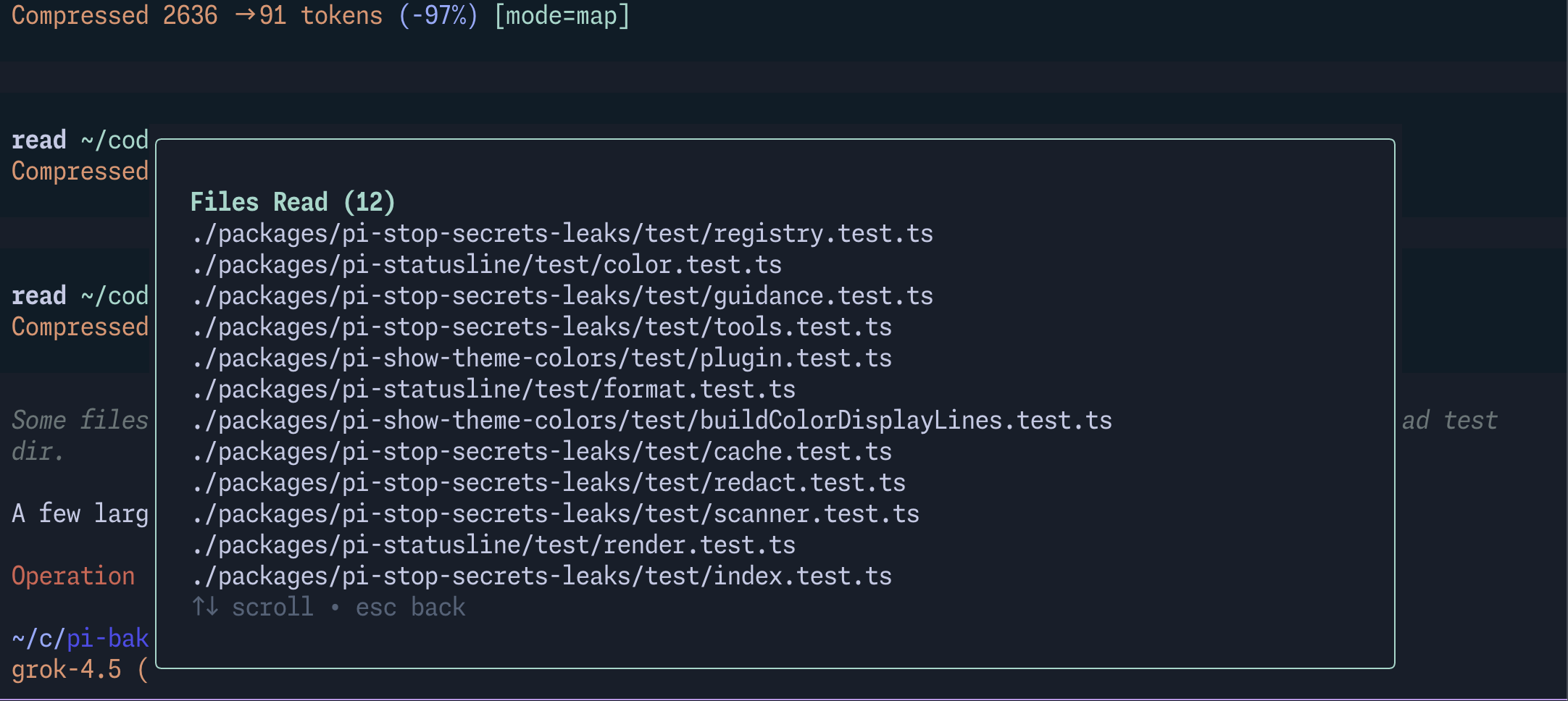
Track and display every file the agent has read in the current Pi session via a /files-read modal
Package details
Install @normful/pi-show-files-read from npm and Pi will load the resources declared by the package manifest.
$ pi install npm:@normful/pi-show-files-read- Package
@normful/pi-show-files-read- Version
0.5.0- Published
- Jul 21, 2026
- Downloads
- 220/mo · 220/wk
- Author
- normful
- License
- MIT
- Types
- extension
- Size
- 5.2 KB
- Dependencies
- 1 dependency · 4 peers
Pi manifest JSON
{
  "extensions": [
    "./src/index.ts"
  ],
  "image": "https://media.githubusercontent.com/media/normful/pi-bakery/main/screenshots/files-read.png"
}
Security note
Pi packages can execute code and influence agent behavior. Review the source before installing third-party packages.
README
@normful/pi-show-files-read
In-session file-read tracker for Pi coding agents. Monitors the agent's read tool activity and surfaces a convenient /files-read command so you can see exactly what files have been read in the current conversation.
Features
- Automatic tracking — Listens to
tool_resultevents and captures any tool result matching thereadpattern, recording the file path. - Deduplication — If a file is read multiple times, only the first entry is kept.
- Session-scoped — Tracks are reset on each new session (
session_start), so you always get a clean slate. /files-readcommand — Opens a modal listing every file read so far in read order. Paths are displayed relative to the working directory (prefixed with./) where possible.
Installation
pi install npm:@normful/pi-show-files-read
Usage
Pi tracks all read tool invocations in the background. At any point during a session, run:
/files-read
A modal will appear showing each file that has been read (e.g., ./src/index.ts). If no files have been read, the modal will display a "No files have been read yet" message.
Command reference
| Command | Description |
|---|---|
/files-read |
Display a modal listing all files read in the current session |