@ocodista/pi-token-bloat
Pi extension that estimates model-facing context footprint by resource.
Package details
Install @ocodista/pi-token-bloat from npm and Pi will load the resources declared by the package manifest.
$ pi install npm:@ocodista/pi-token-bloat- Package
@ocodista/pi-token-bloat- Version
0.1.6- Published
- Apr 25, 2026
- Downloads
- 852/mo · 852/wk
- Author
- ocodista
- License
- MIT
- Types
- extension
- Size
- 480.4 KB
- Dependencies
- 0 dependencies · 2 peers
Pi manifest JSON
{
  "extensions": [
    "./index.ts"
  ],
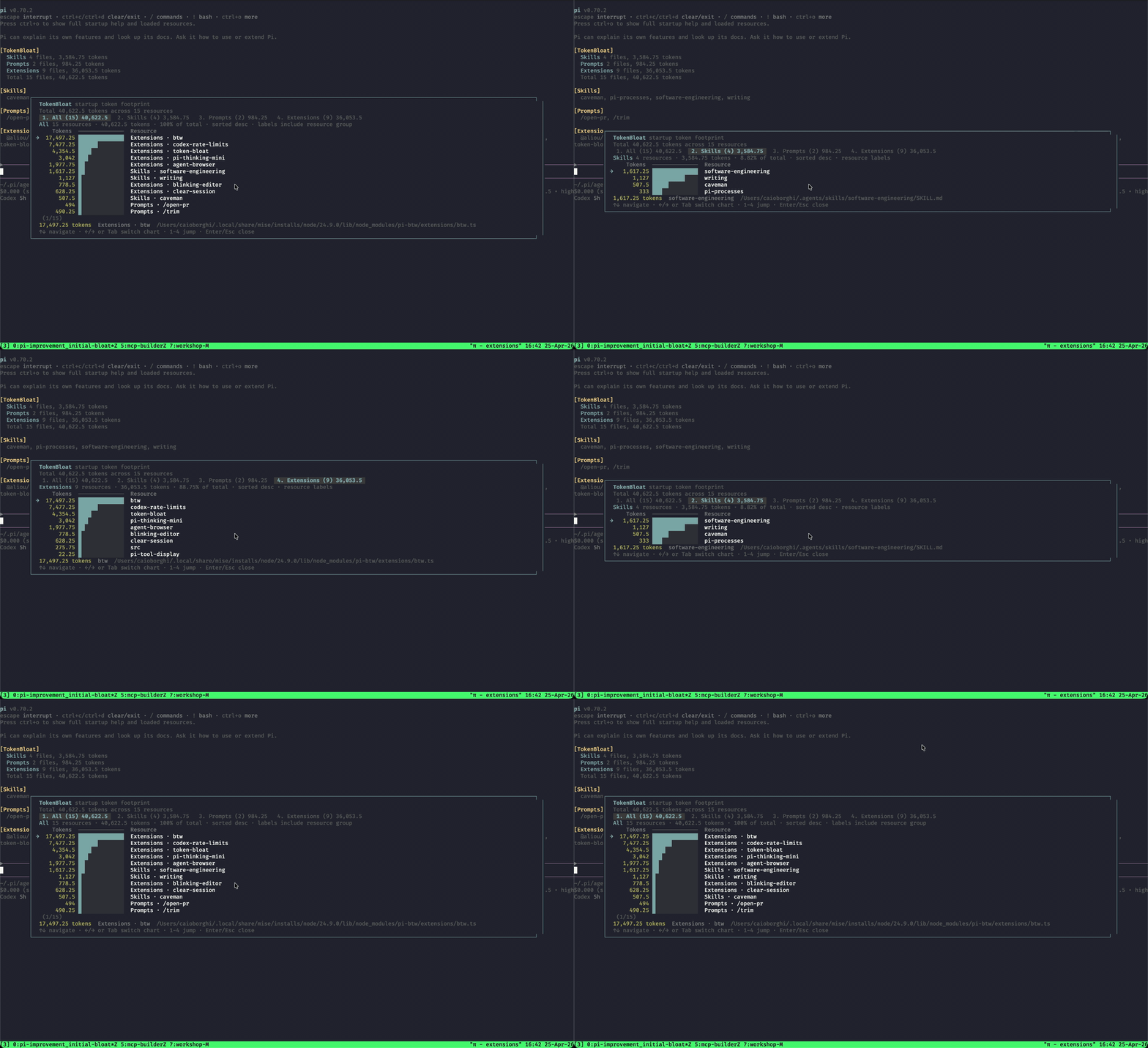
  "image": "https://raw.githubusercontent.com/ocodista/pi-token-bloat/main/assets/token-bloat-demo.gif"
}
Security note
Pi packages can execute code and influence agent behavior. Review the source before installing third-party packages.
README
TokenBloat
TokenBloat is a Pi extension that estimates the LLM context footprint of loaded Pi resources.
It focuses on what can actually reach the model, not extension source size. Extension implementation code, slash-command handlers, and UI code are not counted unless an extension registers an active tool whose metadata is sent to the model.
What it counts
- System prompt: approximate tokens for Pi's assembled system prompt when available.
- Last provider payload: approximate tokens for the last serialized provider request when available. This includes conversation history, so it is broader than startup resource cost.
- Context files:
AGENTS.md,CLAUDE.md, and other context files that Pi includes in the system prompt when available. - Skills: only the skill catalog that Pi inserts into the system prompt: skill name and description. Full
SKILL.mdfiles are loaded on demand and are shown as source size only. - Prompts: full template size. Prompt templates are slash-command expansions, so these tokens enter model context only when invoked.
- Extensions: only active extension tool schemas/descriptions. Extension source, commands, shortcuts, and UI are not sent to the model.
Token counts are approximate (chars / 4), but the counted inputs now match Pi's context behavior much more closely than raw file-size totals.
Features
- Adds a compact startup summary above the editor.
- Shows actual-ish system prompt size when Pi exposes it.
- Separates always-in-context resource metadata from on-demand prompt/skill content.
- Provides
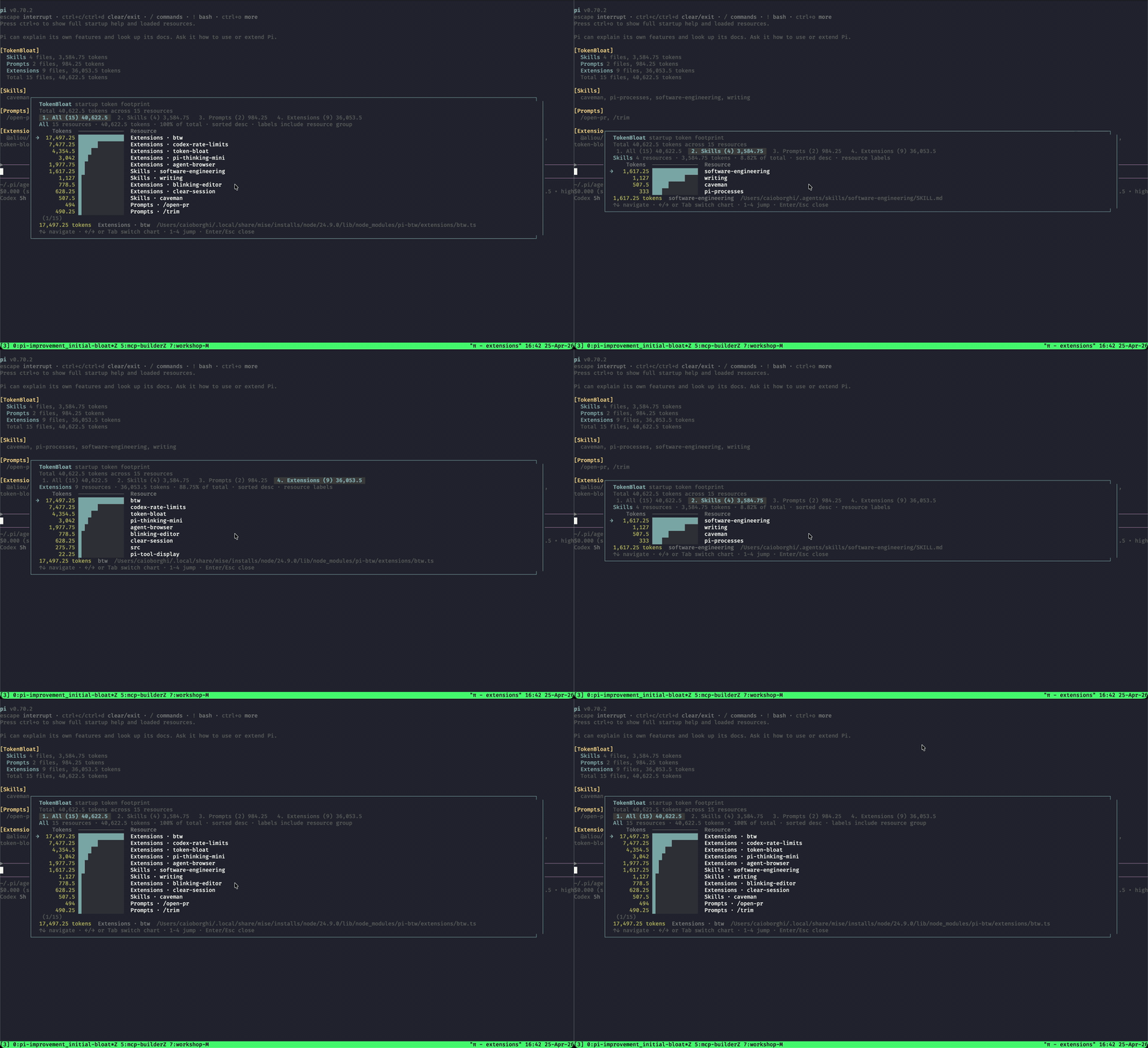
/token-bloatfor an interactive chart. - Defaults to an
Allchart across context files, skills, prompts, and extensions. - Keeps per-group charts for focused inspection.
Install
Install from npm:
pi install npm:@ocodista/pi-token-bloat
Install from GitHub:
pi install git:github.com/ocodista/pi-token-bloat
Try it without installing:
pi -e git:github.com/ocodista/pi-token-bloat
Use
Start Pi after installing the package. TokenBloat briefly shows the startup summary above the editor. After /reload, it shows the summary again.
Open the detailed view:
/token-bloat
Configure the startup summary:
/token-bloat:settings
In the chart:
- Use
↑and↓to move. - Use
←,→, orTabto switch charts. - Use number keys to jump to a chart.
- Press
EnterorEscto close.
Accuracy notes
TokenBloat is an estimator, not a billing-grade tokenizer.
The most important behavior change is that extension files are no longer treated as prompt context. For example, a command-only or UI-only extension should show 0 extension tokens, because Pi loads it into the Node runtime rather than sending its source to the model.
Prompt templates are shown by full template size even though they are on-demand. This helps identify large prompts before you invoke them.
Extension token cost appears only when the extension registers active tools, because tool names, descriptions, and schemas are part of the model-facing tool interface.
Development
Run a local copy directly:
pi -e ./index.ts
Check the npm package contents:
npm run pack:dry-run
Run TypeScript locally after installing dev dependencies:
npm install
npm run typecheck
Security
Pi extensions run with your system permissions. Review packages before installing them.