@ogulcancelik/pi-ghost
Like /btw, but as a native ghost overlay for pi
Package details
Install @ogulcancelik/pi-ghost from npm and Pi will load the resources declared by the package manifest.
$ pi install npm:@ogulcancelik/pi-ghost- Package
@ogulcancelik/pi-ghost- Version
0.1.2- Published
- Apr 6, 2026
- Downloads
- 272/mo · 24/wk
- Author
- ogulcancelik
- License
- MIT
- Types
- extension
- Size
- 123.6 KB
- Dependencies
- 0 dependencies · 0 peers
Pi manifest JSON
{
  "extensions": [
    "./index.ts"
  ]
}
Security note
Pi packages can execute code and influence agent behavior. Review the source before installing third-party packages.
README
pi-ghost
Ephemeral side conversation overlay for pi.
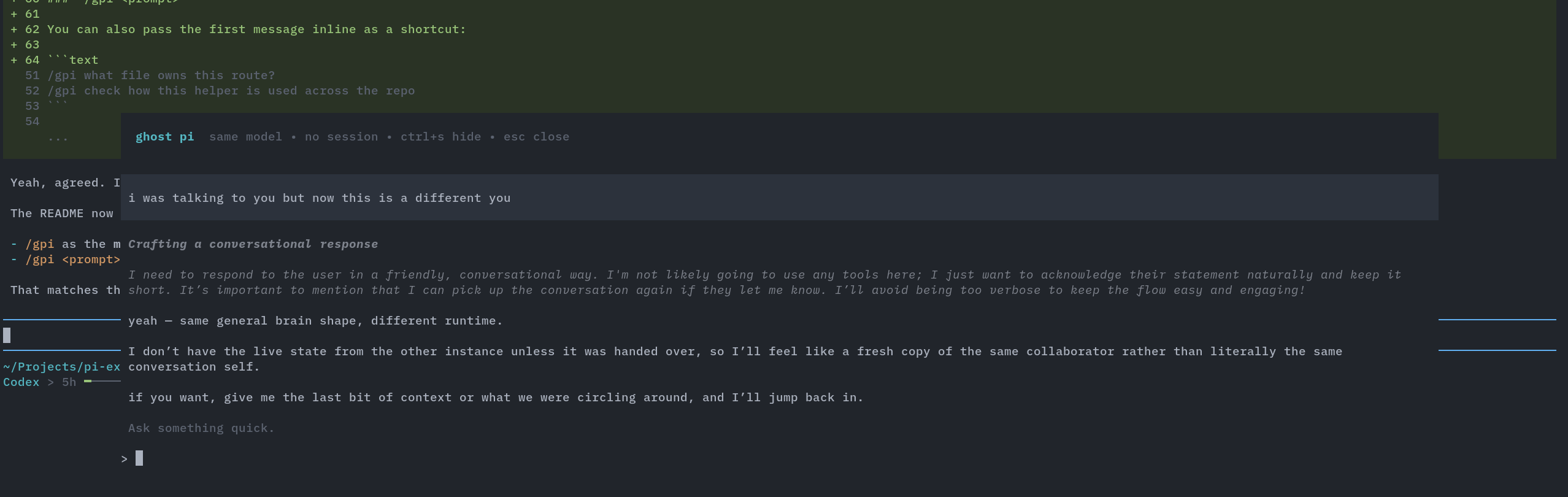
Open a temporary "ghost" session inside the current pi UI, ask something quick, hide it, bring it back, then close it without saving any session history.
Install
pi install npm:@ogulcancelik/pi-ghost
Or add it manually to ~/.pi/agent/settings.json:
{
  "packages": ["npm:@ogulcancelik/pi-ghost"]
}
Then reload pi:
/reload
What it does
pi-ghost adds a /gpi command that opens a floating overlay backed by a separate in-memory AgentSession.
So:
- it starts with the same currently selected model as the main session
- it uses no persisted session file
- it renders with native pi components for user messages, assistant messages, thinking blocks, and tool execution cards
- it can be hidden without losing the temporary conversation
- when you close it, the ghost session is disposed completely
Usage
/gpi
Open the ghost overlay, then type directly into the ghost UI.
/gpi
Main flow:
- run
/gpi - the overlay opens
- type into the ghost prompt
- press
Enter
/gpi <prompt>
You can also pass the first message inline as a shortcut:
/gpi what file owns this route?
/gpi check how this helper is used across the repo
If the overlay is already open, /gpi <prompt> sends another message into the ghost session.
If the overlay is hidden, run /gpi again to bring it back.
Controls
Enter— send message to ghost pi↑/↓— scroll the transcriptPageUp/PageDown— scroll fasterHome/End— jump to top or bottomCtrl+S— hide the overlayEsc— close the ghost session completely
When hidden, a small widget is shown above the prompt:
/gpi is running • run /gpi to bring it back
Behavior
Ghost pi is not your main session.
The overlay opens at the latest message and stays in follow mode while new output streams. Scroll up to inspect older output, then use End to jump back to live output.
It has its own temporary conversation state:
- hide it → state stays in memory
- run
/gpiagain → continue where you left off - close it → state is gone
The ghost session uses the main session's model at the moment it is created. If you change models in the main session later, the already-open ghost session keeps using its existing model until you close and reopen it.
Why
Useful when you want to:
- ask a small side question without polluting the main thread
- inspect a file or run a quick command in parallel
- keep a temporary tangent around while continuing the main conversation
pi-ghost is for those little "btw" moments without leaving the current TUI.
Requirements
- pi with extension support
- interactive mode (the overlay is TUI-only)
Development
Run from this repo with:
pi -e /absolute/path/to/packages/pi-ghost/index.ts
License
MIT