@ogulcancelik/pi-ghostty-theme-sync
Sync pi theme with Ghostty terminal colors
Package details
Install @ogulcancelik/pi-ghostty-theme-sync from npm and Pi will load the resources declared by the package manifest.
$ pi install npm:@ogulcancelik/pi-ghostty-theme-sync- Package
@ogulcancelik/pi-ghostty-theme-sync- Version
0.1.1- Published
- Apr 16, 2026
- Downloads
- 406/mo · 96/wk
- Author
- ogulcancelik
- License
- MIT
- Types
- extension
- Size
- 785.9 KB
- Dependencies
- 0 dependencies · 0 peers
Pi manifest JSON
{
  "extensions": [
    "./index.ts"
  ]
}
Security note
Pi packages can execute code and influence agent behavior. Review the source before installing third-party packages.
README
pi-ghostty-theme-sync
Sync pi theme with your active Ghostty terminal colors.
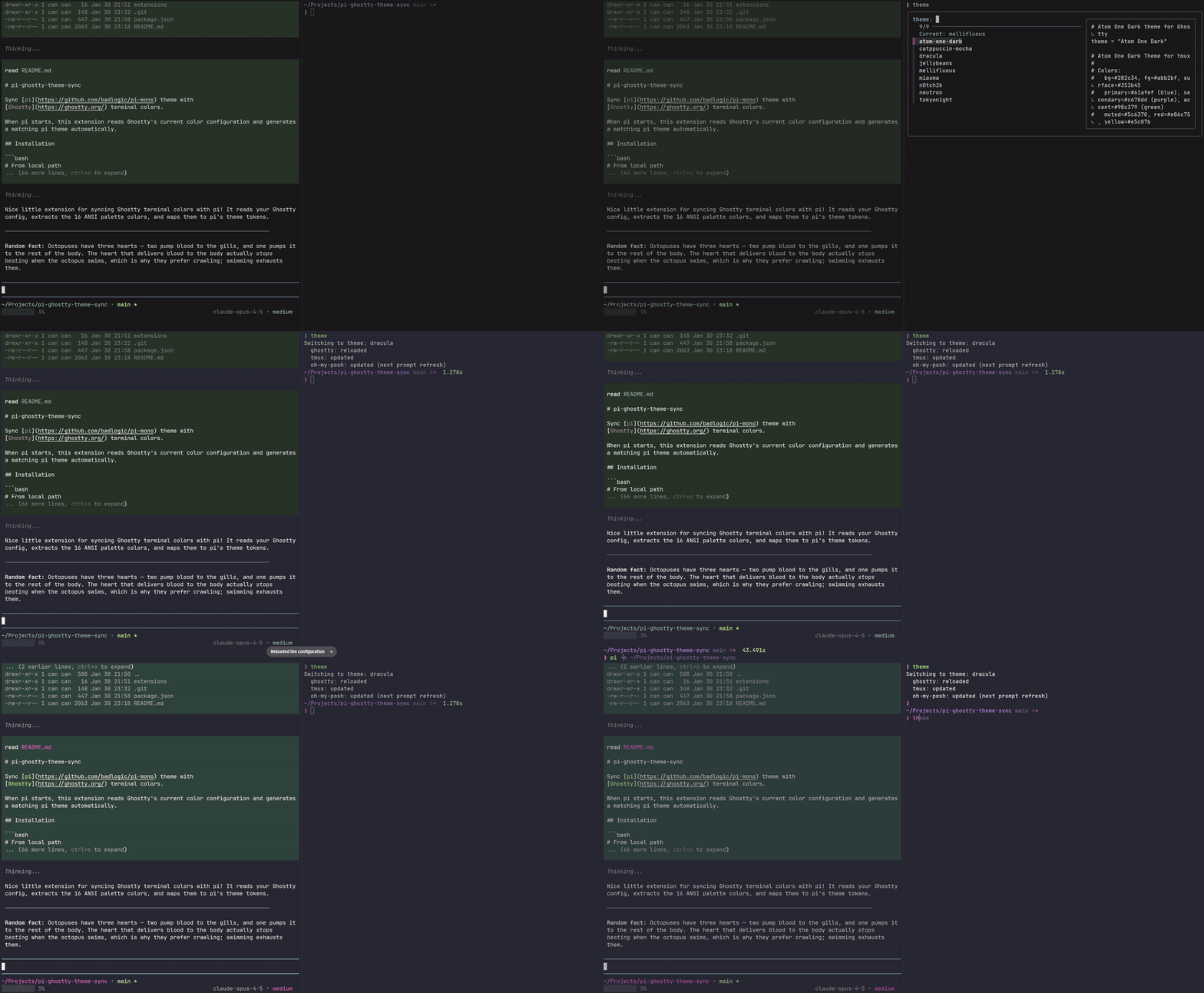
On startup, the extension runs ghostty +show-config, generates a pi theme, and switches pi to it.
install
pi install npm:@ogulcancelik/pi-ghostty-theme-sync
(Optional, try without installing):
pi -e npm:@ogulcancelik/pi-ghostty-theme-sync
how it works
- Reads:
background,foreground, andpalette[0..15]from Ghostty. - Computes a hash of
bg/fg + palette[0..15]. - Writes a theme to:
~/.pi/agent/themes/ghostty-sync-<hash>.json. - Removes older
ghostty-sync-*.jsonfiles (keeps only the current one). - Sets pi theme to
ghostty-sync-<hash>.
mapping notes
Uses ANSI slot semantics:
palette[1]→errorpalette[2]→successpalette[3]→warningpalette[4]→link(links/borders)palette[5]→accent(primary highlight)palette[6]→accentAlt(secondary highlight)
Neutrals (muted, dim, subtle borders) are derived from background + foreground instead of trusting palette[0]/palette[8].
requirements
- Ghostty installed and
ghosttyavailable inPATH
license
MIT