@ogulcancelik/pi-sketch
Quick sketch pad for pi - draw in browser, send to models
Package details
Install @ogulcancelik/pi-sketch from npm and Pi will load the resources declared by the package manifest.
$ pi install npm:@ogulcancelik/pi-sketch- Package
@ogulcancelik/pi-sketch- Version
0.1.2- Published
- Mar 17, 2026
- Downloads
- 59/mo · 16/wk
- Author
- ogulcancelik
- License
- MIT
- Types
- extension
- Size
- 1.3 MB
- Dependencies
- 0 dependencies · 1 peer
Pi manifest JSON
{
  "extensions": [
    "./extensions"
  ]
}Security note
Pi packages can execute code and influence agent behavior. Review the source before installing third-party packages.
README
pi-sketch
Quick sketch pad for pi - draw in browser, send to models.
Install
pi install npm:@ogulcancelik/pi-sketch
Or try without installing:
pi -e npm:@ogulcancelik/pi-sketch
Usage
/sketch
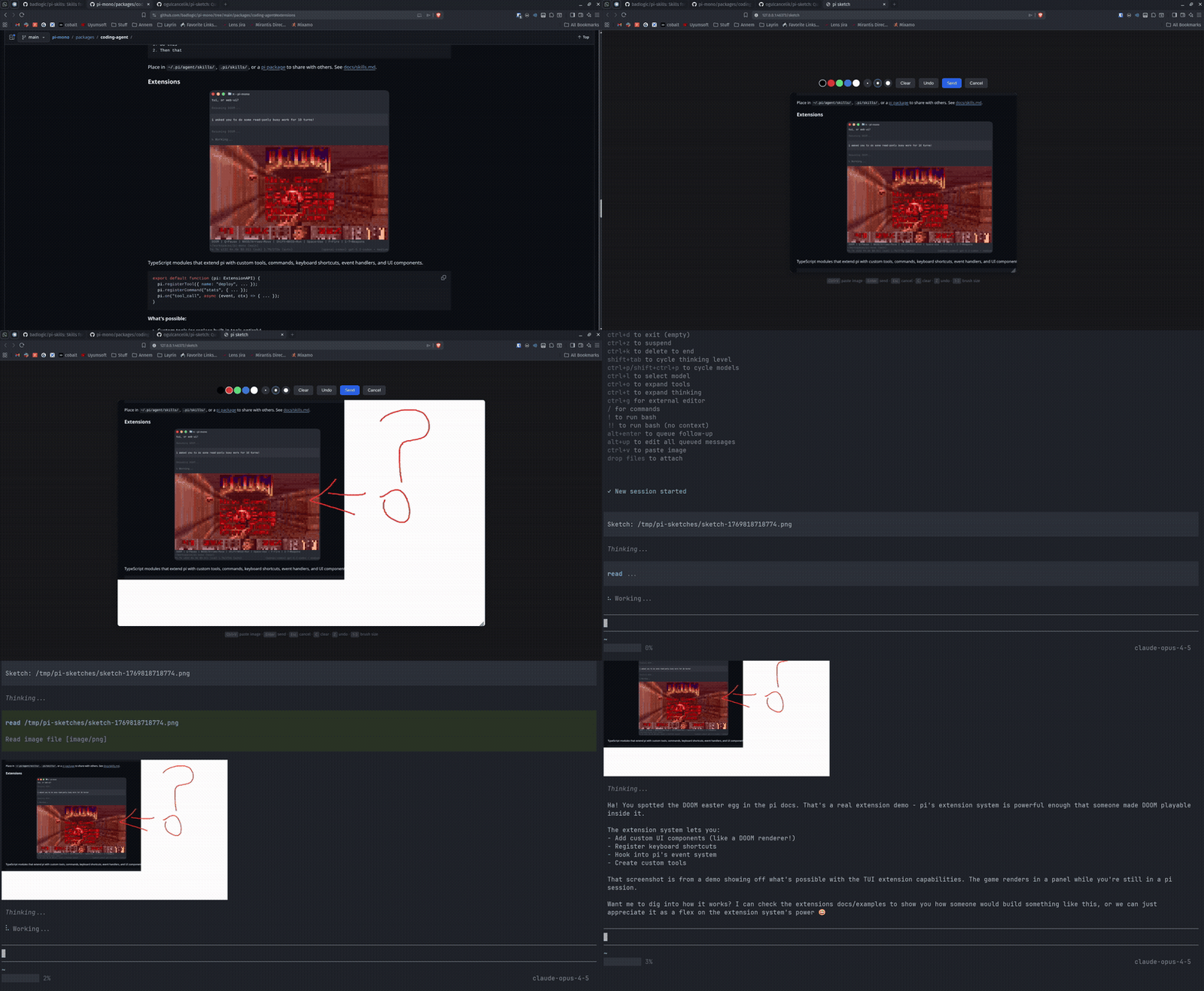
Opens a canvas in your browser. Draw your sketch, press Enter to send.
Features
- Quick sketches - draw arrows, boxes, diagrams
- Clipboard paste -
Ctrl+Vto paste screenshots, annotate on top - Colors - black, red, green, blue, white (eraser)
- Brush sizes - 1, 2, 3 keys
- Undo - Z key
- Cancel from pi - Escape key in terminal
Workflow
/paint- opens browser canvas (URL shown as fallback)- Draw your sketch
Ctrl+Vto paste and annotate screenshots- Press Enter in browser to save
Sketch: /pathappears in your editor - add context and send
Keyboard Shortcuts (in browser)
| Key | Action |
|---|---|
Enter |
Send sketch |
Escape |
Cancel |
C |
Clear canvas |
Z |
Undo |
1-3 |
Brush size |
Ctrl+V |
Paste image |
License
MIT