@patimweb/pi-abap-fs
ABAP remote filesystem extension for pi coding agent. Read, search, write and activate ABAP objects on SAP systems via the ADT protocol.
Package details
Install @patimweb/pi-abap-fs from npm and Pi will load the resources declared by the package manifest.
$ pi install npm:@patimweb/pi-abap-fs- Package
@patimweb/pi-abap-fs- Version
1.2.0- Published
- Aug 25, 2026
- Downloads
- 422/mo · 7/wk
- Author
- patimwep
- License
- MIT
- Types
- extension
- Size
- 1.6 MB
- Dependencies
- 2 dependencies · 0 peers
Pi manifest JSON
{
  "extensions": [
    "./index.ts"
  ],
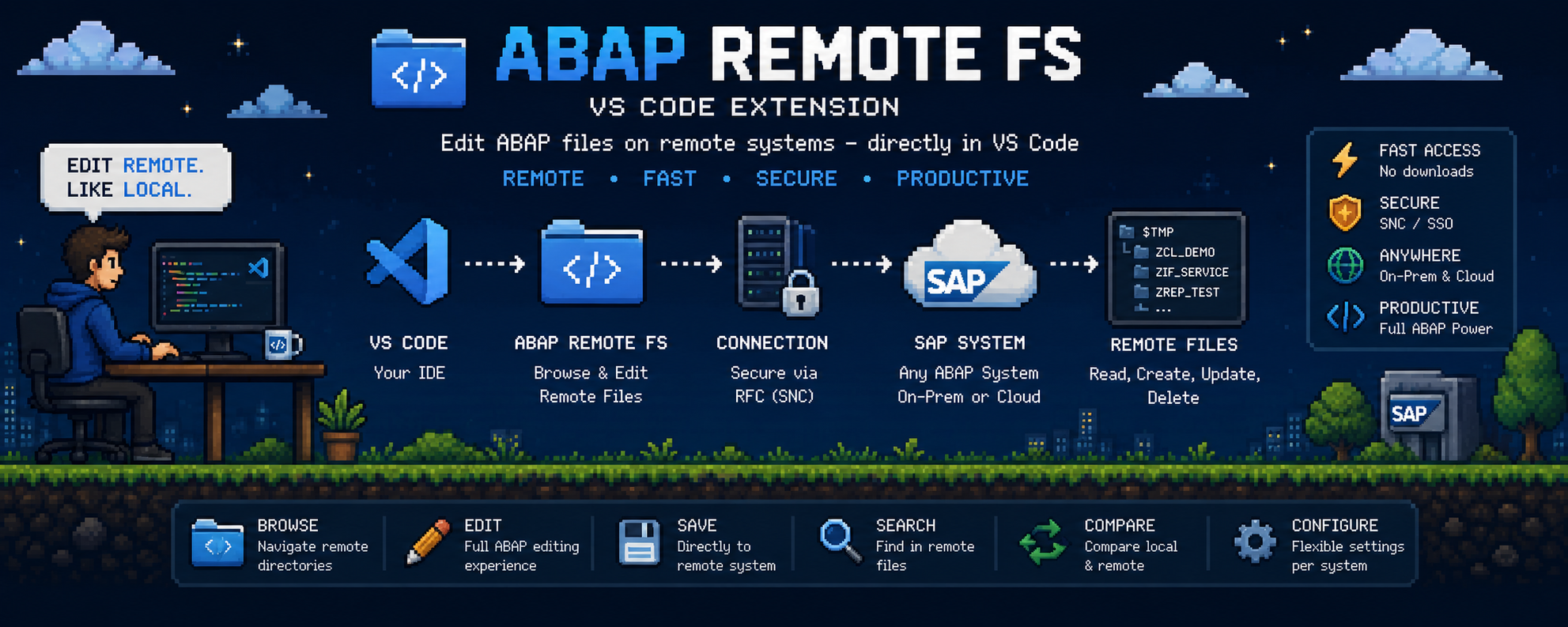
  "image": "https://raw.githubusercontent.com/Smotherer007/pi-abap-fs/main/screenshot.png"
}
Security note
Pi packages can execute code and influence agent behavior. Review the source before installing third-party packages.
README
pi ABAP FS
ABAP remote filesystem access for the pi coding agent.
Gives the pi agent live, read/write access to an SAP S/4HANA system over the ADT (ABAP Development Tools) protocol — search and read real objects, edit and activate source code, run unit tests and ATC, analyze dumps and performance traces, and query live tables, all through plain-language prompts. No VS Code or IDE required.
Built on abap-adt-api, a standalone
Node.js client for the ADT REST interface.
Requirements
- pi coding agent (Node 26+)
- An SAP system with ADT (ABAP Development Tools) enabled
- Reading/browsing works on NetWeaver 7.51+; writing on older systems may need the
abapfs_extensionsplugin (see upstream docs).
- Reading/browsing works on NetWeaver 7.51+; writing on older systems may need the
Installation
pi install npm:@patimweb/pi-abap-fs
or run directly for a quick test:
pi -e ./index.ts
Setup
Ask pi to configure a connection, or call the tool directly:
Use abap_setup to configure my dev system:
name=dev, url=http://vhcalnplci.bti.local:8000,
username=DEVELOPER, password=..., client=001
Credentials are stored in
~/.pi/abap-config.json(mode0600, owner-readable only).Verify the connection:
Use abap_test_connection to check the dev profile.
Tools
| Tool | Purpose |
|---|---|
abap_setup |
Configure an SAP connection profile |
abap_status |
Show configured profiles and the active one |
abap_profile |
List / switch / delete profiles |
abap_test_connection |
Verify a profile can log on |
abap_search |
Search objects by name pattern |
abap_object_structure |
Object metadata and include list |
abap_read |
Read an object's source code |
abap_lock / abap_unlock |
Lock management |
abap_write |
Write source code (lock → write → unlock) |
abap_activate |
Activate an object |
abap_syntax_check |
Syntax-check source |
abap_unit_test |
Run ABAP unit tests |
abap_query |
Run an ABAP SQL query |
abap_table |
Preview table/view contents |
abap_where_used |
Where-used list |
abap_object_types |
List searchable object types |
abap_node_contents |
Browse a package's object tree |
abap_transports |
List transport requests |
abap_atc |
Run ATC analysis on an object |
abap_dumps |
List runtime dumps |
abap_traces |
List performance traces |
abap_trace_hitlist |
Analyze a performance trace |
abap_transport_details |
Details of one transport request |
abap_text_elements |
Read text elements (symbols/selections/headings) |
abap_set_text_elements |
Write text elements |
abap_create_object |
Create a new ABAP object |
Example prompts
- "How does
ZCL_MY_CLASSwork?" — the agent searches, reads the source and related objects. - "Find all classes with 'pricing' in the name."
- "Add method
calculatetoZCL_MY_CLASSand activate it." - "Run the unit tests for
ZCL_MY_CLASSand explain the failures." - "Show me the first 20 rows of table
SFLIGHTwhereCARRID = 'LH'." - "Run ATC on
ZCL_MY_CLASSand summarize the findings." - "Are there any recent runtime dumps in the system?"
- "List my open transport requests, then show the objects in
DEVK900123." - "Analyze the latest performance trace and find the hot spots."
- "Create a new class
ZCL_ORDER_HELPERin packageZ_MY_PACKAGE." - "Read the text symbols of report
Z_MY_REPORT."
Development
npm install
npm run typecheck   # tsc --noEmit
npm test            # node --test over tests/**/*.test.ts
The extension is TypeScript loaded directly by pi (via jiti) — no build step.
Release
Releases use semantic-release
on the main (and next) branches. Commits follow Conventional Commits; CI runs the
test suite, and the release workflow publishes to npm on merge.
License
MIT