@pi-kaush/pi-welcome-screen
Replace Pi's startup header with centered branding and a compact resource summary.
Package details
Install @pi-kaush/pi-welcome-screen from npm and Pi will load the resources declared by the package manifest.
$ pi install npm:@pi-kaush/pi-welcome-screen- Package
@pi-kaush/pi-welcome-screen- Version
0.1.4- Published
- Jul 25, 2026
- Downloads
- 1,268/mo · 313/wk
- Author
- kaushikgopal
- License
- MIT
- Types
- extension
- Size
- 154.4 KB
- Dependencies
- 0 dependencies · 2 peers
Pi manifest JSON
{
  "extensions": [
    "./src/index.ts"
  ]
}
Security note
Pi packages can execute code and influence agent behavior. Review the source before installing third-party packages.
README
@pi-kaush/pi-welcome-screen
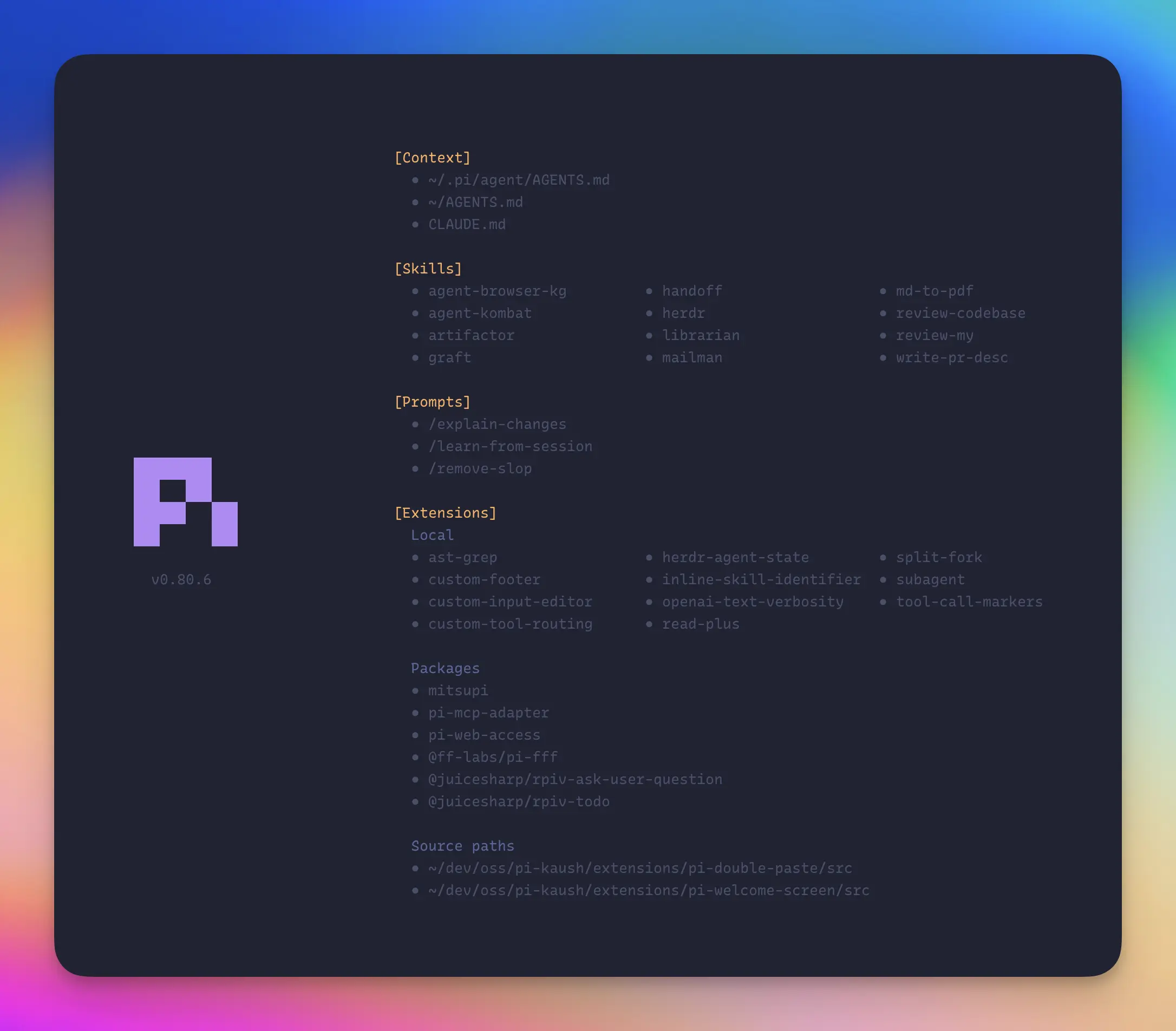
A compact, centered startup screen for the Pi coding agent. It keeps Pi's loaded context, skills, prompts, and extensions visible while replacing the stock header with a responsive branded layout.
Why use it
- Zero runtime dependencies — installs as readable TypeScript without pulling additional packages into your Pi setup.
- Context files in load order — shows exactly which instructions Pi loaded and the order in which they apply.
- Extensions grouped by source — separates Pi-local extensions, installed packages, and linked source paths.
- Responsive layout — adapts from a stacked view to a full-width brand over two resource columns, then a dedicated brand beside two resource columns.
- Fail-safe behavior — if the startup data or UI shape is unfamiliar, restores Pi's untouched native resource panel instead of hiding information.
Install
pi install npm:@pi-kaush/pi-welcome-screen@0.1.3
Restart Pi or run /reload.
Run from a local clone
From any project, point Pi at the extension's source file:
pi -e ~/path/to/pi-kaush/extensions/pi-welcome-screen/src/index.ts
Use --no-extensions before -e to test it without your other configured extensions.
Compatibility
The extension installs its header through Pi's public ctx.ui.setHeader() API. Pi 0.80.6 does not expose structured startup-resource data, so the extension also uses a narrowly guarded bridge to inspect and temporarily relocate Pi's native startup-resource panel.
Every expected component shape is checked before it is touched. If Pi changes the panel, exposes an unknown section, or produces incomplete resource data, the extension restores Pi's untouched native panel rather than hiding information. The initial release is tested against Pi 0.80.6.
Like any custom-header extension, it shares Pi's single header slot. If another extension also calls setHeader(), the last installed header wins; neither extension needs to replace the editor or intercept terminal input.
Security and performance
The package contains readable TypeScript and has:
- no runtime dependencies or install scripts;
- no network, subprocess, clipboard, prompt, tool, model, or telemetry access;
- no background work after the startup resource snapshot completes.
At startup it reads only the names of entries in Pi's local extension directory and the text already rendered in Pi's startup-resource panel so extensions can be grouped by provenance. Resource capture uses at most three short 50 ms retries and is then disposed or replaced by Pi's native panel.
Development
From the repository root:
npm ci --ignore-scripts
npm run check
Inspect the exact publish payload:
npm pack --workspace @pi-kaush/pi-welcome-screen --dry-run
License
MIT