@pi9/context
Pi extension to show a breakdown of your current context usage.
Package details
Install @pi9/context from npm and Pi will load the resources declared by the package manifest.
$ pi install npm:@pi9/context- Package
@pi9/context- Version
0.2.0- Published
- Jul 16, 2026
- Downloads
- 281/mo · 202/wk
- Author
- chasec
- License
- MIT
- Types
- extension
- Size
- 328.7 KB
- Dependencies
- 0 dependencies · 3 peers
Pi manifest JSON
{
  "extensions": [
    "./src/index.ts"
  ],
  "skills": [],
  "prompts": []
}
Security note
Pi packages can execute code and influence agent behavior. Review the source before installing third-party packages.
README
@pi9/context
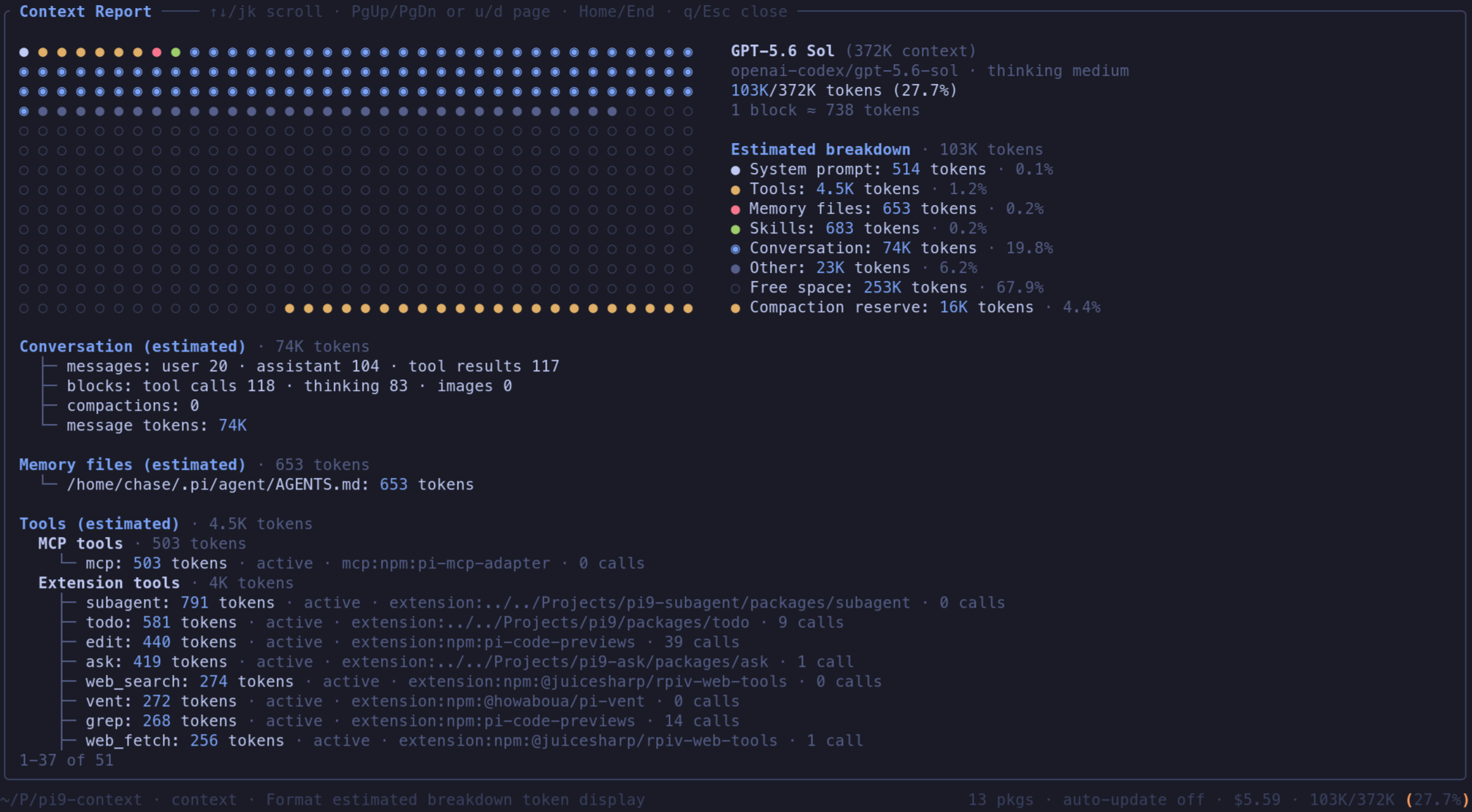
Pi extension that registers /context — a scrollable breakdown of how your current context window is being used (model, responsive usage graph, compaction reserve, conversation stats, memory files, tools, and skills).
Usage
In an interactive pi session:
/context
The report opens as an inline custom view in the main UI flow. Scroll with ↑/↓ or j/k, page with PgUp/PgDn or u/d, jump with Home/End, and close with q or Esc (Enter also closes).
In modes without extension UI support, the command shows a short warning only.
Install
pi install npm:@pi9/context
For local development, load packages/context/src/index.ts as an extension.
Development
npm run typecheck
npm test
Manual verification
To verify the TUI end-to-end:
- Start pi with this extension in a terminal at least 80 columns wide.
- Run
/contexton a session with several messages so the report exceeds the viewport. - Confirm keyboard scrolling, help text, the responsive graph and displayed per-block token scale, section token totals, and Esc closes the inline view without injecting report text into the chat.