@quintinshaw/pi-dynamic-workflows
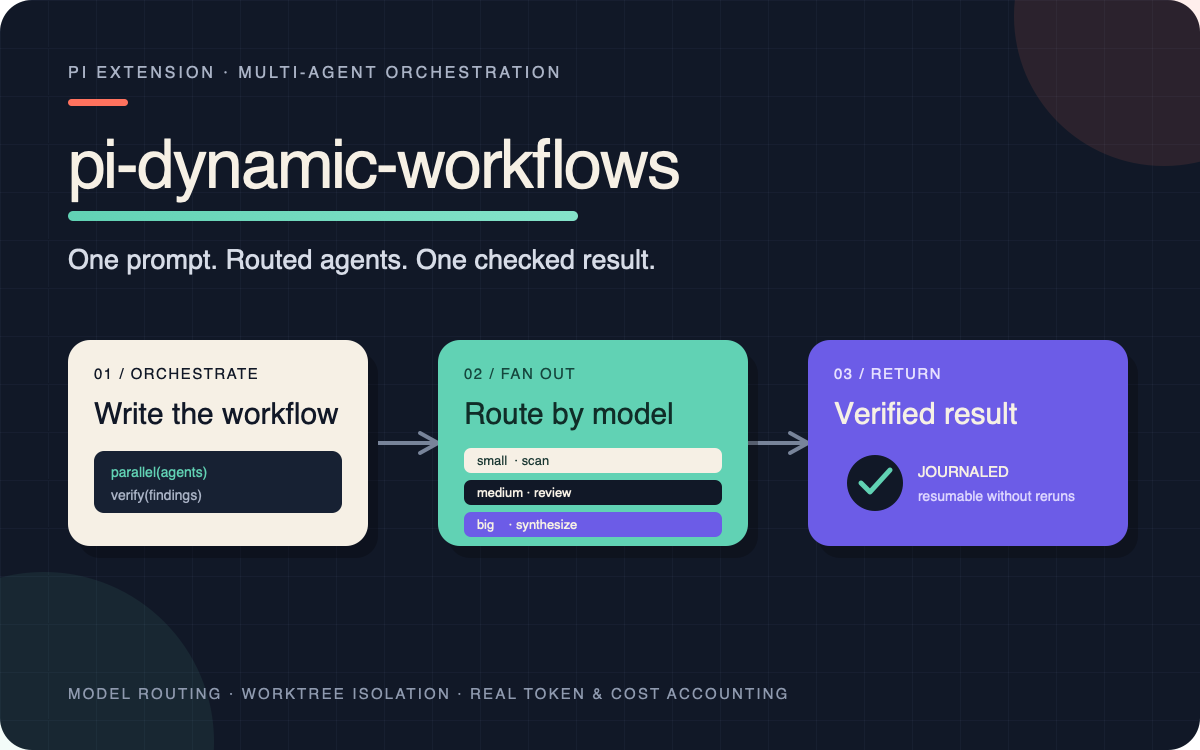
Claude-Code-style dynamic workflows for Pi — fan a task out across 100s of subagents with real model routing, token/cost accounting, resume, git-worktree isolation, an interactive /workflows TUI, and a real /deep-research.
Package details
Install @quintinshaw/pi-dynamic-workflows from npm and Pi will load the resources declared by the package manifest.
$ pi install npm:@quintinshaw/pi-dynamic-workflows- Package
@quintinshaw/pi-dynamic-workflows- Version
3.3.0- Published
- Jul 20, 2026
- Downloads
- 28.3K/mo · 9,007/wk
- Author
- quintinshaw
- License
- MIT
- Types
- extension, skill
- Size
- 1.8 MB
- Dependencies
- 1 dependency · 3 peers
Pi manifest JSON
{
  "extensions": [
    "extensions/workflow.ts"
  ],
  "skills": [
    "skills/workflow-authoring",
    "skills/workflow-patterns"
  ],
  "image": "https://raw.githubusercontent.com/QuintinShaw/pi-dynamic-workflows/main/assets/readme/package-cover.png"
}
Security note
Pi packages can execute code and influence agent behavior. Review the source before installing third-party packages.
README
Turn one request into a JavaScript orchestration script that fans work out across isolated subagents, routes each task to the right model, cross-checks the results, and returns one synthesized answer. Intermediate work stays in script variables instead of filling your chat context.
Built for codebase-wide audits, multi-perspective review, large refactors, and source-checked research—the jobs that are too broad for one agent and one context window.
Start in 30 seconds
pi install npm:@quintinshaw/pi-dynamic-workflows
Run /reload in Pi, then ask naturally:
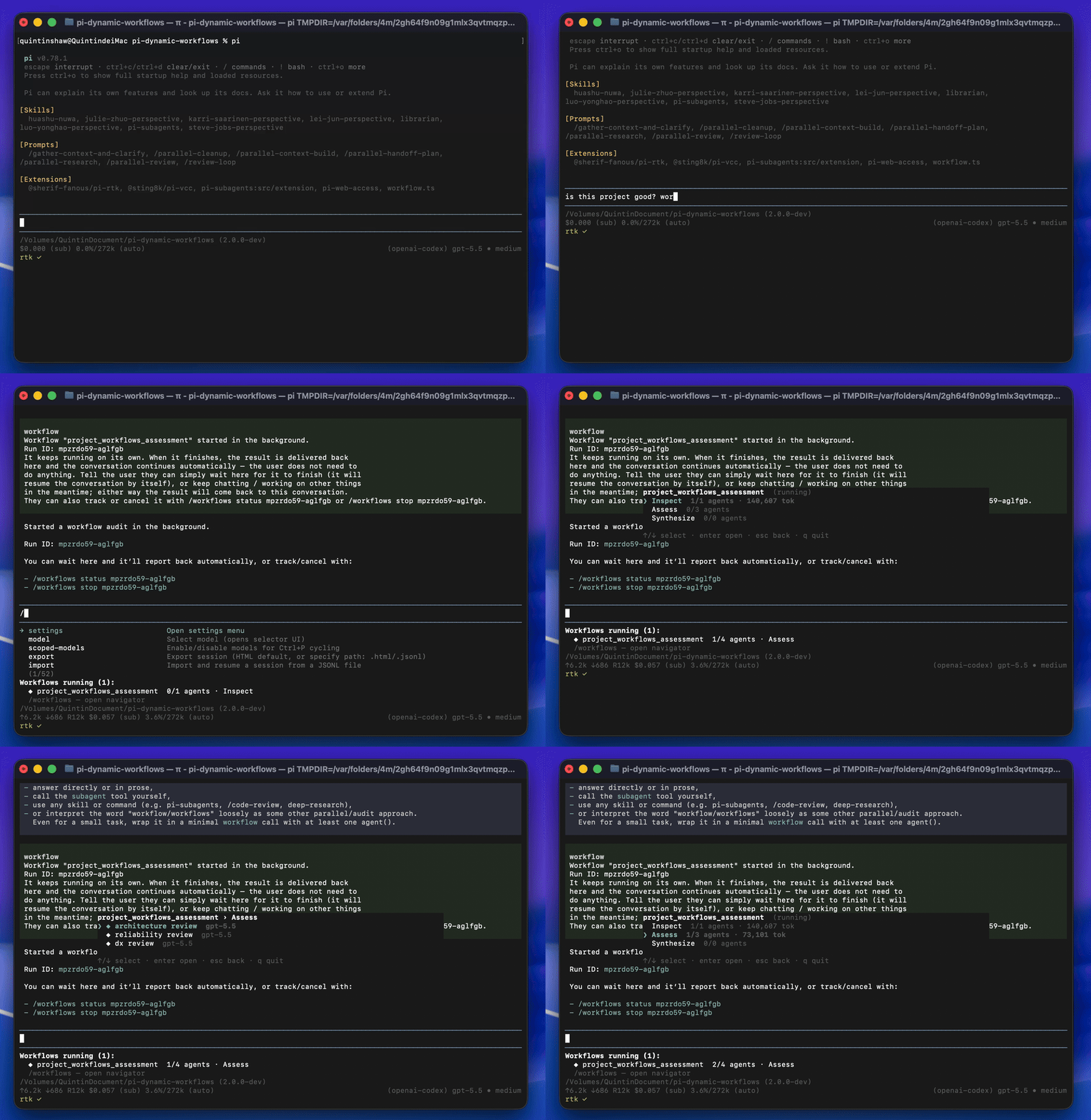
Run a workflow to audit every route under src/routes/ for missing auth checks.
Pi writes and starts the workflow in the background. A live panel tracks progress while you keep working, and the final result is delivered back into the conversation automatically.
Keyword triggering is on by default: use the bounded word workflow or workflows in a message to arm workflow mode — the assistant then handles a request by fanning it out across agents, but still answers plainly if you're only asking about workflows (the trigger authorizes the tool, it doesn't force it). Or run /workflows run <prompt> explicitly. Identifier-like text and paths such as myworkflow, workflow_name, and src/workflow-editor.ts do not trigger. You can change the keyword with /workflows-trigger set pi-workflow or disable it with /workflows-trigger off.
How it works
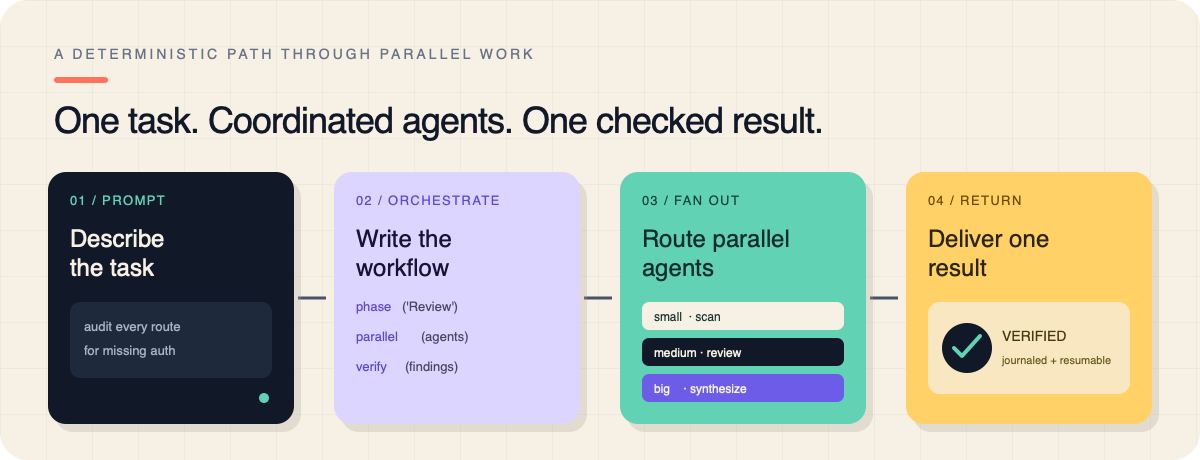
- Orchestrate — Pi writes a deterministic JavaScript workflow with
agent(),parallel(),pipeline(), andphase(). - Fan out — fresh subagent sessions run concurrently, optionally on different models or isolated git worktrees.
- Verify and return — the workflow cross-checks findings, journals completed work for resume, and delivers one result.
The orchestration itself is plain JavaScript:
export const meta = {
  name: 'auth_audit',
  description: 'Find routes missing auth checks and verify the findings',
  phases: [{ title: 'Scan' }, { title: 'Review' }, { title: 'Verify' }],
}

phase('Scan')
const files = await agent('List every route file under src/routes/.', { tier: 'small' })

phase('Review')
const findings = await parallel(
  files.split('\n').filter(Boolean).map((file) =>
    () => agent(`Audit ${file} for missing auth checks.`, {
      tier: 'medium',
      isolation: 'worktree',
    }),
  ),
)

phase('Verify')
return await agent(
  'Synthesize and double-check these findings:\n' + findings.join('\n\n'),
  { tier: 'big' },
)
Why use it
- Real parallel orchestration — fan out up to 16 concurrent and 1000 total subagents from one orchestration script.
- Per-agent model routing — use
small,medium, orbigtiers, or choose an exact provider/model and thinking level. - Journaled resume — replay completed agents after interruption without rerunning them or spending their tokens again. The orchestrator can also resume with an edited script (
resumeFromRunId): unchangedagent()calls replay from cache and only edited/new ones re-run — so a single bad prompt no longer means paying to re-run the whole workflow. - Git worktree isolation — let parallel agents edit safely on throwaway branches with
isolation: "worktree". - Measured usage — report real tokens and cost from each subagent session; add run, phase, or agent budgets only when you want them.
- Visible background runs — track phases, agents, models, fresh/cache tokens, cost, and live tok/s from the progress panel or
/workflowsnavigator. - Quality patterns — compose
verify(),judgePanel(),loopUntilDry(), andcompletenessCheck()instead of rebuilding review loops. - Reusable workflows — save any run as a command and call saved workflows from other workflows.
Supported workflow capabilities
The installed extension generates this compact index from its executable capability contract. Read the workflow authoring guide or use the packaged workflow-authoring skill for constraints, lifecycle guidance, and adaptable examples; configured route and agent-type values remain environment-specific.
| Name | Classification | Signature | Options and defaults |
|---|---|---|---|
| agent | runtime-global | agent(prompt, options?) => Promise<string | structured value | null> |
label: string (optional; default: derived from phase and call count)phase: string (optional; default: current phase)schema: plain JSON Schema (optional)model: string (optional)tier: string (optional)isolation: "worktree" (optional)agentType: string (optional)timeoutMs: number | null (optional; default: run timeout; null disables)retries: number (optional; default: run retry count) |
| parallel | runtime-global | parallel(thunks) => Promise<Array<unknown | null>> |
— |
| pipeline | runtime-global | pipeline(items, ...stages) => Promise<Array<unknown | null>> |
— |
| workflow | runtime-global | workflow(savedName, childArgs?) => Promise<unknown> |
— |
| verify | runtime-global | verify(item: unknown, options?: { reviewers?: number; threshold?: number; lens?: string | string[] }) => Promise<{ real: boolean; realCount: number; total: number; votes: Array<{ real: boolean; reason?: string }> }> |
reviewers: number (optional; default: 2)threshold: number (optional; default: 0.5)lens: string | string[] (optional) |
| judgePanel | runtime-global | judgePanel(attempts: unknown[], options?: { judges?: number; rubric?: string }) => Promise<{ index: number; attempt: unknown; score: number; judgments: Array<{ score: number; reason?: string }> } | undefined> |
judges: number (optional; default: 3)rubric: string (optional; default: "overall quality and correctness") |
| loopUntilDry | runtime-global | loopUntilDry(options: { round: (roundIndex: number) => unknown[] | Promise<unknown[]>; key?: (item: unknown) => string; consecutiveEmpty?: number; maxRounds?: number }) => Promise<unknown[]> |
round: (roundIndex: number) => unknown[] | Promise<unknown[]> (required)key: (item: unknown) => string (optional; default: JSON.stringify)consecutiveEmpty: number (optional; default: 2)maxRounds: number (optional; default: 50) |
| completenessCheck | runtime-global | completenessCheck(taskArgs: unknown, results: unknown) => Promise<{ complete: boolean; missing?: string[] } | null> |
— |
| retry | runtime-global | retry(thunk: (attempt: number) => unknown | Promise<unknown>, options?: { attempts?: number; until?: (result: unknown) => boolean }) => Promise<unknown> |
attempts: number (optional; default: 3)until: (result: unknown) => boolean (optional; default: accept first result when omitted) |
| gate | runtime-global | gate(thunk: (feedback: string | undefined, attempt: number) => unknown | Promise<unknown>, validator: (value: unknown) => { ok: boolean; feedback?: string } | Promise<{ ok: boolean; feedback?: string }>, options?: { attempts?: number }) => Promise<{ ok: boolean; value: unknown; attempts: number }> |
attempts: number (optional; default: 3) |
| checkpoint | runtime-global | checkpoint(prompt, options?) => Promise<unknown> |
default: unknown (optional; default: true when no UI and omitted)headless: "default" | "abort" (optional; default: "default")kind: "confirm" | "input" | "select" (optional; default: "confirm")choices: string[] (optional)timeoutMs: number (optional) |
| log | runtime-global | log(message) => void |
— |
| phase | runtime-global | phase(title, options?) => void |
budget: number (optional) |
| args | runtime-global | args: unknown |
— |
| cwd | runtime-global | cwd: string |
— |
| process | runtime-global | process: { cwd(): string } |
— |
| budget | runtime-global | budget: { total, spent(), remaining() } |
— |
| script | workflow-tool-input | script?: string |
— |
| name | workflow-tool-input | name?: string |
— |
| args | workflow-tool-input | args?: unknown |
— |
| background | workflow-tool-input | background?: boolean = true |
— |
| maxAgents | workflow-tool-input | maxAgents?: number = 1000 |
— |
| concurrency | workflow-tool-input | concurrency?: number |
— |
| agentRetries | workflow-tool-input | agentRetries?: number = configured value or 0 |
— |
| agentTimeoutMs | workflow-tool-input | agentTimeoutMs?: number = configured default or unbounded |
— |
| tokenBudget | workflow-tool-input | tokenBudget?: number = configured default or unlimited |
— |
| resumeFromRunId | workflow-tool-input | resumeFromRunId?: string |
— |
Built-in workflows
/deep-research <question>   source-checked web research with citations
/adversarial-review <task>  findings challenged by skeptical reviewers
/multi-perspective "<topic>" [angle …]
                            independent angles followed by synthesis
/code-review [target]       7 parallel review angles plus verification
/codebase-audit <scope> "<check>" …
                            parallel checks followed by cross-validation
/code-review defaults to the current working diff. It also accepts a git range, a file, or a GitHub PR number:
/code-review
/code-review HEAD~3..HEAD
/code-review src/foo.ts
/code-review 42
For an always-on exhaustive mode, use /ultracode; /effort high is the lighter standing option.
These same 5 patterns are also reachable by name without a slash command — Pi can recognize a decomposable request and run the matching curated pattern directly:
Do a deep-research on whether Bun's test runner is production-ready.
is equivalent to /deep-research "...". A saved workflow always wins over a built-in of the same name, on both the slash-command and natural-language paths — so saving your own code-review shadows the built-in one everywhere.
Commands and run control
Pi can manage background runs directly with the workflow_control tool instead of asking you to type a command. It supports list, status, pause, resume, and stop; run-specific actions use the canonical run ID returned when the workflow starts. Status output includes the run state, current phase, agent counts, active labels, and recorded token total.
| Command | Purpose |
|---|---|
/workflows |
Open the interactive run navigator |
/workflows run <prompt> |
Arm workflow mode for a prompt even when keyword triggering is off |
/workflows status <id> |
Watch a run and print its result when complete |
/workflows pause|resume|stop|rm <id> |
Control a run |
/workflows save <name> |
Save the latest script as a reusable command |
/workflows-trigger off|on|status |
Control automatic keyword triggering |
/workflows-trigger set <word>|reset |
Set or reset the trigger word |
/workflows-progress compact|detailed|status|max <N> |
Live-panel detail level (and max agents shown per phase in detailed mode) |
/workflows-models |
Map model tiers and thinking levels |
/ultracode [off] |
Toggle exhaustive automatic workflows |
/effort off|high|ultra |
Set the standing orchestration effort |
In the navigator: ↑/↓ select · enter/→ open · esc/← back · p pause · x stop · r restart · s save · q quit.
Runtime reference
| Global | What it does |
|---|---|
agent(prompt, opts) |
Spawn an isolated subagent; optionally validate its result with JSON Schema |
parallel(thunks) |
Run () => agent(...) thunks concurrently and preserve input order |
pipeline(items, ...stages) |
Fan items through sequential stages |
phase(title, { budget? }) |
Group work in the live view and optionally set a phase budget |
verify / judgePanel |
Cross-check a result or choose the best candidate |
loopUntilDry / completenessCheck |
Repeat discovery until no new findings remain |
workflow(name, args) |
Run a saved workflow inline |
checkpoint(prompt, opts) |
Add a journaled human-approval gate |
budget |
Inspect real tokens spent and remaining |
| Agent option | Description |
|---|---|
tier |
small, medium, or big model routing |
model |
Exact provider/modelId or provider/modelId:thinking; overrides tier |
agentType |
Named role, tool, and model definition |
isolation |
Use "worktree" for conflict-free parallel edits |
schema |
JSON Schema for a validated structured result |
label / phase |
Display label and phase override |
timeoutMs / retries |
Optional per-agent timeout and recoverable-failure retries |
The full documentation covers every option, structured output, determinism, saved workflows, and operational control.
Model tiers live at ~/.pi/workflows/model-tiers.json and accept Pi CLI-style thinking suffixes:
{
  "tiers": {
    "small": "openai-codex/gpt-5.4-mini:low",
    "medium": "openai-codex/gpt-5.4:medium",
    "big": "openai-codex/gpt-5.5:xhigh"
  }
}
Use /workflows-models to edit them interactively. Without a config, the extension ranks authenticated models by capability hints and assigns distinct models when possible.
Omitted tokenBudget and agentTimeoutMs values use configured defaultTokenBudget and defaultAgentTimeoutMs settings; without them, runs are unlimited and have no hard per-agent timeout. Add per-run or per-agent values when you need explicit gates. concurrency is clamped to 16; agentRetries retries only recoverable failures. Defaults live in ~/.pi/workflows/settings.json; defaultTokenBudget is a soft pre-call gate, and a project-level override of null cancels a global budget.
Pausing and resuming a run keeps the limits it started with — maxAgents, agentTimeoutMs, concurrency, and agentRetries carry over instead of falling back to defaults, and tokenBudget tracking is cumulative across the pause, so a run can't reset its spend by pausing and resuming.
Extension state lives outside the repository under ~/.pi/workflows:
- global settings and tiers:
~/.pi/workflows/settings.jsonandmodel-tiers.json - project runs, journals, locks, and saved overrides:
~/.pi/workflows/projects/<project>/ - older project-local
.pi/workflows/runsand.pi/workflows/savedremain readable as fallbacks
Subagents are in-memory by default. Set persistAgentSessions: true to retain full transcripts in Pi's standard session directory. This creates one file per agent and may store sensitive material that an agent read, so enable it deliberately.
Completed background runs persist their full result in the project run JSON. The conversation delivery includes a pointer to that file when the visible summary is shortened.
Finished runs (completed, failed, or aborted) are retained in full on disk, capped at the 300 most recent per project — older ones are evicted first, and a running or paused run is never touched. Only a smaller number (20 by default) also stay fully loaded in memory for instant access right after they finish; older finished runs still show up in /workflows and workflow_control list, just read back from disk instead of memory. Library embedders can tune both caps — maxTerminalRunsInMemory on WorkflowManager and maxTerminalRunsOnDisk on the run-persistence layer.
Set a literal, case-insensitive custom trigger in ~/.pi/workflows/settings.json:
{
  "keywordTriggerWord": "pi-workflow"
}
The default workflow also matches workflows; a custom word matches exactly. Trigger words are case-insensitive and Unicode identifier-bounded, and do not activate inside paths, slash commands, or identifier-like text. Detection is purely textual, applied at submit time to the message you send — it does not depend on, or own, Pi's editor component, so it works the same regardless of what else is installed.
| Claude Code dynamic workflows | pi-dynamic-workflows on Pi |
|---|---|
| Code-mode orchestration | JavaScript agent() / parallel() / pipeline() / phase() in a VM realm (for determinism, not a security boundary) |
| Isolated subagent contexts | Fresh in-memory Pi sessions; results remain in variables |
| Structured outputs | JSON Schema validation with bounded repair |
| Background runs | Non-blocking run, live panel, and automatic result delivery |
| Resume | Journaled replay of the unchanged completed prefix, including edit-and-resume with a revised script (resumeFromRunId) |
| Model selection | Per-agent and per-phase routing across authenticated providers |
| Ultracode | /ultracode or /effort ultra |
| Additional Pi features | Worktree isolation, real cost accounting, deep research, and quality-pattern helpers |
Determinism and limits
Workflow scripts run in a Node vm sandbox. Date.now(), Math.random(), new Date(), require, import, filesystem access, and network access are unavailable inside the orchestration script. Subagents use their assigned tools; keeping the orchestrator deterministic is what makes journal replay reliable.
Journal replay — including edit-and-resume via resumeFromRunId — matches cached agent results by positional call index (the order in which agent() calls execute), the same contract Claude Code uses. Editing an agent() prompt in place reuses the cache up to that call and re-runs it and everything after. Inserting, removing, or reordering an agent() call before others shifts their positions and invalidates the cache from that point on (mismatched calls simply re-run — no crash). To preserve the cached prefix, keep the earlier still-good agent() calls unchanged and in the same order.
Upgrading to 3.0
3.0 is a milestone release. The one behavior change to know about:
- Keyword triggering now authorizes the workflow tool instead of forcing it. In 2.x, typing the trigger word (default
workflow) rewrote your message into a directive that forced a background workflow. In 3.0 it arms the tool and the model decides: a real, decomposable request is fanned out across agents, but a message that only mentions workflows — a question, a filename, a passing reference — is answered normally. Nothing to configure. If you relied on the word always kicking off a run, use/workflows run <prompt>for the explicit path. Keyword triggering stays on by default;/workflows-trigger offdisables it and/workflows-trigger set <word>changes the word.
Everything else is additive or a fix: the workflow_control tool (list/status/pause/resume/stop), edited-script resume, auto-resume on provider usage limits, and persistence/perf hardening. Requires pi ≥ 0.80.8.
Library API note: the unused createSharedStoreTools export was removed — use createAgentStoreTools.
Upgrading past 3.2
Two behavior changes to know about:
- Subagents no longer load host extensions by default. Each run now builds one shared, extension-free resource loader for all of its subagents (a memory-leak mitigation). Skills, prompts, and
AGENTS.mdcontext still load, and the coding tools and any toolset (e.g.web-research) you hand a subagent are unaffected. What subagents lose is host-extension-registered tools — MCP bridges, browser tools, or anything else another installed extension adds. If anagentTypenames one of those tools in its allowlist, that entry now matches nothing. This also means a subagent can no longer recurse into another orchestration extension, even one not covered by the existing tool denylist. - Checkpoints persisted before this release re-run once.
checkpoint()'s resume-identity hash now also coversdefault,headless, andtimeoutMs, so changing any of them between runs correctly invalidates a stale cached answer. This is a one-time effect: any checkpoint cached under the old hash simply re-prompts once and then caches normally again.
Development
npm install
npm test     # Biome, TypeScript, unit tests, and release checks
Optional model-comprehension evidence
The comprehension harness is manual and never runs in normal CI, npm test, or the release gate. Select an available model explicitly; the harness never embeds or chooses from a static model or agent-type catalogue.
npm run comprehension -- --model provider/model                    # quick writing scenario
npm run comprehension -- --model provider/model --suite full       # write, edit, review, and debug
npm run comprehension -- --model provider/model --output runs/a.json
By default, evidence is written under ignored .pi/model-comprehension/. Each JSON run records the exact prompts and versions, generated workflows, skill reads, provider token usage, deterministic runtime calls/topology/results, assertions, and failure details. Scenario failures are retained as non-blocking evidence and do not produce a failing exit status; argument, model-selection, and setup errors do.
Features are also verified end-to-end against real Pi subagent sessions before release. See CONTRIBUTING.md to contribute.
Credits
The code-mode orchestration idea comes from Michael Livs' original pi-dynamic-workflows and Anthropic's dynamic workflows in Claude Code. This project adds model routing, journaled resume, worktree isolation, measured usage, an interactive TUI, and built-in research and review workflows.
License
MIT — see LICENSE.