@runminton/pi-compact-tool
Compact parallel tool records and request statistics for Pi, with switchable tidy/Claude styles and official execution.
Package details
Install @runminton/pi-compact-tool from npm and Pi will load the resources declared by the package manifest.
$ pi install npm:@runminton/pi-compact-tool- Package
@runminton/pi-compact-tool- Version
0.1.0- Published
- Oct 28, 2026
- Downloads
- 210/mo · 210/wk
- Author
- runminton
- License
- MIT
- Types
- extension, skill
- Size
- 189.5 KB
- Dependencies
- 1 dependency · 3 peers
Pi manifest JSON
{
  "image": "https://raw.githubusercontent.com/RunMintOn/pi-compact-tool/main/assets/preview.png",
  "skills": [
    "./skills"
  ],
  "extensions": [
    "./index.ts"
  ]
}
Security note
Pi packages can execute code and influence agent behavior. Review the source before installing third-party packages.
README
@runminton/pi-compact-tool
Switch between three tool display styles in Pi's TUI. Inspired by pi-tidy-tools (Project One) and pi-tool-display-intent (Reference Two). This is an independent implementation; neither reference extension is loaded.
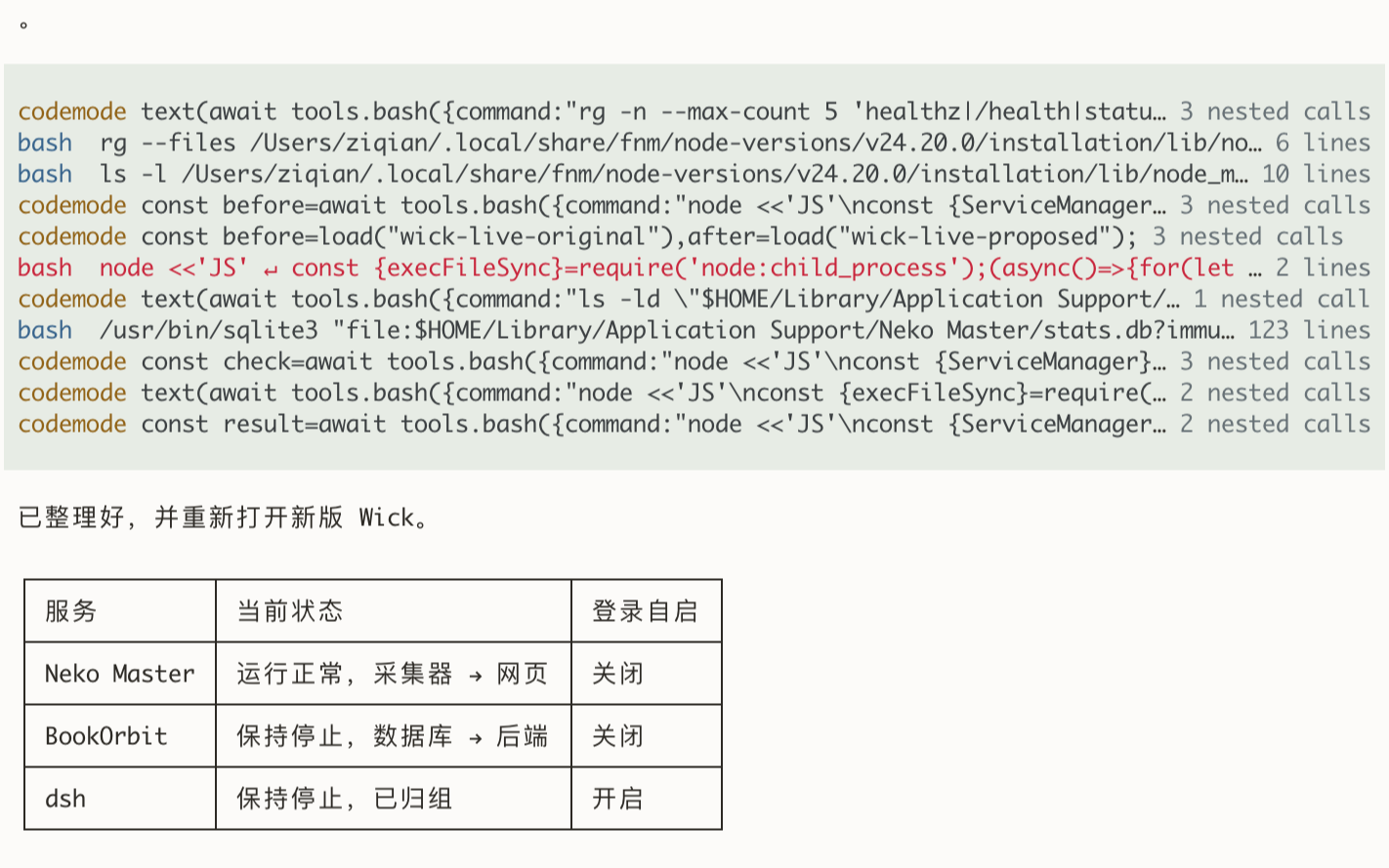
- aggregate (default): tool-region thinking and single-line tools sharing a continuous background, left-aligned subdued headings for parallel groups, thinking in transcript order, and request statistics after the final answer.
- tidy: compact summaries inspired by Project One. Bash shows its first output line and remaining count; Edit shows change counts; Write shows completion.
- claude:
● Read(path),● Bash(command)and indented result summaries. - In fullscreen mode, left-click a tool's title or text result to expand/collapse that row.
- Switching styles preserves row expansion, refreshes existing rows, and never re-executes a tool or requires reload.
- Expanded tool rows stay native: Edit uses Pi's diff and Write shows supplied content. Separately,
View changesopens a whole-task net diff with file navigation, split/unified layouts and line wrapping. - Images retain Pi's native rendering and do not follow text expansion.
- Aggregate Bash always shows received text line counts, including failures and empty output. Failed tool names and targets turn red without error text; counts and other summary suffixes stay muted. Expand for the full error. Tidy/Claude keep their original error summaries.
Preview
Install
Requires Pi 1.4.0 or newer; 1.4.0 is the validated version.
pi install npm:@runminton/pi-compact-tool                    # npm
pi install git:github.com/RunMintOn/pi-compact-tool          # git, follows the default branch
pi install git:github.com/RunMintOn/pi-compact-tool@v0.1.0   # git, pinned to a release
Start Pi and open /tools to choose a display style. Do not load the same package a second time with -e.
Update and remove
pi list                                           # configured packages
pi update --extensions                            # reconcile installed packages
pi remove npm:@runminton/pi-compact-tool          # remove the package and its settings entry
Skill
pi.extensions loads only index.ts. The adapter skill in skills/pi-compact-tool-adapter loads when the package is installed as a Pi package, from npm, git or a local directory. Loading a single file with -e ./index.ts does not load it.
/skill:pi-compact-tool-adapter Adapt my custom tool's compact renderingTo keep the extension but keep the skill away from the agent, filter it in Pi settings:
{ "source": "npm:@runminton/pi-compact-tool", "skills": [] }pi config offers the same switch interactively.
Try without installing
From a checkout:
pi -ne -e ./index.ts --tui-mode fullscreen-ne disables auto-loaded extensions while allowing this explicit extension. Load other extensions with additional -e arguments when needed.
Do not load Project One, Reference Two, or another extension that owns the same built-in tools at the same time. This extension overrides read, bash, edit, write, grep, find, and ls, without activating tools that were previously inactive.
Execution delegates directly to Pi's official implementations. Schemas, prompt metadata and official tool metadata are retained. Cancellation signals, streaming callbacks and the complete execution context are forwarded. Effective shell and image settings are honored. No displaySummary, additional model requests, or tool-result transformations.
Display settings
Use /tools to open the display menu. It shows current values without changing them. Use Up/Down to select a setting, Enter to open its choices, and Enter again to apply. Esc returns from choices without changing anything, or closes the main menu. Changes apply immediately and keep the menu open.
| Setting | Choices |
|---|---|
| 展示风格 (style) | aggregate, tidy, claude, off |
| Bash 颜色 | green, blue, cyan, purple, amber, orange, pink, gray |
| Codemode 颜色 | Same colors |
| Codemode 展示 | compact, calls |
| 已结束的思考 | 显示 (show), 隐藏 (hide) |
Outside aggregate, the other four settings remain visible with their saved values, but are disabled and marked “仅 aggregate 可用”. The menu states the persistence scope: style lasts for the current process; other preferences are saved globally.
The old configuration commands (/tool-style, /tool-color, /codemode-view, /tool-thinking) have been removed without aliases. /changes remains independent.
Existing rows refresh without changing their expansion. Style choices survive reload and new sessions within the current Pi process. Restarting Pi uses --compact-style, or aggregate when omitted. Style choices are not written to disk.
Choose the startup style:
pi -ne -e ./index.ts --tui-mode fullscreen --compact-style tidySelecting off in /tools restores native rendering for built-in and adapted custom tools, disables thinking decoration and final statistics, and stops activity entries and Edit / Write / apply_patch change-report tracking. Use --compact-style off to start in this mode. Tool execution and activation are unchanged; extension commands remain available. Select aggregate, tidy, or claude in /tools to re-enable without reloading. Off remains selected across repeated reloads when testing other plugins.
Entering off discards pending change snapshots and current report links, but does not delete generated HTML files. Re-enabling starts change tracking at subsequent Edit / Write / apply_patch operations; snapshots from the disabled period cannot be reconstructed.
/compact remains Pi's context-compaction command. Ctrl+O remains Pi's global expansion action; per-row fullscreen clicking is this extension's main interaction. Regular terminal-scrollback mode does not provide the same mouse interaction.
Aggregate display preferences
In /tools, Codemode 展示 selects compact (A: one collapsed row, default) or calls (B: summary plus the complete native nested-call region). 已结束的思考 selects 显示 (show, default) or 隐藏 (hide finished thinking, keeping the currently streaming run).
These independent preferences affect aggregate only. Changes refresh existing rows without changing per-tool expansion. B preserves the native expanded call region, including all calls, arguments, wrapping, status, duration, errors and costs, with live partial updates. Script and output remain hidden. Without nested calls, both modes remain single-line. Click the summary or any nested row to expand the entire codemode; collapse returns to the selected A/B mode. Ctrl+O retains native global expansion.
Hidden thinking retains the currently streaming run with native content and expansion. It disappears at thinking end, before tool arguments, execution or normal text, and leaves no blank rows. Serial tools stay contiguous, with spacing only around parallel sections. Model thinking settings and transcript content are untouched; showing thinking again retains its native expansion. Normal text, errors and final statistics remain visible. Tidy/Claude thinking is unchanged.
Preference changes automatically save to getAgentDir()/extension-data/pi-compact-tool/preferences.json (normally ~/.pi/agent/extension-data/pi-compact-tool/preferences.json). Preferences are shared across projects and restored for new sessions and reload. First-use defaults are A + thinking shown. The selected style is retained only in the current Pi process, not in this file. A failed save reports an error without changing current preferences.
Preview tool-label colors
Aggregate codemode labels default to soft amber; Bash defaults to blue. Failure red takes precedence. Native fully expanded codemode content remains unchanged.
In /tools, select Bash 颜色 or Codemode 颜色, then choose a color and press Enter to apply. To restore defaults, select blue for Bash or amber for codemode.
Available colors are green, blue, cyan, purple, amber, orange, pink, gray. Existing rows refresh without changing expansion. Colors are automatically saved in the same global preferences.json and restored across projects, new sessions and reload. Saved colors take precedence over defaults; selecting the default color saves it again. Older configurations without color fields use Bash blue and codemode amber while retaining existing A/B and thinking choices. Tidy/Claude are unaffected.
View task changes
In TUI sessions, Edit / Write save the first pre-write snapshot of each touched file. The apply_patch tool from pi-codex-apply-patch-helper-prototype joins the same tracking: before execution, patch headers identify added, updated, deleted and moved paths for snapshots. Both direct and codemode-nested calls are covered. Once the entire agent run settles, the extension reads only those files again and generates a self-contained HTML report. Mixed tools and repeated edits become one net diff; files restored to their original state are omitted. No repository scan or Git baseline is used. Official Edit / Write tools still own path resolution, edit semantics and the per-file mutation queue; their capture runs inside filesystem operation hooks. Patch tracking observes execution events without changing the helper, tool results or model context.
Aggregate's first statistics line adds View changes after the tool counts. Narrow terminals truncate the counts first and preserve the link; extremely narrow rows shorten its label to Changes. The date line is unchanged. Link opening depends on the terminal's OSC 8 support (regular mode may require Ctrl/Command-click). In any display style, use:
/changes Open the latest generated report from this sessionNew reports are linked to their tasks in the session record. After /resume, switching sessions or /reload, /changes opens the latest generated report on the current conversation branch, and historical statistics rows restore their own View changes links. Context compaction does not discard these associations. If the latest report is missing or unreadable, /changes reports its path without opening an older report. Sessions without saved report associations keep the No change report in this session yet message; existing HTML files are not scanned or migrated.
The command waits for the active task to settle before opening the system browser. If browser launch fails, it prints the report's file URL.
Reports include the complete user message text in a collapsed User message section, any additional user messages observed in the same run, start/end times, completion state, net file counts and line totals. Unified is the default; Split puts the old and new side of each changed line next to each other and is disabled below 720 px of diff width. Switching layouts preserves the current file. wrap is on by default and folds long lines; turning it off scrolls inside each hunk instead of widening the page. At narrow widths the file list opens through Files. Page colors follow the browser/system light or dark preference.
Changed lines are word-diffed: when a paragraph is replaced, only the words that moved are marked instead of the whole line. Markdown source is tinted by structure (headings, fences, tables, inline code) while the markers themselves stay visible, because a change to ## or | is often the change being reviewed. Long unchanged stretches inside a hunk collapse to one N unchanged lines row with a show toggle.
The file list is split into Markdown and Other, with markdown first. Each row leads with the filename and carries +added −deleted; only exceptions get a status letter (A added, D deleted, ? unavailable), because Modified is the default. The same split appears in the document as a divider, and the sidebar order is the scroll order.
↑ / ↓ in the toolbar walk one hunk at a time rather than one file, and j / k (or n / p) do the same from the keyboard. The current hunk is marked with an accent rail and the toolbar shows 3 / 17. Navigation is instant, not animated: it fires on every key press, where motion reads as lag.
The report covers files touched by this extension's Edit / Write tools or the supported apply_patch helper, including nested calls. Bash-only files and other tools are not tracked. Final changes to already tracked files can include formatting, external edits or deletion. Moves use separate source and destination entries: normally Deleted + Added, or Modified for a destination that already existed, always based on the task's initial and final states. Interrupted/error runs retain the changes already made. Binary/invalid UTF-8 files, failed snapshots and files above 1 MiB are listed as Unavailable rather than treated as empty; initial snapshots have a 16 MiB task budget. Their unknown line counts are excluded from the totals.
If any apply_patch call fails or is interrupted, committed changes remain visible and the report shows one Records may be incomplete notice at the top. Even if no changes could be confirmed or no paths could be parsed, a warning report is generated rather than claiming No net changes. A later successful retry does not remove that task's warning; the next task starts clean.
HTML reports are saved below getAgentDir()/extension-data/pi-compact-tool/changes/ (normally ~/.pi/agent/extension-data/pi-compact-tool/changes/). They contain inline jsdiff assets and need neither a server nor network access. Only HTML is retained; source snapshots are released after settlement. Existing HTML files remain usable and are not automatically removed. Runs observed before this feature was loaded cannot be reconstructed. If all observed files return to their original state and no patch failed, the first line shows No net changes and no new report is generated.
Grouping and statistics
Thinking does not define groups. Multi-call assistant messages define candidate parallel groups. Separate single-call messages have no heading even without thinking between them. Live tool_execution_start/end events distinguish overlapping dispatch from sequential execution. Any observed overlap marks the whole dispatch group, including members that end early; entirely sequential groups have no heading. This is tool scheduling, not CPU-level concurrency or per-call overlap intervals. Old sessions without events use same-message multi-call grouping, which cannot prove elapsed-time overlap.
Observed scheduling, Bash output line counts, task timing, message associations and settled statistics snapshots are stored in non-context custom entries for reload/replay, without changing model messages or tool results. Repeated reload does not duplicate summaries or totals; snapshots preserve values after context compaction. Old records recover only available data, without migration or guessed queue boundaries. Counts include failed calls. turns counts assistant messages, including the final answer. Statistics appear once below the last assistant message only at agent_settled. Steering, follow-up and continuations within a continuous task share counts, wall time, tokens and cost; intermediate answers have no summary. Normal completion, aborts and errors all settle. A new task after settling starts fresh. Answer-only tasks also show statistics, omitting tool counts, categories and duration. Missing data is omitted. Statistics follow one blank separator without a panel background or Tools label, preserving native body padding.
Answer-only tasks omit the entire calls/turns heading and keep one statistics row. Tasks with tool calls retain the two-row layout. Dates use local time in MM-DD HH:mm:ss format, without the year.
Timing appears as total 2m 10s (tools 1m 40s) · 30.0 tok/s, without a redundant TPS label. tools is the union of observed top-level tool intervals within the user request, not the sum of individual durations; parallel overlap counts once and nested calls are covered by their parent. These intervals include Pi's preparation, confirmation and result handling, not only Bash process time. Missing or invalid tool timing omits the tool duration rather than estimating it.
TPS sums assistant usage.output from the current agent_end.messages and divides by the seconds between agent_start and agent_end minus the union of that run's tool intervals, clipped to the run boundaries. Network, waiting and thinking outside tool intervals remain included; reasoning tokens are not split out. TPS retains the last agent run's formula while tool duration and other counts cover the continuous task, including queued messages and continuations. TPS is stored with a formula marker for reload. Old records can recover tool duration from complete intervals, but their old wall-time TPS is omitted. Missing starts or tool timing, non-positive remaining time or no output omit TPS. No extra notification is added. Disable the standalone tps.ts to avoid duplicate notifications.
Cost appears as $0.641 with three decimal places. It sums assistant usage.cost.total throughout the continuous task, including intermediate model calls, steering and follow-up, excluding earlier tasks. A new task after settling starts a fresh sum. This uses Pi's recorded USD cost estimates without querying billing or calculating prices separately. Old records rebuild the sum from message usage; records without cost data omit the amount.
Cache usage appears as cache 85%, replacing separate cache-read/write token counts. Pi normalizes input, cacheRead and cacheWrite into disjoint input categories. The percentage is Σ cacheRead / Σ(input + cacheRead + cacheWrite) × 100 over assistant usage within the continuous task, not an unweighted average of request percentages. This uses the same denominator as Pi's native footer; the footer displays the latest request's rate instead. Output tokens and cache writes do not count as hits. Percentages are rounded to one decimal, without a trailing .0. A task with uncached input but no reported hits shows cache 0%; the rate is omitted only when usage is unavailable or input + cacheRead + cacheWrite is zero. The existing tokens ↑ value remains Pi's uncached usage.input, not total prompt size.
Bash uses supplied native output data to exclude empty-output and exit-status notices, ignoring trailing newlines and terminal wrapping. For upstream truncation it uses output-line metadata and shows truncated, without reading the full-output file. Old sessions without recorded counts fall back to received text, which may include native status notices. There are no command-specific success-summary rules in aggregate mode.
Aggregate uses the prototype's subdued background and green/purple/blue/amber tool labels, adjusted for light/dark appearance and terminal color capability. Thinking is colored only when its continuous region contains tools; standalone thinking stays native. Panel thinking has one colored blank row above it, reusing outer top padding at the start, and connects directly to tools below. A single blank line separates their shared region from normal text; normal text remains uncolored and breaks the panel. Each region also has one colored padding row at its top and bottom. All tool names align with body text, respecting native outputPad (one column by default, or zero), without gutters or extra reserved marker space. Parallel groups have a subdued blue-gray parallel · N calls heading directly above their tools. One colored blank row separates sections when entering or leaving a parallel group, including adjacent parallel groups. Existing outer padding is reused at region boundaries. Serial tools remain tightly packed, and the background stays continuous across groups. Panel backgrounds are reapplied after embedded ANSI resets to avoid holes after truncation.
Reversible native tool render/handleMouse and assistant render patches remove intra-region per-tool spacing and append the transient summary. Installed only in TUI sessions and restored on reload/shutdown. Thinking content and expansion state remain native; background/layout wrappers forward clicks to the original MouseRegion. Only thinking rows receive the panel background in mixed thinking/text messages. Per-row tool expansion and image paths remain intact.
Unfinished tools use Pi's native gray toolPendingBg from argument generation through execution, including expanded text, headings and panel padding. Only unfinished regions change; adjacent completed tools keep their background. Success or failure restores aggregate's original background, preserving tool-label colors and error display.
Images
Pi keeps ownership of image protocols, display settings and conversion. An image can remain visible while its text result is collapsed, matching native Pi behavior. Actual pixel display depends on terminal support and Pi settings. In aggregate mode, images remain after their owning tool. A colored bottom-padding row closes the text panel before the image; if more tools follow in the same region, a colored top-padding row resumes the panel. Existing section padding is reused. Images are not relocated to the end of the tool region.
Aggregate caches painted text layout and hidden-thinking region IDs to avoid repeated truncation, coloring and filtering on each frame. Image protocols, conversion, uploads and native image caches are unchanged. See display/performance validation for a 300-PNG fullscreen CPU comparison and its limits: real terminal image decoding/painting and perceived scroll latency were not measured.
Custom tools
The package includes an agent-facing skill at skills/pi-compact-tool-adapter/SKILL.md, distributed through Git and npm. Loading or installing this repository as a Pi package also loads the skill; loading only -e ./index.ts does not. Ask your agent to adapt a tool with:
/skill:pi-compact-tool-adapter Adapt my custom tool's compact renderingThe skill guides agents through inspecting tool data, choosing an integration point, preserving expanded details and verifying rendering.
ffgrep, fffind, codemode and apply_patch are adapted automatically in TUI mode, without changes to their extension or registration code. Adapters live in src/custom-tools.ts and replace only the UI component's definition, never the registered/executing tool, schema, exposure or activation state. Shutdown/reload restores the native renderer.
FFF rows show pattern, path and totalMatched counts (matches for ffgrep, files for fffind), falling back to result-line counts for old results. Expand for full output. Codemode defaults to its first code line and nested-call count; aggregate B additionally shows the complete native nested-call region. Without nested calls it shows the first code line and output-line count excluding the native status header. Expansion preserves native script, nested-call statuses and output. Statistics count only top-level codemode calls; nested calls are not shown as independent parallel groups. None of these tools is enabled automatically.
Apply Patch rows show patch file paths and move destinations, then file counts and actual additions/deletions from details.changes. Legacy results fall back to output file counts without guessing applied line counts from the requested patch. Expansion retains native diffs and diagnostics, or full text output when no native result renderer exists. Separately from this display adapter, execution events capture patch paths for the shared /changes report described above.
Native Apply Patch details are rendered once inside the existing shell. Aggregate's painted-layout cache includes those details, avoiding full-output repainting on every scroll frame. Combined-plugin regression, move-display and performance results are recorded in Apply Patch validation.
Other custom tools retain their renderer unless opted in. Wrap the definition at its original registration site:
import { decorateTool } from "@runminton/pi-compact-tool/display";

pi.registerTool(decorateTool(existingTool));
When using this source checkout directly, replace the import with the actual path to src/display.ts.
The default renderer uses a generic call summary and text output. Add a display adapter for tool-specific presentation, for another search tool:
pi.registerTool(decorateTool(existingSearchTool, {
  kind: "search",
  target: (args) => `${args.pattern ?? ""} in ${args.path ?? "."}`,
  summary: (result) => {
    const text = result.content
      .filter((block) => block.type === "text")
      .map((block) => block.type === "text" ? block.text : "")
      .join("\n");
    return `${text.split("\n").filter(Boolean).length} result lines`;
  },
}));
Kinds: generic, read, search, bash, edit, and write. An adapter can supply renderExpanded with the tool's result-renderer signature to put its native expanded body inside the shell. Without it, native diffs are shown only for edit results already containing details.diff. Execution, schemas and model-facing metadata retain their original definitions. Adapters format supplied data only; they should not read files or execute tools. Opting in replaces the original renderer, including any specialized buttons or interactions.
This version does not include whole-Run collapse, a separate detail popup, model-written intents, Project One's tool-wide shortcuts, or its Markdown auto-expansion mode. Unwrapped custom tools retain their own display and spacing.
Local checks
See lifecycle validation for settled statistics, live thinking and pending-background fixes.
npm install --ignore-scripts --legacy-peer-deps
npm run check
npm run test:tui  # requires expect, python3 and pi
npm run test:display-tui  # A/B, clicks, thinking visibility and preference restoration
npm run test:changes-ui  # requires ego-browser; saves HTML, results and screenshots outside the worktree
Development requires Pi's host packages and typebox to resolve locally. Validation on this machine uses symlinks to the existing Pi installation, without installing a second Pi copy.
See display/performance validation for the new preferences and multi-image diagnostics. See changes validation for net-diff tests and browser checks. See polish validation for spacing refinements, automatic custom adapters, 42 tests and real fullscreen checks. The earlier unified-panel implementation is recorded in thinking validation. Earlier parallel headings are recorded in layout validation. Earlier background and padding changes are recorded in visual fix validation. The first aggregate validation is retained. The original validation notes are retained for the previous per-tool implementation. Licensed under MIT.