@spences10/pi-lsp
Language Server Protocol tools for Pi agents to inspect diagnostics, hovers, definitions, references, and symbols
Package details
Install @spences10/pi-lsp from npm and Pi will load the resources declared by the package manifest.
$ pi install npm:@spences10/pi-lsp- Package
@spences10/pi-lsp- Version
0.0.48- Published
- Oct 3, 2026
- Downloads
- 824/mo · 91/wk
- Author
- spences10
- License
- MIT
- Types
- extension
- Size
- 155.7 KB
- Dependencies
- 3 dependencies · 2 peers
Pi manifest JSON
{
  "image": "https://raw.githubusercontent.com/spences10/my-pi/main/assets/pi-package-preview.png",
  "extensions": [
    "./dist/index.js"
  ]
}Security note
Pi packages can execute code and influence agent behavior. Review the source before installing third-party packages.
README
@spences10/pi-lsp




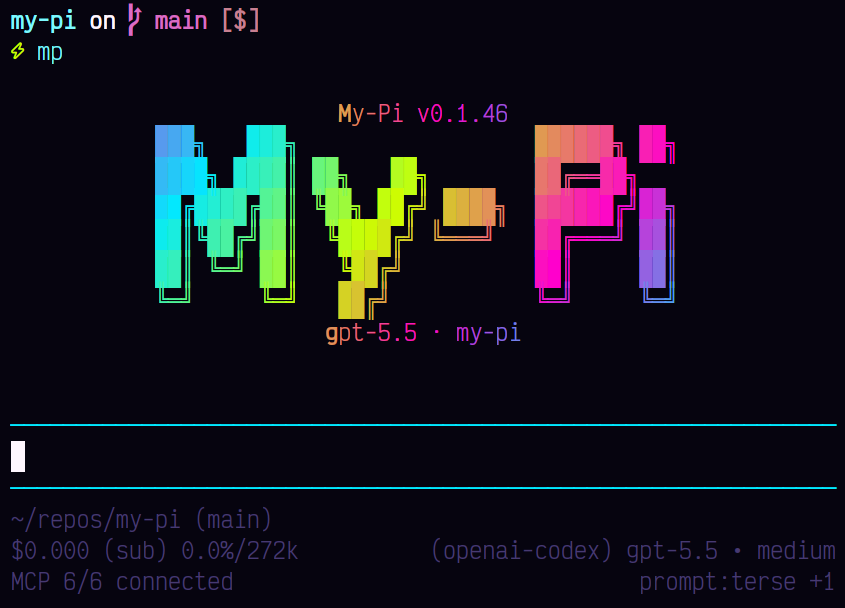
Give agents precise code intelligence instead of guesswork. pi-lsp
exposes language-server diagnostics, hovers, definitions, references,
and symbols as Pi tools so models can validate edits and navigate
typed codebases accurately.
The hover, definition, and document-symbol tools prefer Pi's strict JSON Schema sampling with closed, fully required schemas. LSP tools with optional arguments use normal tool calling for provider portability.
Installation
pi install npm:@spences10/pi-lspLocal development from this monorepo:
pnpm --filter @spences10/pi-lsp run build
pi install ./packages/pi-lsp
# or for one run only
pi -e ./packages/pi-lsp
Required language servers
This package talks to language-server binaries installed globally on
PATH or locally in a project. Global installation makes one server
available across projects:
npm install -g typescript svelte-language-server
# or
pnpm add -g typescript svelte-language-server
Project-local development dependencies let a repository pin and share specific server versions:
npm install -D typescript svelte-language-server
# or
pnpm add -D typescript svelte-language-server
For TypeScript 6 and earlier, add typescript-language-server to the
same global or project-local command. Volta users can install global
tools with volta install typescript svelte-language-server.
Supported server discovery includes:
- TypeScript 7 / JavaScript via the project-local native
tsc --lsp --stdioserver - TypeScript 6 and earlier via
typescript-language-server --stdio - Svelte via
svelteserver - Python via
python-lsp-server, Basedpyright, or Pyright - Go via
gopls - Rust via
rust-analyzer - Ruby via
solargraph - Java via
jdtls - Lua via
lua-language-server
The TypeScript backend is selected by capability. A project-local
TypeScript installation takes priority. TypeScript 7 without
lib/tsserver.js uses its native tsc LSP, while classic project
installations use typescript-language-server. When a project does
not pin TypeScript, a TypeScript 7 tsc on PATH provides the native
LSP. /lsp status reports the selected backend and full command. A
TypeScript 7 native server that cannot start reports a specific setup
hint.
Python server selection
Python keeps pylsp when it is available, so installing another type
checker does not replace an existing pylsp setup or its plugins. When
pylsp is missing, project-local Basedpyright or Pyright takes priority
over global tools. The nearest project installation wins; within the
same directory, Basedpyright takes priority over Pyright. Global
fallback uses Basedpyright before Pyright.
Set MY_PI_LSP_PYTHON_SERVER to pylsp, basedpyright, or pyright
to select a specific backend. Unset it or use auto for the default
selection above. For example:
MY_PI_LSP_PYTHON_SERVER=pyright piAn explicit selection never switches to another backend. Missing or
failed servers report an error and an installation hint. Install with
pip install python-lsp-server, pip install basedpyright, or
pip install pyright. Pyright-family servers use --stdio.
Python discovery checks executable files in ancestor .venv/bin
folders (.venv/Scripts on Windows), node_modules/.bin, and PATH.
Directories, broken links, and non-executable files are skipped. On
Windows, use native executables such as the .exe launchers from pip;
.cmd and .bat wrappers are not supported by the shell-free client.
/lsp status shows the selected backend and resolved command.
If project-binary trust is skipped, Python discovery excludes those
binaries even when an active virtual environment puts them on PATH.
Without a separate global server, the tool reports an error instead of
starting the skipped binary.
Server discovery does not select the Python interpreter used for analysis. Configure the server's interpreter or virtual environment settings separately when needed.
Project-local binary trust
Project-local binaries in node_modules/.bin and Python .venv
folders are untrusted by default because they can execute
repo-controlled code. Interactive sessions prompt before starting a
project-local binary; headless sessions fall back to the global PATH
binary unless MY_PI_LSP_PROJECT_BINARY=allow or
MY_PI_LSP_PROJECT_BINARY=trust is set. /lsp status shows the
resolved binary path for running and idle servers.
An allow-once decision remains valid for the lifetime of the Pi
session, including after an idle language-server restart. Interactive
trust prompts follow tool cancellation and time out after 30 seconds,
returning a tool error instead of leaving the session indefinitely in
Working.
Language servers receive a restricted child-process environment by
default. Use MY_PI_LSP_ENV_ALLOWLIST=NAME,OTHER_NAME or the shared
MY_PI_CHILD_ENV_ALLOWLIST to pass selected ambient variables
through.
Tools
The extension registers LSP-backed Pi tools for:
- diagnostics
- hover
- definitions
- references
- document symbols
These tools let the model inspect types, find usages, and catch diagnostics without guessing from text search alone.
Model reminder
When LSP tools are active, the extension injects a small system prompt
reminder telling the model to use LSP for focused diagnostics, type
and symbol questions, definitions, references, and validation before
reporting completion. It also reminds the model to run diagnostics on
changed language-server-supported files before completion or commit,
preferring lsp_diagnostics_many for batches.
Commands
/lsp status
/lsp list
/lsp restart all
/lsp restart <language>
Use /lsp status to inspect active clients and /lsp restart after
dependency installs or language-server crashes.
Language servers stop after five minutes without an active LSP request
and start again on demand. Set MY_PI_LSP_IDLE_TIMEOUT_MS to a
positive timeout in milliseconds, or set it to 0 to keep idle
servers running until the Pi session exits.
Using from a custom harness
import lsp from '@spences10/pi-lsp';

// pass `lsp` as an ExtensionFactory to your Pi runtime
For harnesses that need to provide their own language-server client factory, use the named extension factory:
import { create_lsp_extension } from '@spences10/pi-lsp';

const lsp = create_lsp_extension({ create_client });
The package also exports CreateLspExtensionOptions,
should_inject_lsp_prompt, and LspClientLike for custom harnesses
and tests that need to share the same prompt-gating or client seam.
my-pi imports this package directly and enables it as the built-in
LSP extension.
Development
Package scripts build transitive workspace dependencies first, then
run local tools through Vite+ with vp exec.
pnpm --filter @spences10/pi-lsp run check
pnpm --filter @spences10/pi-lsp run test
pnpm --filter @spences10/pi-lsp run build
License
MIT