@spences10/pi-observability
Optional live event stream and local web dashboard for Pi agent sessions
Package details
Install @spences10/pi-observability from npm and Pi will load the resources declared by the package manifest.
$ pi install npm:@spences10/pi-observability- Package
@spences10/pi-observability- Version
0.0.23- Published
- Jul 26, 2026
- Downloads
- 1,919/mo · 307/wk
- Author
- spences10
- License
- MIT
- Types
- extension
- Size
- 301.7 KB
- Dependencies
- 3 dependencies · 2 peers
Pi manifest JSON
{
  "extensions": [
    "./dist/index.js"
  ],
  "image": "https://raw.githubusercontent.com/spences10/my-pi/main/assets/pi-package-preview.png"
}Security note
Pi packages can execute code and influence agent behavior. Review the source before installing third-party packages.
README
@spences10/pi-observability




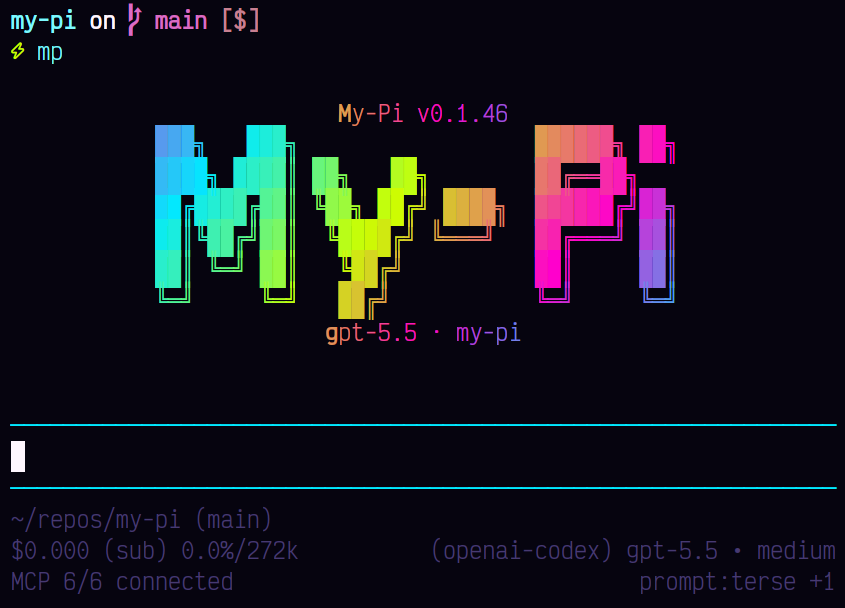
Live local observability for Pi sessions. When enabled, the extension auto-starts a local server, streams redacted lifecycle events to it, and serves a browser trace dashboard with bottleneck, waterfall, and event-inspector views over Server-Sent Events.
Installation
pi install npm:@spences10/pi-observability
Local development from this monorepo:
pnpm --filter @spences10/pi-observability run build
pi install ./packages/pi-observability
Usage
For the my-pi distribution, observability is ambient: start Pi as
usual, then open the browser dashboard from the TUI with
/observability. Use /observability tui for the terminal dashboard.
pnpx my-pi@latest
You can also start/open the dashboard directly:
pnpx my-pi@latest observability
# or from this package binary
pnpx pi-observability-server
Defaults:
http://127.0.0.1:43190
~/.pi/agent/observability.db
Server environment variables:
MY_PI_OBSERVABILITY_HOST=127.0.0.1
MY_PI_OBSERVABILITY_PORT=43190
MY_PI_OBSERVABILITY_DB=~/.pi/agent/observability.db
MY_PI_OBSERVABILITY_TOKEN_FILE=~/.pi/agent/observability-token
MY_PI_OBSERVABILITY_RETENTION_DAYS=14
MY_PI_OBSERVABILITY_MAX_EVENTS=100000
MY_PI_OBSERVABILITY_MAX_BODY_BYTES=1048576
MY_PI_OBSERVABILITY_DETAIL=detailed # detailed or summary
MY_PI_OBSERVABILITY_TOKEN=dev-token
Agent process environment variable:
MY_PI_OBSERVABILITY_FORWARD_SESSION_ID=true # opt-in provider attribution
The local API requires bearer authentication by default. On first
startup, the server creates a random token in
~/.pi/agent/observability-token with mode 0600. The token is
shared by Pi sessions using the fixed local server; a separate random
token per agent session would break pooled ingestion. Set
MY_PI_OBSERVABILITY_TOKEN to manage the value explicitly. The TUI
command and server startup output provide a dashboard URL whose
fragment carries the token to the browser without sending it in an
HTTP query string. The browser removes the fragment and sends the
token only in the Authorization header. The dashboard includes:
- Trace summary — elapsed time, blocking time, errors, token, and cost rollups for the selected session.
- Session context — session id, friendly name when configured, cwd, session file, provider, model, thinking/reasoning settings, and initial user/system prompt previews.
- Waterfall bottlenecks — normalized tool/provider/message spans sorted by duration.
- Event inspector — searchable event summaries with extracted key fields and lazy JSON payload details.
Trace token and cost rollups follow Pi's persisted session accounting. They include assistant responses, nested LLM usage returned by tools, compaction summaries, and branch summaries exactly once. The session file is authoritative; message lifecycle events are used only when persisted usage is unavailable. These cumulative totals complement the timing and event data rather than representing the active context window.
Advanced configuration
By default the extension uses http://127.0.0.1:43190 and starts the
local server if needed. Set a URL only when sending events to a custom
or already-running server:
MY_PI_OBSERVABILITY_URL=http://127.0.0.1:43190 pi
With auth and grouping:
MY_PI_OBSERVABILITY_URL=http://127.0.0.1:43190 \
MY_PI_OBSERVABILITY_TOKEN=dev-token \
MY_PI_OBSERVABILITY_POOL=team-demo \
MY_PI_OBSERVABILITY_TAG=agent-a,experiment-1 \
pi
Equivalent extension flags when this package is loaded by vanilla
upstream pi (the my-pi wrapper does not forward extension flags):
--observability-url
--observability-token
--observability-pool
--observability-tag
--observability-name
--observability-raw
--observability-detail
--observability-forward-session-id
--observability-disable
--no-observability
What it records
Events are stored as ordered envelopes with:
- session id, session file, cwd
- pool, tags, optional friendly agent name
- provider and model when available
- event type, timestamp, monotonic session sequence
- redacted payload summary
The extension listens for session, agent, turn, message, tool,
provider, model, compaction, and branch events when the installed Pi
version emits them. Session renames update stored dashboard metadata
from Pi's native session_info_changed event. /sessions and
/events/stream support pool, tag, and session_id filters where
relevant.
Safety
By default payloads use MY_PI_OBSERVABILITY_DETAIL=detailed, which
keeps allowlisted nested values useful for debugging while still
summarizing large arrays/objects and recursively redacting secrets.
Set MY_PI_OBSERVABILITY_DETAIL=summary or
--observability-detail summary for key-only nested object summaries.
Raw payload mode is opt-in with --observability-raw or
MY_PI_OBSERVABILITY_RAW=true; redaction and a payload byte cap still
apply.
This extension's generic x-pi-session-id attribution header is
disabled by default and requires Pi 0.80.4 or newer. With vanilla
upstream pi, enable --observability-forward-session-id. With the
my-pi executable, set MY_PI_OBSERVABILITY_FORWARD_SESSION_ID=true
on the agent process, not only on a separately launched observability
server. Either option adds the stable local Pi session identifier to
every outgoing provider request, so enable it only for endpoints you
trust. The observability bearer token, pool, tags, and event payloads
are never added to provider headers.
This setting controls only the extension's generic header. Pinned Pi
0.82.0 independently sends the same stable identifier as
x-opencode-session, plus x-opencode-client: pi, by default for
OpenCode, OpenCode Go, and requests to an OpenCode host.
The dashboard shell and static assets are public on the configured
listener, but event ingestion, queries, trace data, and live streams
require an exact Authorization: Bearer ... header. URL query tokens
are rejected. The token file protects against other local OS users and
drive-by browser requests. The server also enforces mode 0600 on the
database and its WAL/SHM files. It cannot isolate data from other
processes running as the same account, which can already read the
local database directly.
This package does not read .env files automatically. Pass only the
configuration you want through environment variables or flags.
Development
pnpm --filter @spences10/pi-observability run check
pnpm --filter @spences10/pi-observability run test
pnpm --filter @spences10/pi-observability run build
License
MIT