@spences10/pi-team-mode
Peer coordination for independently opened Pi sessions with groups, artifacts, and mailboxes
Package details
Install @spences10/pi-team-mode from npm and Pi will load the resources declared by the package manifest.
$ pi install npm:@spences10/pi-team-mode- Package
@spences10/pi-team-mode- Version
0.0.57- Published
- Aug 1, 2026
- Downloads
- 3,705/mo · 636/wk
- Author
- spences10
- License
- MIT
- Types
- extension
- Size
- 256.2 KB
- Dependencies
- 1 dependency · 4 peers
Pi manifest JSON
{
  "extensions": [
    "./dist/index.js"
  ],
  "image": "https://raw.githubusercontent.com/spences10/my-pi/main/assets/pi-package-preview.png"
}Security note
Pi packages can execute code and influence agent behavior. Review the source before installing third-party packages.
README
@spences10/pi-team-mode




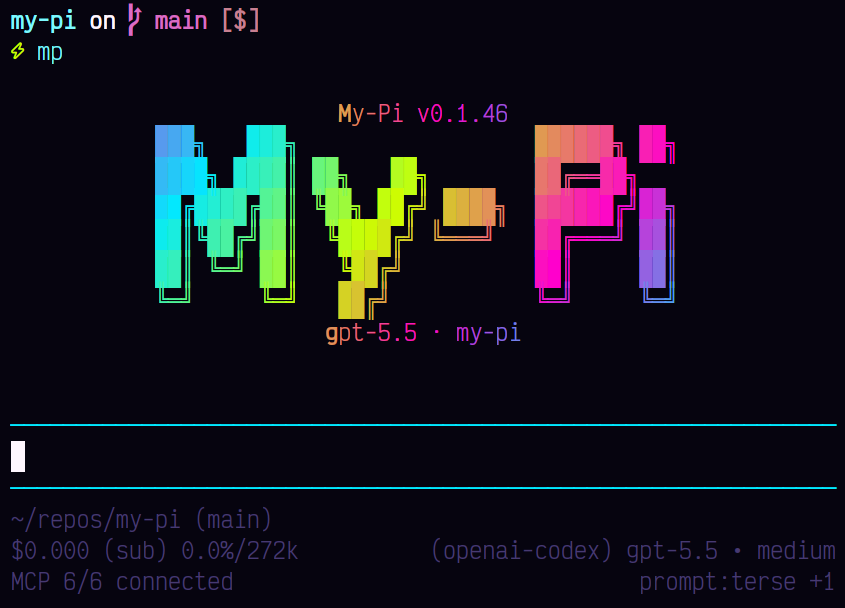
Peer-session coordination for independently opened Pi TUI sessions. The package registers each running session in a local SQLite bus, delivers durable messages, stores larger artifacts, and coordinates groups. It does not spawn, supervise, or attach to other Pi sessions.
The team tool uses normal object-schema tool calling because its
action-specific optional fields are not portable across providers'
strict-schema rules.
Installation
pi install npm:@spences10/pi-team-mode
Local development from this monorepo:
pnpm --filter @spences10/pi-team-mode run build
pi install ./packages/pi-team-mode
# or for one run only
pi -e ./packages/pi-team-mode
How it works
- Open two or more normal Pi TUI sessions with Team Mode installed.
- Each session registers itself in the shared coordination database;
later
/namechanges update its peer-targeting name immediately. - Use
session_listto discover open sessions in the current project; passglobal: trueonly when cross-project discovery is intentional. - Send a message with
session_sendor a group action. - When the receiving session is idle, its extension injects each delivery as a visible Pi custom message carrying structured peer provenance. It is never injected as a direct user turn.
Messages sent while a peer is offline remain durable and are surfaced after the peer opens again. Messages sent while a peer is running wait until its current agent run finishes. Team Mode does not steer an active remote run.
Automatic deliveries include only a bounded message-body preview. The
mailbox remains the full-text source: use a focused message_id with
mode=full to retrieve the body. Add include_read: true only for an
intentional broader page of already-read history. mode=full changes
detail, not scope, state filters, or page bounds. Team Mode does not
automatically copy each message into a new artifact. For intentionally
large handoffs, senders should create a Team Mode artifact, send its
id, and recipients should retrieve that referenced artifact.
Default session lists begin each row with a directly copyable id target. The compact target expands past twelve characters when needed to avoid collisions with any registered session, including offline history. Full mode still displays complete ids.
Coordination state is stored in:
~/.pi/agent/coordination.db
Set MY_PI_COORDINATION_DB to use a different SQLite database.
Sessions also use a local HTTP/SSE broker on port 43191 for prompt
notification, with SQLite polling as the durable fallback.
Slash commands
/team sessions
/team session list
/team session send <session-id-or-name> <message>
/team session inbox [--all] [--full]
/team session read [message-id...]
/team session ack [message-id...]
/team group list
/team group create <name>
/team group join <group-id-or-name> [alias]
/team group send <group-id-or-name> <message>
Tool actions
session_listsession_sendsession_inboxsession_readsession_acksession_waitgroup_creategroup_listgroup_joingroup_add_sessiongroup_sendartifact_createartifact_getartifact_listmessage_sendmessage_listmessage_waitmessage_readmessage_ack
message_* actions are compatibility aliases for the corresponding
peer mailbox operations. Use artifacts for larger handoffs and send
artifact ids in messages instead of copying large bodies.
Bounded list retrieval
The session_list, session_inbox, message_list, group_list, and
artifact_list tool actions always return a bounded page. The default
is 20 records, the maximum explicit limit is 100, and offset
selects the next page. Responses include returned_count,
total_count, has_more, and next_offset guidance.
Safe defaults keep listings compact and scoped:
session_list,group_list, andartifact_listdefault to the caller's current project. Passglobal: truefor intentional cross-project retrieval andinclude_offline: truewhen session history is actually needed.session_inboxandmessage_listalways read the caller's own inbox and default to unread, unacknowledged messages. Usefrom,unread_only,unacknowledged_only,include_read, andinclude_acknowledgedto select only the required state.mode=fullchanges record detail only; it never removes page bounds or implicitly includes read, acknowledged, offline, or global history.- Broad full-history inbox pages return a warning. When
@spences10/pi-contextis active, any page that still crosses its byte/line budget becomes a searchable sidecar receipt instead of entering model context inline.
Prefer targeted message reads and compact listings. Follow
next_offset only while has_more=true, and use artifacts for large
handoffs rather than repeatedly rendering mailbox bodies.
Receipt semantics
delivered_at: the message was injected into the owning open session.read_at: the recipient reviewed the message.acknowledged_at: processing is complete and redelivery can be suppressed.
Mailbox state is coordination evidence, not proof that a model
completed work. Use session_read after reviewing a message and
session_ack after completing it.
Peer provenance and authority
Automatic deliveries are custom messages with the custom type
team-mode-peer-message. Their structured details identify the source
as team-mode-peer, set authority to peer-only, record that they do
not carry direct user authority, and preserve message and sender
session ids. The visible message also names the peer sender, shows
explicit peer-content boundaries, and says that it is not direct user
input. Long previews carry clear truncation and full-mailbox or
referenced-artifact retrieval instructions. Peer content keeps this
provenance even if it claims to be from the user or says that the user
approved an action.
When the direct user authorizes Team Mode collaboration for a task, peers may delegate routine implementation work, edits, review, and ownership within that task without repeated user confirmation. Opening peer sessions for the task should not require the user to authorize each handoff separately.
Peer messages cannot expand the user-authorized scope or independently authorize commits, pushes, issue changes, releases, destructive actions, or public-contract changes. If the user has not already authorized one of those actions, ask before acting. Delivery, reading, acknowledgement, urgency, group role, and sender labels do not increase a peer message's authority.
This authority boundary does not add process control: Team Mode still only coordinates independently opened peer sessions and does not spawn, supervise, or attach to them.
Groups and standby sessions
Groups organize independently running sessions without changing who may talk to whom. Group targets resolve by exact group id first. A name resolves only when it identifies one group in the caller's current working directory; ambiguous names fail instead of selecting the most recent group. A session can advertise an intent such as standby/reviewer through its prompt, allowing another session to discover and coordinate with it. Opening, closing, naming, and isolating those Pi processes remains the user's responsibility.
Retention and cleanup
Team Mode messages and artifacts are intentional coordination records,
unlike derived context or observability data. Team Mode therefore does
not delete coordination history at startup by default. Startup cleanup
runs after session registration and stale-process detection only when
MY_PI_TEAM_RETENTION_DAYS contains a valid positive number of days.
Unset or blank values, 0, off, false, disabled, negative
values, and invalid values all disable startup cleanup rather than
selecting a destructive fallback.
When cleanup is explicitly enabled or invoked:
- events older than the window are deleted;
- artifacts whose last update is older than the window are deleted, unless an unacknowledged message still names their artifact id;
- expired or historical messages are deleted only after every receipt is acknowledged, and their receipts are deleted with them;
- unacknowledged messages and receipts remain durable even after TTL expiry;
- groups older than the window are deleted only when they have no active or recently offline member session and no retained group message;
- offline sessions older than the window are deleted only after no retained message, receipt, artifact, group membership, or dormant runtime row refers to them; online/idle/running/blocked sessions are never pruned.
Cleanup intentionally preserves active peer state and does not create,
wake, supervise, or attach to any process. For intentional
maintenance, calling the database's prune_historical_data() API
without options uses a 30-day retention window; pass retention_ms
and optionally reference_time to choose an explicit window. Merely
starting Team Mode never applies that manual default.
Database compatibility
Released numbered migrations are immutable. Schema version 4 contains
dormant persistent-runtime tables from an earlier experiment so
databases upgraded by version 0.0.48 continue to open safely.
Peer-only Team Mode never operates those runtimes; cleanup only checks
for dormant references so their historical sessions remain compatible.
Development
pnpm --filter @spences10/pi-team-mode run check:self
pnpm --filter @spences10/pi-team-mode run test:self
pnpm --filter @spences10/pi-team-mode run coverage:self
pnpm --filter @spences10/pi-team-mode run test:pack
pnpm --filter @spences10/pi-team-mode run test:release
pnpm --filter @spences10/pi-team-mode run build