@spences10/pi-themes
Polished theme pack for Pi that improves contrast, mood, and visual hierarchy in the terminal UI
Package details
Install @spences10/pi-themes from npm and Pi will load the resources declared by the package manifest.
$ pi install npm:@spences10/pi-themes- Package
@spences10/pi-themes- Version
0.0.8- Published
- May 21, 2026
- Downloads
- 1,220/mo · 219/wk
- Author
- spences10
- License
- MIT
- Types
- theme
- Size
- 24.8 KB
- Dependencies
- 0 dependencies · 0 peers
Pi manifest JSON
{
  "themes": [
    "./themes"
  ],
  "image": "https://raw.githubusercontent.com/spences10/my-pi/main/assets/pi-package-preview.png"
}Security note
Pi packages can execute code and influence agent behavior. Review the source before installing third-party packages.
README
@spences10/pi-themes



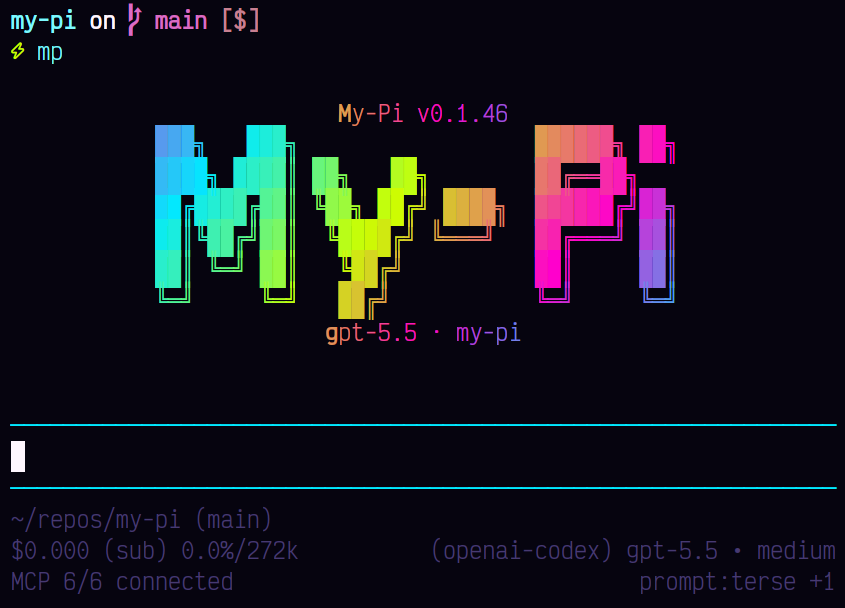
Make Pi feel like your workspace instead of a default terminal app.
pi-themes bundles polished color themes for the Pi coding agent,
giving sessions clearer contrast, mood, and visual hierarchy.
Install
pi install npm:@spences10/pi-themes
Then choose a theme in /settings, or persist one in Pi settings
JSON:
{
	"theme": "tokyo-night"
}
Included themes
- Catppuccin Mocha
- Dracula
- Gruvbox Dark
- Night Owl
- Neon Afterglow
- Neon Noir
- Nord
- One Dark
- Rosé Pine
- Solarized Dark
- Tokyo Night
Development
This package is included in the Vite+ workspace, but its package-level build and test scripts are currently no-ops because it ships static theme assets.
pnpm --filter @spences10/pi-themes run check
pnpm --filter @spences10/pi-themes run build