@ssweens/pi-huddle
Huddle mode for pi - safe exploration and structured elicitation before execution
Package details
Install @ssweens/pi-huddle from npm and Pi will load the resources declared by the package manifest.
$ pi install npm:@ssweens/pi-huddle- Package
@ssweens/pi-huddle- Version
1.1.0- Published
- Mar 30, 2026
- Downloads
- 38/mo · 12/wk
- Author
- ssweens
- License
- MIT
- Types
- extension, skill
- Size
- 1.8 MB
- Dependencies
- 0 dependencies · 3 peers
Pi manifest JSON
{
  "extensions": [
    "./extensions"
  ],
  "skills": [
    "./skills"
  ]
}
Security note
Pi packages can execute code and influence agent behavior. Review the source before installing third-party packages.
README
pi-huddle
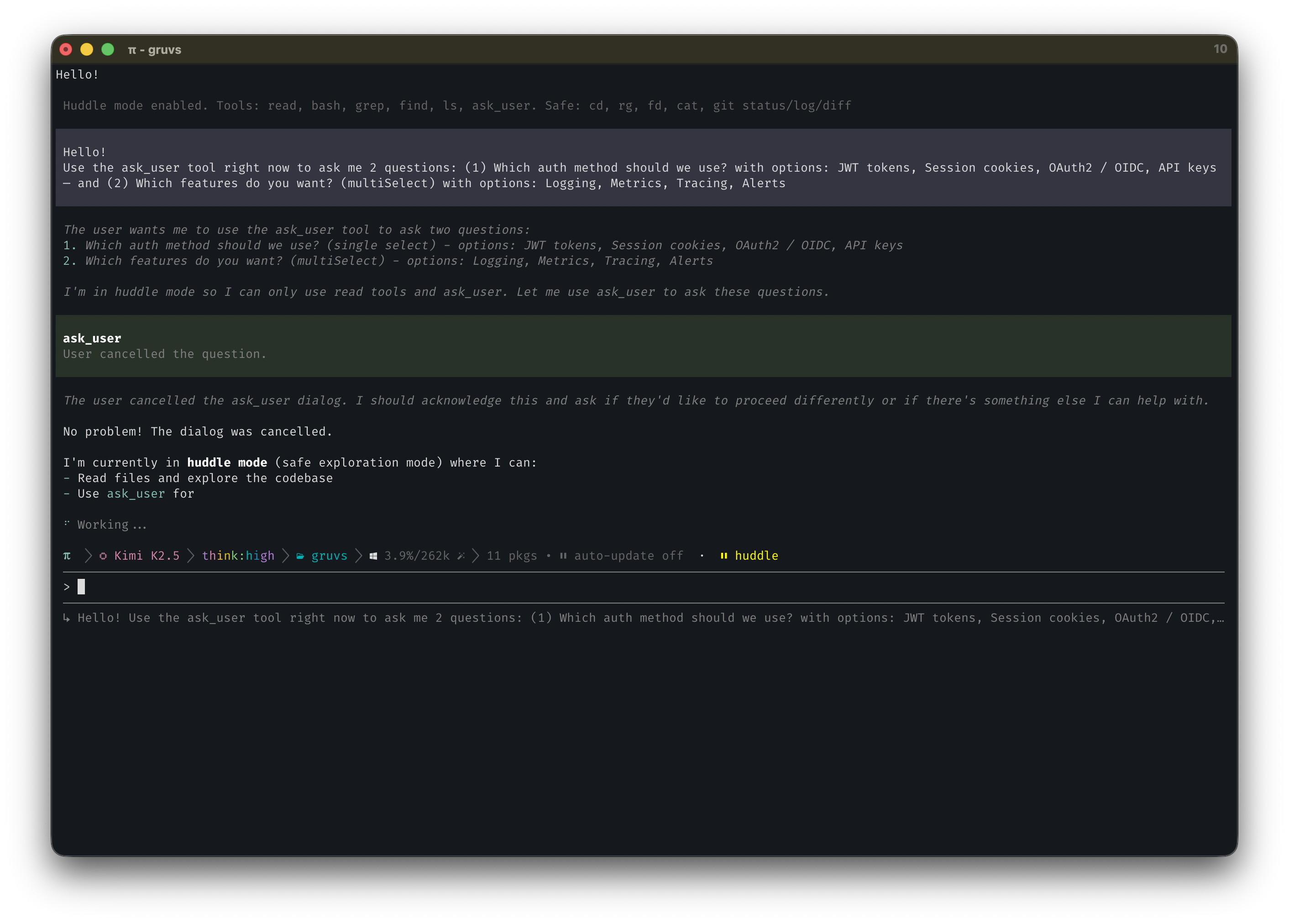
pi install @ssweens/pi-huddle
Huddle mode for pi. Safe exploration with permission gates, plus a powerful ask_user tool for structured multi-question elicitation. Toggle with /huddle, /holup, /plan, or Alt+H.
Features
- Huddle mode — read-only by default; writes require your approval
ask_usertool — rich TUI dialog for structured elicitation (available in all modes)- Permission gates — approve or deny individual edit/write operations inline
- Bash allowlist — safe commands execute freely, destructive ones prompt first
- Three commands —
/huddle(primary),/holup,/planall toggle the mode Alt+Hshortcut — Option+H on Mac- CLI flag —
pi --planto start in huddle mode - Session persistence — huddle state survives session resume
Installation
pi install /path/to/pi-huddle

# Or project-local
pi install -l /path/to/pi-huddle
Usage
Toggle Huddle Mode
/huddle              # primary command
/holup               # alias
/plan                # alias (backward compat)
Alt+H (Option+H)     # keyboard shortcut
Start in Huddle Mode
pi --huddle          # start pi directly in huddle mode
pi --plan            # alias (backward compat)
Workflow
- Enter huddle mode —
/huddleorAlt+H - Use
ask_user— gather requirements and clarify before acting - Explore safely — read, search, and analyze freely
- Approve edits on demand — each write operation requires approval
- Exit when ready — toggle off to restore full access
ask_user Tool
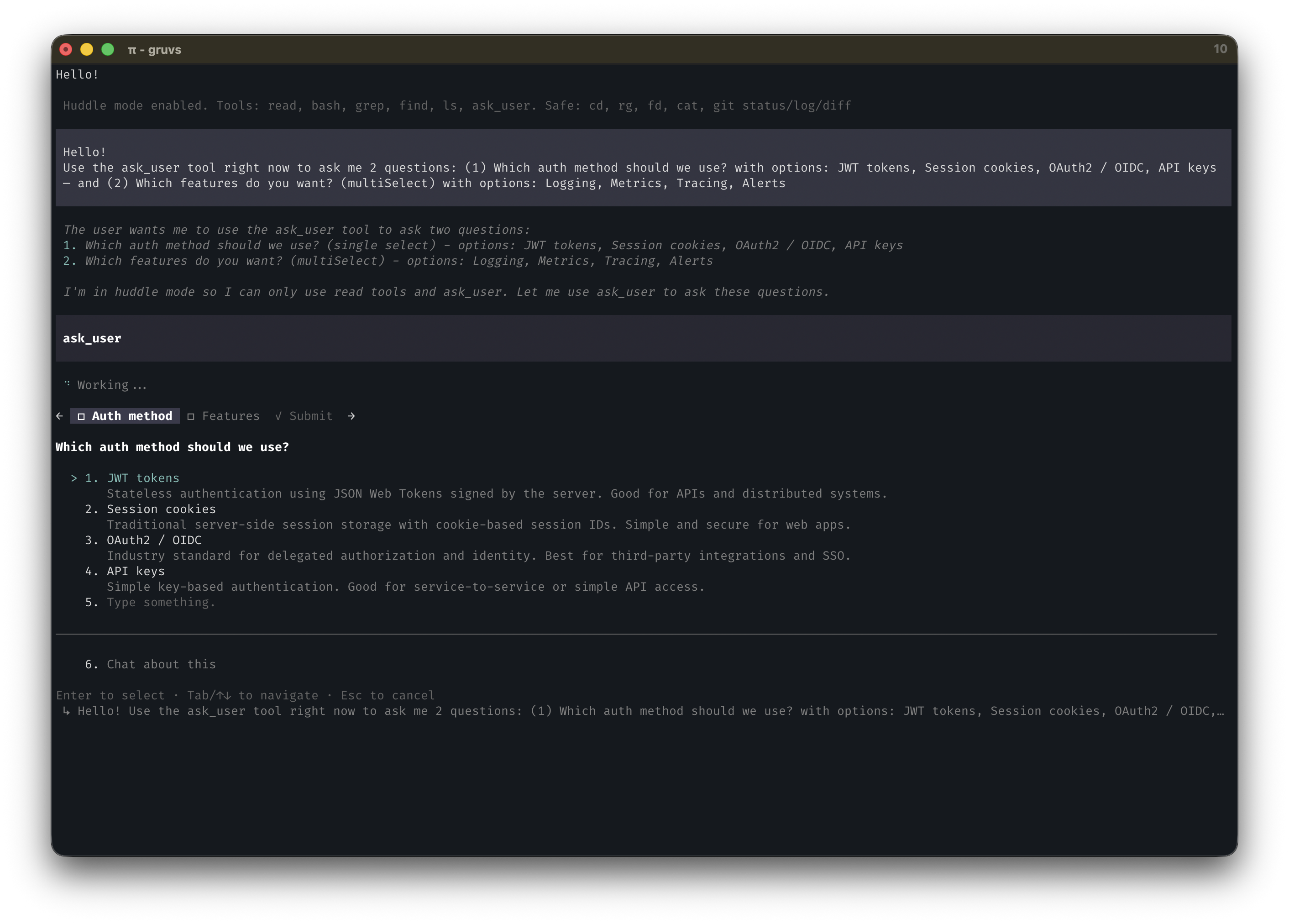
The ask_user tool is available in all modes — not just huddle. It presents a rich TUI dialog with one tab per question, numbered options, freeform text input, and a submit/review view.
Dialog UX
← □ Auth method  □ Library  ✓ Submit →

Which auth approach should I use?

  1. JWT tokens
     Stateless, scales well, standard choice.
  2. Session cookies
     Simpler for server-rendered apps.
  3. OAuth2 / OIDC
     Best for third-party login integration.
  4. API keys
     Simplest for machine-to-machine auth.
  5. |ype something.      ← freeform field, type immediately
  ────────────────────────────────────────
  6. Chat about this

Enter to select · Tab/↑↓ to navigate · Esc to cancel
- Tab bar —
←/→orTab/Shift+Tabto navigate between questions and Submit - Options —
↑/↓to move,Enterto select - Freeform — navigate to row 5, start typing immediately;
Enterto confirm - Chat about this — tells the agent the user wants to discuss before deciding
- Submit view — recap of all answers before final submission
multiSelect: true—SpaceorEnterto toggle, multiple selections allowed
Tool Call Example
{
  "questions": [
    {
      "question": "Which auth approach should I use?",
      "header": "Auth method",
      "options": [
        {
          "label": "JWT tokens (Recommended)",
          "description": "Stateless, scales well, standard choice",
          "markdown": "Authorization: Bearer <token>"
        },
        {
          "label": "Session cookies",
          "description": "Simpler for server-rendered apps"
        },
        {
          "label": "OAuth2 / OIDC",
          "description": "Best for third-party login integration"
        }
      ],
      "multiSelect": false
    },
    {
      "question": "Which features do you want to enable?",
      "header": "Features",
      "options": [
        { "label": "Logging", "description": "Structured JSON logs" },
        { "label": "Metrics", "description": "Prometheus /metrics endpoint" },
        { "label": "Tracing", "description": "OpenTelemetry spans" },
        { "label": "Alerts", "description": "PagerDuty integration" }
      ],
      "multiSelect": true
    }
  ]
}
Return Value
{
  "answers": {
    "Which auth approach should I use?": "JWT tokens (Recommended)",
    "Which features do you want to enable?": "Logging, Tracing"
  },
  "annotations": {},
  "metadata": {}
}
Usage Notes
- 1–4 questions per call
- 2–4 options per question
markdownfield shows a code preview when an option is focusedmultiSelect: truefor feature flags, configuration choices, etc.- Put "(Recommended)" at end of preferred option label
- If user selects "Chat about this", agent should respond conversationally
Permission Gates
✅ Always Allowed
| Tool | Description |
|---|---|
read |
Read file contents |
bash |
Allowlisted safe commands |
grep |
Search within files |
find |
Find files |
ls |
List directories |
ask_user |
Structured elicitation |
⚠️ Requires Permission
edit— file modificationswrite— file creation/overwriting- Non-allowlisted bash commands
Permission Dialog
⚠ Huddle Mode — edit: /path/to/file.ts
[Allow]  [Deny]  [Deny with feedback]
Deny with feedback sends the reason to the agent so it can adjust.
Safe Bash Commands (No Prompt)
cat, head, tail, grep, find, rg, fd, ls, pwd, tree,
git status, git log, git diff, git branch, npm list, curl, jq
Benign output redirections like 2>/dev/null and 2>&1 are also allowed.
Blocked Bash Commands (Prompt Required)
rm, mv, cp, mkdir, touch, git add, git commit, git push,
npm install, yarn add, pip install, sudo, >, >>
Architecture
pi-huddle/
├── package.json          # Package manifest
├── extensions/
│   ├── index.ts          # Commands, shortcuts, ask_user tool, permission gates
│   └── lib/
│       ├── ask-user-dialog.ts  # TUI dialog component
│       └── utils.ts            # Bash command classification
├── skills/
│   └── huddle/
│       └── SKILL.md      # Teaches the agent huddle mode behaviour
├── LICENSE
└── README.md
Two pi primitives:
- Extension — registers
/huddle,/holup,/plancommands,Alt+Hshortcut,ask_usertool, permission gates, and context injection - Skill — documents huddle mode and
ask_userbehaviour so the agent knows how to use them
Development
/reload    # Hot-reload after editing
/huddle    # Test huddle mode