@sting8k/pi-droid-styling
Custom UI styling for Pi: compact startup UI, boxed editor, tool badges, message prefixes, and footer stats.
Package details
Install @sting8k/pi-droid-styling from npm and Pi will load the resources declared by the package manifest.
$ pi install npm:@sting8k/pi-droid-styling- Package
@sting8k/pi-droid-styling- Version
2.13.1- Published
- Sep 14, 2026
- Downloads
- 1,744/mo · 494/wk
- Author
- sting8k
- License
- MIT
- Types
- extension
- Size
- 2.5 MB
- Dependencies
- 1 dependency · 2 peers
Pi manifest JSON
{
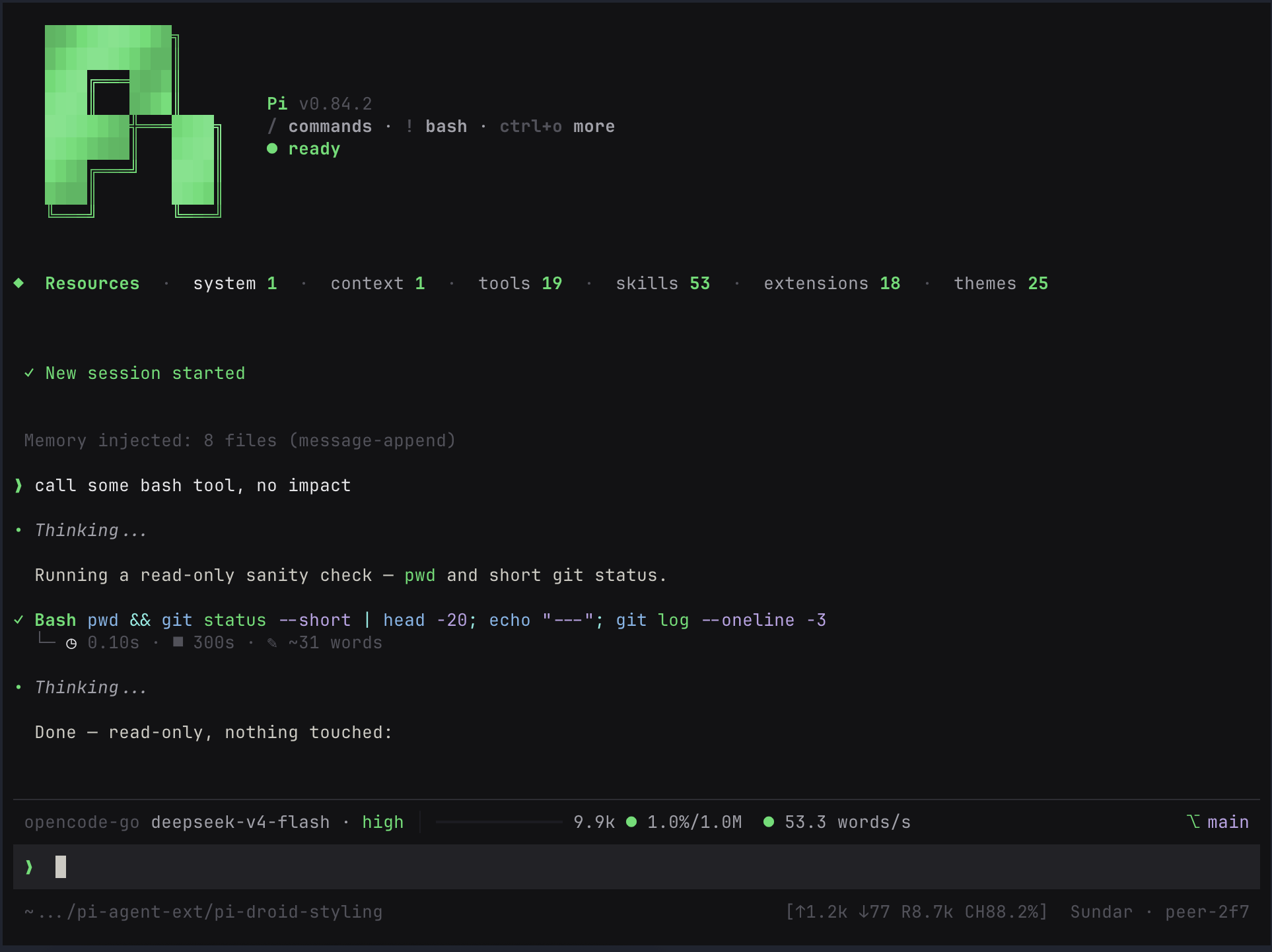
  "image": "https://raw.githubusercontent.com/sting8k/pi-droid-styling/main/screenshots/image.png",
  "extensions": [
    "./index.ts"
  ]
}
Security note
Pi packages can execute code and influence agent behavior. Review the source before installing third-party packages.
README
pi-droid-styling
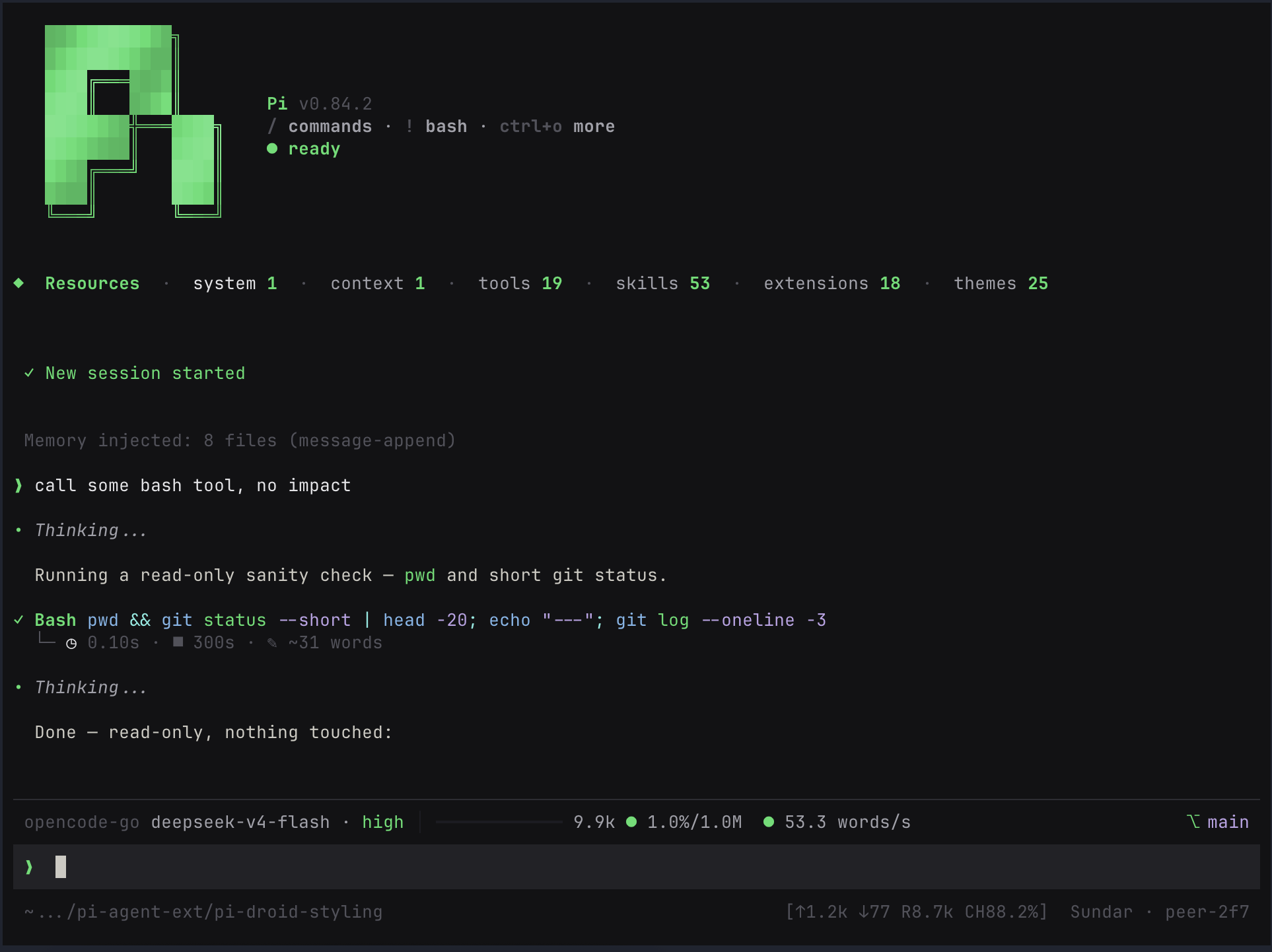
Opinionated Pi UI styling extension: compact startup UI, boxed editor, cleaner tool tags, message prefixes, footer stats, and reload-safe render patches.
Screenshot
Install
pi install npm:@sting8k/pi-droid-styling
Or install directly from Git:
pi install git:github.com/sting8k/pi-droid-styling
Themes
This extension uses pi-themes as its color layer. Installing pi-droid-styling automatically installs and registers those themes—no second install command is needed.
Already have pi-themes installed separately? Keep it. Existing themes take priority, and pi-droid-styling adds only the bundled themes that are missing—without duplicate-theme conflicts.
To install only the theme collection without this styling extension:
pi install git:github.com/sting8k/pi-themes
Features
Look and feel
- A cleaner Pi, instantly. Compact startup, a focused input editor, tidier conversations, collapsed tool output that still peeks at the live thinking tail, and a footer that tracks your session.
- Make it yours. Two conversation layouts, three prompt styles, multiple input frames, and 25 themes included.
Built for the terminal
- Smoother while the model works. Streaming text and fast tool updates are batched into steady frames instead of repainting on every token.
- Stays aligned when you resize. Boxes, labels, and right-aligned status account for terminal escape codes, so they wrap and truncate cleanly.
- Long sessions stay fast. Only the newest part of the chat is rendered, while huge tool results are capped so history does not slow you down.
- Reloads stay clean. UI patches are applied once and removed cleanly, so extension reloads and session switches do not stack layout changes.
Config
Config is stored at ~/.pi/agent/pi-droid-styling.json:
{
  "alwaysExpanded": false,
  "maxExpandedLines": 50,
  "dimToolOutput": false,
  "customWorkingMessage": {
    "working": "Working",
    "thinking": "Thinking",
    "answering": "Answering",
    "running": "Cooking"
  },
  "presentationStyle": "droid",
  "userZoneStyle": "gemini",
  "inputBox": {
    "style": "auto"
  },
  "tasksWidgetStyle": "compact",
  "collapsedThinking": "tail",
  "forceOSC11": false,
  "visibleChatTail": 30
}
| Setting | Options | Default | What it does |
|---|---|---|---|
alwaysExpanded |
true, false |
false |
Open tool output by default. Ctrl+O still toggles it. |
maxExpandedLines |
0–1000 |
50 |
Limit expanded tool output. Use 0 for no limit. |
dimToolOutput |
true, false |
false |
Dim tool output so the conversation stands out. |
customWorkingMessage |
Custom text | See example | Rename the working, thinking, answering, and tool-running labels. You can set only the ones you want to change. |
presentationStyle |
droid, reasonix |
droid |
droid keeps cards and tool boxes. reasonix uses a cleaner, compact conversation layout. |
userZoneStyle |
gemini, droid, cli-dock, nvim |
gemini |
Choose the look of the prompt, status rows, and footer. nvim is a Neovim-style dock: a lined input plus one statusline bar (thinking-level badge, model, branch, tokens, context %, cache-hit %). |
inputBox.style |
auto, halfblock, line, solid |
auto |
Choose the input-box frame. auto uses the best match for the selected user-zone style. Some presets always resolve to a frame outside this list regardless of the setting: cli-dock always renders outline, and droid collapses an explicit line to none. |
tasksWidgetStyle |
compact, default |
compact |
Use the one-line tasks widget, or leave the original pi-tasks widget unchanged. |
collapsedThinking |
tail, label |
tail |
While thinking is hidden (Ctrl+T), each collapsed thinking row shows the end of the thinking text with a ▸ live marker (· once the run is done). label restores the static label. |
forceOSC11 |
true, false |
false |
Force terminal background sync on Windows/WSL. Usually leave this off. |
visibleChatTail |
0 or more |
30 |
Render only the newest N chat items for speed. Use 0 to render everything. |
Profiling
Render profiling is disabled by default. To capture render/update/git/sidebar metrics plus memory, CPU delta, and event-loop utilization:
PI_DROID_PROFILE=1 PI_DROID_PROFILE_OUT=/tmp/pi-droid-profile.jsonl pi
Useful environment variables:
PI_DROID_PROFILE=1enables profiling.PI_DROID_PROFILE_OUT=/path/profile.jsonlwrites JSONL output. Usestderrorstdoutfor stream output.PI_DROID_PROFILE_INTERVAL_MS=5000controls summary cadence.
Synthetic self-check:
npm run profile:render
The synthetic bench exercises footer/editor rendering, render throttle, assistant/tool debounce, and git status refresh. Runtime terminal paint/GPU cost still needs a real Pi TUI capture.
Notes
Works with the active Pi theme; it paints TUI cells explicitly and uses OSC 11 terminal background sync on non-Windows hosts to cover terminal-owned padding/remainder areas. Windows/WSL/Windows Terminal skip OSC 11 unless
forceOSC11is enabled.customWorkingMessageis on by default. Setworking,thinking,answering, andrunningstrings to customize the themed loader labels.Existing legacy
customWorkingMessage: trueorfalsevalues are normalized back to the default label object.
Credits
The gradient startup header was inspired by EnderLiquid/pi-startup-header.
License
MIT