@tasklight/pi-tasklight
Pi extension for Tasklight notifications
Package details
Install @tasklight/pi-tasklight from npm and Pi will load the resources declared by the package manifest.
$ pi install npm:@tasklight/pi-tasklight- Package
@tasklight/pi-tasklight- Version
0.1.0- Published
- Jun 19, 2026
- Downloads
- not available
- Author
- revazi
- License
- MIT
- Types
- extension
- Size
- 189.1 KB
- Dependencies
- 1 dependency · 2 peers
Pi manifest JSON
{
  "extensions": [
    "./extensions/tasklight.ts"
  ],
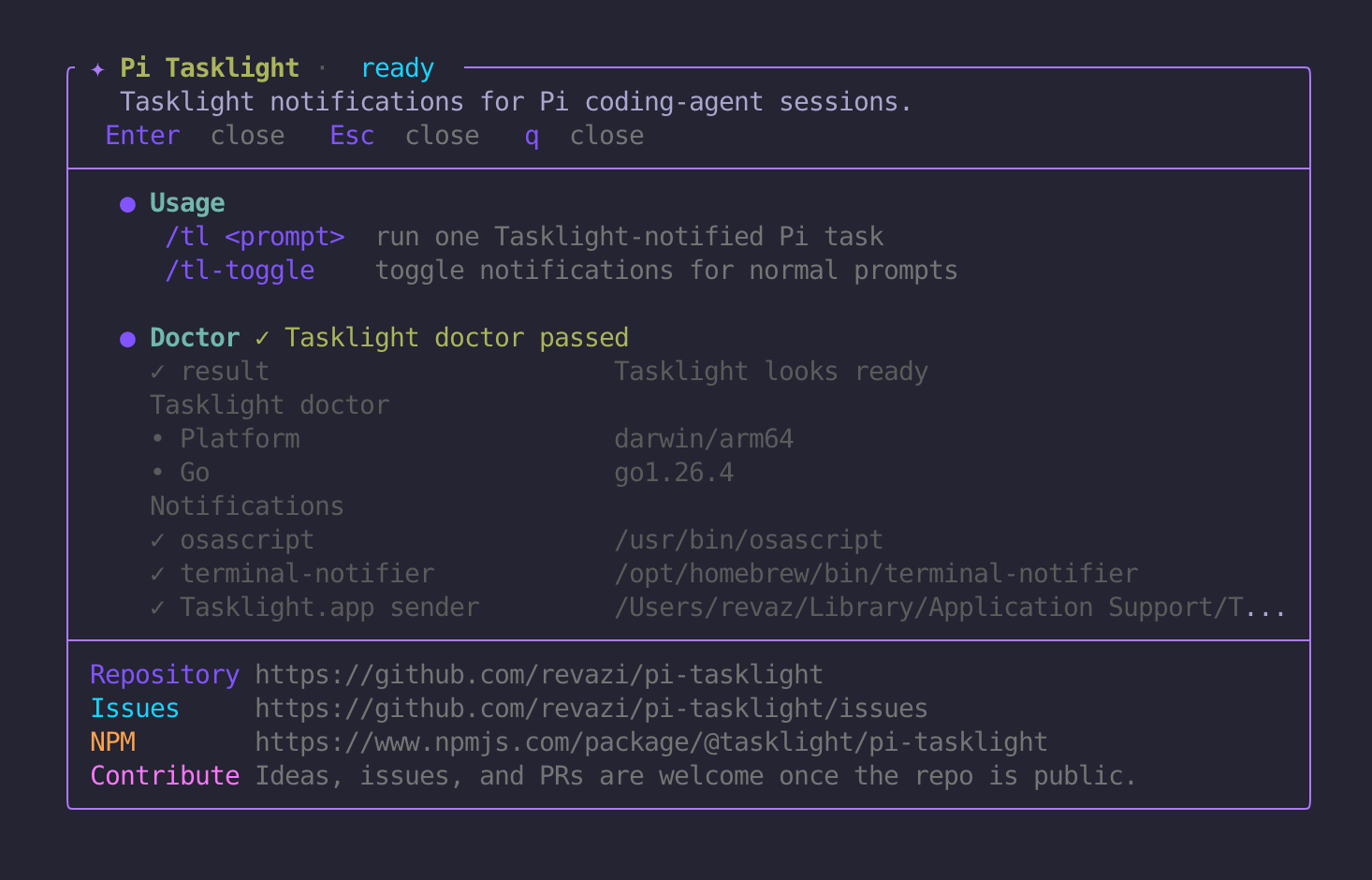
  "image": "https://raw.githubusercontent.com/revazi/pi-tasklight/main/pi-tasklight.png"
}
Security note
Pi packages can execute code and influence agent behavior. Review the source before installing third-party packages.
README
Pi Tasklight
Tasklight notifications for Pi coding-agent sessions.
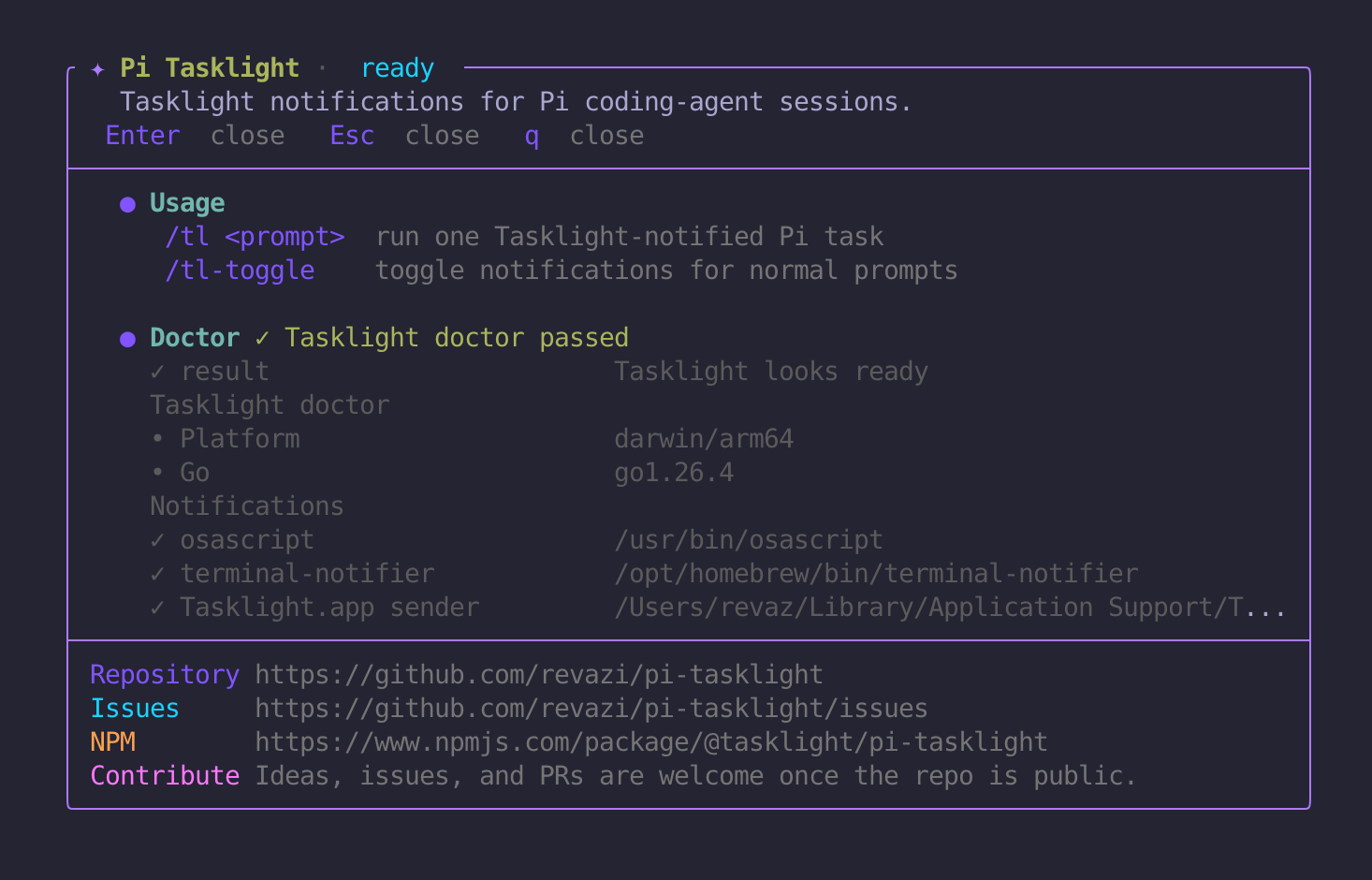
Use Pi Tasklight when you want Pi to work in the background and notify you when it finishes.
/tl fix the failing auth test
When Pi is done, Pi Tasklight sends a Tasklight desktop notification like:
Pi · my-repo · auth-session
✓ Finished in 2m 14s
fix the failing auth test
No summarization model call is used. Pi Tasklight sends the original prompt as the notification message.
Features
/tl <prompt>runs a one-off Pi task and notifies when it finishes./tlopens the Pi Tasklight status view with Tasklight doctor results and project links.- Optional notifications for normal Pi prompts via
/tl-toggle. - Notifications without a second LLM call.
- Tasklight doctor status in
/tland a test notification command inside Pi. - Context-aware notification titles like
Pi · <directory/repo> · <session>. - Uses the published
@tasklight/clipackage when installed.
Requirements
- Pi coding agent
- Tasklight CLI
Pi Tasklight depends on @tasklight/cli, so npm/git package installs can bring the Tasklight CLI with the extension.
Tasklight is resolved in this order:
TASKLIGHT_BIN=/path/to/tasklight- installed
@tasklight/clipackage dependency tasklightinPATHnpx -y @tasklight/clifallback
Inside Pi, run bare /tl to see Tasklight status and doctor results. You can also check Tasklight directly from a shell:
npx -y @tasklight/cli doctor
Install from npm
Install Pi Tasklight:
pi install npm:@tasklight/pi-tasklight
Or try it for one Pi run without installing:
pi -e npm:@tasklight/pi-tasklight
Then inside Pi:
/tl
/tl-test
/tl run a tiny harmless check and tell me done
Quick start from this repo
Install dependencies once:
npm install
Run Pi with the extension loaded:
pi -e .
Then inside Pi:
/tl
/tl-test
/tl run a tiny harmless check and tell me done
You can also load the extension file directly:
pi -e ./extensions/tasklight.ts
Install locally
Install globally for your user:
pi install ~/Work/pi-tasklight
Or install project-locally from a project where you use Pi:
pi install -l ~/Work/pi-tasklight
After installing, start Pi normally and use:
/tl your task here
Commands
| Command | Description |
|---|---|
/tl |
Show Pi Tasklight status, Tasklight doctor results, and project links |
/tl <prompt> |
Run a Pi prompt and notify when done |
/tl-toggle |
Toggle notifications for normal Pi prompts |
/tl-test |
Send a test Tasklight notification |
Use bare /tl whenever you want to check Tasklight status or doctor output. /tl <prompt> includes autocomplete suggestions for common prompts; type /tl and use Pi's normal autocomplete flow.
Normal prompt notifications
By default, only /tl <prompt> creates a Tasklight notification.
Toggle notifications for every normal Pi prompt in the current session:
/tl-toggle
Start Pi with normal prompt notifications enabled by default:
export PI_TASKLIGHT_ALWAYS=1
pi -e ~/Work/pi-tasklight
/tl-toggle persists the setting in the current Pi session using a custom session entry. That metadata does not participate in LLM context.
Notification title and focus
Notification titles use this format when possible:
Pi · <directory/repo> · <session>
If the Pi session has no name, Pi Tasklight uses:
Pi · <directory/repo>
Override the directory/repo title part:
export PI_TASKLIGHT_TITLE_SUFFIX="my-repo"
Override the click-to-focus target:
export TASKLIGHT_ACTIVATE_APP="Your App Name Or Bundle ID"
Focus behavior is handled by Tasklight itself. Pi Tasklight only passes through TASKLIGHT_ACTIVATE_APP or the current bundle identifier when available.
Environment variables
| Variable | Description |
|---|---|
TASKLIGHT_BIN |
Path to a Tasklight binary. Overrides all other CLI resolution. |
TASKLIGHT_ACTIVATE_APP |
App name or bundle ID to focus when clicking notifications. |
TASKLIGHT_ICON |
Override Tasklight's notification icon path. |
PI_TASKLIGHT_ALWAYS |
Enable normal prompt notifications by default: 1, true, yes, or on. |
PI_TASKLIGHT_TITLE_SUFFIX |
Override notification title suffix. |
Local Tasklight development
If you are developing Tasklight and Pi Tasklight side-by-side:
cd ~/Work/tasklight
go build -o bin/tasklight ./cmd/tasklight

cd ~/Work/pi-tasklight
export TASKLIGHT_BIN="$HOME/Work/tasklight/bin/tasklight"
pi -e .
How it works
Pi Tasklight intentionally keeps Tasklight generic. Tasklight remains the notification CLI; this package is only the Pi integration layer.
For /tl and toggled normal-prompt notifications, Pi Tasklight tracks the prompt locally and sends a notification when Pi finishes. It does not add extra prompt instructions, parse the final answer, or make a second model call.
The notification title carries folder/session context; the notification message is the original prompt, truncated if needed.
Contributing
Contributions are welcome. See CONTRIBUTING.md.
Security note
Pi extensions run with local user permissions. Only install Pi packages from sources you trust.
Pi Tasklight executes the Tasklight CLI using your local environment and the configuration described above.
To report a vulnerability, see SECURITY.md.
License
MIT. See LICENSE.
Development
npm install
npm test
Useful smoke checks:
PI_OFFLINE=1 pi -e . --no-session --no-tools -p "/tl"
Package
Pi Tasklight is published as @tasklight/pi-tasklight and can be installed from npm:
pi install npm:@tasklight/pi-tasklight
You can also install directly from GitHub:
pi install git:github.com/revazi/pi-tasklight