@tifan/pi-recap
One-line session recap on demand or after you have been away.
Package details
Install @tifan/pi-recap from npm and Pi will load the resources declared by the package manifest.
$ pi install npm:@tifan/pi-recap- Package
@tifan/pi-recap- Version
0.4.2- Published
- Jun 3, 2026
- Downloads
- 1,540/mo · 87/wk
- Author
- tifan
- License
- MIT
- Types
- extension
- Size
- 36 KB
- Dependencies
- 0 dependencies · 0 peers
Pi manifest JSON
{
  "extensions": [
    "./src/index.ts"
  ]
}
Security note
Pi packages can execute code and influence agent behavior. Review the source before installing third-party packages.
README
@tifan/pi-recap
Re-enter a session without rereading the transcript.
pi-recap shows a one-line recap on demand or after you have been away. It starts with why you opened the session, then adds the current state, important decisions, relevant files or commands, and the likely next action.

Install
pi install npm:@tifan/pi-recap
How it works
/recapgenerates a fresh, goal-first recap and shows it above the editor.- After each agent response,
pi-recapwaits 5 minutes. If you stay idle, it generates one automatic recap. - On resume,
pi-recapshows the saved recap if it is current. If it is stale or missing, it generates a fresh recap. - The recap clears when you send a non-
/recapmessage.
Recaps use pi's current session context, so they follow the active branch and respect compaction. They do not scrape the full session file or terminal history. The latest recap is stored outside LLM context.
A good recap should answer "what was I trying to do here?". For example:
Deciding whether pi-inline-skills should switch from
$skillto/skill. Recommendation is/only with commands winning; next decide whether leading/skillshould expand.
Commands
/recap: Generate and show a fresh recap./recap status: Show the selected model, active model, recap freshness, and whether the recap is visible. A recap is current when it still matches the latest session state; otherwise it is stale./recap config: Choose a recap model./recap help: List recap commands.
Configuration
Out of the box, pi-recap uses this default model: openai-codex/gpt-5.4-mini.
Run /recap config to choose a different model.
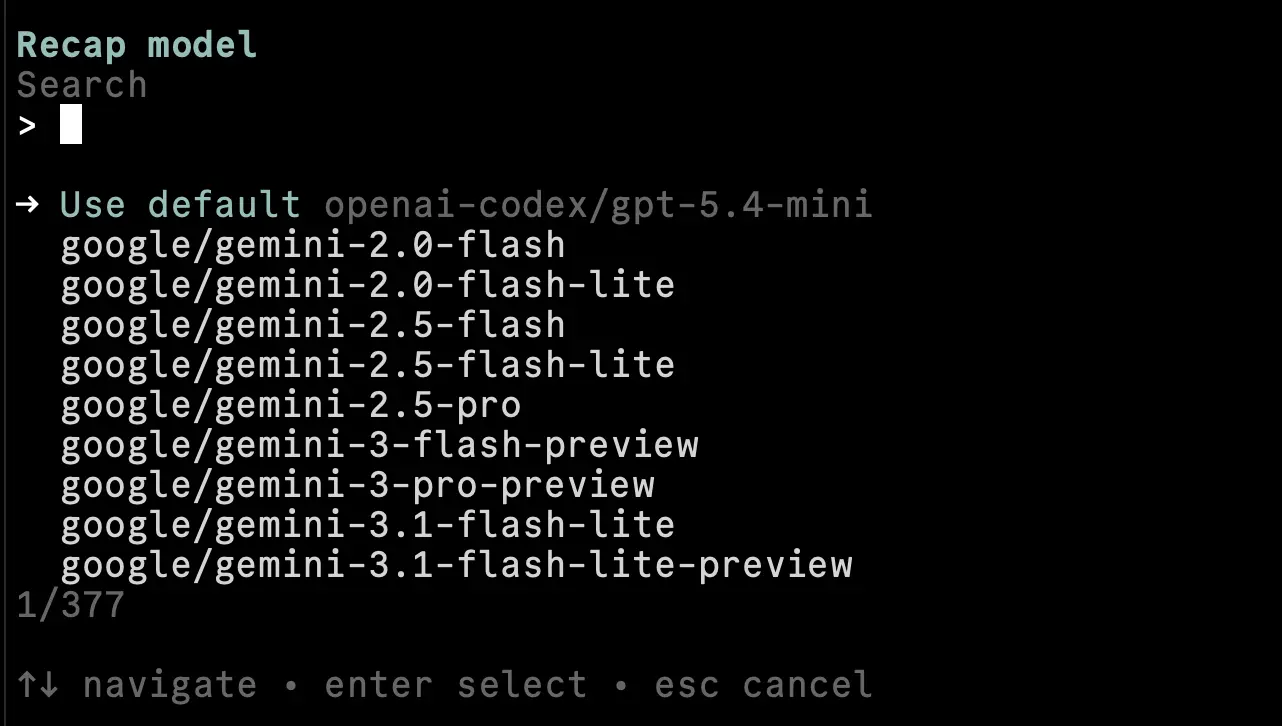
After you choose a model, pi-recap uses only that model. Choose Use default in /recap config to return to the default.
You can also edit ~/.config/pi/extensions/pi-recap.json manually:
{
  "model": "openai-codex/gpt-5.4-mini"
}
Release notes
See CHANGELOG.md