@tmustier/pi-session-hud
Persistent session HUD widget for Pi (below-editor bar with git/context/model/activity).
Package details
Install @tmustier/pi-session-hud from npm and Pi will load the resources declared by the package manifest.
$ pi install npm:@tmustier/pi-session-hud- Package
@tmustier/pi-session-hud- Version
0.1.8- Published
- Jun 10, 2026
- Downloads
- 190/mo · 7/wk
- Author
- tmustier
- License
- MIT
- Types
- extension
- Size
- 37.6 KB
- Dependencies
- 0 dependencies · 2 peers
Pi manifest JSON
{
  "extensions": [
    "pi-session-hud.ts"
  ]
}
Security note
Pi packages can execute code and influence agent behavior. Review the source before installing third-party packages.
README
/hud — Session HUD
A Pi extension that adds a persistent heads-up display below the editor (above Pi’s built-in footer).
Demo
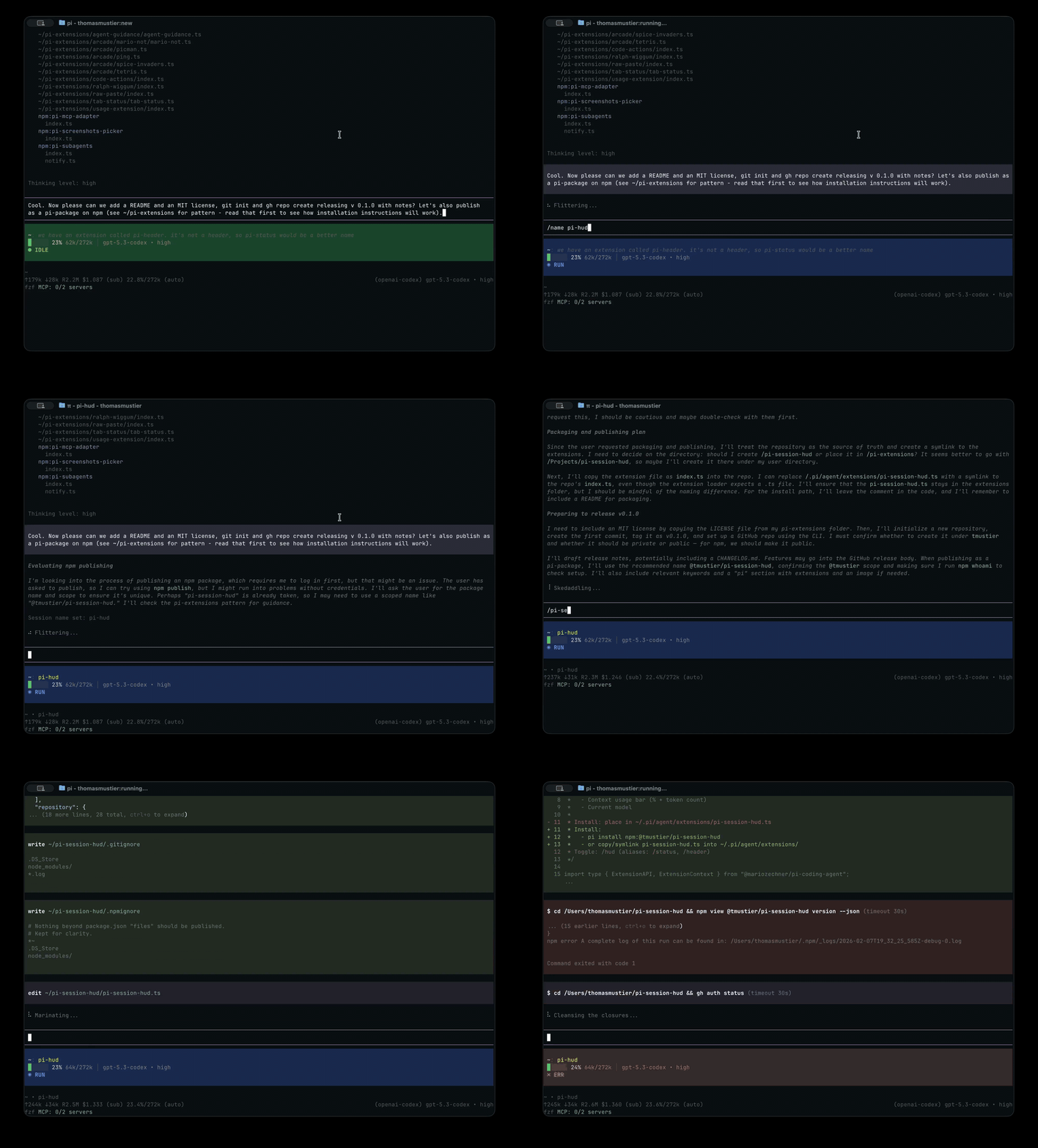
Full-quality MP4: https://raw.githubusercontent.com/tmustier/pi-session-hud/main/assets/demo.mp4
HUD placement (below editor/input, above footer):
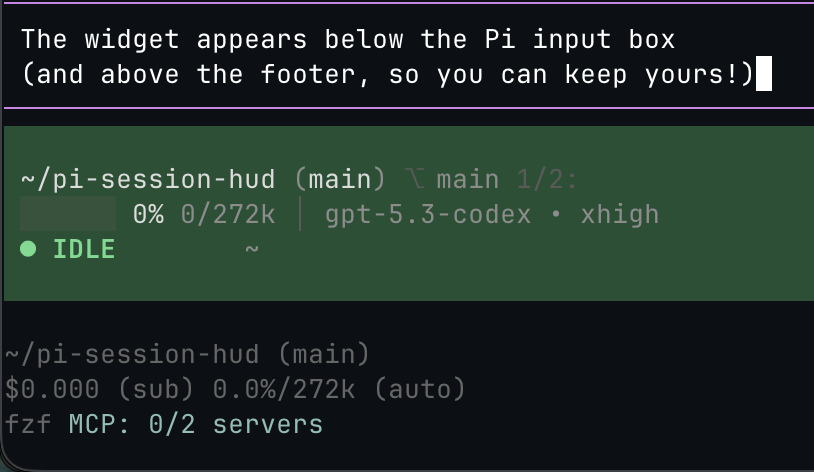
(Hosted on GitHub so npm users see the media in README, but npm install stays small.)
What it shows
- Activity state (idle / running / tool / error / stale)
- Session name (or cwd) and first user message fallback
- Git branch + worktree marker (
⎇ name current/totalwhen multiple) + diff stats - Context usage (% + tokens)
- Current model (+ thinking level)
Install
Pi package manager (npm)
pi install npm:@tmustier/pi-session-hud
Pi package manager (git)
pi install git:github.com/tmustier/pi-session-hud
Local clone
Symlink into Pi’s auto-discovered extensions directory:
ln -s ~/pi-session-hud/pi-session-hud.ts ~/.pi/agent/extensions/
Or add to ~/.pi/agent/settings.json:
{
  "extensions": ["~/pi-session-hud/pi-session-hud.ts"]
}
Usage
In Pi:
- Toggle HUD:
/hud - Aliases:
/status,/header
Context colour bands
By default, context colours use GPT-5.5-equivalent absolute token thresholds:
- yellow-green at ~68k tokens
- amber at ~109k tokens
- red at ~163k tokens
On larger context windows this makes the bar warn at roughly the same token counts as GPT-5.5. The bar still fills by the true model percentage. In absolute mode, only the used-token count is coloured; the percentage and /context-window suffix stay muted grey.
You can override the bands with JSON config. Load order is:
~/.pi/agent/pi-session-hud.json- trusted project config at
.pi/pi-session-hud.json PI_SESSION_HUD_CONFIG=/path/to/pi-session-hud.json(highest priority)
Example:
{
  "contextBands": {
    "default": {
      "mode": "absolute",
      "levels": { "yellow": "80k", "amber": "130k", "red": "180k" }
    },
    "providers": {
      "anthropic": {
        "mode": "percent",
        "levels": { "yellow": 35, "amber": 55, "red": 75 }
      }
    },
    "models": {
      "openai-codex/gpt-5.5": {
        "mode": "absolute",
        "levels": { "yellow": "68k", "amber": "109k", "red": "163k" }
      },
      "claude-opus-4-8": {
        "mode": "percent",
        "levels": { "yellow": "30%", "amber": "50%", "red": "70%" }
      }
    }
  }
}
Provider keys use Pi provider IDs such as anthropic or openai-codex. Model keys can be either <provider>/<model> or just the model ID. Model overrides win over provider overrides; provider overrides win over the default. After editing config, run /reload or restart Pi.
In percent mode the percentage inherits the warning colour and the full token count stays muted grey.
Notes
- Uses
ctx.ui.setWidget(..., { placement: "belowEditor" })so it’s not the footer and not a header. - Git stats are refreshed every ~10s via
git diff --stat HEAD+git status --porcelain.
Changelog
See CHANGELOG.md.