@tmustier/pi-tab-status
Terminal tab status indicators for Pi sessions.
Package details
Install @tmustier/pi-tab-status from npm and Pi will load the resources declared by the package manifest.
$ pi install npm:@tmustier/pi-tab-status- Package
@tmustier/pi-tab-status- Version
0.1.3- Published
- Feb 3, 2026
- Downloads
- 222/mo · 94/wk
- Author
- tmustier
- License
- MIT
- Types
- extension
- Size
- 118.2 KB
- Dependencies
- 0 dependencies · 0 peers
Pi manifest JSON
{
  "extensions": [
    "tab-status.ts"
  ],
  "image": "https://raw.githubusercontent.com/tmustier/pi-extensions/main/tab-status/assets/tab-status.png"
}
Security note
Pi packages can execute code and influence agent behavior. Review the source before installing third-party packages.
README
tab-status
Manage as many parallel Pis as your mind can handle without forgetting any of them.
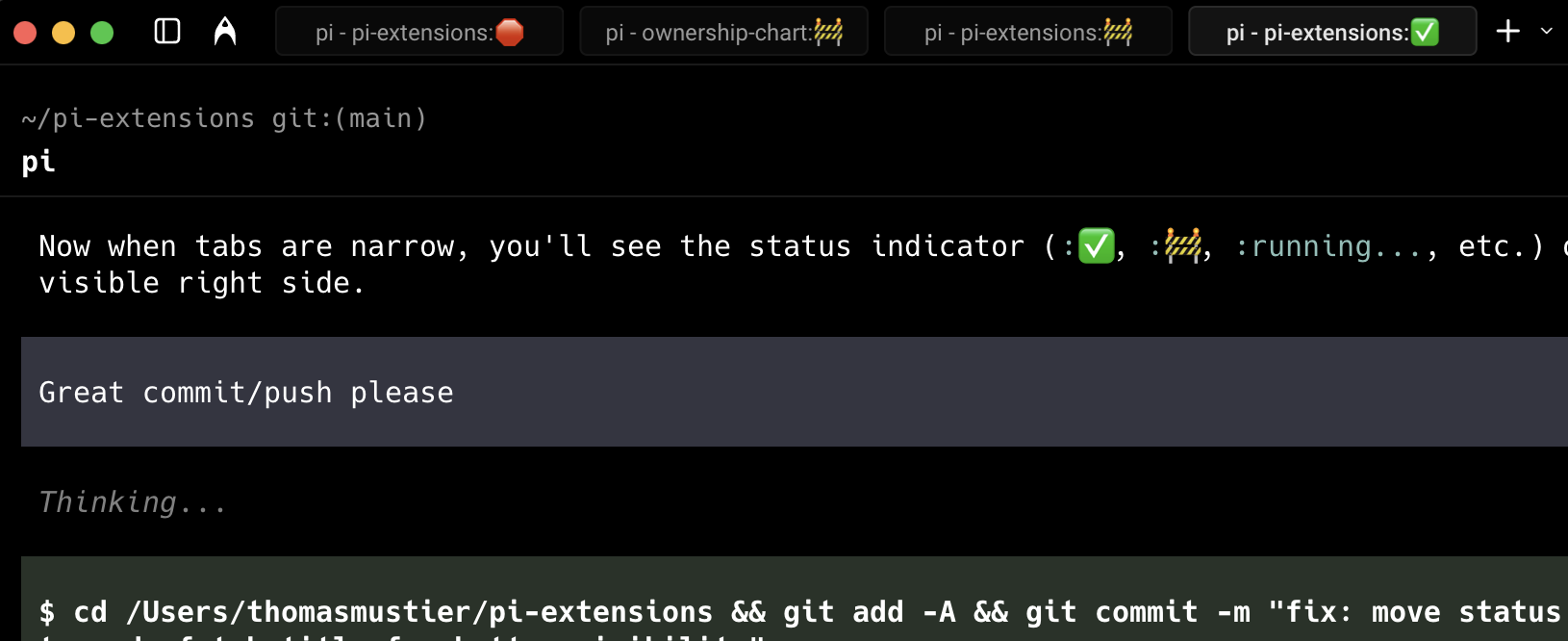
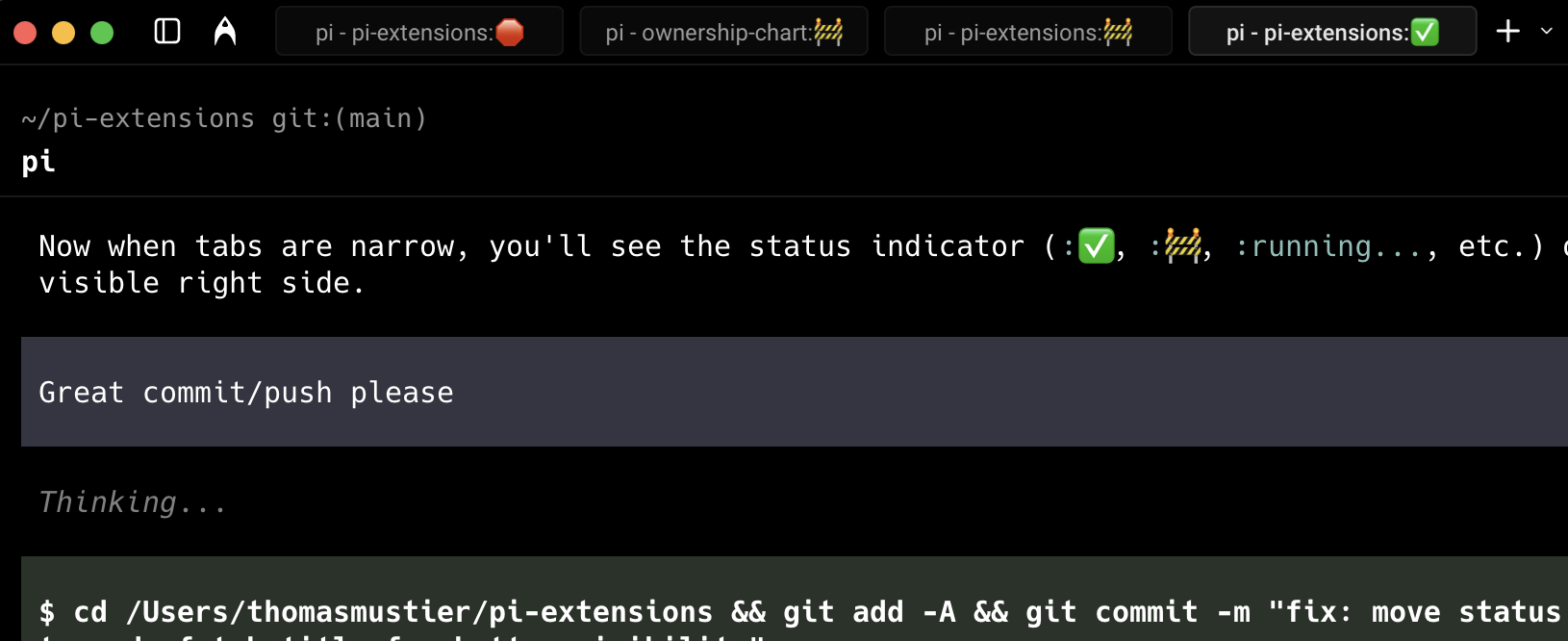
Adds little modifiable indicators to tab titles:
- ✅ means done and committed
- 🚧 means done without a commit - Pi might need you to answer a question
- 🛑 means the agent is blocked (no messages or tool calls for 180s while running) or stopped due to an error
running...means agent turn in progress - you can check back later
The more tabs you have open, the better it is. Currently tracks one active session per tab.
Install
Pi package manager
pi install npm:@tmustier/pi-tab-status
pi install git:github.com/tmustier/pi-extensions
Then filter to just this extension in ~/.pi/agent/settings.json:
{
  "packages": [
    {
      "source": "git:github.com/tmustier/pi-extensions",
      "extensions": ["tab-status/tab-status.ts"]
    }
  ]
}
Local clone
ln -s ~/pi-extensions/tab-status/tab-status.ts ~/.pi/agent/extensions/
Or add to ~/.pi/agent/settings.json:
{
  "extensions": ["~/pi-extensions/tab-status/tab-status.ts"]
}
Todo
- Status indicators in terminal tabs
- Central location to view and navigate to specific tabs across terminal windows
Changelog
See CHANGELOG.md.