@tmustier/pi-weather
Weather widget for Pi (/weather)
Package details
Install @tmustier/pi-weather from npm and Pi will load the resources declared by the package manifest.
$ pi install npm:@tmustier/pi-weather- Package
@tmustier/pi-weather- Version
0.1.1- Published
- Feb 12, 2026
- Downloads
- 17/mo · 4/wk
- Author
- tmustier
- License
- MIT
- Types
- extension
- Size
- 58.2 KB
- Dependencies
- 0 dependencies · 2 peers
Pi manifest JSON
{
  "extensions": [
    "index.ts"
  ],
  "video": "https://raw.githubusercontent.com/tmustier/pi-extensions/main/weather/assets/weather-demo.mp4"
}Security note
Pi packages can execute code and influence agent behavior. Review the source before installing third-party packages.
README
Weather Widget Extension
Run the weathr terminal weather app inside Pi via /weather.
It opens in the main widget area above the input box (same interaction style as /snake), supports live weather + simulation flags, keeps controls inside Pi, and preserves ANSI colors.
The extension prefers a Rust N-API bridge (native/weathr-bridge) and falls back to a shell bridge if native isn't built.
Demo
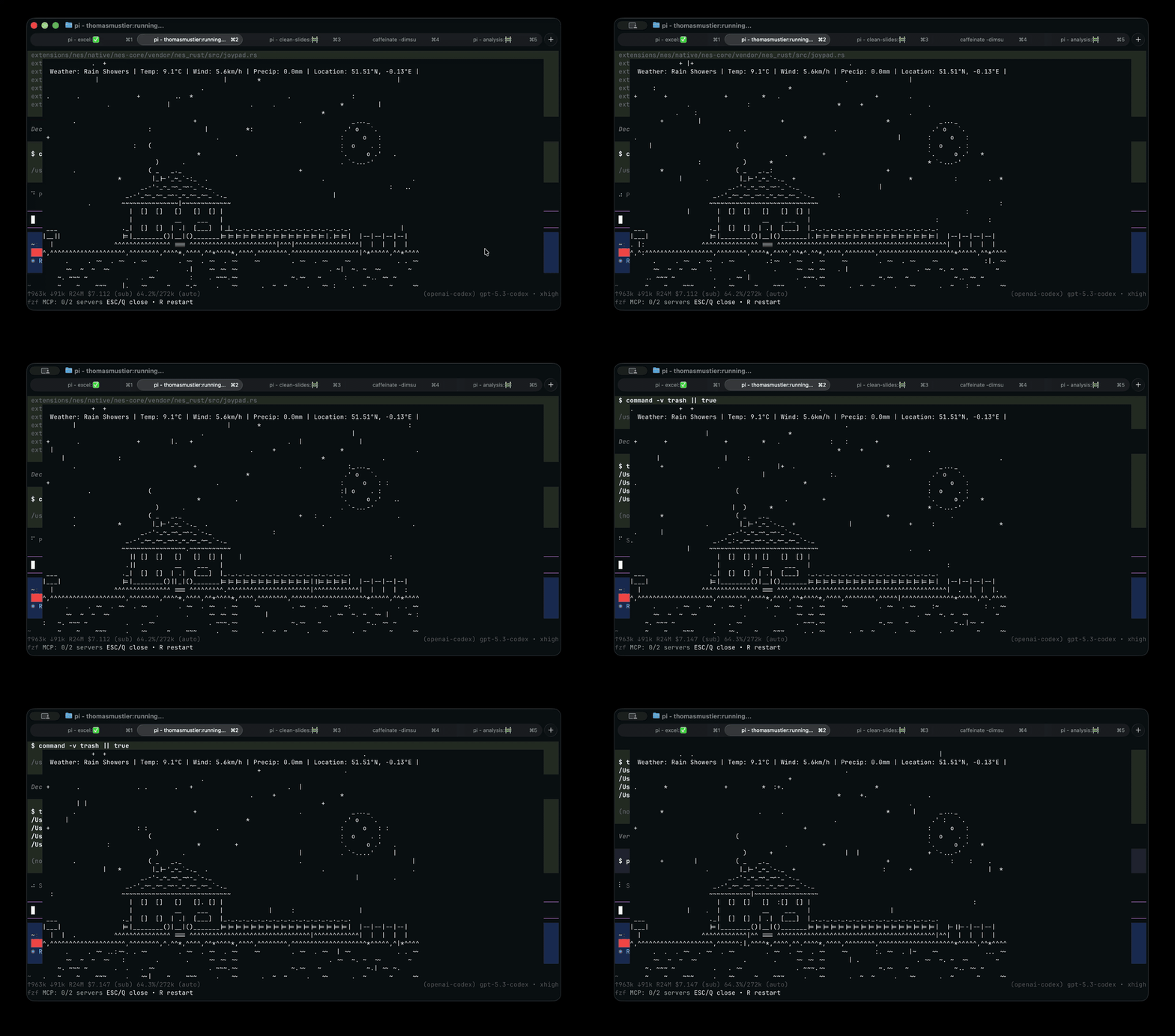
Demo media is loaded from GitHub links and kept out of npm installs (package files whitelist + repo .npmignore).
Install
Pi package manager
pi install npm:@tmustier/pi-weather
pi install git:github.com/tmustier/pi-extensions
Then filter to just this extension in ~/.pi/agent/settings.json:
{
  "packages": [
    {
      "source": "git:github.com/tmustier/pi-extensions",
      "extensions": ["weather/index.ts"]
    }
  ]
}
Local clone
ln -s ~/pi-extensions/weather ~/.pi/agent/extensions/weather
Or add to ~/.pi/agent/settings.json:
{
  "extensions": ["~/pi-extensions/weather"]
}
Commands
/weather— open live weather widget/weather rain— shortcut for--simulate rain/weather --simulate snow --night/weather-config— edit widget config (config.toml)
While open:
EscorQcloses the widgetRrestarts the weather process
Requirements
weathrinstalled and available on PATH (or in~/.cargo/bin/weathr)scriptcommand available (macOS default,util-linuxon Linux)
Install weathr:
cargo install weathr
Build the native Rust bridge locally (optional, for development):
cd ~/pi-extensions/weather
npm run build:native
Requires Rust + Node.
For npm users, the extension can load prebuilt optional packages (@tmustier/pi-weather-bridge-*) when published.
Troubleshooting:
- The extension auto-falls back to shell mode if native bridge has no output.
- If no matching prebuilt native package is installed for your platform, it falls back to shell mode.
- It explicitly unsets
NO_COLORfor the weather child process and setsCOLORTERM=truecolorwhen missing. - Shell fallback binds
scriptstdin to/dev/null(avoids Bun sockettcgetattrissues while preserving ANSI color output and ESC handling in Pi). - Force shell mode manually:
PI_WEATHER_NATIVE=0 pi
Config Location
The extension uses an isolated config home:
~/.pi/weather-widget/weathr/config.toml
Use /weather-config to edit it.
If you set custom
latitude/longitude, also setlocation.auto = falseorweathrwill keep auto-detecting your location.
Publishing native prebuilt packages
To ship weathr-bridge without requiring Rust at install time:
- Run GitHub Actions workflow
.github/workflows/weather-native-bridge.yml(manualworkflow_dispatch). - The workflow builds prebuilt
.nodefiles per target, syncs them intonative/weathr-bridge/npm/*, and publishes@tmustier/pi-weather-bridge-*platform packages. - Then publish
@tmustier/pi-weather(this extension) so consumers pick up the matching optional dependency versions. - Keep versions in sync (
weather/package.json,native/weathr-bridge/package.json, andnative/weathr-bridge/npm/*/package.json).
Manual fallback (if not using the workflow):
cd ~/pi-extensions/weather
npm run native:prepare-packages
# build / download per-target pi_weather_bridge.<target>.node files into native/weathr-bridge/artifacts
npm run native:sync-artifacts
npm run native:publish-packages
Changelog
See CHANGELOG.md.