@tranhoangnguyen0310/pi-flow-external
Delegate from Pi to Claude Code, Codex CLI, Antigravity, and custom in-process Pi models — with enforced permissions, parallel JS workflows, live progress cards, and background runs.
Package details
Install @tranhoangnguyen0310/pi-flow-external from npm and Pi will load the resources declared by the package manifest.
$ pi install npm:@tranhoangnguyen0310/pi-flow-external- Package
@tranhoangnguyen0310/pi-flow-external- Version
0.8.0-external.1- Published
- Nov 29, 2026
- Downloads
- 2,816/mo · 701/wk
- Author
- tranhoangnguyen0310
- License
- MIT
- Types
- extension, skill
- Size
- 1.3 MB
- Dependencies
- 1 dependency · 5 peers
Pi manifest JSON
{
  "image": "https://raw.githubusercontent.com/tranhoangnguyen03/pi-flow-external/main/assets/pi-flow.png",
  "skills": [
    "./skills/pi-flow-orchestration"
  ],
  "extensions": [
    "./index.ts"
  ]
}
Security note
Pi packages can execute code and influence agent behavior. Review the source before installing third-party packages.
README
pi-flow external
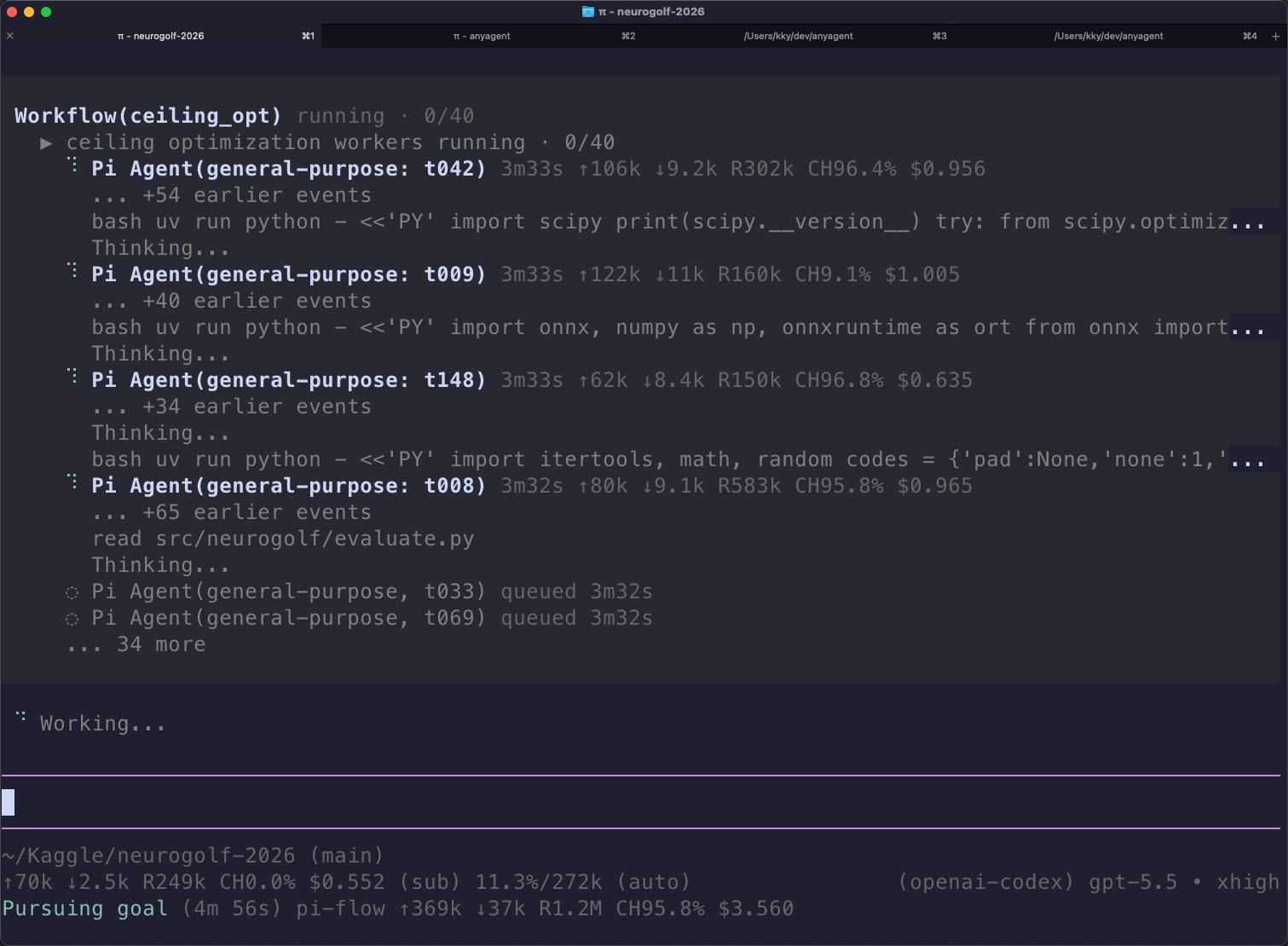
Delegate tasks from Pi to Claude Code, Codex CLI, Antigravity, and custom in-process Pi models (pi-*) — with enforced permissions, parallel JavaScript workflows, live progress cards, background wake-up, and durable local receipts.
pi install npm:@tranhoangnguyen0310/pi-flow-externalPi Package Catalog · npm · Documentation · Changelog
Why pi-flow-external?
- Use the CLIs and subscriptions you already have: Dispatch work to
claude,codex, oragyright from one Pi session — no juggling terminal tabs — or register in-processpi-*model configs with no external CLI required. - Mix harnesses in parallel: Have Claude review architecture while Codex audits tests in the same workflow, under one concurrency limiter and a live progress card.
- Enforced permission boundaries, not prompt wishes:
readonly,edit, anddangermap to each harness's real restriction mechanism (Codex OS sandbox, Claude native tool restrictions, curated Pi SDK tool lists) and reject tiers a harness cannot enforce. - Built for real sessions: Share recent conversation context on demand, run long tasks in the background with status-bar tracking and completion wake-up, and inspect local run receipts anytime.
Supported Harnesses & Permissions
Every delegation combines a role (explorer, planner, implementer, reviewer, qa, or worker), a harness, and a permission tier:
| Harness | readonly |
edit |
danger |
Notes |
|---|---|---|---|---|
Claude Code (claude) |
✅ --permission-mode plan |
✅ acceptEdits (no bash) |
✅ --dangerously-skip-permissions |
Native tool restrictions; root UID falls back to auto |
Codex CLI (codex) |
✅ --sandbox read-only |
✅ workspace-write |
✅ danger-full-access |
Native OS kernel sandbox |
Antigravity (agy) |
❌ Rejected | ❌ Rejected | ✅ Supported | Full host CLI; 1 automatic infra retry on auth/network |
Named Pi (pi-<label>) |
✅ Curated read tools | ✅ Curated edit tools | ✅ Full SDK tools | In-process Pi SDK child; curated tool lists, not an OS sandbox |
Defaults & Authority: Roles describe intent;
permissiondefines authority. Saying "read-only" in prompt text does not restrict an agent. Out of the box, the defaults areagyanddanger(full host access) — run/external configafter installing to pick the default harness and permission tier you actually want.
3-Minute Quickstart
Requirements
- Pi
>=1.3.0 <2.0.0and Node>=22.19.0. - At least one harness: install and log into
claude,codex, oragyon your machine (Pi and external CLIs manage auth independently), or register an in-processpi-*model via/external config.
1. Install
Global install:
pi install npm:@tranhoangnguyen0310/pi-flow-externalOr project-only (requires project trust):
pi install -l npm:@tranhoangnguyen0310/pi-flow-external2. Verify setup and choose your default
Check installed CLIs and authentication:
/external doctorOpen Configuration to pick your default harness (for example claude, codex, or a pi-* model) and default permission:
/external config3. Run your first delegation
Ask Pi in plain chat. For a read-only first run, pick a harness that enforces readonly (claude, codex, or a pi-* model):
You: "Use Claude Code to explore this repository and map the key modules read-only."
Pi delegates with:
- Role:
explorer - Harness:
claude - Permission:
readonly
You get a live execution card while it runs and a durable receipt saved locally when it finishes.
(For programmatic / codemode usage via tools.external_delegate, see the Public Contract.)
Everyday Usage
Work Modes (/external mode)
Cycle your session through three lightweight modes (preferences, not restrictions):
- Normal (default): No Flow system-prompt injection; Pi decides when to delegate.
- Orchestrator: Nudges Pi to delegate useful work.
- Frontline Worker: Nudges Pi to work directly and delegate selectively.
The active mode follows your session across resume and branch navigation and shows in the status bar (pi-flow: orchestrator or pi-flow: frontline-worker).
Context Sharing
When a subagent needs what you and Pi just discussed, say so naturally:
You: "Ask Codex to review the refactoring plan we just discussed."
Pi packages recent conversation turns (context: { mode: "recent", turns: 5 }) into the briefing automatically.
Foreground vs. Background
Use foreground when you need the result next. Use background when you want to keep working locally or leave a job running across turns:
| Foreground (default) | Background (background: true) |
|
|---|---|---|
| Returns | When work finishes or fails | Immediately with a run ID |
| Progress | Live execution card | Launch receipt + footer count (pi-flow N bg); inspect in /external runs |
| Next step | Pi uses the result directly | Pi does independent work before collecting, or switches tasks |
You: "Have Claude audit the API in the background while we review the release checklist, then bring me the findings."
- Automatic wake-up: When an uncollected background run finishes across turns, Pi queues a follow-up wake message automatically.
- Session-scoped: Background runs belong to the open Pi session, not a background daemon; closing Pi cancels them cleanly.
- Cancel vs. stop waiting: Interrupting
external_runs waitonly stops waiting; use/external runsorexternal_runs cancelto stop the run itself.
See Supervision & Runtime for full operational details.
Multi-Agent Workflows
For tasks that benefit from parallel perspectives, staged pipelines, or batch map-reduce:
You: "Run a parallel review: have Claude check for architectural issues while Codex audits test coverage."
Pi explains the plan first (assignments, order, allowed changes, deliverable) and runs a JavaScript workflow via external_workflow:
export const meta = {
  apiVersion: 1,
  name: "code-review",
  description: "Parallel review",
  phases: [{ title: "Review", detail: "Claude checks architecture while Codex audits test coverage (readonly)." }],
};

phase("Review");
const [arch, coverage] = await parallel([
  () => agent("Review architectural integrity", { role: "reviewer", harness: "claude", permission: "readonly" }),
  () => agent("Audit test coverage", { role: "qa", harness: "codex", permission: "readonly" }),
]);

return { arch, coverage };
This package also ships the on-demand pi-flow-orchestration skill with pattern guides and runnable recipes — see the Orchestration Playbook.
Commands
| Command | What it does |
|---|---|
/external |
Control center for Modes, Runs, Workflows, Configuration, and Help |
/external config |
Open Global / Agents / Roles configuration directly |
/external doctor |
Verify settings, installed CLIs, and authentication |
/external mode |
Cycle Normal → Orchestrator → Frontline Worker |
/external runs |
Inspect active/completed runs, outputs, diagnostics, and cancel runs |
Default autocomplete shows the four core commands; detailed subcommands (/external config harness ...) remain discoverable by prefix and callable in scripts.
Documentation
Start with the guide that matches where you are:
| Guide | What you'll learn |
|---|---|
| Docs Index | Full map of user guides, contracts, and migrations |
| Harness Reference | CLI permission flags, session resume, and pi-* presets |
| Configuration Reference | Settings v5 schema, overrides, and full CLI command reference |
| Supervision & Runtime | Background runs, external_runs, paging, and local receipts |
| Workflows | external_workflow scripting API, phases, error handling, and replay cache |
| Orchestration Playbook | Choosing patterns and running bundled orchestration recipes |
| Public Contract | Tool envelopes and programmatic codemode integration |
| Troubleshooting | Common errors, auth checks, and pi-cc-extensions compatibility |
Upgrading & Migrations
- Settings v4 → v5: Run
/external config convert(or/external→ Preview format update…). See the v4 → v5 Migration Guide (including pre-v4 steps via5.5.0-external.2). - Tool renames:
Agent→external_delegate(guide) andworkflow→external_workflow(guide), with no aliases. - Retired backends & version reset:
grok,opencode, andmuseare retired (historical receipts remain inspectable), and the0.7.x+series continues from7.0.0-external.0. See CHANGELOG.md for pinning and switchover details.