@tranhoangnguyen0310/pi-flow-external
External Claude Code, Codex CLI, and Antigravity delegation for pi.
Package details
Install @tranhoangnguyen0310/pi-flow-external from npm and Pi will load the resources declared by the package manifest.
$ pi install npm:@tranhoangnguyen0310/pi-flow-external- Package
@tranhoangnguyen0310/pi-flow-external- Version
2.1.0-external.3- Published
- Sep 18, 2026
- Downloads
- 2,067/mo · 313/wk
- Author
- tranhoangnguyen0310
- License
- MIT
- Types
- extension
- Size
- 791.4 KB
- Dependencies
- 1 dependency · 5 peers
Pi manifest JSON
{
  "image": "https://raw.githubusercontent.com/tranhoangnguyen03/pi-flow-external/main/assets/pi-flow.png",
  "extensions": [
    "./index.ts"
  ]
}
Security note
Pi packages can execute code and influence agent behavior. Review the source before installing third-party packages.
README
pi-flow external
External agent delegation for pi through:
- Claude Code profiles with
backend: claude - Codex CLI profiles with
backend: codex - Antigravity profiles with
backend: agy - Named Pi harness configurations (
pi-<label>) — in-process, per-model configs you register yourself, not a spawned CLI
The ordinary driver has four tools (workflow can be disabled):
Agentresolves and runs one external role.workfloworchestrates multiple external roles with trusted JavaScript.external_helpreturns role details, permission behavior, or workflow guidance on demand.external_runslists, inspects, waits for, and cancels session-owned runs.
Agent and workflow accept external roles with an optional harness override — one of the three CLIs, or a registered named Pi harness. Use pi's native subagent system for Pi-backed agents. The pi_flow_profile_create and pi_flow_harness_create finalizers are active only during /external profile create.
Install
Global installation:
pi install npm:@tranhoangnguyen0310/pi-flow-external
pi list
Project-only installation:
pi install -l npm:@tranhoangnguyen0310/pi-flow-external
Project packages load after project trust. Use pi list --approve to inspect and approve packages in a new project.
Update installed extensions with:
pi update --extensions
pi list
Requirements and security
Install and authenticate each external CLI you intend to use:
claude --version
codex --version
agy --version
Pi's coordinator model and the external CLIs authenticate independently. A working Claude, Codex, or Antigravity login does not authenticate the root Pi model.
External agents use the effective permission tier and each harness's native mechanism:
- Claude:
--permission-mode plan,--permission-mode acceptEdits, or--dangerously-skip-permissions - Codex:
--sandbox read-only,workspace-write, ordanger-full-access - Antigravity: always
--dangerously-skip-permissions - Named Pi harnesses: a curated
tools:allow-list (read/grep/find/lsatreadonly; those plusedit/writeatedit), or the SDK's own default active tools (read/bash/edit/write) atdanger
Claude refuses bypass mode when its effective UID is 0; in that case the extension uses --permission-mode auto. External execution lanes (like implementer, qa, and worker) require shell execution to inspect repositories, run tests, and verify code. On Claude Code and named Pi harnesses, headless/edit-tier access excludes shell entirely; therefore, execution lanes maintain a danger floor so the model is not artificially handcuffed by permission blocks. Run external agents only in repositories you trust and state whether each task is read-only or may edit files.
The TUI labels a direct run with its effective access, including unsandboxed external CLI for danger and all Agy runs, Pi SDK child · host access · curated tools for a danger-tier named Pi harness, and shows external host access while workflow work is active. These labels disclose actual execution authority; they do not turn a read-only prompt into an enforced permission boundary.
Quick start
Create a profile from Pi:
/external profile create
The guided flow selects a backend, creates a backend-qualified profile, smoke-tests the real CLI, and installs the profile only after a successful test.
Check the resulting setup:
/external doctor
/external profiles
Then delegate by role (the global default harness is initially agy):
Use the Agent tool with role "explorer" and harness "claude" to map this repository read-only.
Commands
All user commands use the /external namespace:
| Command | Purpose |
|---|---|
/external |
Show profile, workflow, and runtime-setting status |
/external doctor |
Check settings, profiles, and configured CLI versions |
/external settings |
Show the default harness and effective runtime settings |
/external profiles |
List configured external profiles |
/external profile create |
Create and smoke-test a profile |
/external workflows |
List saved workflows |
/external runs |
Interactively browse current-session runs, every workflow child, paged output/diagnostics, and cancellation |
/external runs summary |
Summarize durable run records |
/external runs --prune |
Prune eligible completed run records |
/external help |
Show the command reference |
/external doctor verifies CLI availability, not provider authentication.
Profiles
Profiles live in:
~/.pi/agent/subagents/<name>.md
Names may contain lowercase letters, numbers, and hyphens. A profile must declare backend: claude, backend: codex, backend: agy, or (alongside harness: <a registered pi-* name>) backend: pi, and its name should start with the matching harness name.
Example Claude profile, ~/.pi/agent/subagents/claude-explorer.md:
---
description: Repository exploration through Claude Code.
backend: claude
model: claude-sonnet-5
thinking: high
---

Explore the repository read-only. Identify architecture, entry points, tests, configuration, risks, and recommended first-read files.
Codex and Antigravity use the same format:
backend: codex
model: gpt-5.6-sol
backend: agy
model: gemini-3.7-flash-high
Profile instructions become the external agent's system instructions. A profile's description is also shown as the user-visible reason for its selection, so keep it concise and concrete. External CLIs use their own tools, so a profile's tools: field does not control them; a pi profile's tools: field does apply, intersected with its permission tier's curated tool table. A backend: pi profile is only available to this extension when it also declares harness: <name> for a name registered in harnesses.json (see below); a bare backend: pi profile, or no backend at all, belongs to Pi's native subagent system and is never modified by this extension.
Default profiles
On first session start the extension seeds a default roster — five code-oriented roles (explorer, planner, implementer, reviewer, qa) plus the generalist worker — as one storage profile per backend (18 files). The compact agent catalog advertises each role once rather than presenting 18 choices. Seeding happens once: it never overwrites existing files, and profiles you delete or customize afterwards stay that way. Default profiles leave model and thinking unpinned so they track the CLI's own model and the current Pi thinking level. Roles not in the default roster can be added with /external profile create.
Project-local profiles are not supported; global profiles are used for both global and project-only package installations.
Named Pi harness configurations
A named Pi harness runs in-process through Pi's own SDK rather than as a spawned CLI, letting you delegate to any model Pi can already resolve (built-in, self-hosted, or a custom-registered provider) without an external CLI. Register one via /external profile create (choose the "declare a new named Pi harness" branch): give it a pi-<label> name, a provider/model id, and an optional thinking level. Registration is smoke-tested against the real pi runtime before it is saved, exactly like a CLI profile, into:
~/.pi/agent/pi-flow-external/harnesses.json
{
  "version": 1,
  "harnesses": {
    "pi-deepseek": { "model": "deepseek/deepseek-chat", "thinking": "high" }
  }
}
The moment a harness is registered, all six default roles (explorer, planner, implementer, reviewer, qa, worker) become available on it automatically — no per-role file to write. Delegate to it exactly like any other harness:
Agent({
  description: "Cheap repository review",
  prompt: "Review this diff read-only.",
  role: "reviewer",
  harness: "pi-deepseek",
});
A custom (non-canonical) role still needs its own profile file per harness, the same as for the three CLI backends: ~/.pi/agent/subagents/pi-deepseek-security-reviewer.md with backend: pi and harness: pi-deepseek. That file's body/permission/tools may be customized; its model/thinking are not — they always come from the harness's registered config, and a file that tries to override them to a different value is rejected rather than silently honored.
v1 scope, by design: a pi child's entire tool surface is the SDK's own builtins (read/bash/edit/write, plus grep/find/ls at readonly/edit tiers) — no project/user extensions, skills, prompt templates, or themes load into it. This bounds which tool names exist; it does not make bash at danger tier any less exposed than on an external CLI. Retry is disabled per pi child (in-memory, never touching your real Pi settings) so a transient provider error fails immediately rather than silently retrying. Pi children cannot resume a prior conversation and have no enforced budget cap. Expanding this capability set (trusted extensions/MCP/skills, a shared custom-role format, resumable sessions, real budget controls) is tracked in issue #43.
Agent usage
A direct tool call requires description, prompt, and either role or legacy exact-profile subagent_type. With role, harness is optional and defaults to the global defaultHarness setting:
Agent({
  description: "Claude repository map",
  prompt: "Map this repository read-only and summarize important files.",
  role: "explorer",
  harness: "claude",
});
Profiles named with their matching backend prefix expose the suffix as a built-in or custom role (claude-security-reviewer -> security-reviewer). Resolution always targets the exact <harness>-<role> profile and never falls back to another harness. If a role is unavailable, the error lists its supported harnesses. Existing calls may instead use subagent_type as a legacy exact-profile escape hatch; do not combine it with role or harness. Nonstandard profile names are exact-only.
The parent prompt always includes one compact catalog of role names, restricted harness availability, exact-only profile names, and the default harness; it does not repeat profile descriptions or the workflow manual. Call external_help with topic roles for profile descriptions, permissions for harness caveats, or workflow for syntax, examples, and saved workflow discovery. The optional harness filter applies to roles and permissions. Catalog availability means a matching profile is configured, not that its CLI is installed or authenticated.
External agents start fresh in the requested working directory unless resume continues a previous child. By default, they receive only the task briefing and profile instructions. The parent can explicitly share conversation context:
Agent({
  description: "Review agreed design",
  role: "reviewer",
  prompt: "Review the agreed design read-only. Repository: /absolute/repo.",
  context: { mode: "recent", turns: 5 },
});
context |
Shares |
|---|---|
Omitted or { mode: "none" } |
No parent history; write a self-contained prompt |
{ mode: "recent", turns: N } |
Last N available user turns, including the current turn |
{ mode: "full" } |
Available current-branch conversation after compaction, including summaries |
A user turn starts with a user message and includes subsequent assistant messages and tool exchanges until the next user message. This is not Pi's per-model-response turn count. turns must be a positive integer. If fewer turns remain, all available user turns are shared and the receipt shows the actual/requested count. Recent mode does not automatically include older compaction summaries. Associated tool calls are retained when a result crosses the selected turn boundary.
Choose the smallest sufficient context: recent for focused follow-ups, full when older discussion matters, and none for independent tasks. Supply missing older decisions explicitly. Use resume to follow up with an existing child; it cannot be combined with context sharing.
Snapshots are frozen before queueing. They contain labeled background text and completed tool exchanges, never parent system instructions, thinking blocks, tool-result metadata, or pending tool calls. Images/unsupported content and snapshots over 1 MiB fail explicitly rather than being silently truncated. Full means available post-compaction context, not recovery of old transcripts or a byte-for-byte model request. External agents retain their own instructions and permissions.
This is text transfer into a new external conversation, not a native session clone or guaranteed prompt-cache reuse. Shared content goes to the selected external harness and may persist in its conversation storage and private local run evidence; do not share sensitive history unnecessarily. Receipts report mode, actual turns, message count, byte size, and compaction status.
Backend-native nested agents may start in another workspace. Include the repository's absolute path when asking an external agent to delegate further.
Delegation transparency
Direct calls keep their intent card visible during execution:
Delegating Claude Code → claude-explorer · unsandboxed external CLI
Task Map repository architecture
Why Repository exploration through Claude Code.
Context recent · up to 5 user turns
Workspace /path/to/project
⠋ Claude Code(claude-explorer, Map repository architecture) external host access · 12s
The Context line appears only when the parent shares conversation content, so extra data leaving for the external harness is visible before the run. Completed rows summarize what was actually shared (context recent 4/5 turns).
Completed rows show a short evidence identifier and result preview. Press Ctrl+O (the default tool-expansion binding) to reveal bounded canonical output, its full run ID, a /external runs navigation hint, and advanced local evidence details:
✓ Claude Code(claude-explorer, Map repository architecture) 42s evidence 8f21a004 -> Architecture mapped.
  Final output
  Architecture mapped.
  Run run_... · /external runs for full paged output and diagnostics
  Evidence ~/.pi/agent/pi-flow-external/runs/run_... · 15 backend events
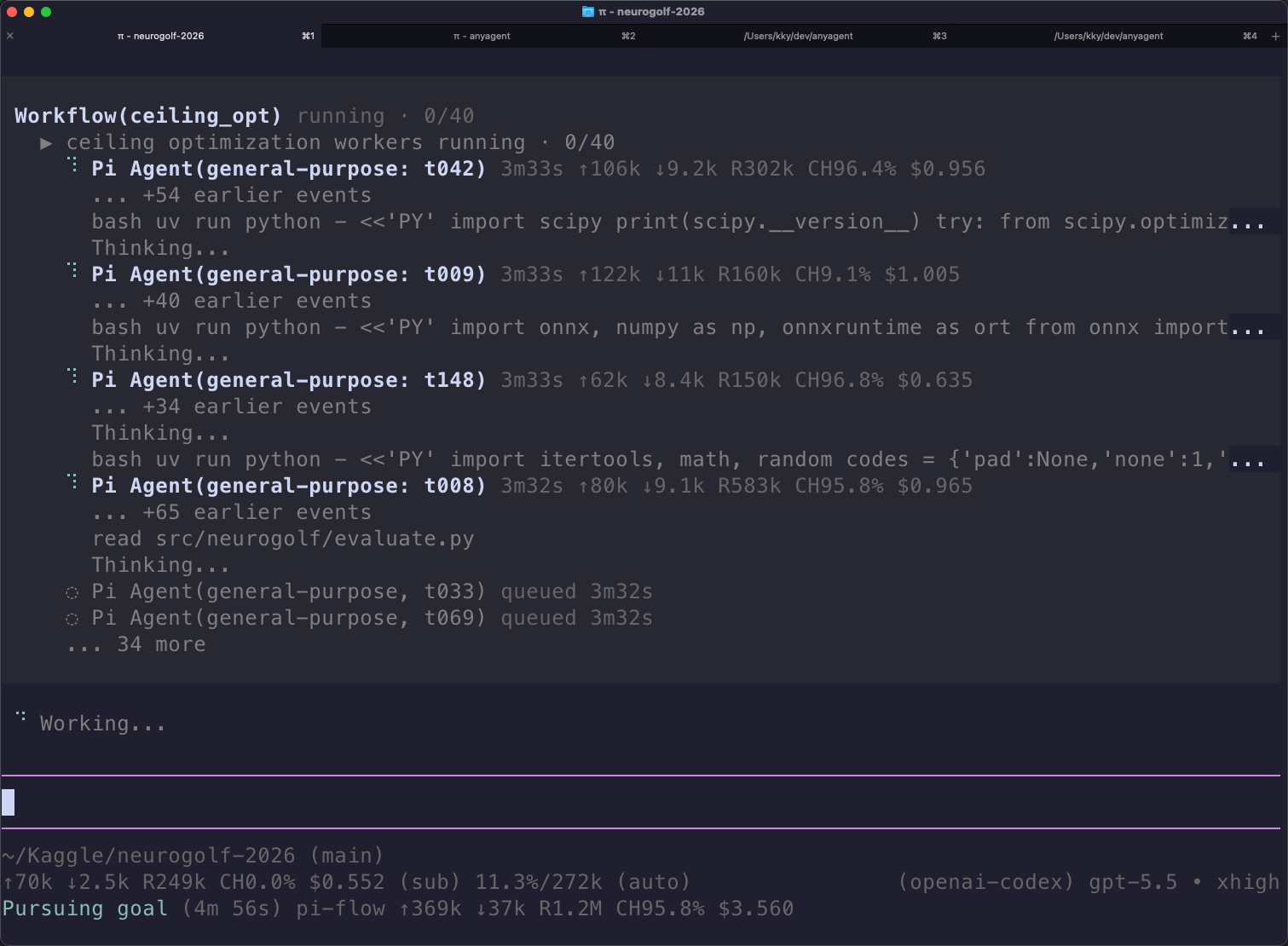
Workflows show access once at the workflow level, retain done/active/queued/failed counts, and expose bounded final output plus the workflow journal when expanded. Hidden child rows remain reachable through /external runs. Active rows report last-activity freshness independently of the spinner. Raw backend events remain in local records rather than flooding the default terminal view.
Background runs and supervision
Agent and workflow are blocking by default — an ordinary call waits for its child and returns the result, run everything this way unless the parent has other work to do first. Add background: true only when the parent can productively proceed before completion; it returns a stable run_... or wf_... handle after validation and registration while the originating Pi session continues to own the work:
Agent({
  description: "Long repository audit",
  prompt: "Audit /absolute/repo read-only.",
  role: "reviewer",
  background: true,
});
Use external_runs with these actions:
list: current session/project runs; usecursorfor run pages andworkflowCursorfor workflow pages.workflowRunIdfilters children of one workflow.inspect:runId,view: "summary" | "output" | "diagnostics", and optional opaquecursor/limitBytes. FollownextCursorto avoid truncation.wait: onerunIdor selectedrunIds, withmode: "any" | "all". It returns terminal outcomes plus still-pending IDs; an unsuccessful workflow returns early even inallmode. It never chooses a winner or cancels pending work.cancel: onerunIdand optional reason. Whole-workflow cancellation stops active children; targeted child cancellation remains a catchable workflow outcome. Cancellation does not roll back edits or other side effects.
Interrupting a blocking Agent/workflow call cancels its work. Interrupting external_runs wait stops only that wait. Background work survives its launching tool return and ordinary parent turns, but not the owning session: orderly session shutdown requests cancellation and waits for bounded cleanup. This is not a daemon. After a host crash or unconfirmed shutdown, unfinished evidence is interrupted_or_uncertain; restart restores evidence access, never live ownership or guaranteed retrospective process termination. No routine activity wakes the parent, and live steering is not supported.
Workflow usage
The workflow tool runs trusted JavaScript that calls one or more external roles and returns a JSON-serializable result. Workflows are for explicit fan-out — and for the case this extension was built to make explicit: running several children on the same harness at once. Example:
export const meta = { apiVersion: 1, name: "triage", description: "Three parallel agy reviewers" };
const [a, b, c] = await parallel([
  () => agent("Review slice A read-only: /absolute/repo", { label: "rev-a", role: "reviewer", harness: "agy" }),
  () => agent("Review slice B read-only: /absolute/repo", { label: "rev-b", role: "reviewer", harness: "agy" }),
  () => agent("Review slice C read-only: /absolute/repo", { label: "rev-c", role: "reviewer", harness: "agy" }),
]);
return { a, b, c };
Sequential await agent(...) stays serial by construction; parallel([...]) is how parallel children share the single maxConcurrentSubagents limiter at once. Top-level direct Agent calls issued together also run together (executionMode: "parallel", default under one limiter). external_runs wait and external_runs inspect cover both surfaces. Its first statement must be the current declaration export const meta = { apiVersion: 1, name, description }; missing or unsupported versions fail before any child launches. Every agent() child uses the same role/optional harness resolution as direct Agent calls, with legacy exact subagent_type also supported.
Saved workflows are discovered on demand through external_help({ topic: "workflow" }); project .pi/workflows entries are included only when Pi reports the project trusted.
Example request:
Use the workflow tool to ask role "explorer" on harness "claude" for an architecture map and role "reviewer" on harness "codex" for a risk review, then synthesize their findings.
Direct Agent calls and workflow children share one concurrency limiter (maxConcurrentSubagents, default 12) and the same timeout controls. There is no per-harness cap: three agy children run together when started together — parallel([() => agent(..., { harness: "agy" }), ...]) in a workflow, or three background: true Agent calls in one turn followed by external_runs wait. Sequentially awaited children stay serial by construction. Direct calls default executionMode: "parallel" so top-level Agent calls issued together run together. Workflow agent(prompt, { role, context: { mode: "recent", turns: 5 } }) accepts the same context modes. Every current-version agent() returns its value or throws a catchable ChildRunError with runId, outcome (failed, cancelled, or timed_out), message, and output/diagnostic references. Catch an optional failure explicitly; an uncaught child error fails the workflow and drains active siblings. parallel and pipeline preserve this contract and never convert failure to null.
Every child selects from one parent snapshot and effective settings frozen at workflow invocation; earlier child results must still be passed explicitly. resumeFromRunId is explicit replay for a persisted scriptPath: it reuses only the longest unchanged prefix of successful child calls. The API version, transferred context, prompt, selection, and relevant options participate in fingerprints. The first changed, failed, cancelled, or timed-out call and everything after it executes again. Recomposition is cheap, but rerun children may cost money or repeat side effects; the runtime never retries or replays a repaired script automatically.
Permission tiers, budgets, and resume
Every Agent call and workflow agent() child also accepts these optional run parameters (context is covered under agent usage above):
permission:readonly|edit|danger(defaultdanger). Tiers map onto native harness mechanisms — Claude permission modes and Codex's single-axis--sandbox. Antigravity (agy) is different: its headless sandbox denies even read-only tools likeread_url_content, and its only unsandboxed mode is--dangerously-skip-permissions, so every agy run is unsandboxed andreadonly/editon agy are advisory profile-body instructions, not a boundary. Getting out of the model's way is deliberate; every agy run discloses asunsandboxed external CLIrather than claiming a read-only boundary it cannot keep. Claudereadonly/editruns auto-deny shell commands headlessly; denials are surfaced in the receipt.max_budget_usd: a spending cap. Claude Code enforces it mid-run with its native--max-budget-usdflag; codex and agy do not report cost, so the cap is recorded and markedbudget unenforceableinstead of pretended.resume: a prior run id. Continues the same backend conversation (Claude--resume, Codexexec resume, agy--conversation) instead of starting from scratch. The prior run must use the same backend. Claude sessions persist in Claude Code's own local storage (this extension no longer passes--no-session-persistence) so recorded session ids stay resumable; remove old conversations from Claude Code itself if that matters to you.resumecannot be combined withcontextsharing — continue an existing child, or start a new one with a snapshot.
Resolution order for tiers and budgets: call > profile frontmatter (permission:, max_budget_usd:) > settings defaults.
Settings and runtime limits
The extension creates:
$PI_CODING_AGENT_DIR/pi-flow-external/settings.json
Normally this resolves to ~/.pi/agent/pi-flow-external/settings.json:
{
  "version": 3,
  "defaultHarness": "agy",
  "maxConcurrentSubagents": 12,
  "subagentTimeoutMs": 7200000,
  "defaultPermission": "danger",
  "defaultMaxBudgetUsd": null,
  "maxRunRecords": 200
}
Version 1 and 2 files migrate on read: recognized keys carry over, missing defaultHarness becomes agy, unknown keys warn, and invalid values fall back per-key. maxRunRecords prunes the oldest completed run records at session start and via /external runs --prune; records still running or interrupted are never pruned, and 0 keeps everything.
Project default-harness override
A trusted project can override the global defaultHarness without touching global settings or duplicating profiles. Create:
<project>/.pi/pi-flow-external/settings.json
{ "defaultHarness": "claude" }
The override applies only when Pi marks the project trusted, supports defaultHarness only, and is never created or written by the extension. Precedence: an explicit harness in the call wins, then the trusted project default, then the global setting. /external settings reports the effective harness and its source; an untrusted or invalid project file is ignored with a warning, and a role that has no profile on the effective harness fails with an actionable error instead of silently switching harnesses. Edit the file and run /reload.
Edit the file and run /reload. Startup flags override extension factory options, which override this file, which overrides built-in defaults.
Equivalent startup flags:
pi --max-concurrent-subagents 4 --subagent-timeout-ms 600000
Set --subagent-timeout-ms 0 to disable the timeout.
When a structured backend event reveals nested-agent work, the extension grants one fresh timeout period from that observation, capped at twice the original deadline. The extension does not otherwise retry failed or aborted runs.
Run records
Each normal external run writes best-effort local evidence under:
~/.pi/agent/pi-flow-external/runs/<run-id>/
Set PI_FLOW_EXTERNAL_RUNS_DIR to override the location. Each run contains:
events.ndjson: parsed structured backend eventssummary.json: status, duration, usage, result, and record-integrity metadata
Records are private to the local user but may still contain sensitive prompts, source excerpts, and tool output. Redaction is best-effort. The retention sweep automatically prunes eligible completed records beyond maxRunRecords; active, interrupted, incomplete, or damaged records are retained.
Summarize records from this checkout with:
npm run field-report
npm run field-report -- --json
A failed backend can still have complete diagnostic evidence. Treat incompleteRecords > 0 as an evidence-integrity problem independent of backend status.
Troubleshooting
- No external profiles: run
/external profile create, or verify that the profile is in~/.pi/agent/subagents/with a matching backend-qualified name. - Role unavailable on the selected harness: choose one of the supported harnesses listed in the error, or create the exact
<harness>-<role>profile. The extension never substitutes another harness. - CLI available but authentication fails: authenticate that CLI directly; Pi and every external backend keep separate credentials.
- Claude rejects
--dangerously-skip-permissionsunder root: reload the current extension version; root runs use Claude'sautopermission mode. - Nested agent cannot find the repository: include the repository's absolute path and required context in the prompt.
- Child is missing earlier decisions: share the smallest sufficient parent context (
context: { mode: "recent", turns: N }or{ mode: "full" }), or restate the missing decisions in the prompt. - Workflow rejected before any child launched: the script is missing or using an unsupported
meta.apiVersiondeclaration. Recompose it starting withexport const meta = { apiVersion: 1, name, description }; nothing ran, so nothing needs cleanup. - Run shows
interrupted_or_uncertain: the host exited before the run's termination was confirmed. Treat its evidence as interrupted — partial output may be readable via/external runs— but never resume live ownership after restart; start a new run or replay explicitly. - Inspection cursor fails as stale: the run's content changed while paging (live updates or registry handoff). Restart the inspection from the first page; cursors are single-sequence continuation tokens.
- Run failed with complete records: read its output and diagnostics via
/external runs, or inspectsummary.json/events.ndjsondirectly; do not retry automatically unless requested. - Sensitive content appears in evidence: remove the affected run directory. Local redaction is not a secrecy boundary.
Development
Run the deterministic offline checks:
npm run check
Real-provider checks consume tokens. Point the runner at the authenticated Pi agent directory:
export PI_CODING_AGENT_DIR="${PI_CODING_AGENT_DIR:-$HOME/.pi/agent}"
npm run e2e -- --backend claude
npm run e2e -- --backend codex
npm run e2e -- --backend agy
npm run e2e -- --backend claude --workflow
npm run e2e -- --backend codex --workflow
npm run e2e -- --backend agy --workflow
npm run e2e -- --backend pi --harness pi-deepseek
npm run e2e -- --backend pi --harness pi-deepseek --workflow
The pi backend requires a harness you have already registered yourself in your real harnesses.json with real credentials configured; the script never registers or pays for one on your behalf.
See docs/field-testing.md for provider checks and docs/releasing.md for the release process.
Run directly from a checkout with:
pi -e ./index.ts