@tranhoangnguyen0310/pi-flow-external
External Claude Code, Codex CLI, and Antigravity delegation for pi.
Package details
Install @tranhoangnguyen0310/pi-flow-external from npm and Pi will load the resources declared by the package manifest.
$ pi install npm:@tranhoangnguyen0310/pi-flow-external- Package
@tranhoangnguyen0310/pi-flow-external- Version
1.1.0-external.2- Published
- Aug 24, 2026
- Downloads
- 829/mo · 588/wk
- Author
- tranhoangnguyen0310
- License
- MIT
- Types
- extension
- Size
- 498.9 KB
- Dependencies
- 1 dependency · 5 peers
Pi manifest JSON
{
  "extensions": [
    "./index.ts"
  ],
  "image": "https://raw.githubusercontent.com/tranhoangnguyen03/pi-flow-external/main/assets/pi-flow.png"
}
Security note
Pi packages can execute code and influence agent behavior. Review the source before installing third-party packages.
README
pi-flow external
External agent delegation for pi through:
- Claude Code profiles with
backend: claude - Codex CLI profiles with
backend: codex - Antigravity profiles with
backend: agy
The extension provides two tools:
Agentruns one external profile.workfloworchestrates multiple external profiles with trusted JavaScript.
Both tools accept only external, backend-qualified profiles. Use pi's native subagent system for Pi-backed agents.
Install
Global installation:
pi install npm:@tranhoangnguyen0310/pi-flow-external
pi list
Project-only installation:
pi install -l npm:@tranhoangnguyen0310/pi-flow-external
Project packages load after project trust. Use pi list --approve to inspect and approve packages in a new project.
Update installed extensions with:
pi update --extensions
pi list
Requirements and security
Install and authenticate each external CLI you intend to use:
claude --version
codex --version
agy --version
Pi's coordinator model and the external CLIs authenticate independently. A working Claude, Codex, or Antigravity login does not authenticate the root Pi model.
External agents normally run without approval prompts:
- Claude:
--dangerously-skip-permissions - Codex:
--dangerously-bypass-approvals-and-sandbox - Antigravity:
--dangerously-skip-permissions
Claude refuses bypass mode when its effective UID is 0; in that case the extension uses --permission-mode auto. Run external agents only in repositories you trust and state whether each task is read-only or may edit files.
The TUI labels this boundary as unsandboxed external CLI before a direct run and external host access while work is active. These labels disclose actual execution authority; they do not turn a read-only prompt into an enforced permission boundary.
Quick start
Create a profile from Pi:
/external profile create
The guided flow selects a backend, creates a backend-qualified profile, smoke-tests the real CLI, and installs the profile only after a successful test.
Check the resulting setup:
/external doctor
/external profiles
Then delegate by naming the profile:
Use the Agent tool with subagent_type "claude-explorer" to map this repository read-only.
Commands
All user commands use the /external namespace:
| Command | Purpose |
|---|---|
/external |
Show profile, workflow, and runtime-setting status |
/external doctor |
Check settings, profiles, and configured CLI versions |
/external settings |
Show effective concurrency and timeout settings |
/external profiles |
List available external profiles |
/external profile create |
Create and smoke-test a profile |
/external workflows |
List saved workflows |
/external runs |
Summarize recorded external runs |
/external help |
Show the command reference |
/external doctor verifies CLI availability, not provider authentication.
Profiles
Profiles live in:
~/.pi/agent/subagents/<name>.md
Names may contain lowercase letters, numbers, and hyphens. A profile must declare backend: claude, backend: codex, or backend: agy, and its name should start with the matching backend name.
Example Claude profile, ~/.pi/agent/subagents/claude-explorer.md:
---
description: Repository exploration through Claude Code.
backend: claude
model: claude-sonnet-5
thinking: high
---

Explore the repository read-only. Identify architecture, entry points, tests, configuration, risks, and recommended first-read files.
Codex and Antigravity use the same format:
backend: codex
model: gpt-5.6-sol
backend: agy
model: gemini-3.7-flash-high
Profile instructions become the external agent's system instructions. A profile's description is also shown as the user-visible reason for its selection, so keep it concise and concrete. External CLIs use their own tools, so a profile's tools: field does not control them. Profiles with backend: pi or no backend are not available to this extension.
Project-local profiles are not supported; global profiles are used for both global and project-only package installations.
Agent usage
A direct tool call requires description, prompt, and an explicit subagent_type:
Agent({
  description: "Claude repository map",
  prompt: "Map this repository read-only and summarize important files.",
  subagent_type: "claude-explorer",
});
External agents start fresh in the requested working directory. They do not inherit parent messages, tool results, or reasoning, so prompts must include all required context.
Backend-native nested agents may start in another workspace. Include the repository's absolute path when asking an external agent to delegate further.
Delegation transparency
Direct calls keep their intent card visible during execution:
Delegating Claude Code → claude-explorer · unsandboxed external CLI
Task Map repository architecture
Why Repository exploration through Claude Code.
Workspace /path/to/project
⠋ Claude Code(claude-explorer, Map repository architecture) external host access · 12s
Completed rows show a short evidence identifier and result preview. Press Ctrl+O (the default tool-expansion binding) to reveal the local record path plus structured backend-event count:
✓ Claude Code(claude-explorer, Map repository architecture) 42s evidence 8f21a004 -> Architecture mapped.
  Evidence ~/.pi/agent/pi-flow-external/runs/run_... · 15 backend events
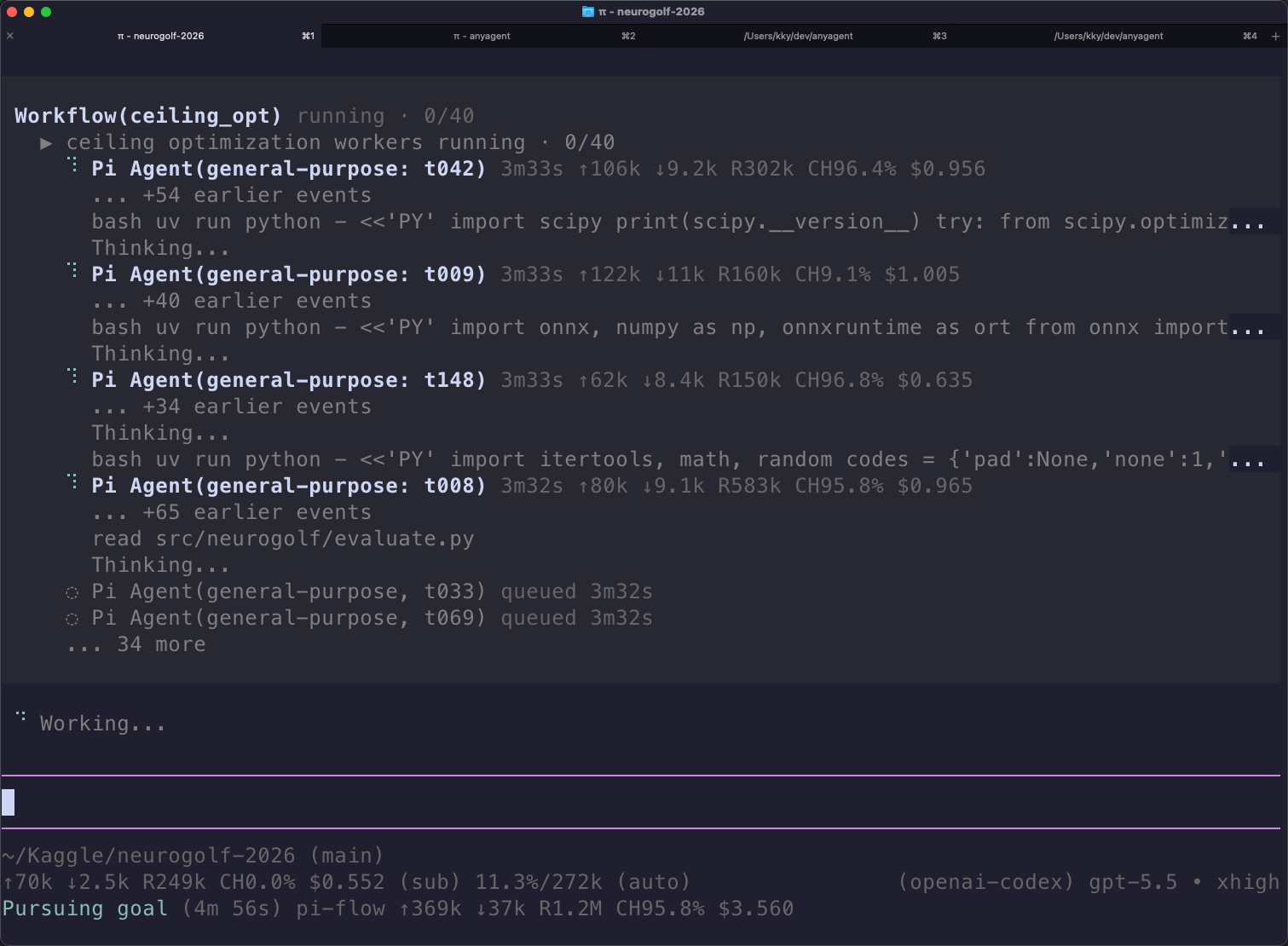
Workflows show access once at the workflow level, retain done/active/queued/failed counts, and expose child evidence plus the workflow journal when expanded. Raw backend events remain in local records rather than flooding the default terminal view.
Workflow usage
The workflow tool runs trusted JavaScript that calls one or more external profiles and returns a JSON-serializable result. Every agent() child requires an explicit backend-qualified subagent_type.
Example request:
Use the workflow tool to ask "claude-explorer" for an architecture map and "codex-reviewer" for a risk review, then synthesize their findings.
Direct Agent calls and workflow children share the same concurrency and timeout controls.
Settings and runtime limits
The extension creates:
$PI_CODING_AGENT_DIR/pi-flow-external/settings.json
Normally this resolves to ~/.pi/agent/pi-flow-external/settings.json:
{
  "version": 1,
  "maxConcurrentSubagents": 12,
  "subagentTimeoutMs": 7200000
}
Edit the file and run /reload. Startup flags override extension factory options, which override this file, which overrides built-in defaults.
Equivalent startup flags:
pi --max-concurrent-subagents 4 --subagent-timeout-ms 600000
Set --subagent-timeout-ms 0 to disable the timeout.
When a structured backend event reveals nested-agent work, the extension grants one fresh timeout period from that observation, capped at twice the original deadline. The extension does not otherwise retry failed or aborted runs.
Run records
Each normal external run writes best-effort local evidence under:
~/.pi/agent/pi-flow-external/runs/<run-id>/
Set PI_FLOW_EXTERNAL_RUNS_DIR to override the location. Each run contains:
events.ndjson: parsed structured backend eventssummary.json: status, duration, usage, result, and record-integrity metadata
Records are private to the local user but may still contain sensitive prompts, source excerpts, and tool output. Redaction is best-effort, and records are not rotated automatically.
Summarize records from this checkout with:
npm run field-report
npm run field-report -- --json
A failed backend can still have complete diagnostic evidence. Treat incompleteRecords > 0 as an evidence-integrity problem independent of backend status.
Troubleshooting
- No external profiles: run
/external profile create, or verify that the profile is in~/.pi/agent/subagents/with a matching backend-qualified name. - CLI available but authentication fails: authenticate that CLI directly; Pi and every external backend keep separate credentials.
- Claude rejects
--dangerously-skip-permissionsunder root: reload the current extension version; root runs use Claude'sautopermission mode. - Nested agent cannot find the repository: include the repository's absolute path and required context in the prompt.
- Run failed with complete records: inspect the run's
summary.jsonandevents.ndjson; do not retry automatically unless requested. - Sensitive content appears in evidence: remove the affected run directory. Local redaction is not a secrecy boundary.
Development
Run the deterministic offline checks:
npm run check
Real-provider checks consume tokens. Point the runner at the authenticated Pi agent directory:
export PI_CODING_AGENT_DIR="${PI_CODING_AGENT_DIR:-$HOME/.pi/agent}"
npm run e2e -- --backend claude
npm run e2e -- --backend codex
npm run e2e -- --backend agy
npm run e2e -- --backend codex --workflow
See docs/field-testing.md for provider checks and docs/releasing.md for the release process.
Run directly from a checkout with:
pi -e ./index.ts