@tranhoangnguyen0310/pi-flow-external
External Claude Code, Codex CLI, Antigravity, Grok Build CLI, Muse Code, and OpenCode delegation for pi.
Package details
Install @tranhoangnguyen0310/pi-flow-external from npm and Pi will load the resources declared by the package manifest.
$ pi install npm:@tranhoangnguyen0310/pi-flow-external- Package
@tranhoangnguyen0310/pi-flow-external- Version
6.1.0-external.0- Published
- Nov 1, 2026
- Downloads
- 2,307/mo · 1,012/wk
- Author
- tranhoangnguyen0310
- License
- MIT
- Types
- extension, skill
- Size
- 1.4 MB
- Dependencies
- 1 dependency · 5 peers
Pi manifest JSON
{
  "image": "https://raw.githubusercontent.com/tranhoangnguyen03/pi-flow-external/main/assets/pi-flow.png",
  "skills": [
    "./skills/pi-flow-orchestration"
  ],
  "extensions": [
    "./index.ts"
  ]
}
Security note
Pi packages can execute code and influence agent behavior. Review the source before installing third-party packages.
README
pi-flow external
Delegate tasks from pi to external AI coding harnesses and custom in-process models, with explicit permissions, live progress cards, and durable local receipts.
Supported harnesses:
- Claude Code (
claude) - Codex CLI (
codex) - Grok Build CLI (
grok) - Muse Code (
muse) - Antigravity (
agy) - OpenCode (
opencode) - Named Pi harnesses (
pi-<label>) — in-process, per-model configs you register yourself
How It Works
You ask Pi to delegate work in plain chat. Every delegation combines three elements:
- Role: What the agent should do. Six built-in roles work out of the box on every harness:
explorer,planner,implementer,reviewer,qa, andworker. - Harness: Where and how that role runs (
claude,codex,agy, etc.). - Permission: The enforced access boundary (
readonly,edit, ordanger).
⚠️ Security & Defaults: Roles describe intent;
permissiondefines authority. Saying "read-only" in prompt text does not restrict an agent. Out of the box, the default harness isagyand the default permission isdanger(full host access). Antigravity rejectsreadonlyandedit. For restricted access, request a supported permission tier explicitly. Claude uses native tool restrictions; Codex uses an OS sandbox. See the permission matrix below.
Requirements & Install
- Host: Pi
~1.3.0. - External CLIs: Install and authenticate any external CLI you want to use (
claude,codex,agy,grok,muse, oropencode). Pi and external CLIs manage authentication independently.
Install globally:
pi install npm:@tranhoangnguyen0310/pi-flow-externalOr project-only (requires project trust):
pi install -l npm:@tranhoangnguyen0310/pi-flow-externalQuickstart
1. Verify your setup
Check installed CLIs, authentication, and harness availability:
/external doctor2. Configure defaults (optional)
Run /external to open the interactive settings window. You can set your default harness, choose default models or reasoning levels, and manage roles.
3. Choose a work mode (optional)
Each /external mode cycles Normal → Orchestrator → Frontline Worker → Normal:
- Normal (default): No Flow system-prompt injection; the agent chooses how to work.
- Orchestrator: A short, strong nudge to seek useful delegation.
- Frontline Worker: A short, strong nudge to investigate, build, and verify directly; delegation remains available when it adds value.
These are preferences, not restrictions. The active mode follows your session across resume and branch navigation. The status bar shows pi-flow: orchestrator or pi-flow: frontline-worker; Normal shows no mode indicator.
The detailed orchestration skill and external_help remain on demand. Modes do not change tools, access, or approvals. /external and /external config still open the settings window.
4. Run your first delegation
Ask Pi in chat:
You: "Use Claude Code to explore this repository and map key modules read-only."
Pi recognizes the request and delegates:
- Role:
explorer - Harness:
claude - Permission:
readonly(native tool restrictions: Claude cannot edit files or run shell commands; not an OS sandbox)
(Programmatic / Codemode equivalent):
const receipt = await tools.external_delegate({
  description: "Map repository architecture",
  role: "explorer",
  harness: "claude",
  permission: "readonly",
  prompt: "Map repository architecture and list core modules.",
});

if (receipt.ok) {
  console.log(receipt.data.run.output.value);
}
Or using the default harness (agy — runs with full host access):
You: "Explore this codebase and find the authentication entrypoints."
Permission Matrix
| Harness | readonly |
edit |
danger (default) |
Notes |
|---|---|---|---|---|
claude |
✅ --permission-mode plan |
✅ acceptEdits (no bash) |
✅ --dangerously-skip-permissions |
Root UID falls back to auto |
codex |
✅ --sandbox read-only |
✅ workspace-write |
✅ danger-full-access |
Native kernel sandbox |
grok |
✅ --sandbox read-only |
✅ workspace |
✅ off |
Readonly network block is Linux-only |
muse |
✅ --disable-write --disable-shell |
✅ Sandbox ON | ✅ --yolo |
Danger trusts workspace |
opencode |
✅ Deny-by-default rules | ✅ Edit/write tools | ✅ --auto |
Standalone server; native tool rules |
agy |
❌ Rejected | ❌ Rejected | ✅ Supported | Full host CLI; 1 infra retry on auth/network |
pi-* |
✅ Curated read tools | ✅ Curated edit tools | ✅ Full SDK tools | Curated tool lists; not an OS sandbox |
Everyday Usage
You interact with external agents through natural conversation with Pi.
1. Context Sharing
When you want the subagent to understand your ongoing conversation:
You: "Ask Codex to review the refactoring plan we just discussed."
Pi automatically packages recent conversation turns into the briefing:
- Role:
reviewer - Harness:
codex - Context: Shared recent conversation turns (
{ mode: "recent", turns: 5 })
(Codemode):
await tools.external_delegate({
  description: "Review refactoring plan",
  role: "reviewer",
  harness: "codex",
  permission: "readonly",
  prompt: "Review the refactoring plan we just discussed.",
  context: { mode: "recent", turns: 5 },
});
2. Foreground or Background?
Use foreground when you need the result next. Use background when independent local work can proceed first, or you want to leave the work running and check back in a later turn (ending a turn does not stop it). A long task alone does not need background mode.
Both external_delegate and external_workflow support these modes:
| Foreground (default) | Background (background: true) |
|
|---|---|---|
| Original call returns | When the work finishes or fails | After registration, with a run ID; work may already have finished |
| Progress | Live execution card | A static launch receipt plus a live status bar count (pi-flow N bg); inspect with /external runs |
| Next step | Pi checks the returned outcome | Pi keeps the run ID and does independent work before collecting, or reports the ID and switches tasks/ends its turn if left running across turns |
You: "Have Claude audit the API in the background while we review the release checklist. Then bring me the findings."
- Status bar & completion wake-up: UI sessions show active background runs in the footer status bar, notify on completion, and automatically queue a follow-up wake message when an uncollected background run finishes across turns. If Pi already collected the run in the same turn, no duplicate message is sent.
- Keep Pi open: background work belongs to its originating session, not a persistent service. Orderly shutdown requests cancellation with bounded cleanup; restart does not adopt unfinished work.
- Stopping is different from waiting: interrupting the original foreground call cancels it. Interrupting
external_runs waitonly stops waiting; use/external runsorexternal_runs cancelto stop background work.
Both modes allow parallel workflow children under the same concurrency limit. Background does not change permissions, enforce new budget limits, or make work inherently faster or cheaper. Prompt instructions such as “do not edit” express intent; the supported permission tier defines enforced restrictions.
See launch → independent work → collect for the operational example, result handling, and cancellation details.
3. Multi-Agent Workflows (Parallel Delegation)
Choosing a good plan: This package also installs the on-demand pi-flow-orchestration skill. It teaches Pi when to delegate once, parallelize independent scopes, pass evidence between stages, challenge claims independently, or run a user-authorized bounded repair loop. See the Orchestration Playbook for sample prompts and runnable recipes. This is guidance, not a new workflow runtime or mandatory agent count.
For tasks that benefit from multiple perspectives at once:
You: "Run a parallel review: have Claude check for architectural issues while Codex audits test coverage."
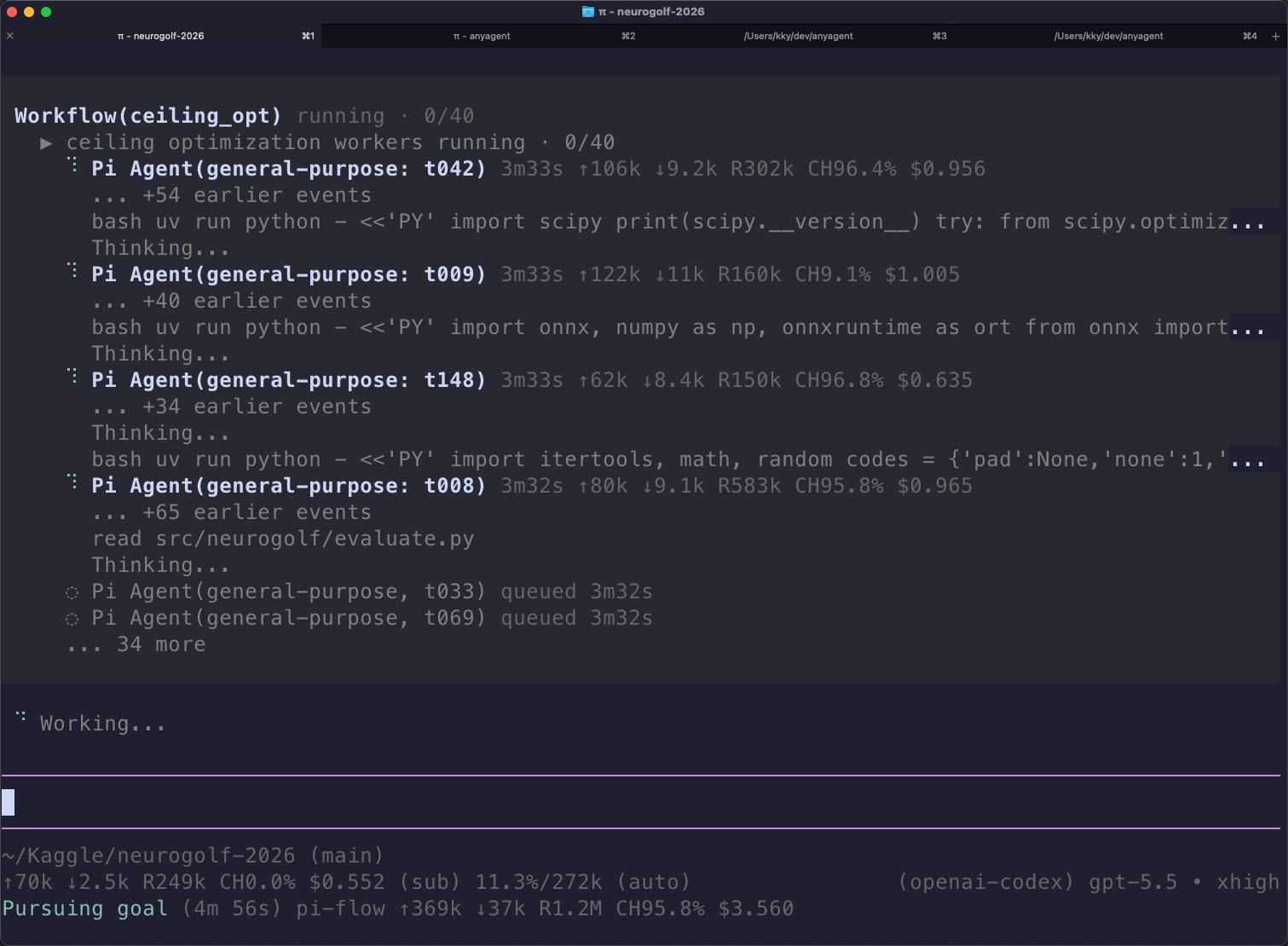
Pi first explains who will do what, what runs in parallel, what may change, and the expected result. It then uses external_workflow to run both subagents under a shared concurrency limiter. The live card shows the roadmap and actual child activity; /external runs provides inspection and cancellation.
(Workflow script):
export const meta = {
  apiVersion: 1, name: "code-review", description: "Parallel review",
  phases: [{ title: "Review", detail: "Claude checks architecture while Codex checks test coverage; both use readonly access." }],
};

phase("Review");
const [arch, coverage] = await parallel([
  () => agent("Review architectural integrity read-only", { role: "reviewer", harness: "claude", permission: "readonly" }),
  () => agent("Audit test coverage read-only", { role: "qa", harness: "codex", permission: "readonly" }),
]);

return { arch, coverage };
Configuration & Commands
/externaland/external config: Interactive settings window (TUI & RPC) to set defaults, manage models, and edit roles./external mode: Cycle this session through Normal, Orchestrator, and Frontline Worker./external doctor: Validates catalog and checks CLI / provider authentication./external runs: Interactive viewer for active and completed runs, outputs, and diagnostics.
Common CLI commands:
# Config UI and Menu
/external config

# Cycle Normal → Orchestrator → Frontline Worker → Normal
/external mode
Upgrading from v4
Settings use version 5. If upgrading from version 4:
- Run
/externaland choose Preview format update…, or run/external config convert. - Existing configurations, overrides, and disabled states are preserved.
- See Migration Guide for full details.
Installations older than settings version 4 are blocked without changes. Convert them with @tranhoangnguyen0310/pi-flow-external@5.5.0-external.2 first, then upgrade (steps in the Migration Guide).
Upgrading from the Agent tool
The direct delegation tool Agent is now external_delegate, with no alias. Update codemode calls, hooks, and renderer exclusions. See Tool Rename Migration.
Documentation
- Harness Reference: Deep CLI flags, OpenCode 2 standalone server details, Muse session resume, Grok sandbox notes, and Pi in-process presets.
- Configuration Reference: Settings v5 JSON schema, sparse inheritance, role overrides, and full command reference.
- Supervision & Runtime:
external_runsactions, cursor pagination, batch inspect, and byte budgets. - Workflows:
external_workflow, plain-language plans, live phases, error handling (ChildRunError), and replay cache. - Orchestration Playbook: When to choose patterns, how to invoke the bundled skill, and tested example recipes.
- Workflow Tool Rename:
workflow→external_workflow, with no alias. - Public Contract: Contract envelope definitions (
external_delegate,external_workflow,external_runs,external_help),external_help({ topic: "contracts" | "capabilities" })discovery, and explicit context-handoff guidance for Pi codemode consumers. - Troubleshooting: Common errors, authentication checks, and
pi-cc-extensionsrenderer compatibility.