@vanillagreen/pi-background-tasks
Pi extension for explicit non-blocking background shell tasks, log tails, and completion wakeups.
Package details
Install @vanillagreen/pi-background-tasks from npm and Pi will load the resources declared by the package manifest.
$ pi install npm:@vanillagreen/pi-background-tasks- Package
@vanillagreen/pi-background-tasks- Version
2.2.1- Published
- Oct 23, 2026
- Downloads
- 1,604/mo · 484/wk
- Author
- vanillagreencom
- License
- MIT
- Types
- extension
- Size
- 856.3 KB
- Dependencies
- 0 dependencies · 4 peers
Pi manifest JSON
{
  "image": "https://raw.githubusercontent.com/vanillagreencom/kendex/main/pi-extensions/pi-background-tasks/assets/spawn-tasks.png",
  "extensions": [
    "./extensions/background-tasks.ts"
  ],
  "appendSystem": "./instructions.md"
}Security note
Pi packages can execute code and influence agent behavior. Review the source before installing third-party packages.
README
@vanillagreen/pi-background-tasks
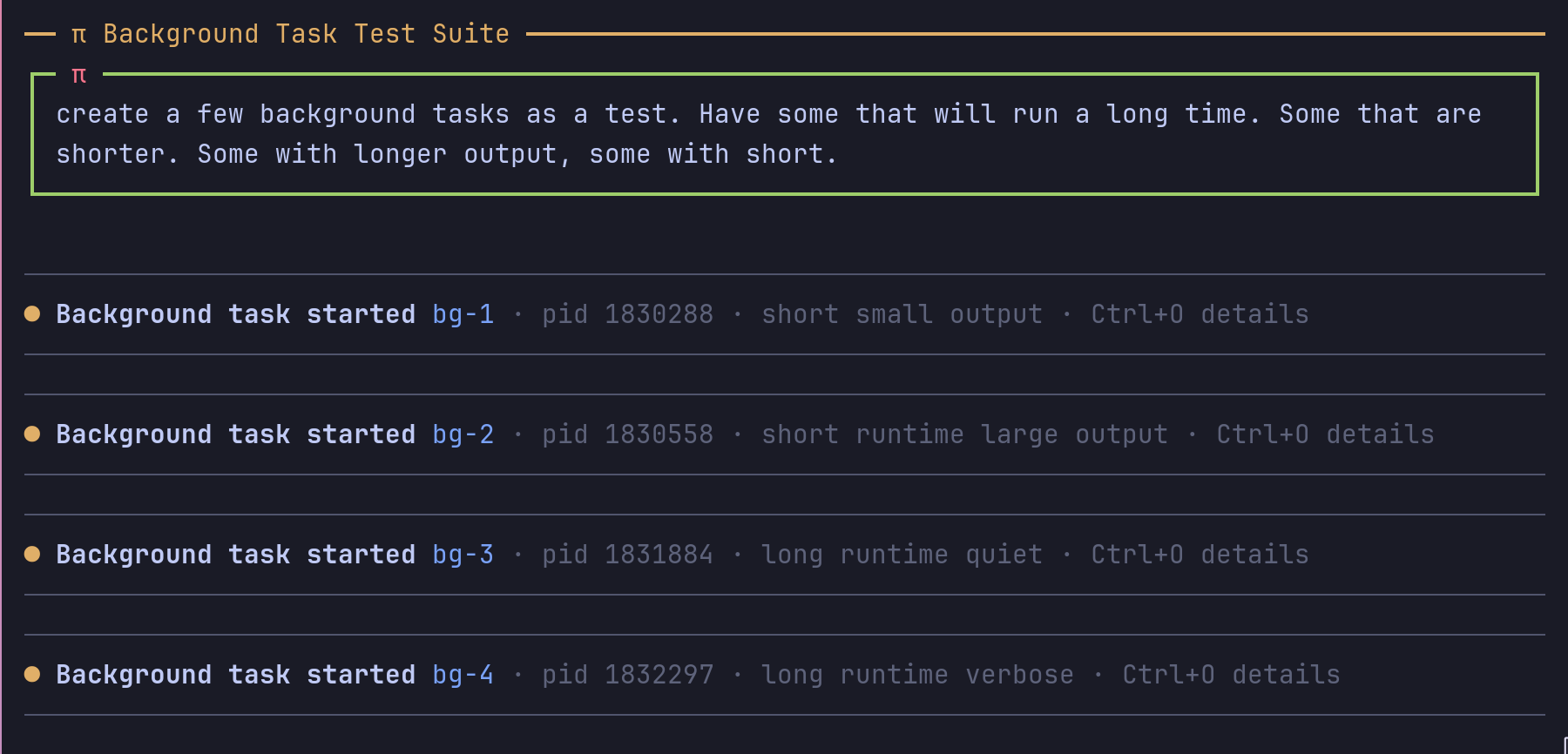
A Pi extension for shell commands that run while the conversation continues. It supports builds, development servers and log monitors.

Features
- Start, inspect and stop background commands.
- Move configured blocking commands into background tasks.
- Notify the agent when a task exits or produces selected output.
- Read recent output and task history in the dashboard. Open the task's Log file for full output.
- Run tasks at lower priority: CPU and disk on Linux, CPU only on macOS. On Windows tasks run unchanged and a session warns once.
Install
- npm:
pi install npm:@vanillagreen/pi-background-tasks. - kendex: add the declaration below to the project's
kendex.toml, or to~/.config/kendex/kendex.tomlfor user scope. Runkendex update-pi.
[pi-extensions."@vanillagreen/pi-background-tasks"]
source = "kendex"
Restart Pi after installation. Use kendex update-pi --check to preview the installation.
How it works
The agent starts a command with the background task tool. The extension runs the command separately and saves its output to a log. It shows task status beside the editor. When the command exits or matches a notification rule, it sends the agent a message with recent output and the log path.
Memory and disk use
- The dashboard reads a log tail asynchronously and keeps it for each task until the log changes.
logTailMaxCharslimits the decoded tail by JavaScript string length, with a default of 10,000. The disk read is bounded to three bytes per character plus one byte. Command layouts stay cached until the command, pane width or theme changes; closing the dashboard releases them. Task tails stay cached while finished history retains the task. Clear, finished-task eviction or session replacement makes them eligible for release; session shutdown clears the reader. - A notification regex has a 25 ms execution deadline. A pattern that exceeds it is disabled for that task. The agent receives one bounded failure notice, including in headless sessions. Exit notifications still work.
- A finished task's output is read from its log file; the process handle and the in-memory output are released once the task has exited and its last log write has finished. A task whose last log write failed or stalled keeps its in-memory output instead.
- Exit notifications, the dashboard and log tools share a limit of four disk reads at once. Tasks waiting for exit delivery stay outside the 50-task finished-history limit. After delivery or suppression settles, the oldest excess finished task is removed with its log.
clearalso deletes the logs of the tasks it removes. A forked session removes the tasks it copied from the original session but keeps their logs, which the original session still reads. - Logs live in one directory per session in the
lanes/folder of the task directory (taskDir, default the system temporary directory'skendex-pi-bg). A session's directory is deleted once its working directory is gone (a merged worktree), and any log older than 5 days is deleted. Pi applies both rules when a session starts, tolanes/only, and only to directories the package made there. - A log written before 2.1.0 stays directly in the task directory. The prune,
clearand the 50-task bound do not delete it; a task restored with such a log is removed from the list without its log.
Setup
The settings editor writes project values to .pi/settings.json. The default user file is ~/.pi/agent/settings.json. PI_CODING_AGENT_DIR changes the user directory. Package values are stored under kendex.extensionManager.config["@vanillagreen/pi-background-tasks"].
Open /extensions:settings; settings appear under the Background Tasks tab. Project settings in .pi/settings.json apply only after Pi marks the workspace trusted.
enabled: package toggle;glyphStylepicks Unicode or ASCII symbols, andpi-tool-renderer's global override wins when set.- Auto-backgrounding:
autoBackgroundBash,autoBackgroundPatterns,forcedBackgroundWindowSeconds,forcedBackgroundNotifyOnOutput. - Execution:
defaultTimeoutSeconds,forceKillGraceMs, and theresourceControl*group (resourceControlEnabledset tofalseturns it off,resourceControlModepicks the mechanism, the rest set weights, niceness and where controls apply).forceKillGraceMsstays 5000 because acargo build, abun testrun and a Python HTTP server stopped mid-run each ended on SIGTERM within 0.9 s of the stop request; a 10000 grace only kept a task that ignores SIGTERM running 10.7 s after the stop instead of 5.7 s.resourceControlEnableddefaults to on: while a freshcargo buildran as a task and Pi streamed a reply, Pi's 99th-percentile event-loop delay was 10.8 to 11.9 ms with it off and 8.9 to 9.3 ms with it on, sampled every 5 ms, and the build took the same 35 to 37 s.resourceControlModedefaults tonice-ionice:automeasured 8.1 to 8.4 ms, but it pickssystemd-runwhere a user systemd manager answers, which runs the task with that manager's environment instead of Pi's, so a task callingcargoby name did not find it. Pi looks up each helper command (nice,ionice,systemd-run,systemctl) once per extension load, not before each spawn; a lookup that times out or is killed is asked again on the next spawn. - Wakes and output:
outputSettleMs,outputAlertMaxChars,outputWakeBudgetMaxWakes,outputWakeBudgetMaxBytes,outputBufferMaxChars,logTailMaxChars.outputSettleMsdefaults to 2000: on a replayedcargo testrun, 2000 sent 5 output wakes and 99,542 characters of model input where 1500 sent 7 and 130,924.outputWakeBudgetMaxWakesdefaults to 10: a command printing one line every 3 s for 2 minutes woke the agent 10 times with 194,203 characters of model input where 20 woke it 20 times with 401,634, and the log kept every line either way.outputBufferMaxCharsstays 1000000 because three tasks each printing 40 MB peaked Pi at 557 and 591 MB of memory with it and at 697 and 729 MB with 2000000, and every log was complete with both. - UI:
showWidget,widgetPlacement,widgetDefaultMode,widgetFinishedRetentionSeconds,toolRenderMode,toolExpandedLogLines,dashboardOutputMaxLines. - Shortcuts:
backgroundBashShortcut,widgetToggleShortcut,dashboardShortcut;nonedisables one, and a change takes effect on restart. - Storage:
taskDir; thePI_BG_TASK_DIRenvironment variable overrides it.
Maintainer notes are in DEVELOPMENT.md. The package is kendex's own, based on the MIT-licensed @ifi/pi-background-tasks; see THIRD_PARTY_NOTICES.md.