@vanillagreen/pi-prompt-stash
Pi package for per-session prompt stash history with alt+s stash/restore workflow.
Package details
Install @vanillagreen/pi-prompt-stash from npm and Pi will load the resources declared by the package manifest.
$ pi install npm:@vanillagreen/pi-prompt-stash- Package
@vanillagreen/pi-prompt-stash- Version
1.1.1- Published
- Jun 12, 2026
- Downloads
- 544/mo · 201/wk
- Author
- vanillagreencom
- License
- MIT
- Types
- extension
- Size
- 103.5 KB
- Dependencies
- 0 dependencies · 2 peers
Pi manifest JSON
{
  "extensions": [
    "./extensions/prompt-stash.ts"
  ],
  "image": "https://raw.githubusercontent.com/vanillagreencom/vstack/main/pi-extensions/pi-prompt-stash/assets/stash-popup.png"
}Security note
Pi packages can execute code and influence agent behavior. Review the source before installing third-party packages.
README
pi-prompt-stash
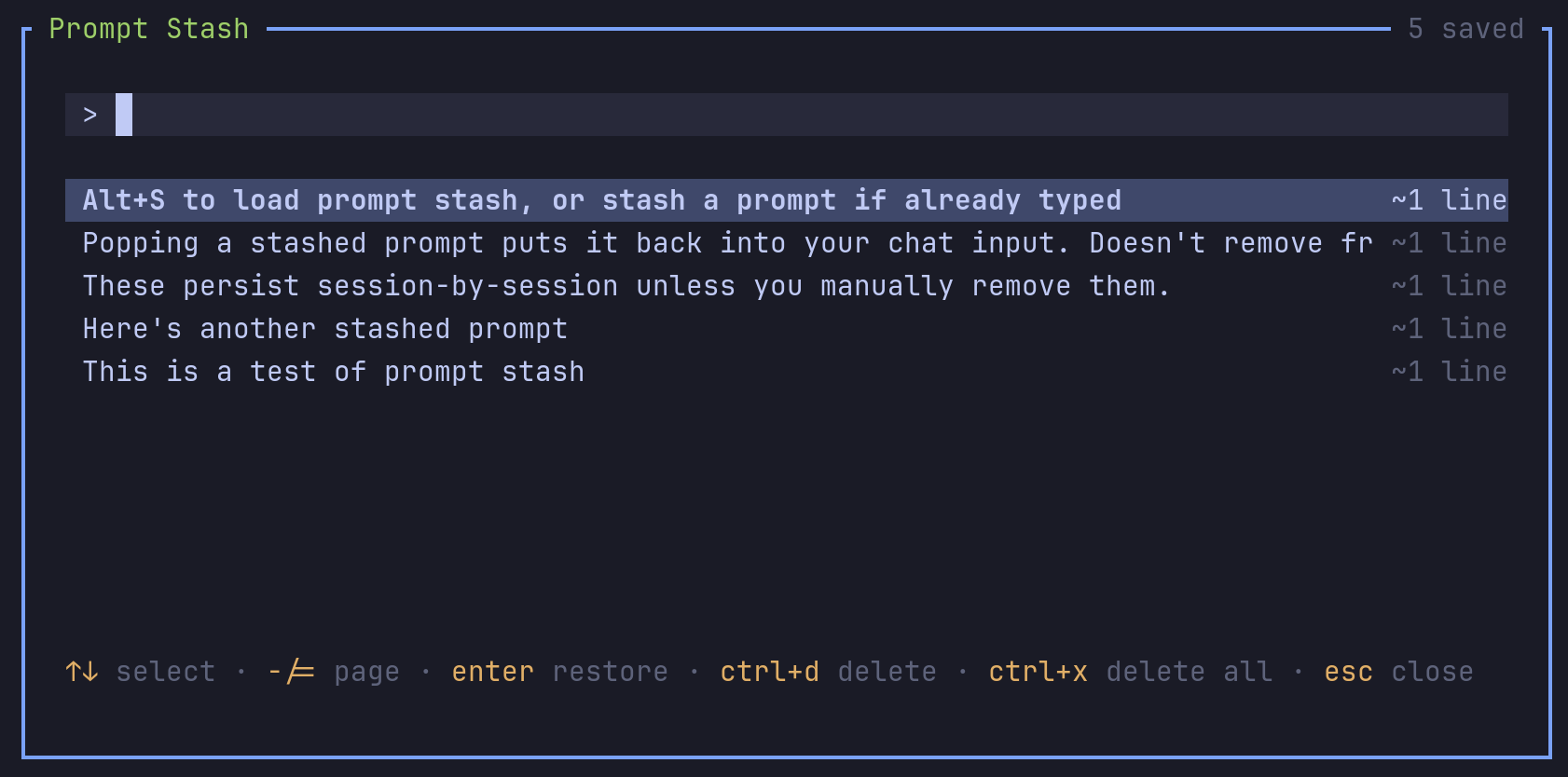
Per-session prompt stash. Save a draft, write something else, restore later.
Highlights
- Dedicated stash shortcut: stashes the current draft when the editor has text, opens the popup when the editor is empty.
- Searchable popup with restore, delete, and clear-all.
- Stashes are per-session and survive Pi restarts within the session.
- Optional deduplication discards older entries with identical text.
Install
Via npm:
pi install npm:@vanillagreen/pi-prompt-stash
Via vstack:
cargo install --git https://github.com/vanillagreencom/vstack.git vstack
vstack add vanillagreencom/vstack --pi-extension pi-prompt-stash --harness pi -y
Restart Pi after installation.
Commands
| Command | Action |
|---|---|
/prompt-stash |
Open the stash popup. |
The stash shortcut both stashes (when the editor has text) and opens the popup (when the editor is empty). The popup itself documents its own keys in the footer — search, select, restore, delete, delete-all, close.
Settings
Glyph style: each package exposes glyphStyle (unicode default, ascii for terminal-safe chrome). @vanillagreen/pi-tool-renderer.globalGlyphStyleOverride=ascii forces ASCII chrome across vstack Pi extensions while leaving tool/model/user content unchanged.
Open /extensions:settings; settings appear under the Prompt Stash tab.
Project settings in .pi/settings.json apply only after Pi marks the workspace trusted; before trust, vstack Pi extensions read user/global settings only.
| Setting | What it does |
|---|---|
| Stash shortcut | Configurable. |
| Store file | File name inside the per-session stash directory. |
| Deduplicate prompts | Remove older entries with identical text when stashing. |
| Popup width | Preferred popup width. |
| Popup max height | Maximum overlay height. |
| Visible stash rows | Rows shown before scrolling. |