@vanillagreen/pi-questions
Pi extension for structured multi-tab inline questions and bridge-driven replies.
Package details
Install @vanillagreen/pi-questions from npm and Pi will load the resources declared by the package manifest.
$ pi install npm:@vanillagreen/pi-questions- Package
@vanillagreen/pi-questions- Version
2.0.1- Published
- Sep 6, 2026
- Downloads
- 803/mo · 258/wk
- Author
- vanillagreencom
- License
- MIT
- Types
- extension
- Size
- 164.3 KB
- Dependencies
- 0 dependencies · 2 peers
Pi manifest JSON
{
  "extensions": [
    "./extensions/questions.ts"
  ],
  "image": "https://raw.githubusercontent.com/vanillagreencom/kendex/main/pi-extensions/pi-questions/assets/questions-workflow.gif",
  "appendSystem": "./instructions.md"
}
Security note
Pi packages can execute code and influence agent behavior. Review the source before installing third-party packages.
README
@vanillagreen/pi-questions
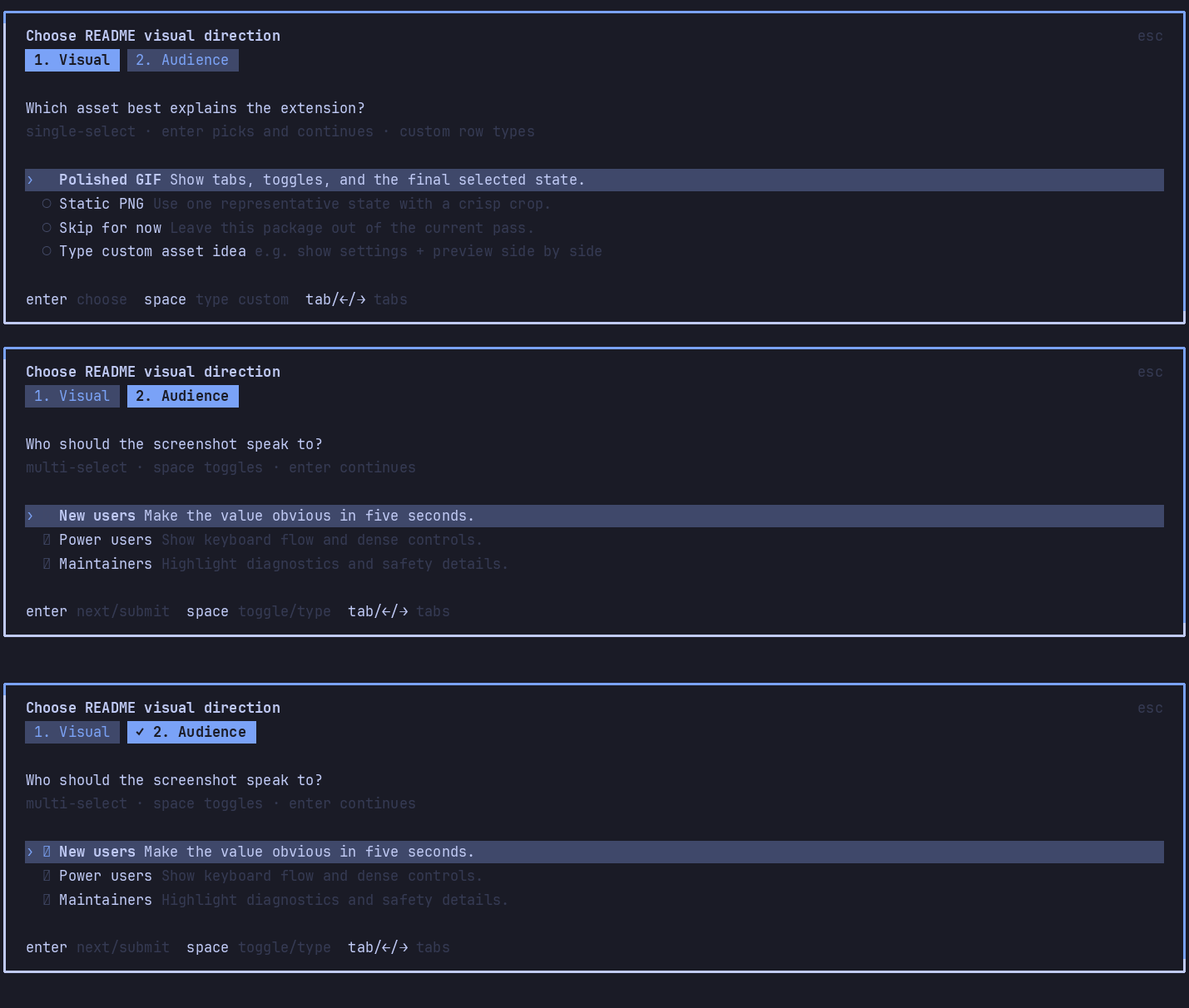
A Pi extension for questions with selectable answers and free text. The agent receives your choices as the result of its question tool call.
Install
- npm:
pi install npm:@vanillagreen/pi-questions. - kendex: add the declaration below to the project's
kendex.toml, or to~/.config/kendex/kendex.tomlfor user scope. Runkendex update-pi.
[pi-extensions."@vanillagreen/pi-questions"]
source = "kendex"
Restart Pi after installation. Use kendex update-pi --check to preview the installation.
Features
- Ask several questions in one questionnaire.
- Support single selections, multiple selections and typed answers.
- Show questions in the editor or a floating popup.
- Optionally accept answers through pi-session-bridge.
How it works
The agent sends questions and choices to the question tool. The extension displays them in Pi's editor area or the host's available dialogs. You select or type answers and submit them. The tool returns the answers to the agent. A connected session bridge can also complete a pending questionnaire.
Settings
The settings editor writes project values to .pi/settings.json. The default user file is ~/.pi/agent/settings.json. PI_CODING_AGENT_DIR changes the user directory. Package values are stored under kendex.extensionManager.config["@vanillagreen/pi-questions"].
Open /extensions:settings; settings appear under the Questions tab. Project settings in .pi/settings.json apply only after Pi marks the workspace trusted.
enabled: package toggle.renderMode,popupWidth,popupMaxHeight,optionRows,defaultHeader,glyphStyle: where and how the questionnaire renders.bridgeRepliesEnabled: whetherpi-session-bridgemay answer or reject a pending question.answersAsUserMessage: mirror each answer into the conversation as a user message.
Maintainer notes are in DEVELOPMENT.md.
Bridge control
With pi-session-bridge installed, from any shell:
pi-bridge questions
pi-bridge answer --request-id que_example --answers '[["Stop here"]]'
pi-bridge reject --request-id que_example