@vanillagreen/pi-session-manager
Polished Pi session manager overlay for browsing, searching, resuming, renaming, and safely deleting sessions.
Package details
Install @vanillagreen/pi-session-manager from npm and Pi will load the resources declared by the package manifest.
$ pi install npm:@vanillagreen/pi-session-manager- Package
@vanillagreen/pi-session-manager- Version
2.0.4- Published
- Oct 3, 2026
- Downloads
- 1,144/mo · 147/wk
- Author
- vanillagreencom
- License
- MIT
- Types
- extension
- Size
- 255.8 KB
- Dependencies
- 0 dependencies · 2 peers
Pi manifest JSON
{
  "image": "https://raw.githubusercontent.com/vanillagreencom/kendex/main/pi-extensions/pi-session-manager/assets/session-manager.gif",
  "extensions": [
    "./extensions/session-manager.ts"
  ]
}Security note
Pi packages can execute code and influence agent behavior. Review the source before installing third-party packages.
README
@vanillagreen/pi-session-manager
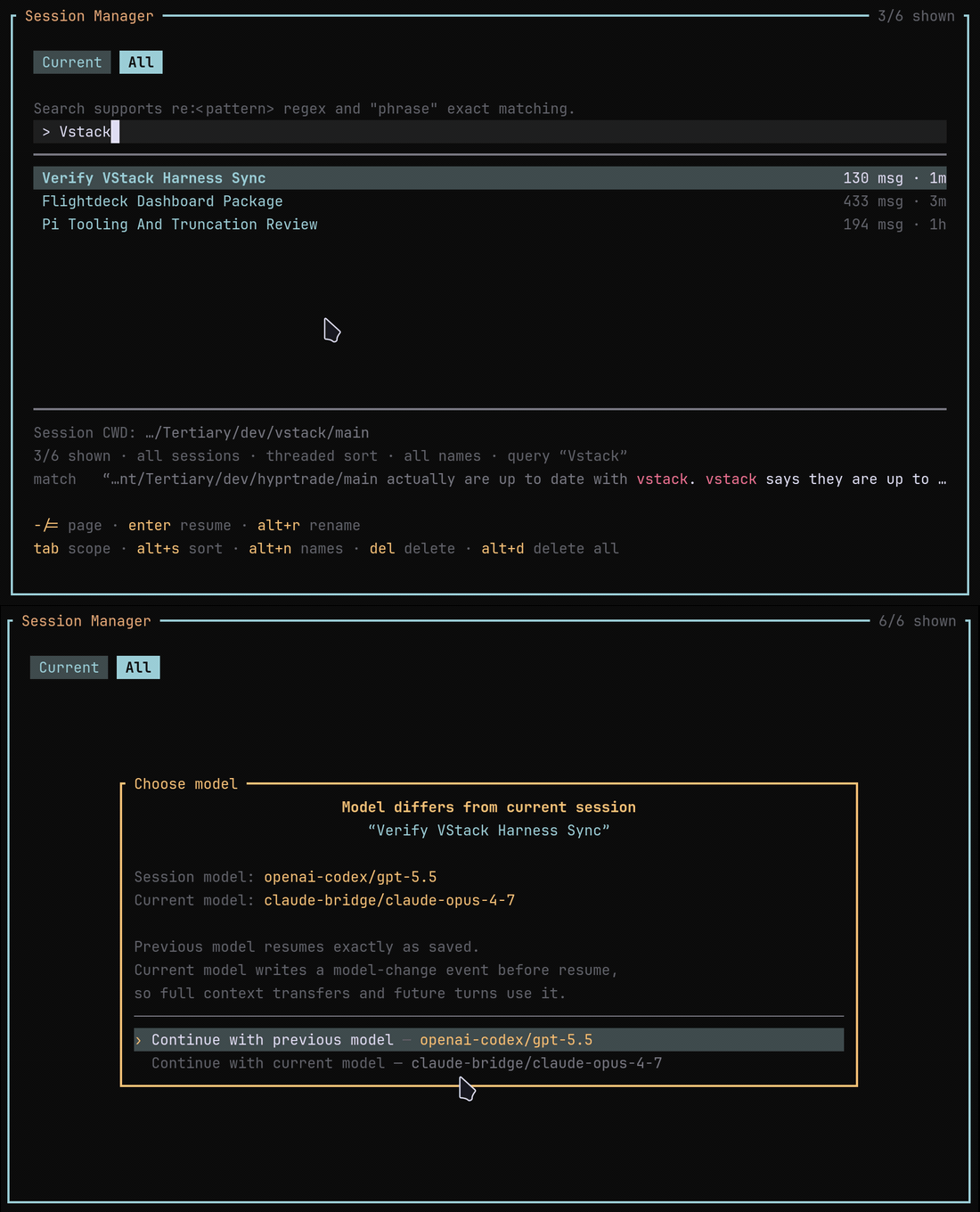
A session browser for Pi. You can search saved conversations, resume them, rename them or delete them.
Install
- npm:
pi install npm:@vanillagreen/pi-session-manager. - kendex: add the declaration below to the project's
kendex.toml, or to~/.config/kendex/kendex.tomlfor user scope. Runkendex update-pi.
[pi-extensions."@vanillagreen/pi-session-manager"]
source = "kendex"
Restart Pi after installation. Use kendex update-pi --check to preview the installation.
Features
- Browse sessions for the current project or all projects.
- Search by words, quoted phrases or regular expressions.
- View related sessions as a tree.
- Choose the saved or current model when resuming.
- Delete with confirmation and optional trash support.
How it works
The browser reads Pi's saved session files and displays their names and details. You search or select a session. Resume opens that session through Pi. Delete tries the trash command when configured, then uses permanent deletion if trash is unavailable.
Delete refuses a session that another running Pi has open, such as another lane's, and names that Pi's working directory and process id. Each Pi running this package records the session it has open in ~/.pi/agent/kendex/pi-session-manager/live/, one small file that it removes when the session ends. A Pi without this package, or with it disabled, records nothing, so its session is not protected.
Settings
The settings editor writes project values to .pi/settings.json. The default user file is ~/.pi/agent/settings.json. PI_CODING_AGENT_DIR changes the user directory. Package values are stored under kendex.extensionManager.config["@vanillagreen/pi-session-manager"].
Open /extensions:settings; settings appear under the Session Manager tab. Project settings in .pi/settings.json apply only after Pi marks the workspace trusted. glyphStyle picks unicode or ascii symbols, and @vanillagreen/pi-tool-renderer's globalGlyphStyleOverride wins when set.
enabled: package toggle.shortcutKey: the opening shortcut;nonedisables it.defaultScope,defaultSort: the tab and sort the overlay opens with.visibleRows,overlayWidth: overlay size.deleteUsesTrash: trytrashbefore a permanent unlink. Atrashthat runs past 5 seconds is stopped, with any helper it started. If the session file is still in place, the delete fails and keeps it; it never falls back to a permanent unlink.
Memory
The browser keeps the prompt text of each session it searched while it stays open, and releases it when it closes. A re: search stops with an error when the pattern runs past 250 ms on the prompts of one session.
Maintainer notes are in DEVELOPMENT.md.