@vanillagreen/pi-skills-manager
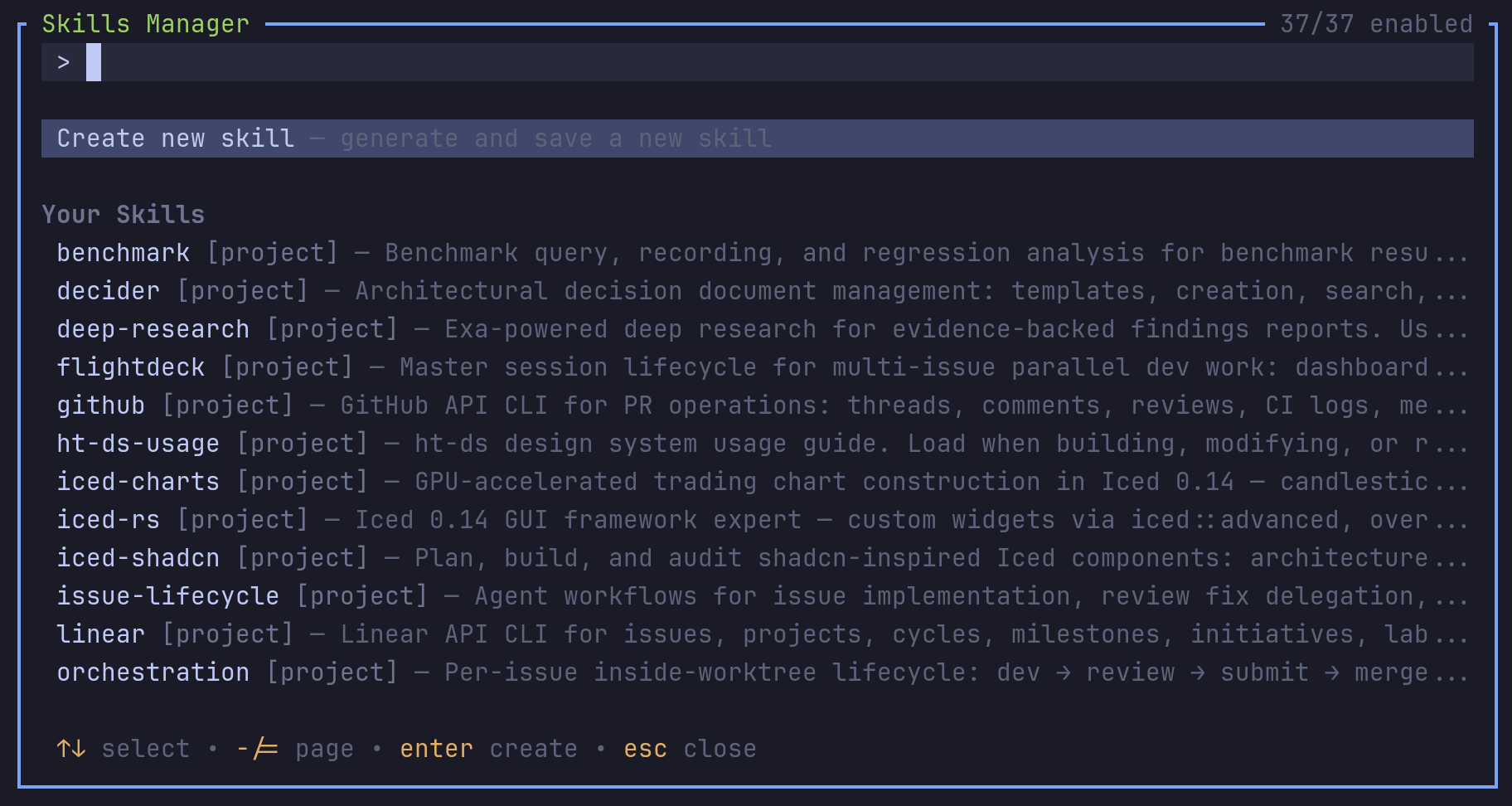
Polished Pi skills manager with a dedicated /skill menu for browsing, previewing, inserting, creating, editing, renaming, deleting, and toggling skills while preserving native /skill:name invocation.
Package details
Install @vanillagreen/pi-skills-manager from npm and Pi will load the resources declared by the package manifest.
$ pi install npm:@vanillagreen/pi-skills-manager- Package
@vanillagreen/pi-skills-manager- Version
2.0.1- Published
- Sep 6, 2026
- Downloads
- 532/mo · 62/wk
- Author
- vanillagreencom
- License
- MIT
- Types
- extension
- Size
- 295.9 KB
- Dependencies
- 0 dependencies · 3 peers
Pi manifest JSON
{
  "extensions": [
    "./extensions/skills-manager.ts"
  ],
  "image": "https://raw.githubusercontent.com/vanillagreencom/kendex/main/pi-extensions/pi-skills-manager/assets/skills-manager.png"
}Security note
Pi packages can execute code and influence agent behavior. Review the source before installing third-party packages.
README
@vanillagreen/pi-skills-manager
A skill browser and editor for Pi. You can find installed skills, insert their commands and manage skills you own.
Install
- npm:
pi install npm:@vanillagreen/pi-skills-manager. - kendex: add the declaration below to the project's
kendex.toml, or to~/.config/kendex/kendex.tomlfor user scope. Runkendex update-pi.
[pi-extensions."@vanillagreen/pi-skills-manager"]
source = "kendex"
Restart Pi after installation. Use kendex update-pi --check to preview the installation.
Features
- Search and preview project, user and package skills.
- Insert a selected skill command into the editor.
- Create, edit, rename and delete your own skills.
- Enable or disable installed skills.
- Optionally ask the current model to draft a skill.
How it works
The manager reads the skills Pi has discovered. You select a skill to preview it or insert its command into the editor. Changes to enabled skills go to Pi's settings. Changes to skills you own write their files to the chosen location.
Settings
The settings editor writes project values to .pi/settings.json. The default user file is ~/.pi/agent/settings.json. PI_CODING_AGENT_DIR changes the user directory. Package values are stored under kendex.extensionManager.config["@vanillagreen/pi-skills-manager"].
Open /extensions:settings; settings appear under the Skills Manager tab. Project settings in .pi/settings.json apply only after Pi marks the workspace trusted. glyphStyle picks unicode or ascii symbols, and @vanillagreen/pi-tool-renderer's globalGlyphStyleOverride wins when set.
enabled: package toggle.hideStartupSkillsBlock: hide Pi's startup[Skills]list.aiGenerationEnabled,defaultCreateLocation: how and where a created skill is drafted.popupWidth,popupMaxHeight,listRows: overlay size; short terminals shrink the list so the controls stay visible.
Based on ideas from the MIT-licensed @kmiyh/pi-skills-menu; see THIRD_PARTY_NOTICES.md. Maintainer notes are in DEVELOPMENT.md.