@vanillagreen/pi-tool-renderer
Compact Claude/opencode-style renderers for Pi tools with rich diffs, apply_patch, generic/MCP rendering, and optional global chrome.
Package details
Install @vanillagreen/pi-tool-renderer from npm and Pi will load the resources declared by the package manifest.
$ pi install npm:@vanillagreen/pi-tool-renderer- Package
@vanillagreen/pi-tool-renderer- Version
2.0.1- Published
- Sep 6, 2026
- Downloads
- 2,143/mo · 351/wk
- Author
- vanillagreencom
- License
- MIT
- Types
- extension
- Size
- 504.7 KB
- Dependencies
- 0 dependencies · 2 peers
Pi manifest JSON
{
  "image": "https://raw.githubusercontent.com/vanillagreencom/kendex/main/pi-extensions/pi-tool-renderer/assets/tool-batch.png",
  "extensions": [
    "./extensions/tool-renderer.ts"
  ]
}Security note
Pi packages can execute code and influence agent behavior. Review the source before installing third-party packages.
README
@vanillagreen/pi-tool-renderer
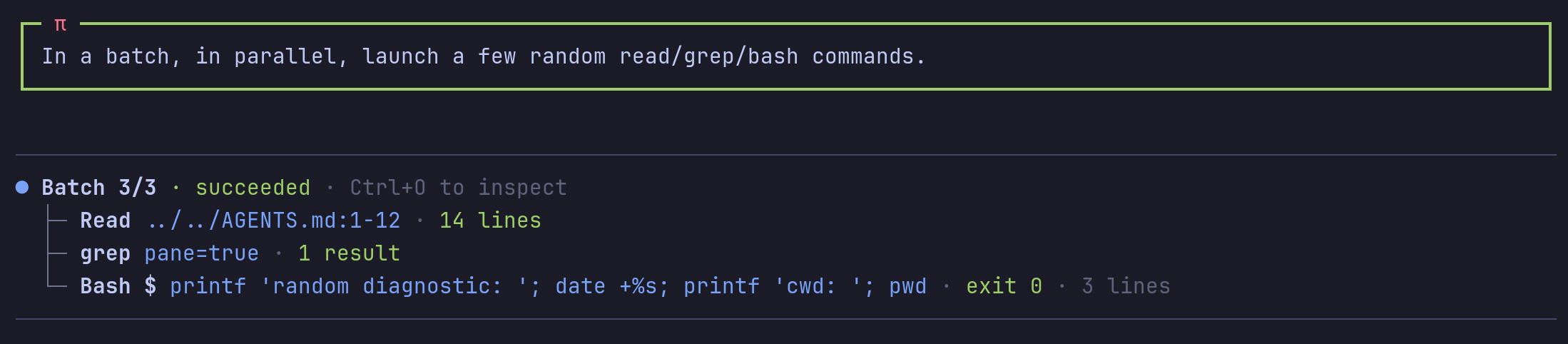
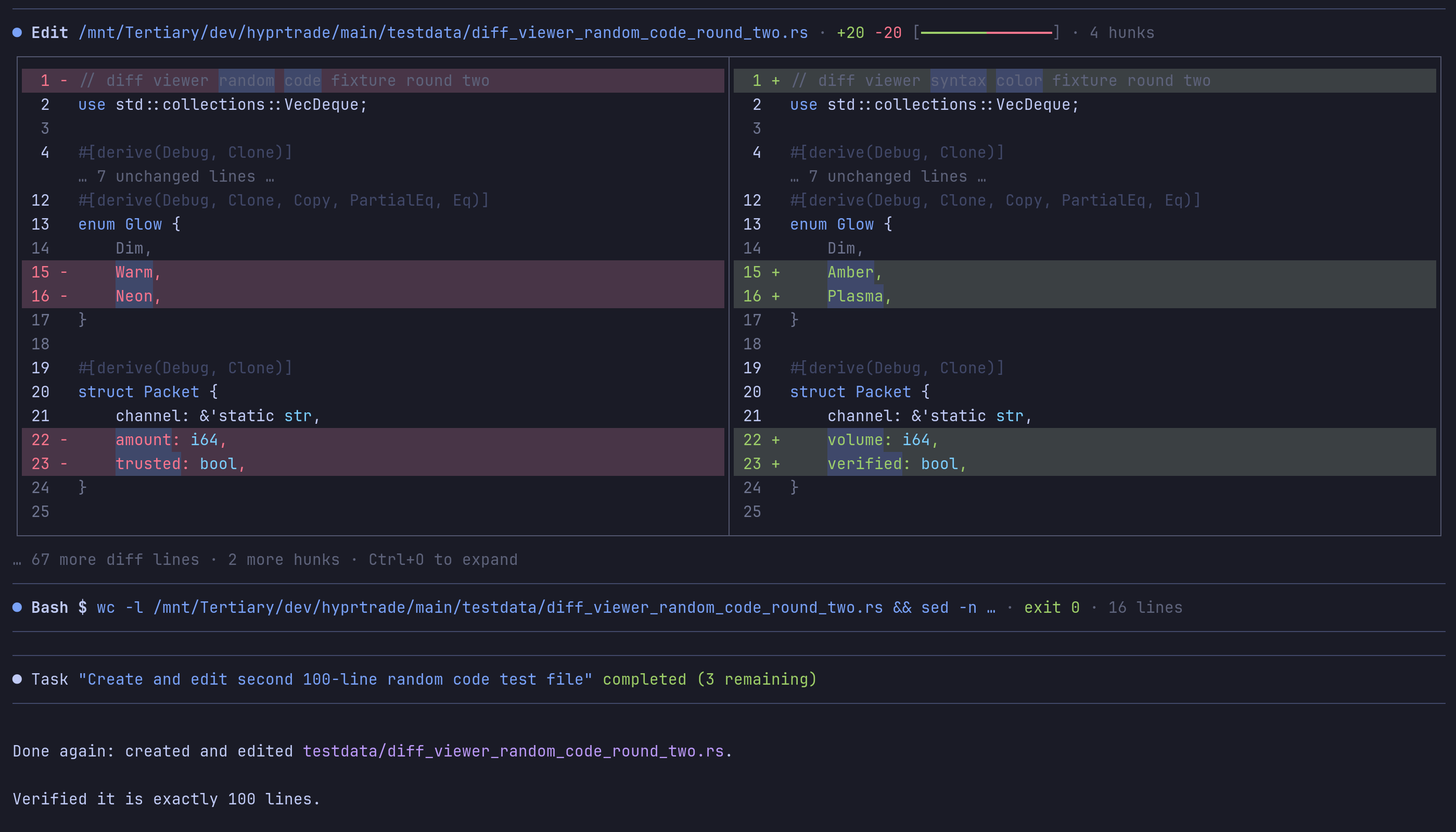
Tool and message displays for Pi. It provides compact output, optional file diffs and a tool for grouped read operations.
Install
- npm:
pi install npm:@vanillagreen/pi-tool-renderer. - kendex: add the declaration below to the project's
kendex.toml, or to~/.config/kendex/kendex.tomlfor user scope. Runkendex update-pi.
[pi-extensions."@vanillagreen/pi-tool-renderer"]
source = "kendex"
Restart Pi after installation. Use kendex update-pi --check to preview the installation.
Features
- Show compact tool rows with expandable output.
- Display file changes with side-by-side and word-level diffs.
- Group independent read operations into one result.
- Configure message layout and terminal symbols.
How it works
Pi runs a tool and gives its call and result to the display extension. The extension formats those values using your settings. It shows a compact preview that you can expand. Optional diff views show changed files, and grouped read calls share one result display.
Settings
The settings editor writes project values to .pi/settings.json. The default user file is ~/.pi/agent/settings.json. PI_CODING_AGENT_DIR changes the user directory. Package values are stored under kendex.extensionManager.config["@vanillagreen/pi-tool-renderer"].
Open /extensions:settings; settings appear under the Tool Renderer tab. Project settings in .pi/settings.json apply only after Pi marks the workspace trusted.
enabled: package toggle.glyphStyle,globalGlyphStyleOverride,treeStyle: Unicode or ASCII symbols. The global override forces one style across every kendex Pi extension and leaves tool, model and user content alone.registerBatchTool,batchMaxCalls,batchCallTimeoutMs: thetool_batchtool and its limits.readOutputMode,searchOutputMode,bashOutputMode,mcpOutputMode, and the*PreviewLinesandbashLiveOutputDelayMs,bashLiveTailLines,bashCollapsedLines,commandPreviewCharsbudgets: how much of each result shows collapsed and expanded.showReadImages: images inreadresults; needs Pi's ownterminal.showImagesoff.renderMutationTools,splitDiffs,diffPreviewLines,diffExpandedLines,mutationCallPreview,mutationCallPreviewLines,shikiDiffs,wordDiffHighlights,diffBackgrounds,showDiffHunkMeta: the edit and write diff view.renderBashDiffs,renderGitDiffCommandDiffs,applyPatchRenderer,applyPatchPreview,applyPatchPreviewLines,genericToolRenderers: diffs and views for tools other than edit and write.compactUserMessages,userMessageTrailingBlankLine,compactCompactionMessages,compactSkillMessages,alignAssistantMessages,styledCodeBlocks: message rendering.toolChrome,rightMarginGuard,pendingStatusAnimation,workingIndicator,maxLineWidth: borders and the hard cap on one rendered line.stackToolCalls,stackChildDisplay,hideStackChildRows: the stacking of consecutive native tool calls.
Maintainer notes are in DEVELOPMENT.md.