@vanillagreen/pi-web-tools
First-party Pi web tools: provider-toggled web search, Exa deep research, content retrieval, and OpenAI native web_search integration.
Package details
Install @vanillagreen/pi-web-tools from npm and Pi will load the resources declared by the package manifest.
$ pi install npm:@vanillagreen/pi-web-tools- Package
@vanillagreen/pi-web-tools- Version
4.2.1- Published
- Oct 23, 2026
- Downloads
- 1,190/mo · 457/wk
- Author
- vanillagreencom
- License
- MIT
- Types
- extension
- Size
- 545.5 KB
- Dependencies
- 1 dependency · 4 peers
Pi manifest JSON
{
  "image": "https://raw.githubusercontent.com/vanillagreencom/kendex/main/pi-extensions/pi-web-tools/assets/settings-panel.png",
  "extensions": [
    "./src/index.ts"
  ],
  "appendSystem": "./instructions.md"
}Security note
Pi packages can execute code and influence agent behavior. Review the source before installing third-party packages.
README
@vanillagreen/pi-web-tools
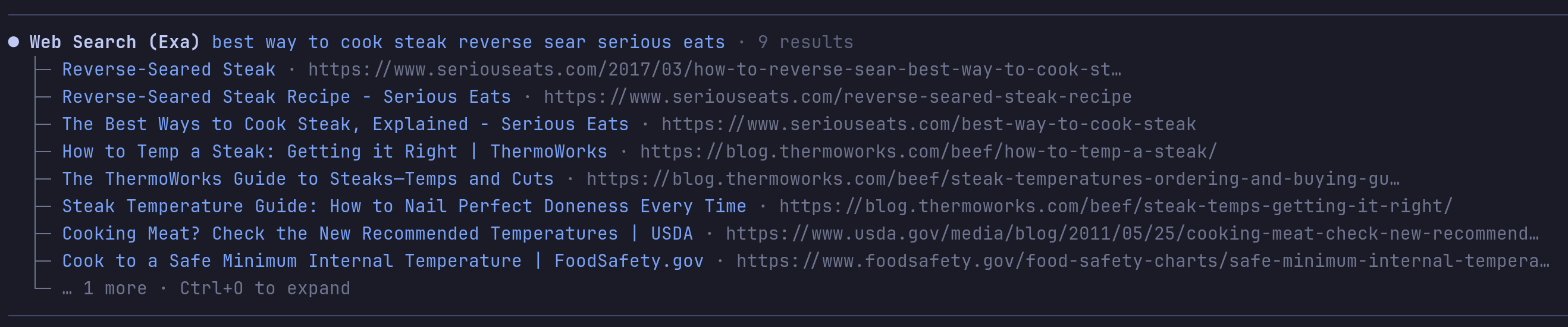
Web search, page retrieval and research tools for Pi. The agent can search providers, read documents and return to saved results.
Features
- Search the web through a selected provider.
- Read pages, repositories, PDFs and supported videos.
- Read saved result text without another fetch.
- Produce research reports through Exa.
- Use optional Exa answer, similar-page and code search tools.
Install
- npm:
pi install npm:@vanillagreen/pi-web-tools. - kendex: add the declaration below to the project's
kendex.toml, or to~/.config/kendex/kendex.tomlfor user scope. Runkendex update-pi.
[pi-extensions."@vanillagreen/pi-web-tools"]
source = "kendex"
Restart Pi after installation. Use kendex update-pi --check to preview the installation.
How it works
The extension enables tools for the configured providers and available credentials. The agent sends a search or fetch request. The chosen provider returns results, which the extension saves with the session. The tool returns a preview and a content identifier. The agent can use that identifier to read the saved text.
Memory and disk use
- Fetched text is written to
~/.pi/agent/kendex/sessions/<session>/pi-web-tools/content/, one file per content id. The session record and the tool details carry the id, title, URL, length and the id of the session that stored the text, not the text. A forked session reads its parent's ids from the parent's directory. - The tool details of
web_search,code_search,web_answer,web_find_similarandweb_researchcarry each result's title, URL, published date and content id, not its text or the provider's raw response. Theweb_researchdetails also carry the research mode, Exa type and query and source counts, not the request bodies, which hold the text of every context file. The raw metadata file keeps the full metadata;web_researchwrites it whenoutputPathis given with areportFormatother thanjson, or whenrawOutputPathis given withoutoutputPath. - At most 8,388,608 characters of fetched text are held in memory; the least recently read items are dropped and read from disk again when needed. One item larger than that bound by itself is still held until the next item is stored. Memory is cleared when a session starts or ends.
- A browser's keyring secret, read to decrypt its cookies while
browserCookieAccessis on, is reused for 10 minutes and then read again. At most one is kept per installed browser, shared by every session in the Pi process. - A session's content directory is deleted once the session's working directory is gone (a merged worktree), and any content file older than 5 days is deleted. Pi applies both rules when a session starts. A deleted id can no longer be read:
get_web_contentfails withStored content text gone: <id>and names the URL to fetch again.
Time limits
- Each provider request (Exa, Exa MCP, Perplexity, Gemini, Gemini Web, DuckDuckGo) ends after 120 seconds, counted from sending it to reading the last byte of the answer, and then fails with its deadline named.
- In
web_fetch, each PDF fetch, each GitHub API, raw-file and README request, each YouTube captions attempt and Gemini API request, and each of the three Gemini requests of a local video (upload start, upload, analysis) ends after 120 seconds. A page fetch and its Jina Reader fallback end together 120 seconds after the page request is sent. A failed URL takes its Exa fallback, as for any failed read. - A page, Jina Reader, PDF, GitHub file or README body that stops sending fails after 30 seconds with
web_fetch body stalled; the 120-second limit ends a server that never sends headers and a body that trickles. - A
web_researchrun ends after its mode'stimeoutSeconds, all queries of afullrun together; each research request may run up to it. pdftotextis killed after 120 seconds, andpdfinfoandpdftoppmtogether after 120 seconds. Each runs through Pi's exec, is killed when the tool call is cancelled, and has its temporary files removed. A helper that crashes counts as failed.- A browser cookie read kills each
sqlite3run after 4 seconds and each keyring or DPAPI helper (security,secret-tool, PowerShell) after 60 seconds. A keychain or keyring unlock prompt left open past 60 seconds fails the read. A YouTube Gemini Web attempt runs this read before its 120-second query, so the read's time adds to the query's. - Each
gitcommand of a GitHub clone keeps its own timeout, 60 seconds by default.
API keys
Set these as environment variables, in the project's .env or .env.local, or in a private JSON file named by PI_WEB_TOOLS_CONFIG_FILE. The process environment wins over files, and a project file is read only once Pi marks the workspace trusted.
EXA_API_KEYPERPLEXITY_API_KEYGEMINI_API_KEYOPENAI_API_KEYJINA_API_KEY, optional; Jina Reader works anonymously without it.
A value may be a 1Password reference such as op://Private/Exa API Key/credential when the op CLI is installed and signed in. A reference that does not resolve within the startup timeout is treated as unset so Pi starts anyway; PI_WEB_TOOLS_OP_READ_TIMEOUT_MS changes that timeout.
Setup
The settings editor writes project values to .pi/settings.json. The default user file is ~/.pi/agent/settings.json. PI_CODING_AGENT_DIR changes the user directory. Package values are stored under kendex.extensionManager.config["@vanillagreen/pi-web-tools"].
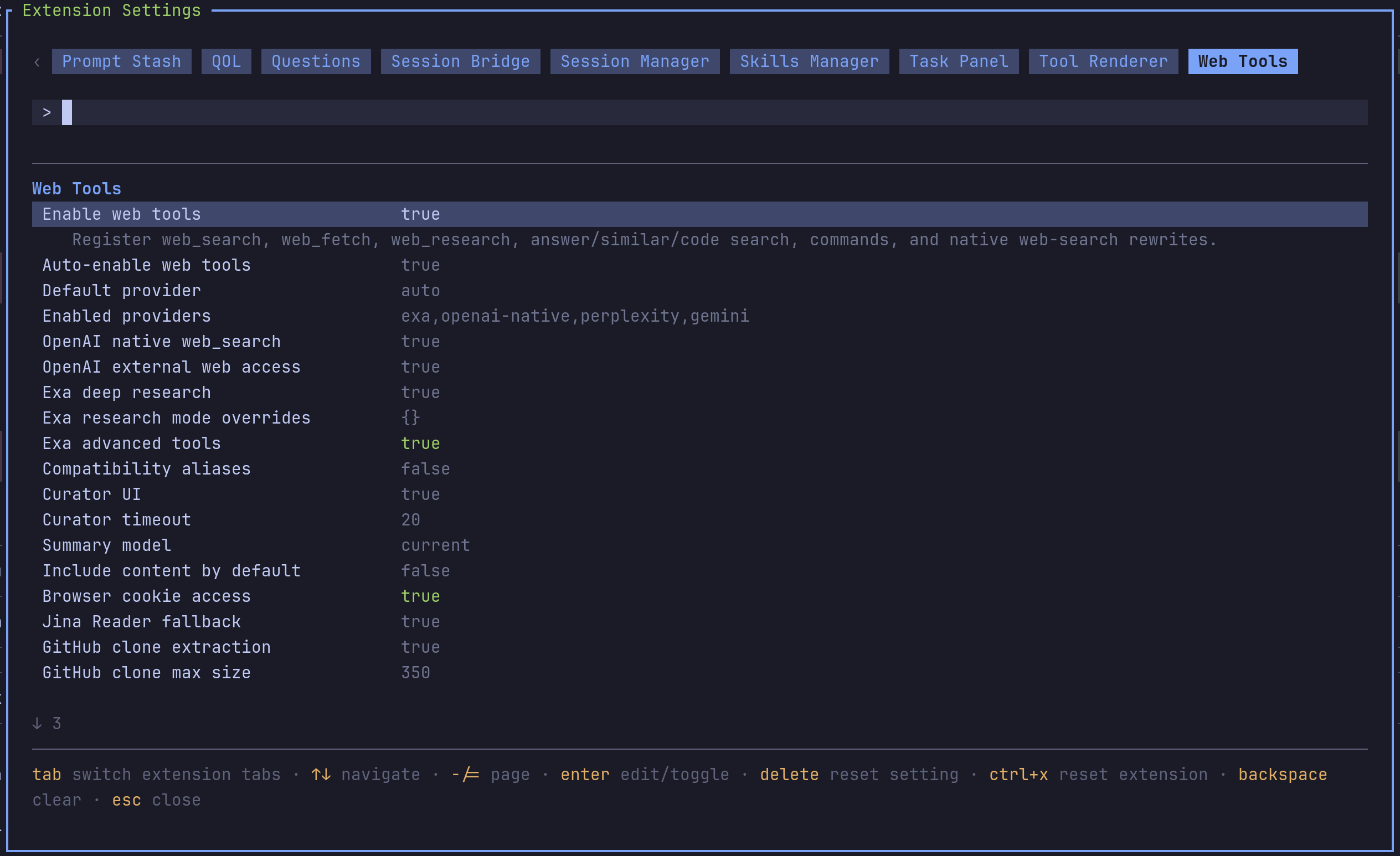
Open /extensions:settings; settings appear under the Web Tools tab. Project settings in .pi/settings.json apply only after Pi marks the workspace trusted.
enabled,autoEnable: the package and whether its tools join the active set on their own.defaultProvider,enabledProviders: which provider answersweb_searchand which are allowed at all.geminiSearchModel,video.geminiModel: the Gemini API models for thegeminiprovider ofweb_search(defaultgemini-3.5-flash-lite) and for YouTube and local video understanding inweb_fetch(defaultgemini-3.8-flash).nativeOpenAiWebSearch,openAiExternalWebAccess: the native OpenAI rewrite.exaDeepResearchEnabled,exaResearchModes,exaAdvancedEnabled:web_research, its per-mode overrides, and the advanced Exa tools.exaAdvancedEnabledstays off because it adds three tools to every session's tool list, and each call is billed to the user's Exa key.htmlExtraction.jinaFallback,githubClone.enabled,githubClone.maxRepoSizeMB,video.enabled,browserCookieAccess: the fetch paths. Browser cookies are read only withbrowserCookieAccesson, for the Gemini Web provider ofweb_searchand for YouTube understanding inweb_fetch; with it off, YouTube understanding usesGEMINI_API_KEY. It stays off because it reads the user's browser sign-in cookies, which only the user can allow.compatibilityTools: register the older tool names such asfetch_contentandweb_search_exa.glyphStyle: Unicode or ASCII symbols;pi-tool-renderer's global override wins when set.
The Exa endpoints each tool calls and what each stores are in EXA.md. Maintainer notes are in DEVELOPMENT.md.