@vanillagreen/pi-web-tools
First-party Pi web tools: provider-toggled web search, Exa deep research, content retrieval, and OpenAI native web_search integration.
Package details
Install @vanillagreen/pi-web-tools from npm and Pi will load the resources declared by the package manifest.
$ pi install npm:@vanillagreen/pi-web-tools- Package
@vanillagreen/pi-web-tools- Version
1.2.2- Published
- May 15, 2026
- Downloads
- 819/mo · 819/wk
- Author
- vanillagreencom
- License
- MIT
- Types
- extension
- Size
- 276 KB
- Dependencies
- 0 dependencies · 4 peers
Pi manifest JSON
{
  "extensions": [
    "./src/index.ts"
  ],
  "appendSystem": "./instructions.md",
  "image": "https://raw.githubusercontent.com/vanillagreencom/vstack/main/pi-extensions/pi-web-tools/assets/settings-panel.png"
}Security note
Pi packages can execute code and influence agent behavior. Review the source before installing third-party packages.
README
pi-web-tools
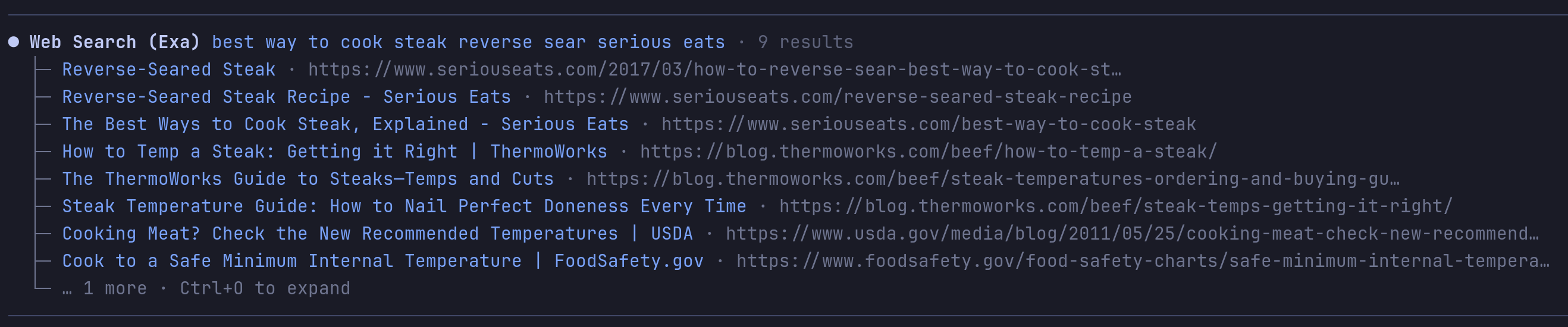
Web access tools for Pi: search, deep research, content fetch, and code search.
For the Exa-specific API map and tool semantics, see EXA.md.
Highlights
web_searchwith provider selection:auto,exa,perplexity,gemini,exa-mcp,duckduckgo,openai-native.web_researchruns Exa Deep Search withlite,standard, orfullmodes. Writes findings reports with raw-metadata sidecars.web_fetchextracts GitHub repos (clone cache), URL and local PDFs, HTML/text/JSON, YouTube and local video, with Jina Reader fallback on blocked pages.web_answerandweb_find_similarfor Exa-first quick answers.code_searchuses Exa Code/contextwith fallback to code-focused Exa search.get_web_contentretrieves stored full content by id — no refetch.- OpenAI-native
web_searchrewrite on supported Codex models.
auto provider tries keyed providers first (Exa, Perplexity, Gemini API), then no-key fallbacks (Exa MCP, DuckDuckGo), then Gemini Web cookies if enabled, then openai-native.
Install
Via npm:
pi install npm:@vanillagreen/pi-web-tools
Via vstack:
cargo install --git https://github.com/vanillagreencom/vstack.git vstack
vstack add vanillagreencom/vstack --pi-extension pi-web-tools --harness pi -y
Restart Pi after installation.
Commands
| Command | Action |
|---|---|
/web-tools |
Open settings (or print status if extension-manager isn't installed). |
/web-tools:doctor |
Show status and diagnostics. |
/web-tools:provider:<name> |
Switch the active provider for this session. |
Fetch storage
web_fetch returns a compact preview and stores extracted content in the current Pi session under a generated content id (e.g. web-...). Use get_web_content with that id to retrieve the stored text — it doesn't refetch the URL.
- GitHub, direct HTTP, PDF, and Exa-fallback paths all store full extracted text before preview truncation.
- Local PDFs supported via
filePath/filePaths,file://..., or PDF-looking paths. textMaxCharacterscaps the immediate preview (default 4k chars).get_web_content.maxCharacterscaps retrieval (default 50k chars).
API keys
Set via environment variables, project .env.local/.env, or a private config file. Process env wins over files.
EXA_API_KEYPERPLEXITY_API_KEYGEMINI_API_KEYOPENAI_API_KEYJINA_API_KEY(optional; anonymous Jina Reader works without it)PI_WEB_TOOLS_CONFIG_FILE=/path/to/private.json
Values may be 1Password references such as op://Private/Exa API Key/credential when the op CLI is installed and signed in.
Deep research modes
| Mode | Exa type | Results | Text cap | Highlight cap |
|---|---|---|---|---|
lite |
deep-lite |
15 | 10k | 600 |
standard |
deep-reasoning |
50 | 16k | 900 |
full |
deep-reasoning |
150 | 24k | 1200 |
standard and full request Exa summaries and structured output. full runs the primary query plus each additionalQueries entry, then dedupes URLs.
Override per-mode defaults with the Exa research mode overrides setting (JSON keyed by lite/standard/full).
Settings
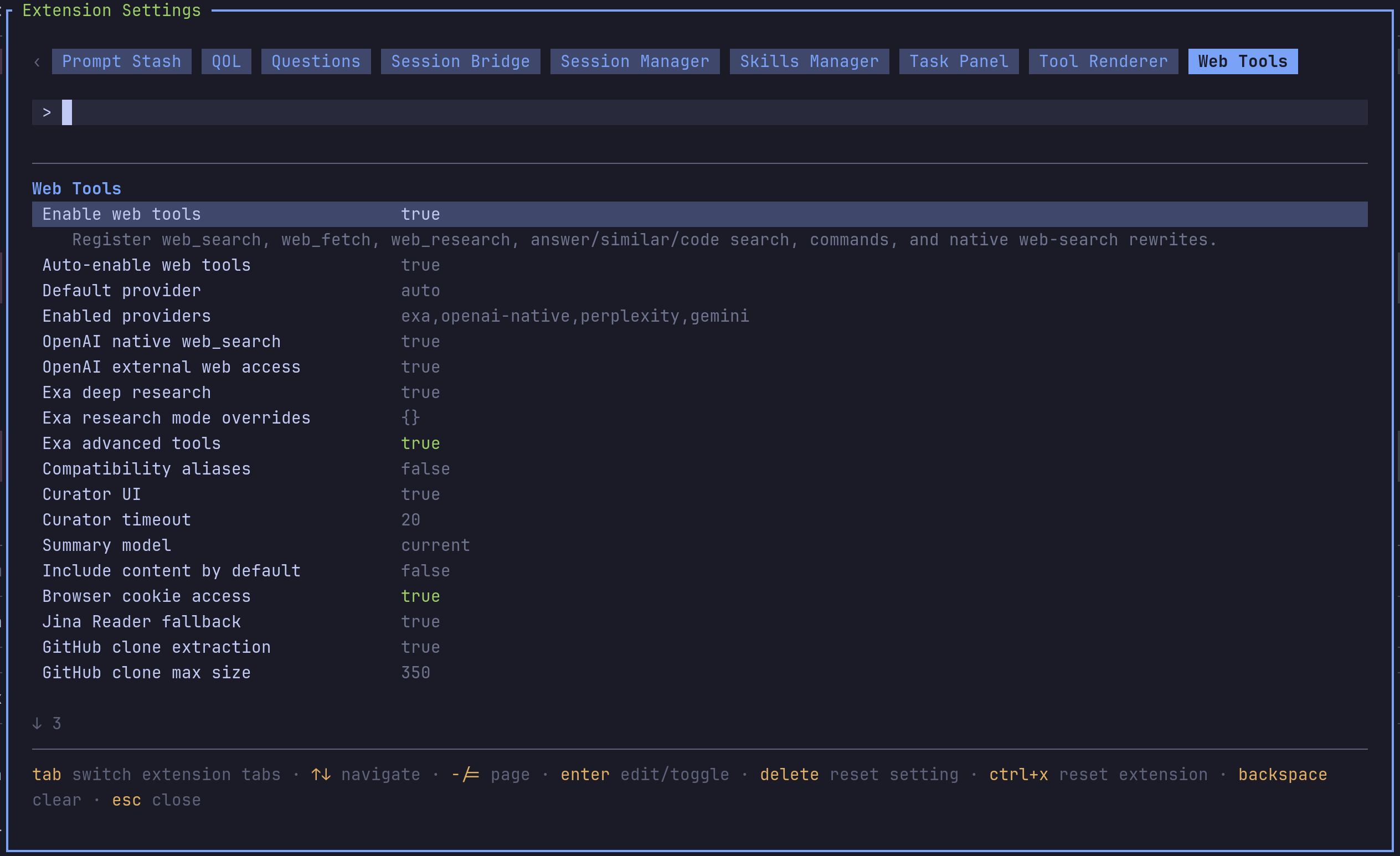
Open /extensions:settings; settings appear under the Web Tools tab.
General
| Setting | What it does |
|---|---|
| Auto-enable web tools | Add web tools to the active set while preserving Pi natives. |
| Default provider | Provider used by web_search unless the call overrides. |
| Enabled providers | Comma-separated allow-list. |
OpenAI native
| Setting | What it does |
|---|---|
| OpenAI native web_search | Rewrite web_search to native OpenAI/Codex Responses web_search. |
| OpenAI external web access | Set external_web_access on native tools. |
Exa
| Setting | What it does |
|---|---|
| Exa deep research | Register and enable web_research. |
| Exa research mode overrides | JSON object keyed by lite/standard/full. |
| Exa advanced tools | Enable web_answer, web_find_similar, code_search. |
Content
| Setting | What it does |
|---|---|
| Jina Reader fallback | Fall back to r.jina.ai for blocked or 403/429/5xx pages. |
| GitHub clone extraction | Use a clone cache for GitHub repo URLs. |
| GitHub clone max size | Large-repo fallback threshold in MB. |
| Video extraction | YouTube and local video understanding via Gemini. |
| Browser cookie access | Opt-in browser cookie extraction for Gemini Web fallback. |
Compatibility
| Setting | What it does |
|---|---|
| Compatibility aliases | Register legacy aliases like fetch_content and web_search_exa. |
Notes
web_search moved here from pi-codex-minimal-tools. Install both updated packages together; pi-codex-minimal-tools now owns only image_generation, view_image, and apply_patch.