@victor-software-house/pi-multicodex
Codex account rotation extension for pi
Package details
Install @victor-software-house/pi-multicodex from npm and Pi will load the resources declared by the package manifest.
$ pi install npm:@victor-software-house/pi-multicodex- Package
@victor-software-house/pi-multicodex- Version
2.3.1- Published
- Mar 30, 2026
- Downloads
- 530/mo · 104/wk
- Author
- victor-founder
- License
- MIT
- Types
- extension
- Size
- 510.3 KB
- Dependencies
- 2 dependencies · 3 peers
Pi manifest JSON
{
  "extensions": [
    "./index.ts"
  ],
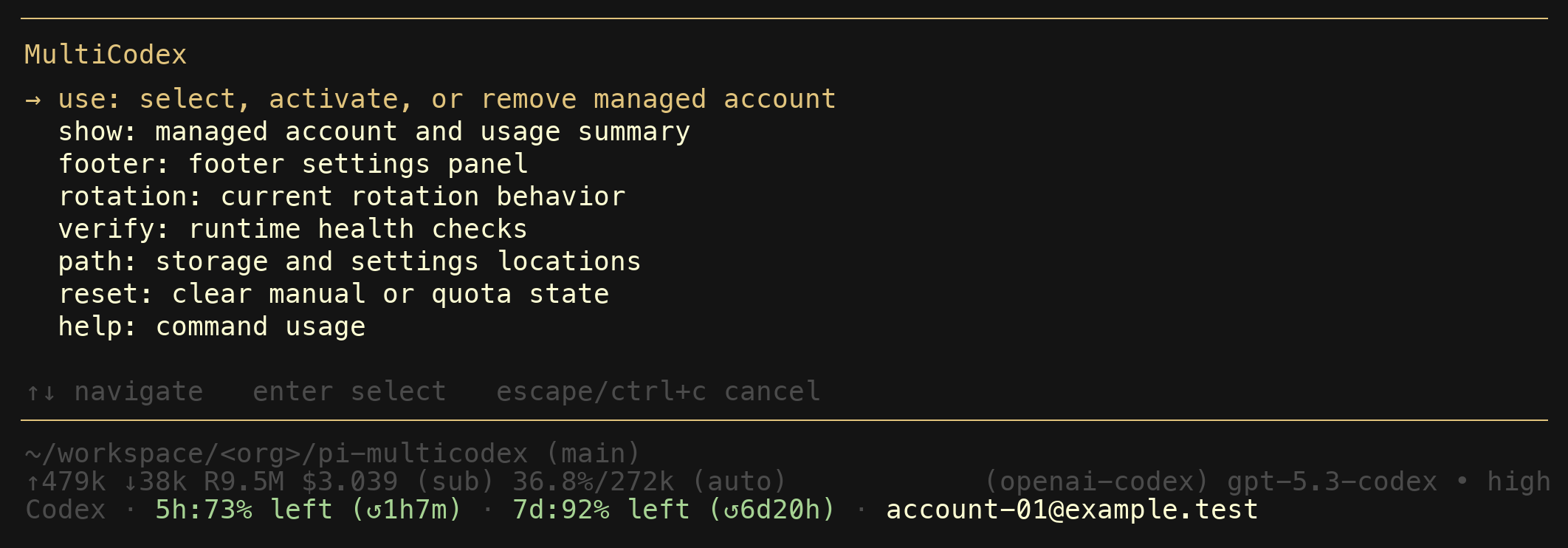
  "image": "https://raw.githubusercontent.com/victor-software-house/pi-multicodex/main/assets/multicodex-main.png"
}
Security note
Pi packages can execute code and influence agent behavior. Review the source before installing third-party packages.
README
@victor-software-house/pi-multicodex
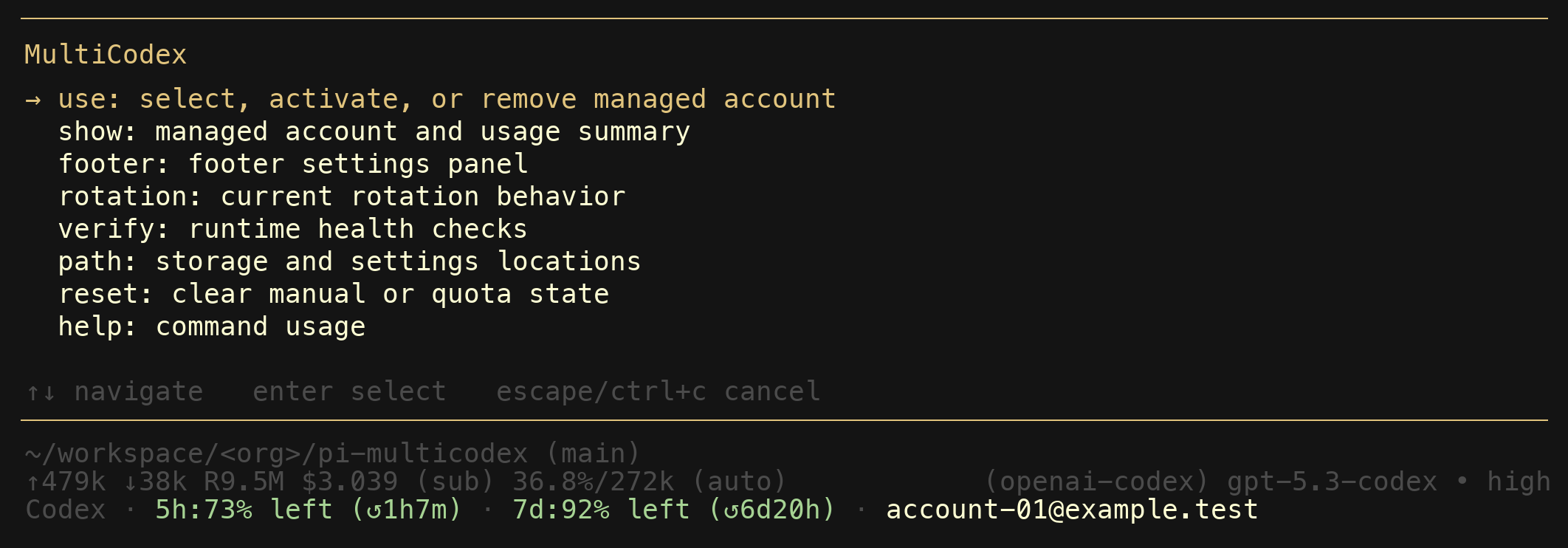
MultiCodex is a pi extension that manages multiple ChatGPT Codex accounts and rotates between them automatically when you hit quota limits.
You add your Codex accounts once. After that, MultiCodex transparently picks the best available account for every request. When one account runs dry mid-session, it switches to another and retries — no manual intervention needed.
Getting started
Install from npm:
pi install npm:@victor-software-house/pi-multicodex
Restart pi. That is all you need — MultiCodex takes over the normal openai-codex provider path and auto-imports any Codex auth you have already set up in pi.
To manage your accounts inside a session, type /multicodex.
How it works
When you start a session, MultiCodex:
- Imports your existing pi Codex auth automatically (if present).
- Merges duplicate imported credentials into the managed pool so one account does not consume multiple rotation slots.
- Checks usage data across all managed accounts.
- Picks the best available account — untouched accounts first, then the one whose weekly reset window ends soonest, then a random available account as fallback.
If you pin a specific account from /multicodex accounts or /multicodex use, that account is used until it hits quota, fails auth validation, or you clear the override.
When a request hits a quota or rate limit before any output is streamed, MultiCodex marks that account exhausted, picks the next available one, and retries. This happens up to 5 times transparently. If token validation or token refresh fails before the request starts, MultiCodex skips that account and retries another healthy one. If the manual override account fails, the override is cleared and rotation continues with the remaining accounts. Once output has started streaming, the error is surfaced as-is — no mid-stream account switching.
Commands
Everything lives under one command: /multicodex.
| Command | What it does |
|---|---|
/multicodex |
Open the main interactive menu |
/multicodex accounts [identifier] |
Inspect account health, select an account, add one, or directly activate/login by identifier |
/multicodex use [identifier] |
Alias for /multicodex accounts [identifier] |
/multicodex show |
Alias for the account-management view; in non-interactive mode it prints per-account health lines |
/multicodex refresh [identifier|all] |
Refresh token validity and usage data for one account or all accounts |
/multicodex reauth [identifier] |
Re-authenticate one account explicitly |
/multicodex footer |
Configure the usage footer display |
/multicodex rotation |
Show the current rotation policy |
/multicodex verify |
Check storage, settings, auth import, and reauth health |
/multicodex path |
Print storage and settings file locations |
/multicodex reset [manual|quota|all] |
Clear manual override, quota cooldowns, or both |
/multicodex help |
Print a compact usage line |
All subcommands support dynamic autocomplete. Account-focused subcommands autocomplete from the managed account list.
Commands that do not need a UI panel (show, refresh, verify, path, reset, help) work in non-interactive mode too.
Account manager
The /multicodex accounts panel merges the old show and use flows into one place.
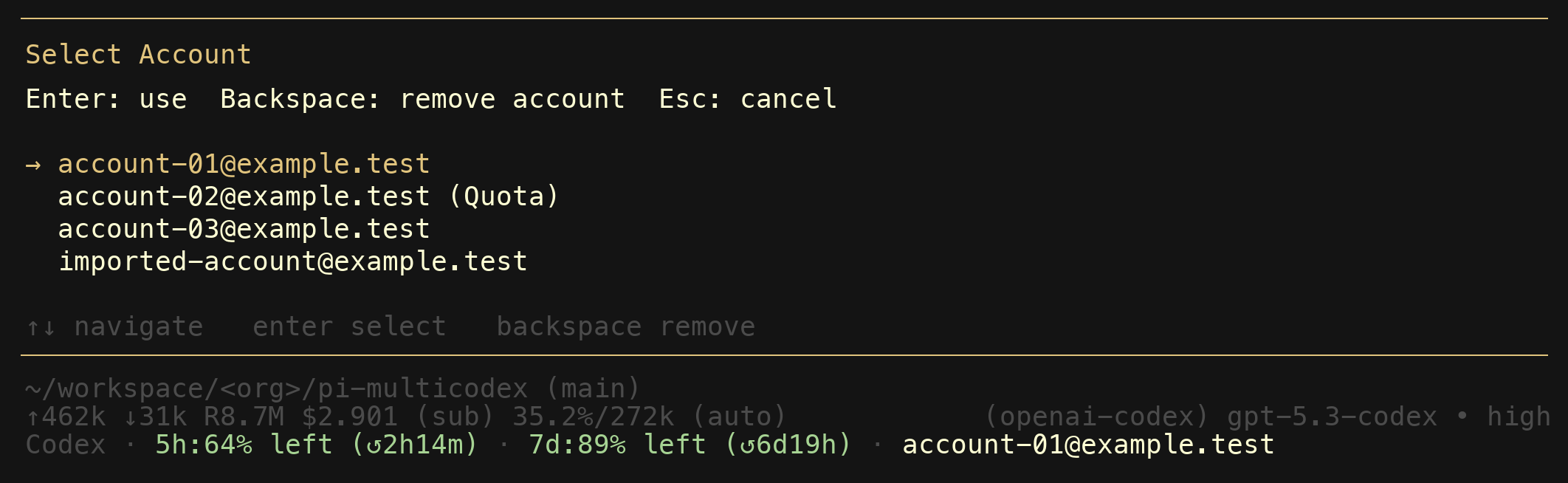
- enter activates the highlighted account.
- u refreshes token and usage health for the selected account.
- r re-authenticates the selected account.
- n starts login for a new managed account.
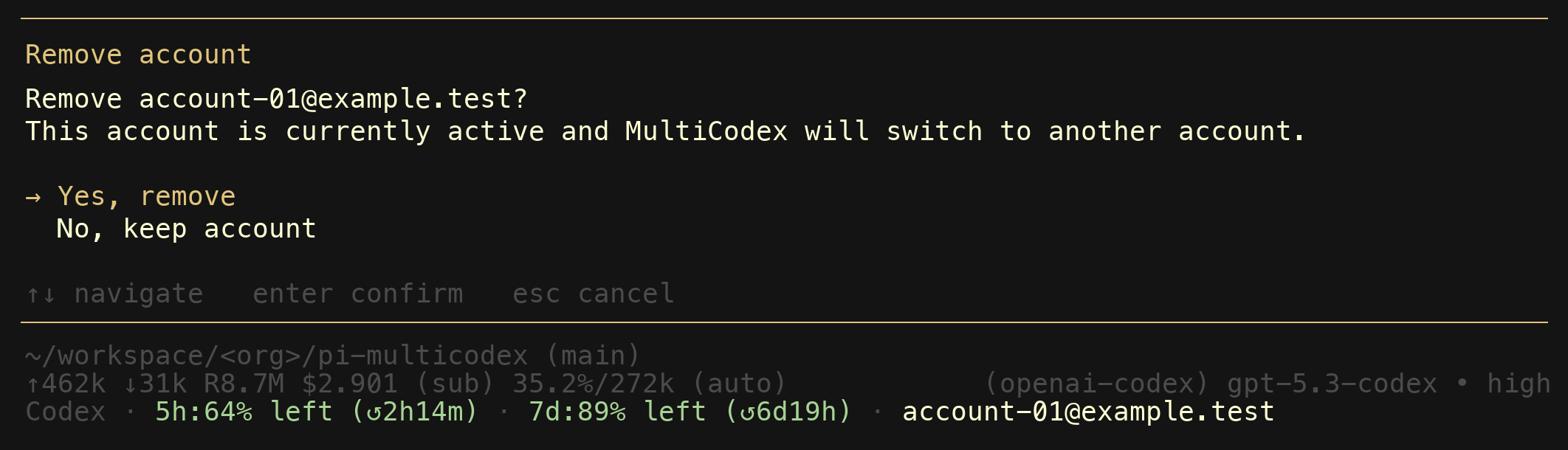
- backspace removes the selected account after confirmation.
Each row shows the account identifier, active/manual state, reauth state, quota state, linked imported auth state, and cached 5-hour and weekly usage windows.
When you remove an active account, MultiCodex switches to the next available one automatically.
Usage footer
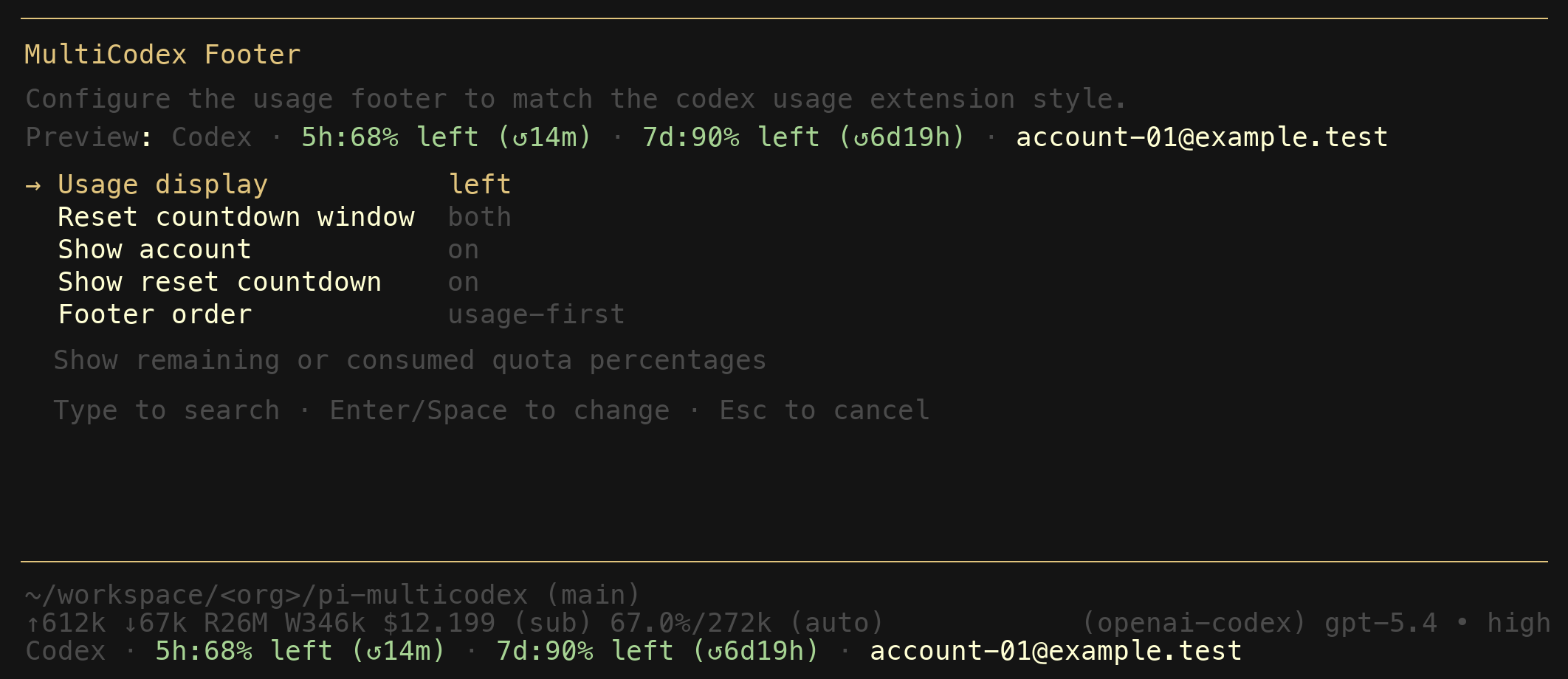
MultiCodex adds a live footer to your session showing the active account, 5-hour and 7-day usage percentages, and reset countdowns. The footer updates after every turn and on account switches.
You can customize which fields appear and their ordering with /multicodex footer.
What it does under the hood
- Provider override. MultiCodex registers itself as the
openai-codexprovider. You do not need to select a different provider or change your model — it works with whatever Codex model you already use. - Auth import. When pi has stored Codex OAuth credentials, MultiCodex imports them automatically and merges duplicate credentials into existing managed accounts when possible.
- Token refresh. OAuth tokens are refreshed before expiry so requests do not fail due to stale credentials. You can also force a health refresh with
/multicodex refreshor re-authenticate explicitly with/multicodex reauth. - Usage tracking. Usage data is fetched from the Codex API and cached for 5 minutes per account. The footer renders cached data immediately and refreshes in the background.
- Quota cooldown. When an account is exhausted, it stays on cooldown until its next known reset time (or 1 hour if the reset time is unknown).
- Shared utility seams. Provider mirroring, stream primitives, and
~/.pi/agent/*path helpers are shared withpi-credential-vaultthrough@victor-software-house/pi-provider-utils. MultiCodex still owns account storage, token policy, footer behavior, and command UX.
Local development
This repo uses mise for tool versions and pnpm for dependency management.
mise install          # pin tool versions
pnpm install          # install dependencies
pnpm check            # lint + typecheck + test
npm pack --dry-run    # verify package contents
Run the extension directly during development:
pi -e ./index.ts
Data storage
MultiCodex stores all data locally under ~/.pi/agent/:
| File | Contents |
|---|---|
codex-accounts.json |
Managed account credentials and state |
settings.json (key pi-multicodex) |
Footer display preferences |
No data is sent anywhere except to the Codex API endpoints for auth refresh and usage queries.
Release process
Releases are automated. Push a conventional commit to main and GitHub Actions handles versioning, changelog, npm publishing (via trusted publishing), and GitHub releases.
Local push protection via lefthook runs the same checks as CI before every push.
Roadmap
See ROADMAP.md for planned work including configurable rotation settings, a shared controller architecture, and immediate footer persistence.
Prior art and how this project differs
This extension builds on ideas from two earlier pi extensions. Both deserve credit for establishing the patterns that made this project possible.
kim0/pi-multicodex
The original MultiCodex extension by kim0. It introduced the core concept: manage multiple Codex OAuth accounts and rotate between them on quota failures. The original shipped as a single index.ts file (~990 lines) with three top-level commands (/multicodex-login, /multicodex-use, /multicodex-status), a stream wrapper for transparent retries, and account selection logic that prefers untouched accounts and earliest weekly resets.
This fork diverged significantly:
- Modular architecture. Split into 16 focused modules (~2,400 lines of runtime code, ~1,200 lines of tests) instead of one monolithic file.
- Command family. One
/multicodexcommand with subcommands and dynamic autocomplete, replacing three separate top-level commands. - Account removal. In-session account deletion from the picker via
Backspacewith confirmation — the original had no way to remove accounts without editing the JSON file. - Non-interactive mode. All inspection and recovery subcommands (
show,verify,path,reset,help) work without a UI panel. - Auth import. Automatically imports pi's stored
openai-codexcredentials when they change, so existing pi logins work without re-entering them. - Token refresh. Proactively refreshes OAuth tokens before expiry instead of failing on stale credentials.
- Automated releases. semantic-release with npm trusted publishing, commitlint, lefthook pre-push checks, and CI validation on every push.
calesennett/pi-codex-usage
A footer-only extension by calesennett that shows Codex usage windows in the pi status bar. It introduced the idea of a live footer displaying 5-hour and 7-day usage percentages with reset countdowns, and offered two commands to toggle display mode and reset window.
This project incorporated and extended that footer concept:
- Integrated footer. The usage footer is part of the rotation extension rather than a separate install, so it always reflects the active rotated account.
- More settings. Five configurable fields (usage mode, reset window, show account, show reset countdown, footer order) compared to two toggles.
- Settings panel. Interactive
SettingsListmodal with live preview instead of separate toggle commands. - Colored segments. Footer renders usage percentages, separators, and account labels in distinct colors matched to the terminal theme.
- Severity-based colors. Usage percentages shift through four color tiers (green, amber, warning, error) as quota depletes — green above 50% remaining, amber at 50%, warning at 25%, red at 10% or below. The thresholds flip automatically when the display mode is set to "used" instead of "left."
- Model-aware display. Footer clears when switching to non-Codex models and debounces rapid model changes.