@watercol/pi-web-ui
Web-based TUI for the pi coding agent
Package details
Install @watercol/pi-web-ui from npm and Pi will load the resources declared by the package manifest.
$ pi install npm:@watercol/pi-web-ui- Package
@watercol/pi-web-ui- Version
0.4.1- Published
- Jul 1, 2026
- Downloads
- 1,827/mo · 520/wk
- Author
- watercol
- License
- MIT
- Types
- extension
- Size
- 513.6 KB
- Dependencies
- 0 dependencies · 0 peers
Security note
Pi packages can execute code and influence agent behavior. Review the source before installing third-party packages.
README
Pi Web UI

A web-based terminal UI for the pi coding agent. Connect to a running pi session through your browser.
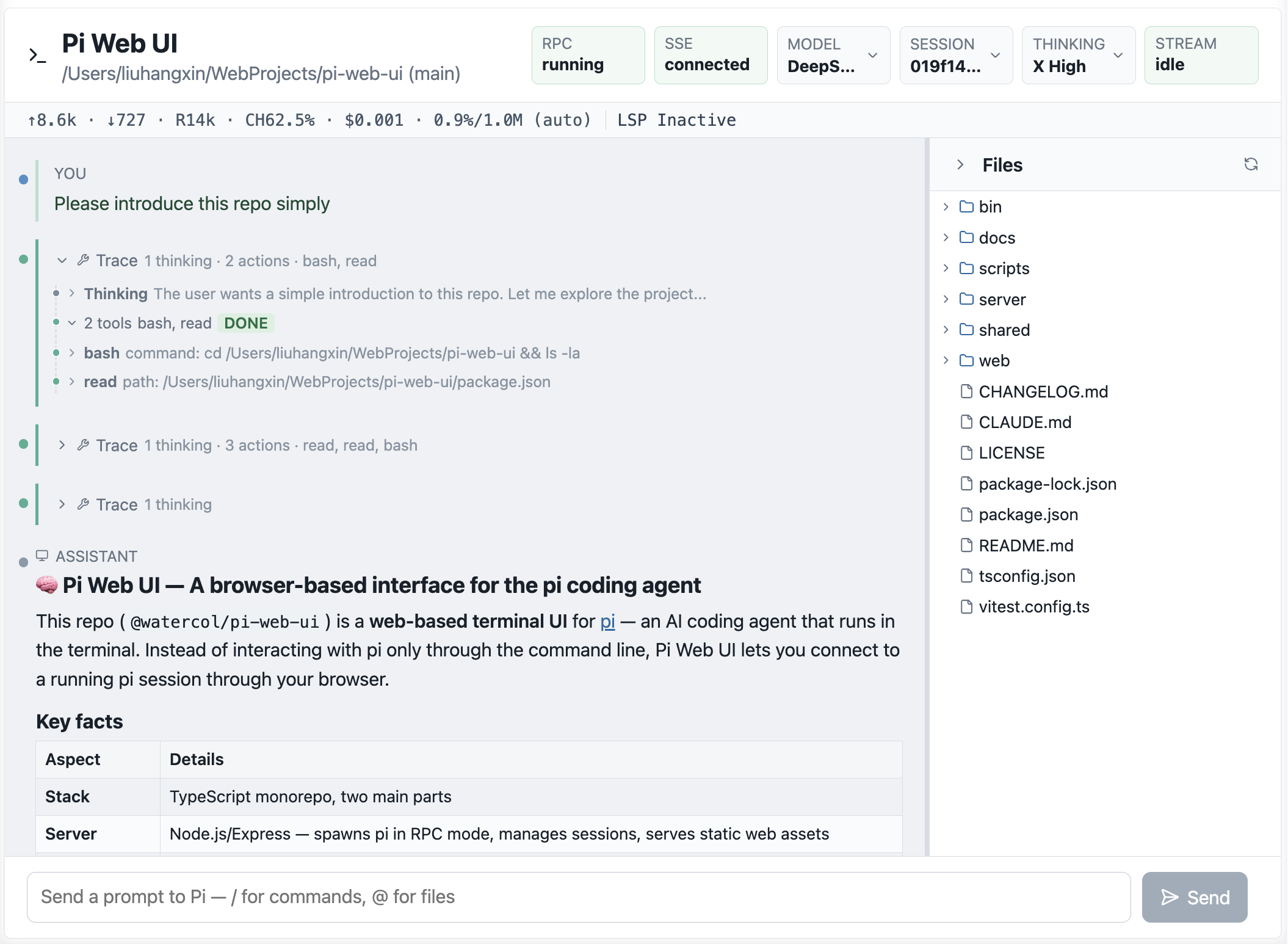
Prerequisites
Node.js >= 20
pi — the pi coding agent must be installed separately:
npm install -g @earendil-works/pi-coding-agent
Install
npm install -g @watercol/pi-web-ui
Usage
pi-web-ui
Then open http://127.0.0.1:3210 in your browser.
Options
pi-web-ui [options]

Options:
  --host <host>       Host to bind, default 127.0.0.1
  --port <port>       Port to bind, default 3210
  --cwd <dir>         Working directory for pi --mode rpc, default .
  --pi-bin <path>     Pi executable, default PATH lookup for pi
  --provider <name>   Provider passed to pi
  --model <id>        Model passed to pi
Examples
# Run on a different port, accessible from LAN
pi-web-ui --host 0.0.0.0 --port 8080

# Point to a custom pi binary
pi-web-ui --pi-bin /usr/local/bin/pi-dev

# Specify model and working directory
pi-web-ui --provider openai --model gpt-4o --cwd ~/my-project
Development
cd pi-web-ui
npm install

# Build and run
npm run build
node dist/server/index.js

# Dev mode (auto-rebuild web on change requires separate Vite setup)
npm run dev

# Type-check without emitting
npm run typecheck

# Run tests
npm test
License
MIT