@xl0/pi-lovely-dev-tools
Pi interactive debugging commands /tool /show-sysprompt /show-context
Package details
Install @xl0/pi-lovely-dev-tools from npm and Pi will load the resources declared by the package manifest.
$ pi install npm:@xl0/pi-lovely-dev-tools- Package
@xl0/pi-lovely-dev-tools- Version
0.2.2- Published
- Jun 14, 2026
- Downloads
- 504/mo · 30/wk
- Author
- xl0
- License
- MIT
- Types
- extension
- Size
- 76.2 KB
- Dependencies
- 0 dependencies · 4 peers
Pi manifest JSON
{
  "extensions": [
    "./extensions"
  ],
  "video": "https://raw.githubusercontent.com/xl0/pi-lovely-dev-tools/master/assets/demo.mp4"
}Security note
Pi packages can execute code and influence agent behavior. Review the source before installing third-party packages.
README
@xl0/pi-lovely-dev-tools
Pi extension package with interactive debugging helpers.
Demo
Commands
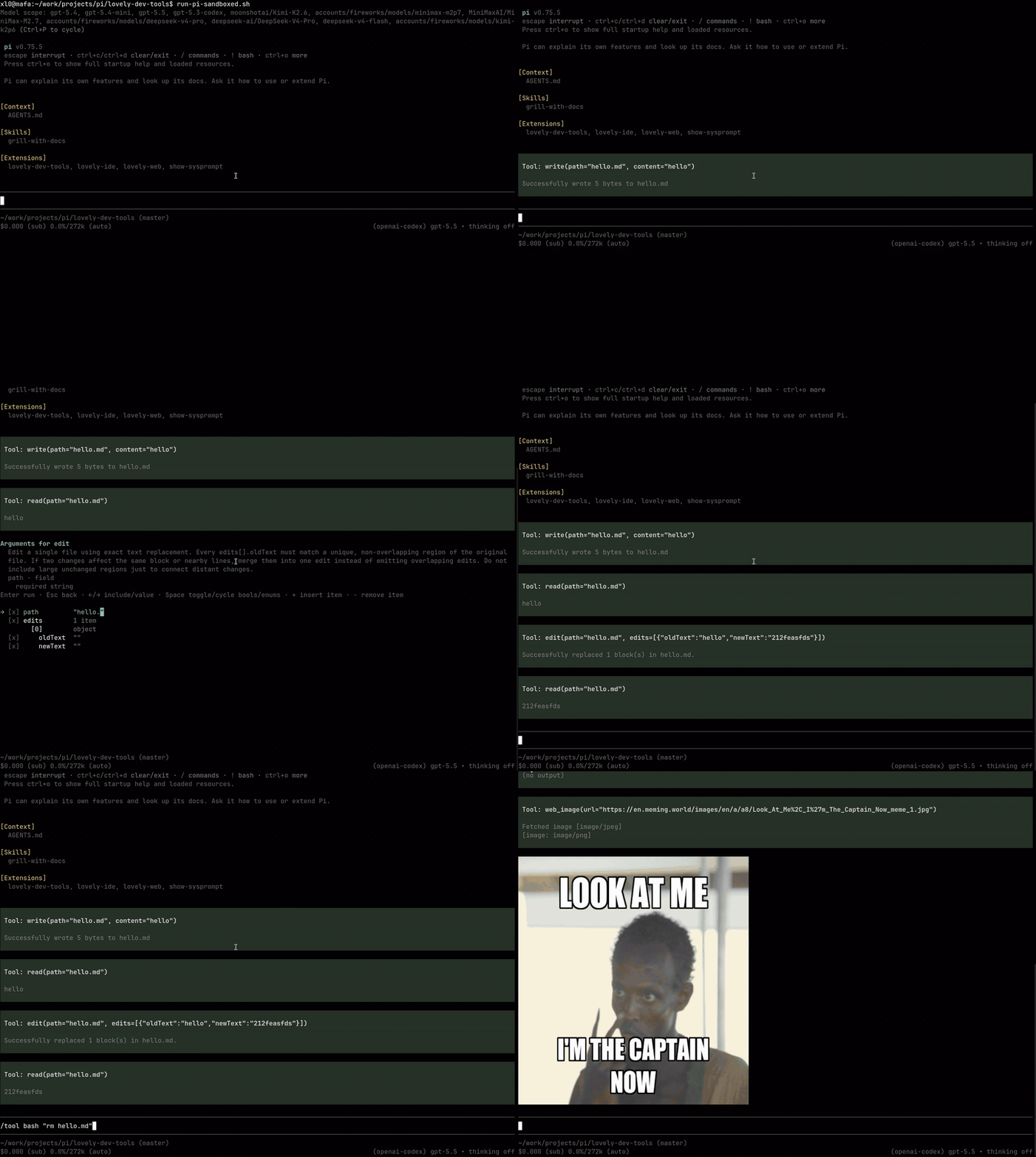
/tool [tool_name] [flat args...]
Use this to manually execute your tools. Results are not sent to the LLM; they are for you to review.
- With no args, opens a searchable tool selector and schema-driven arg editor.
- With flat args, maps values to top-level schema properties in schema order.
- Shows partial tool updates while running.
- Press Esc to abort a running tool.
- Inactive tools are still visible/runnable manually; active state only controls Agent Tool Calls.
Examples:
/tool
/tool read README.md
/tool bash "bun run check"
/tool bash "sleep 30"  # press Esc to abort
How it works
Pi extensions can see tool schemas, but not executable tool definitions. For each Manual Tool Run this command creates a short-lived in-memory Nested Execution Session using Pi SDK, mirrors startup extensions/flags, resolves the selected executable tool there, runs it directly, then disposes the nested session.
The outer session owns selection, argument editing, pending UI, final display, and hidden-from-context messages. Manual Tool Runs intentionally bypass Agent Tool Policy hooks.
/show-sysprompt
Show the current rendered system prompt and active tool schemas. Use this to better undersand why your agent behaves the way it does.
/show-context
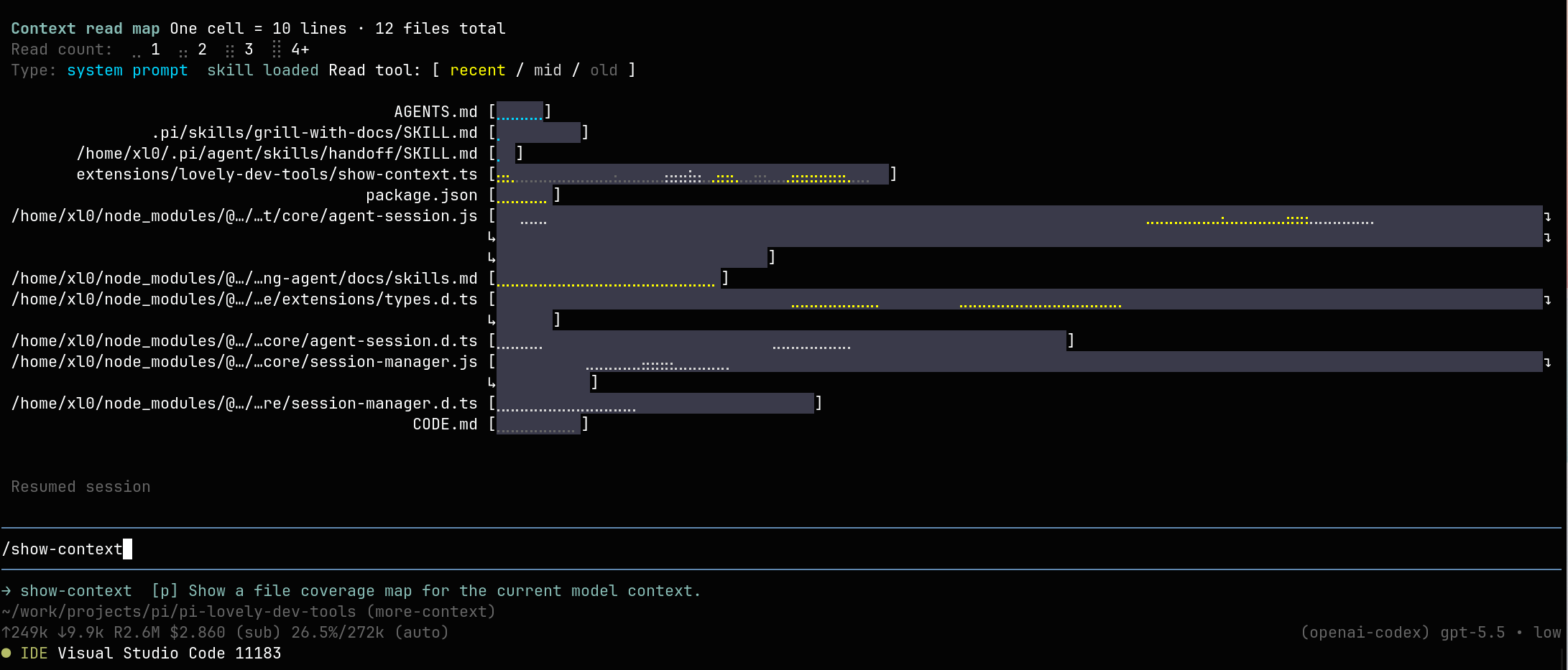
Show a file coverage map for the current model context. The map includes startup context files, advertised skill metadata, loaded skill bodies, and read tool results that survived compaction. The message is visible in chat and hidden from LLM context.
/llm-stats
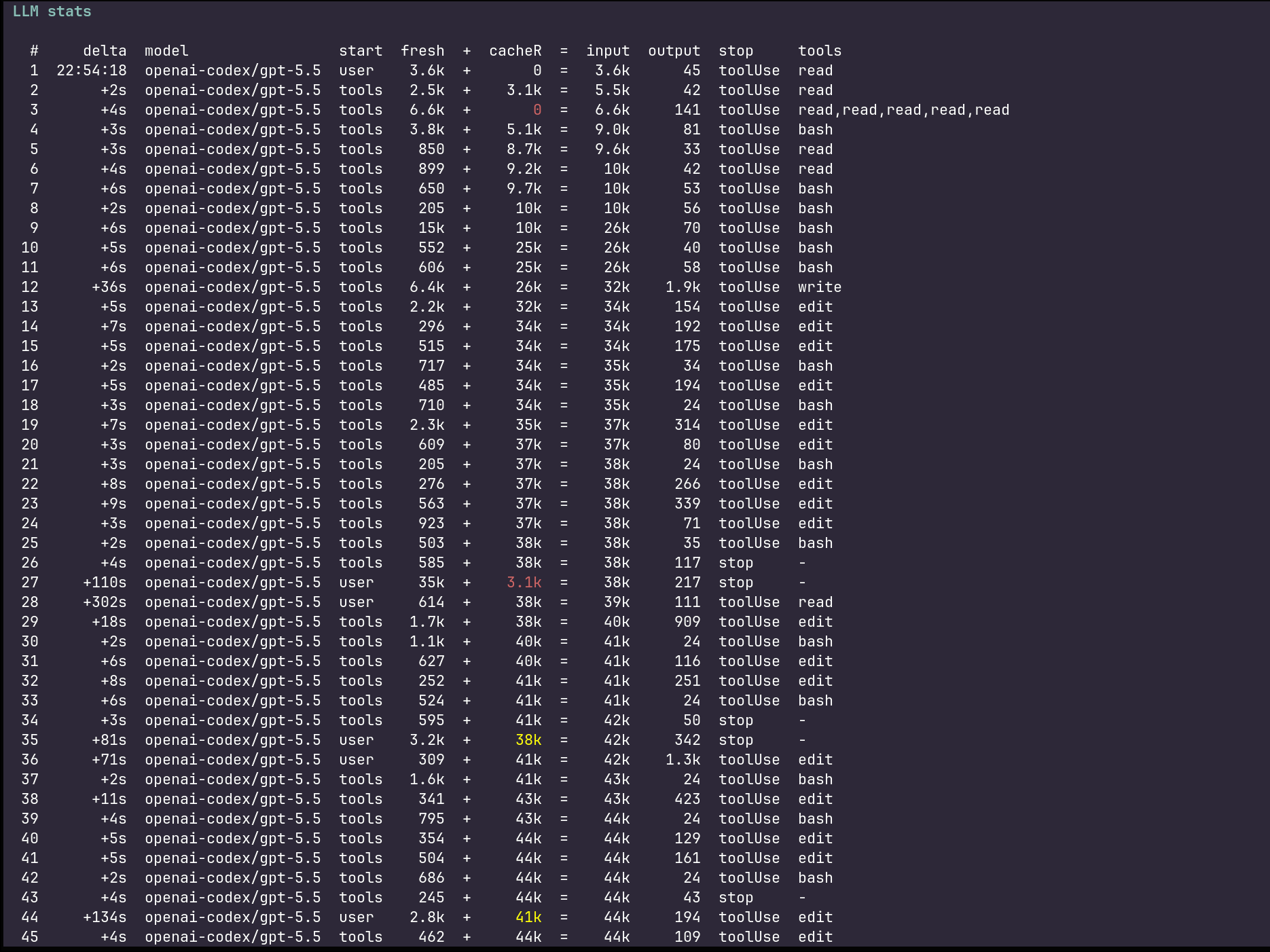
Show one row per completed assistant/LLM call in the current branch, with elapsed time since the previous agent message as +Ns (or the entry timestamp as hh:mm:ss when none), initiation source, and prompt-side tokens rendered as fresh + cacheR = input or fresh + cacheR + cacheW = input when cache writes are present. cacheR shrinkage versus the previous row is highlighted, red when it drops by more than 50%. The message is visible in chat and hidden from LLM context.
Install
pi install npm:@xl0/pi-lovely-dev-tools
Load without installing:
pi -e npm:@xl0/pi-lovely-dev-tools
Related projects
| Pi Lovely Web | web_search, web_fetch, web_image via Firecrawl, Exa, Tavily, Brave |
| Pi Lovely IDE | IDE integration |
Like this work? Hire me