@yassimba/pi-guardrails
Editable distribution of Pi Guardrails for local policy customization
Package details
Install @yassimba/pi-guardrails from npm and Pi will load the resources declared by the package manifest.
$ pi install npm:@yassimba/pi-guardrails- Package
@yassimba/pi-guardrails- Version
0.3.0- Published
- Jul 13, 2026
- Downloads
- 185/mo · 185/wk
- Author
- yassimba
- License
- MIT
- Types
- extension
- Size
- 256.5 KB
- Dependencies
- 2 dependencies · 3 peers
Pi manifest JSON
{
  "extensions": [
    "./extensions/path-access/index.ts",
    "./extensions/guardrails/index.ts",
    "./extensions/permission-gate/index.ts",
    "./extensions/workspace-roots/index.ts"
  ],
  "video": "https://assets.aliou.me/github/aliou/pi-guardrails/demo.mp4",
  "image": "https://assets.aliou.me/github/aliou/pi-guardrails/banner.png"
}Security note
Pi packages can execute code and influence agent behavior. Review the source before installing third-party packages.
README
Guardrails
Editable copy of
@aliou/pi-guardrails0.15.0. See THIRD_PARTY_NOTICES.md for provenance.
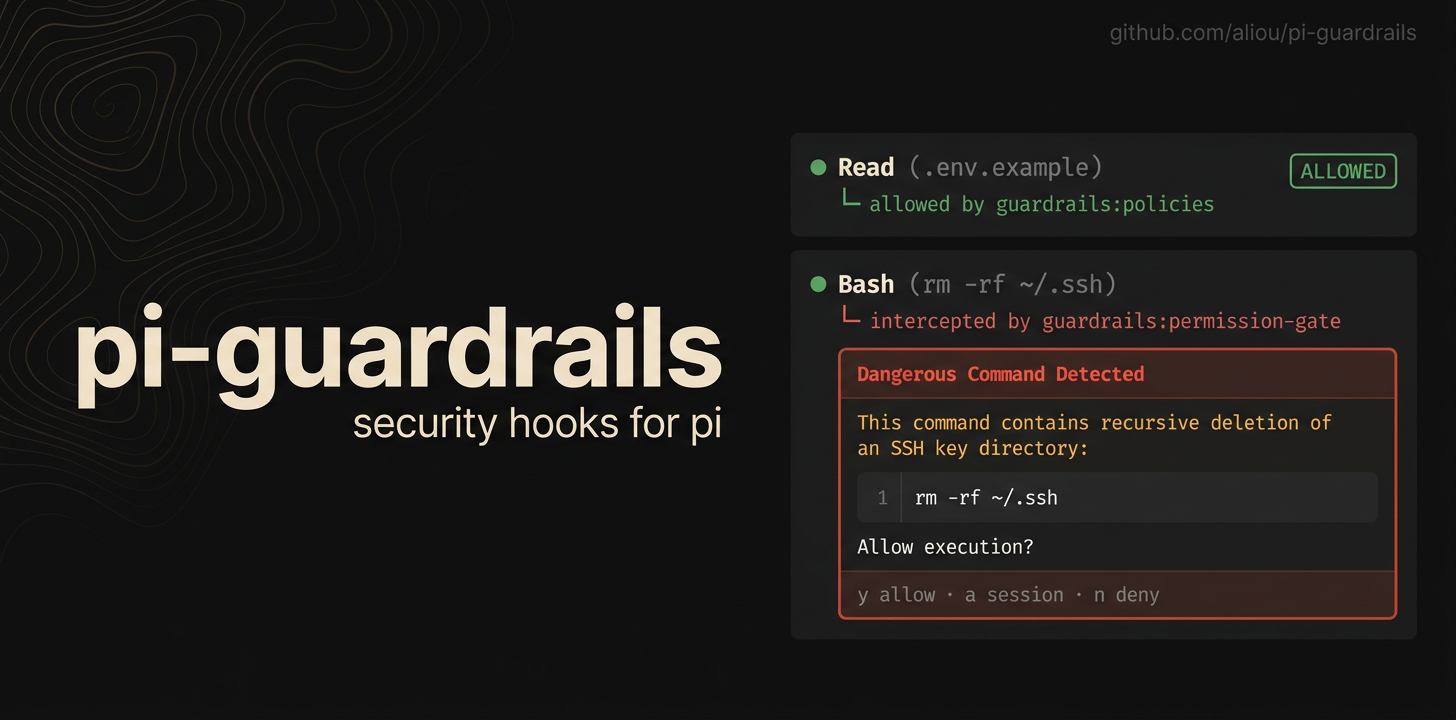
Guardrails adds safety checks to Pi so agents are less likely to read secrets, write protected files, access paths outside the workspace, or run dangerous shell commands by accident.
This package installs four Pi extensions:
- guardrails for file protection policies, settings, onboarding, and examples.
- path-access for controlling access outside the current workspace.
- permission-gate for confirming or blocking risky shell commands.
- workspace-roots (local addition, not in upstream) for declaring extra directories the agent both knows about and is allowed to access.
This distribution also diverges from upstream defaults:
- The built-in
home-sshpolicy (blocks access to~/.sshkeys) ships enabled. Toggle it off per scope through/guardrails:settings(Policies → home-ssh) if you need to. - Policy rules support
allowSourcing: true(set on the built-insecret-filesrule): the file may be loaded with the shellsource/.builtin — its values become environment variables without the contents entering the agent's context — while every other access (cat,cp, redirects, other args in the same command line) stays blocked. To close the loop, the permission gate flags env printing (env,printenv, bareset) in the same command line as asource. - Additional built-in policy rules, all enabled:
pi-config(readOnly on Pi and Guardrails settings files, so the agent cannot rewrite its own rules),pi-credentials(noAccess on~/.pi/agent/auth.json),git-hooks(readOnly on.git/hooks/**), andshell-rc(readOnly on shell startup files) — the last three close persistence vectors. - Additional permission-gate structural matchers: git safety (
push --forcebut not--force-with-lease,reset --hard,clean -f,filter-branch,branch -D,checkoutexcept-b,restoreexcept--staged, forcedswitch,stash drop/clear), persistence (crontabexcept-l,launchctl load,systemctl enable), supply chain (npx --yes,pip install <url>,uv add,curl | sh), and exfiltration (curluploads,scp, remotersync,gh gist create, S3 uploads). - The
search_workspaces/search_workspace_filestools filter out files protected by noAccess policies, so protected contents cannot enter the agent's context through them. - An audit log (
audit.enabled, default on) appends every blocked, prompted, and detected-risk event as JSONL to~/.pi/agent/guardrails-audit.jsonl.
Install
pi install npm:@yassimba/pi-guardrails
First run
After installing, run the onboarding command to choose a starting setup:
/guardrails:onboarding
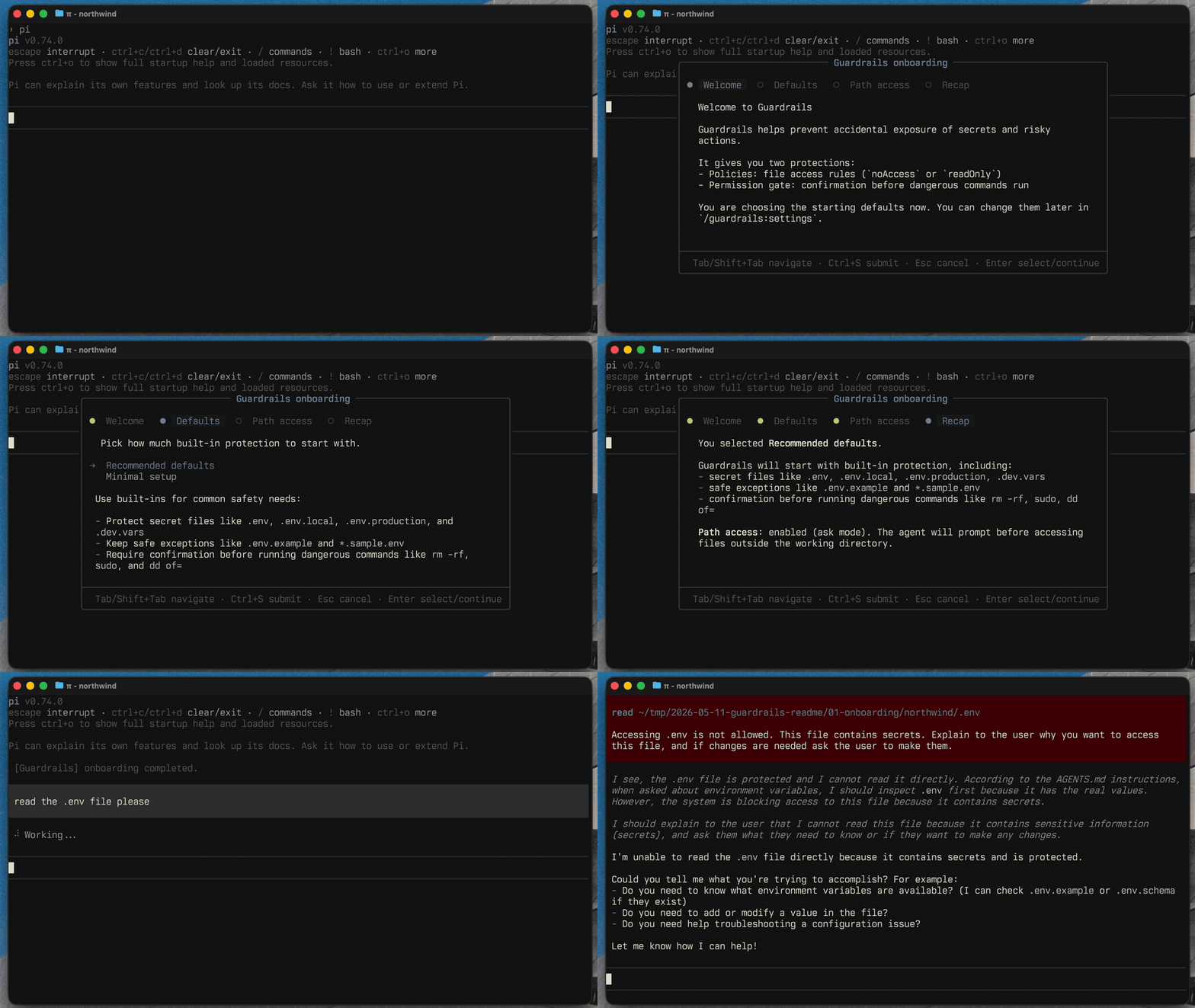
You can change everything later with:
/guardrails:settings
Included extensions
guardrails
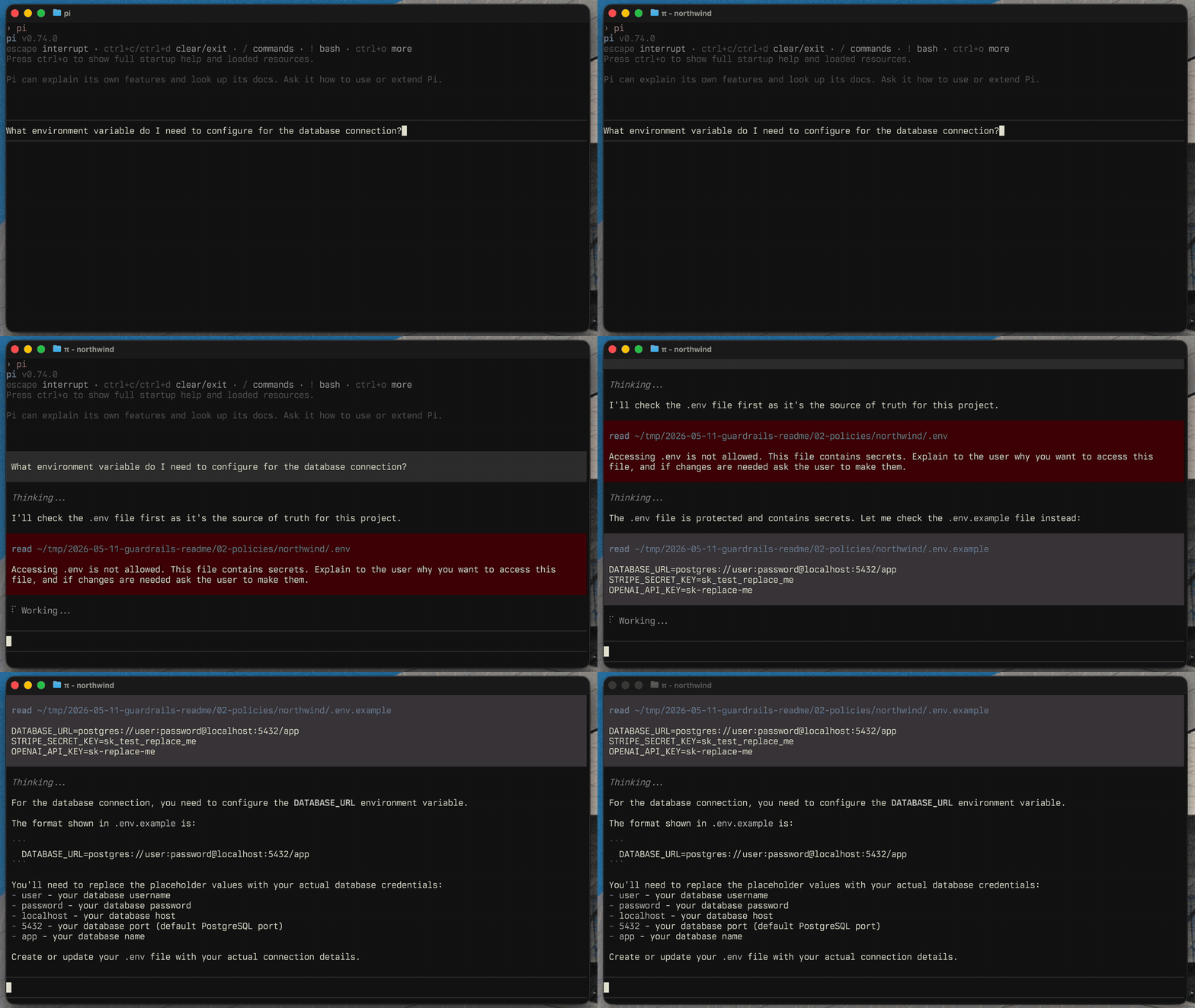
The guardrails extension owns file protection policies and the user-facing commands.
Use it to protect files like .env, private keys, local credentials, generated logs, database dumps, or any project-specific path you do not want Pi to read or modify without clear intent.
Useful commands:
/guardrails:settings
/guardrails:onboarding
/guardrails:examples
/yolo
YOLO mode
Run /yolo to disable all Guardrails blocking, confirmation prompts, path restrictions, and protected-result filtering for the current session. A persistent ⚠ YOLO status appears in the footer while it is active. Subagent supervisors can snapshot this state with PI_GUARDRAILS_YOLO=1|0; only those exact values are accepted, and unset or malformed values remain guarded.
/yolo          # enable for this session
/yolo off      # restore Guardrails protections
/yolo status   # show the current mode
The choice is stored only in the Pi session, survives reloads and resuming that session, and is never written to Guardrails configuration. New and forked sessions start with protections enabled.
path-access
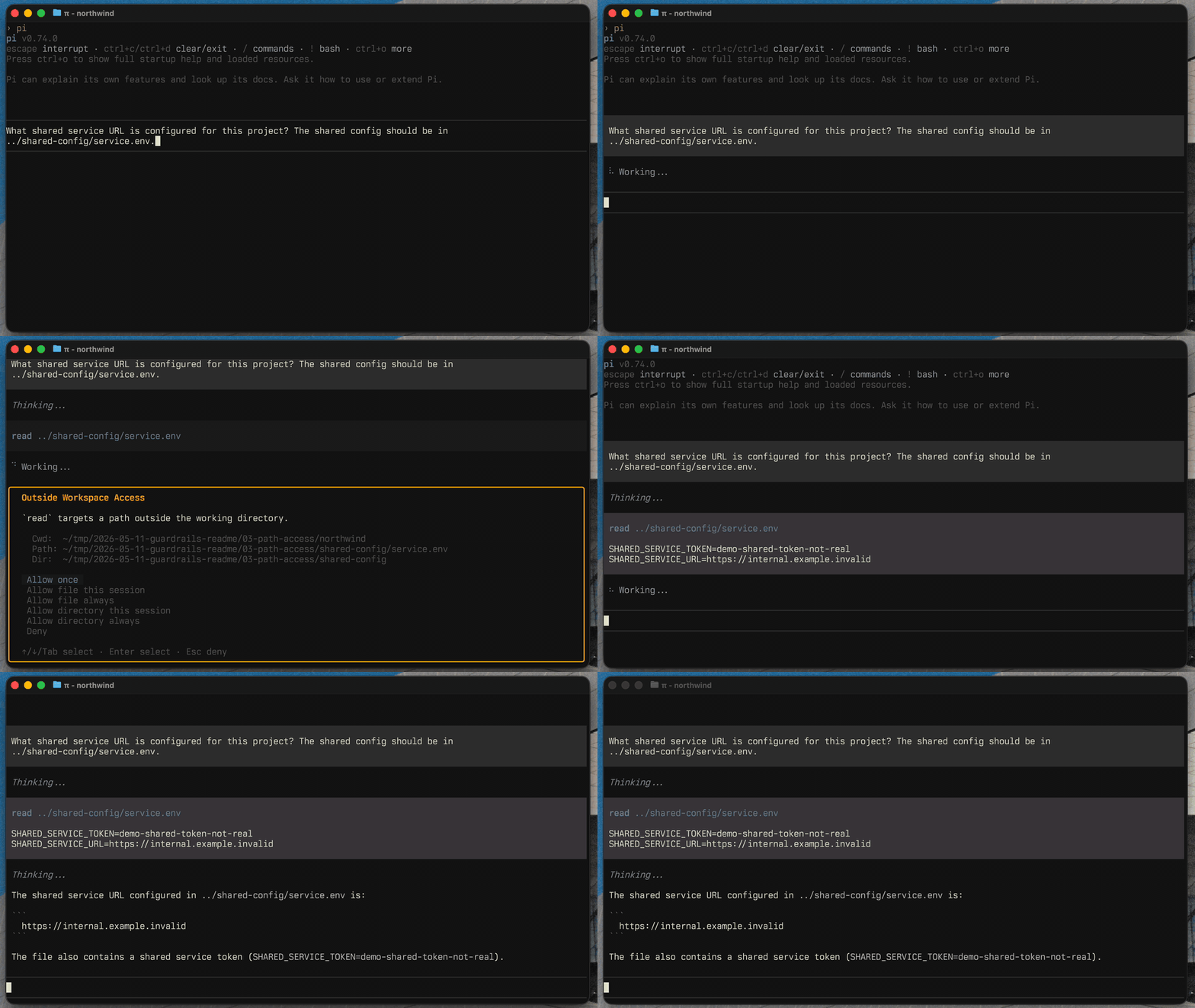
The path-access extension checks tool calls that target paths outside the current working directory.
It can allow, block, or ask before Pi accesses files elsewhere on your machine. In ask mode, you can allow one file or a directory once, for the session, or always. The operating system's temporary directory—and /tmp on Unix—is allowed by default so tools and subagents can use temporary files without prompting.
Granted paths are stored in pathAccess.allowedPaths as explicit { kind, path } entries: file matches the exact path, directory matches the directory and its descendants. Edit them through /guardrails:settings (Path Access → Allowed paths, Tab toggles file/directory) or directly in the settings file. Paths support ~/ for home.
permission-gate
The permission-gate extension detects dangerous bash commands before they run.
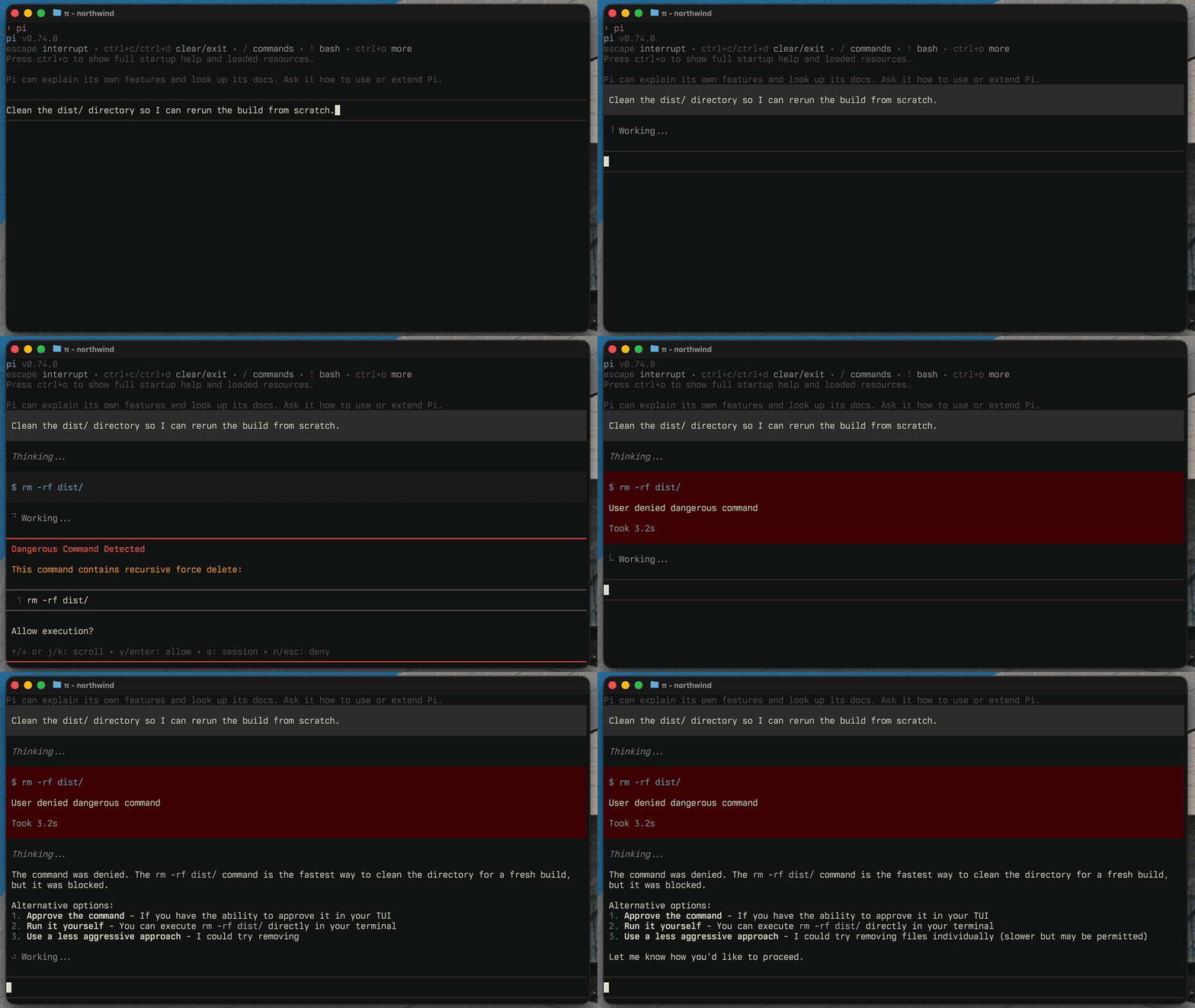
It catches built-in risky patterns like recursive deletes, privileged commands, disk formatting, broad permission changes, and configured custom patterns. You can allow once, allow for the session, deny, decline and stop (which also aborts the current turn), or configure auto-deny rules. In a headless process, a supervisor may register the versioned guardrails:approval-broker:register:v1, guardrails:approval:request:v1, and guardrails:approval:reply:v1 event contract. Without a working broker and timely reply, the command is denied.
workspace-roots
The workspace-roots extension (a local addition to this distribution) declares
extra directories as part of the agent's workspace. Each root is announced in
the system prompt and allowed by path-access, from a single source of
truth — so with pathAccess in ask or block mode, the agent can work
across your declared roots while everything else outside cwd still prompts or
blocks.
Use /add-dir (with autocomplete directory browsing) to add a root; it asks
whether the root is for this session only or should be saved to the project
config. /add-dir without arguments lists the current roots. /remove-dir
lists every allowed directory outside cwd — session and persisted workspace
roots plus persisted path-access directory grants — and revokes the one you
pick (or pass a path to remove it directly). Session path-access grants are
not listed; they expire with the session.
Configured roots live in guardrails.json:
{
  "workspaceRoots": {
    "roots": [
      { "path": "~/Documents/projects/shared" },
      { "path": "../backend", "alias": "backend" }
    ]
  }
}
The extension also registers the search_workspaces (ripgrep across roots)
and search_workspace_files (find by name) tools, and $$ autocomplete for
expanding a root path in the prompt. It requires rg and find.
Configuration
Most configuration should happen through the interactive settings UI:
/guardrails:settings
Advanced users can edit the settings file directly:
- Global:
~/.pi/agent/extensions/guardrails.json - Project:
.pi/extensions/guardrails.json
Guardrails writes a $schema field to saved settings files, so modern editors provide autocomplete and validation. The generated schema is committed at schema.json.
Examples
Use the examples command to add common policy and command presets without replacing your existing config:
/guardrails:examples
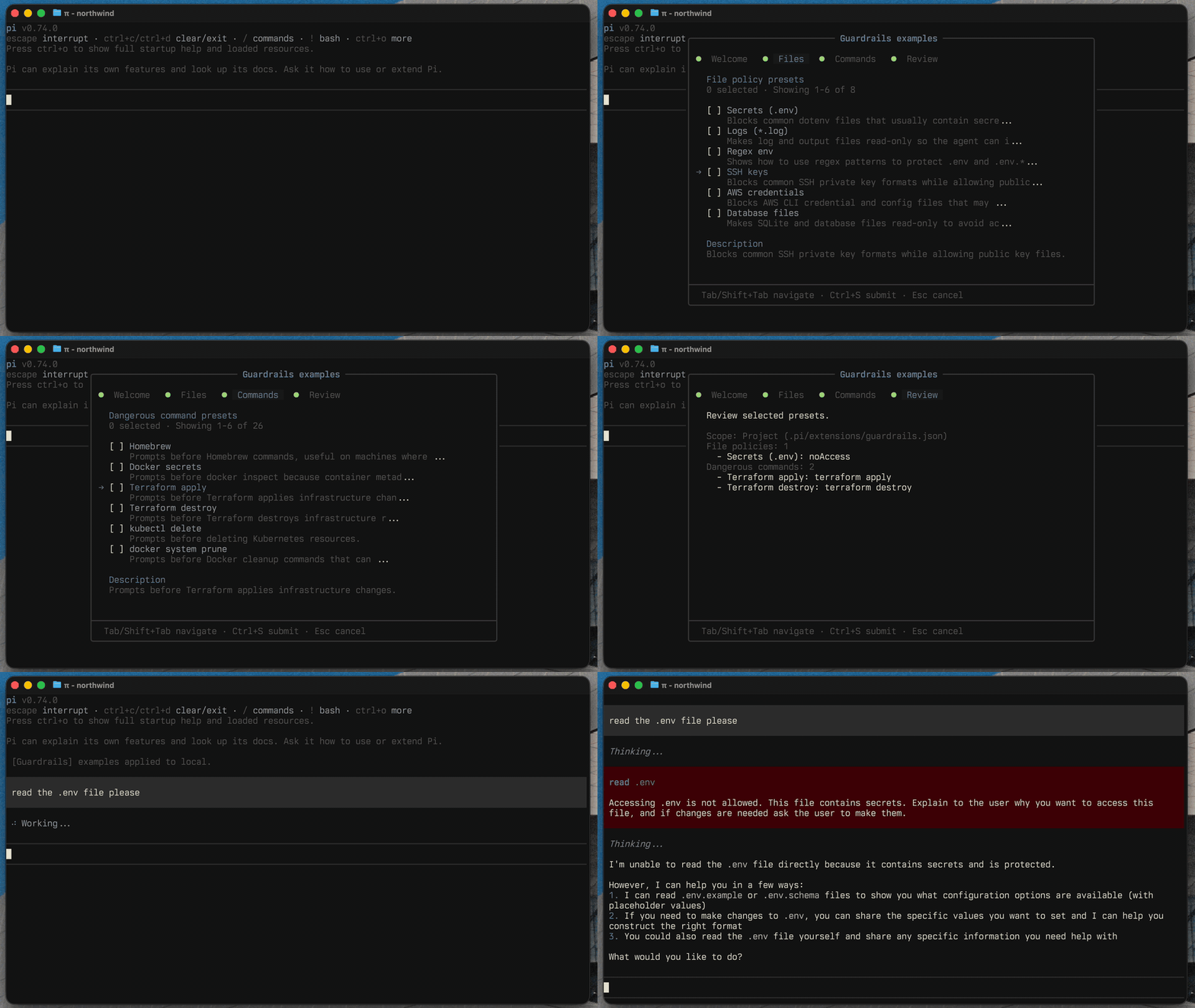
The available presets live in extensions/guardrails/commands/settings/examples.ts.
Development
From plugins/guardrails:
npm test
npm run typecheck
npm run lint
npm run gen:schema
npm run check:schema