@ygncode/pi-insights
Beautiful analytics reports for pi coding-agent sessions.
Package details
Install @ygncode/pi-insights from npm and Pi will load the resources declared by the package manifest.
$ pi install npm:@ygncode/pi-insights- Package
@ygncode/pi-insights- Version
1.0.1- Published
- May 17, 2026
- Downloads
- not available
- Author
- setkyar
- License
- MIT
- Types
- extension
- Size
- 624.4 KB
- Dependencies
- 3 dependencies · 1 peer
Pi manifest JSON
{
  "extensions": [
    "./index.ts"
  ],
  "image": "https://raw.githubusercontent.com/ygncode/pi-insights/main/assets/pi-insights-01-overview.png",
  "video": "https://raw.githubusercontent.com/ygncode/pi-insights/main/assets/demo.mp4"
}
Security note
Pi packages can execute code and influence agent behavior. Review the source before installing third-party packages.
README
pi-insights
Beautiful analytics reports for your pi coding agent sessions.
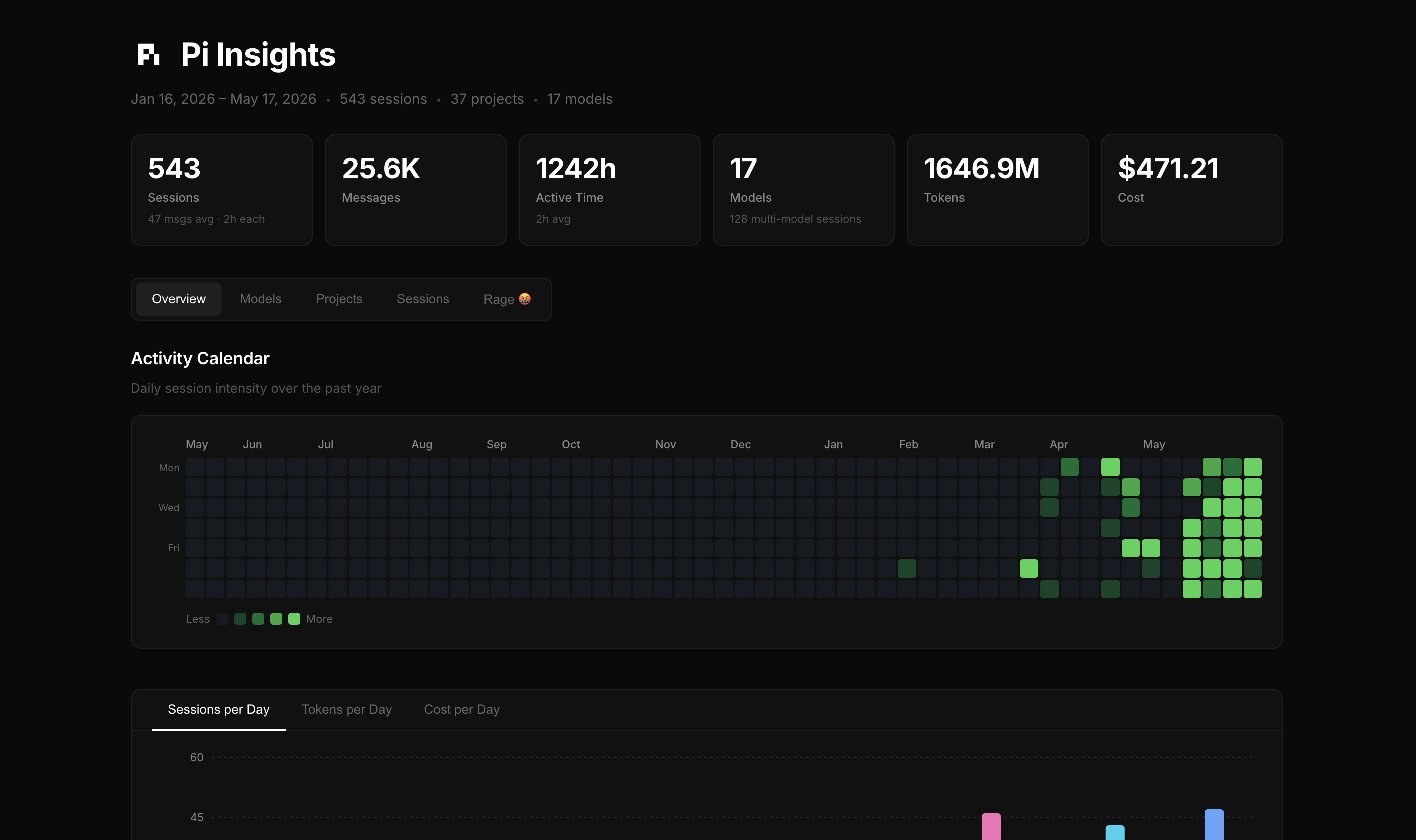
pi-insights is a Pi extension that adds an /insights command. It scans your local Pi session history and generates a self-contained HTML dashboard with usage, model, project, session, and “rage” analytics.
Features
- Overview — Activity calendar, sessions/tokens/cost per day, activity by hour, and top tools
- Models — Token distribution, per-model breakdown, thinking levels, and stop reasons
- Projects — Per-project sessions, messages, tokens, and cost with sortable bars
- Sessions — Searchable/filterable session table by project name or date
- Rage 🤬 — Profanity analytics: swear rate, filthiest model, peak hour, top words, and project breakdown
- Portable report — Single self-contained HTML file; no server required, works from
file://
Preview
If the embedded video does not render in your client, watch the demo video.

More screenshots:
Install
From npm
pi install npm:@ygncode/pi-insights
From GitHub
pi install git:github.com/ygncode/pi-insights
Try without installing
pi -e npm:@ygncode/pi-insights
# or
pi -e git:github.com/ygncode/pi-insights
Usage
Inside Pi, run:
/insights
The report opens automatically and is written to:
~/.pi/agent/insights-reports/pi-insights.html
Each run overwrites the same report file.
What gets analyzed?
pi-insights reads local Pi session JSONL files from:
~/.pi/agent/sessions/
No data is uploaded by this extension. The generated report is local HTML.
Package metadata
This repo is a Pi package. package.json declares:
{
  "keywords": ["pi-package"],
  "pi": {
    "extensions": ["./index.ts"]
  }
}
That allows users to install it with pi install from npm, GitHub, or a local path.
pi.dev package gallery
This package is prepared for the Pi package gallery:
- npm package name:
@ygncode/pi-insights - GitHub repo:
https://github.com/ygncode/pi-insights - Pi package keyword:
pi-package - Pi extension manifest:
pi.extensions = ["./index.ts"] - Gallery image:
assets/pi-insights-01-overview.png - Gallery video:
assets/demo.mp4
After publishing to npm, submit or list the package on https://pi.dev/packages using the npm package URL/name.
Development
npm install
npm run build        # build the React frontend into dist/
npm test             # run all tests
npm run test:watch   # watch mode
npm run test:coverage
dist/ is intentionally included in the package so Pi can run the extension immediately after npm/git installation without requiring users to build the frontend.
Architecture
index.ts          — Extension entry point; registers the /insights command
lib/
  parser.ts       — Parses JSONL session files into ParsedSession objects
  analytics.ts    — Computes aggregate stats from parsed sessions
  rage.ts         — Profanity detection
  types.ts        — Shared TypeScript interfaces
src/
  App.tsx         — React frontend
  utils.ts        — Formatting helpers
  components/
    ContributionCalendar.tsx
tests/
  lib/            — Unit tests for parser, analytics, rage
  src/            — Unit tests for frontend utils
Tech stack
- React 19 + TypeScript 6 + Vite 8
- Recharts 3
- Vitest 4
License
MIT