@yusukeshib/pi-stash
A personal stash of reusable prompt fragments for the Pi coding agent. Push prompts you think of mid-task, then pop them into the editor when you need them.
Package details
Install @yusukeshib/pi-stash from npm and Pi will load the resources declared by the package manifest.
$ pi install npm:@yusukeshib/pi-stash- Package
@yusukeshib/pi-stash- Version
0.1.0- Published
- Jun 6, 2026
- Downloads
- not available
- Author
- yusukeshib
- License
- MIT
- Types
- extension
- Size
- 383.5 KB
- Dependencies
- 0 dependencies · 1 peer
Pi manifest JSON
{
  "extensions": [
    "extensions/index.ts"
  ],
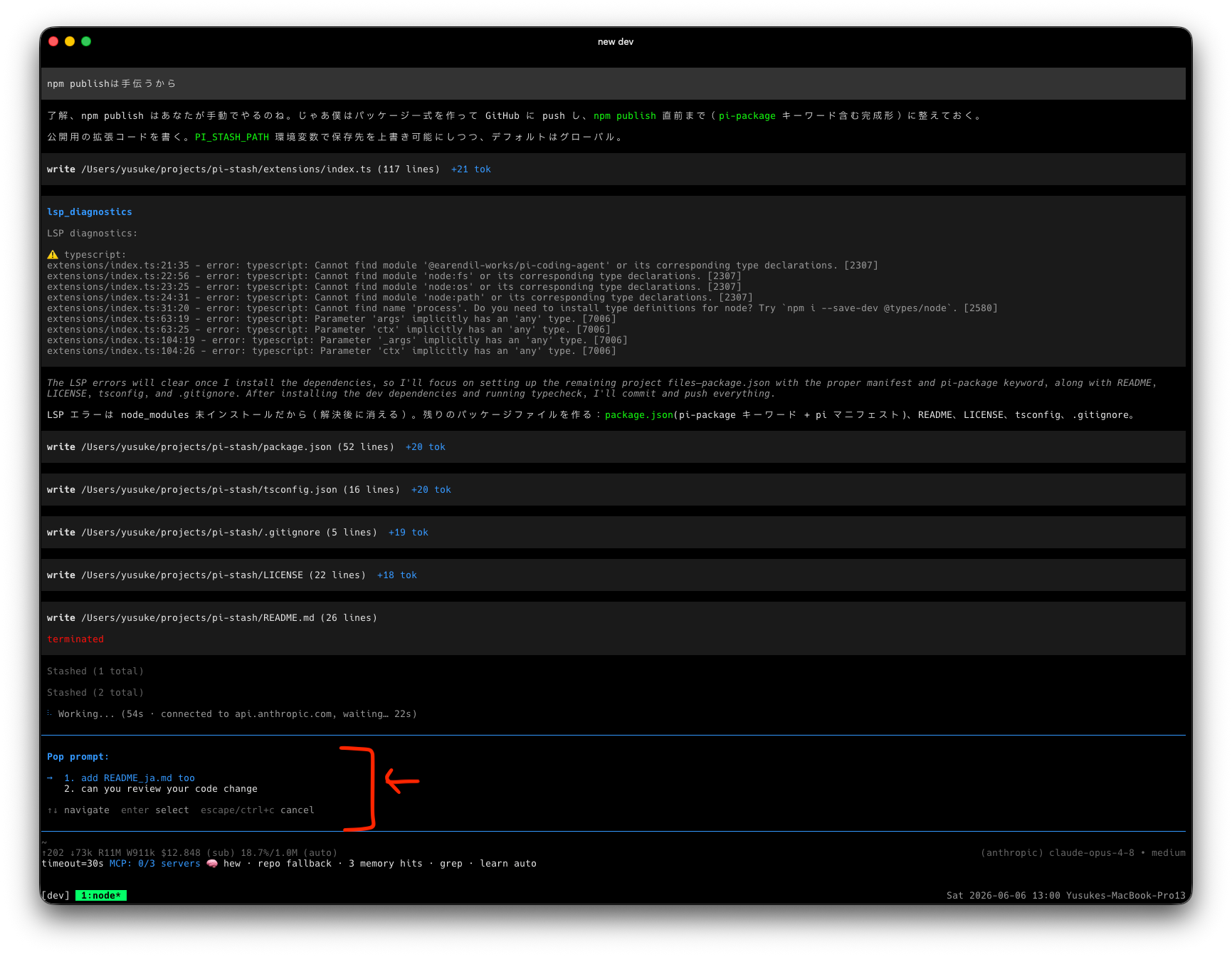
  "image": "https://raw.githubusercontent.com/yusukeshib/pi-stash/main/assets/demo.png"
}
Security note
Pi packages can execute code and influence agent behavior. Review the source before installing third-party packages.
README
pi-stash
A personal stash of reusable prompt fragments for the Pi coding agent.
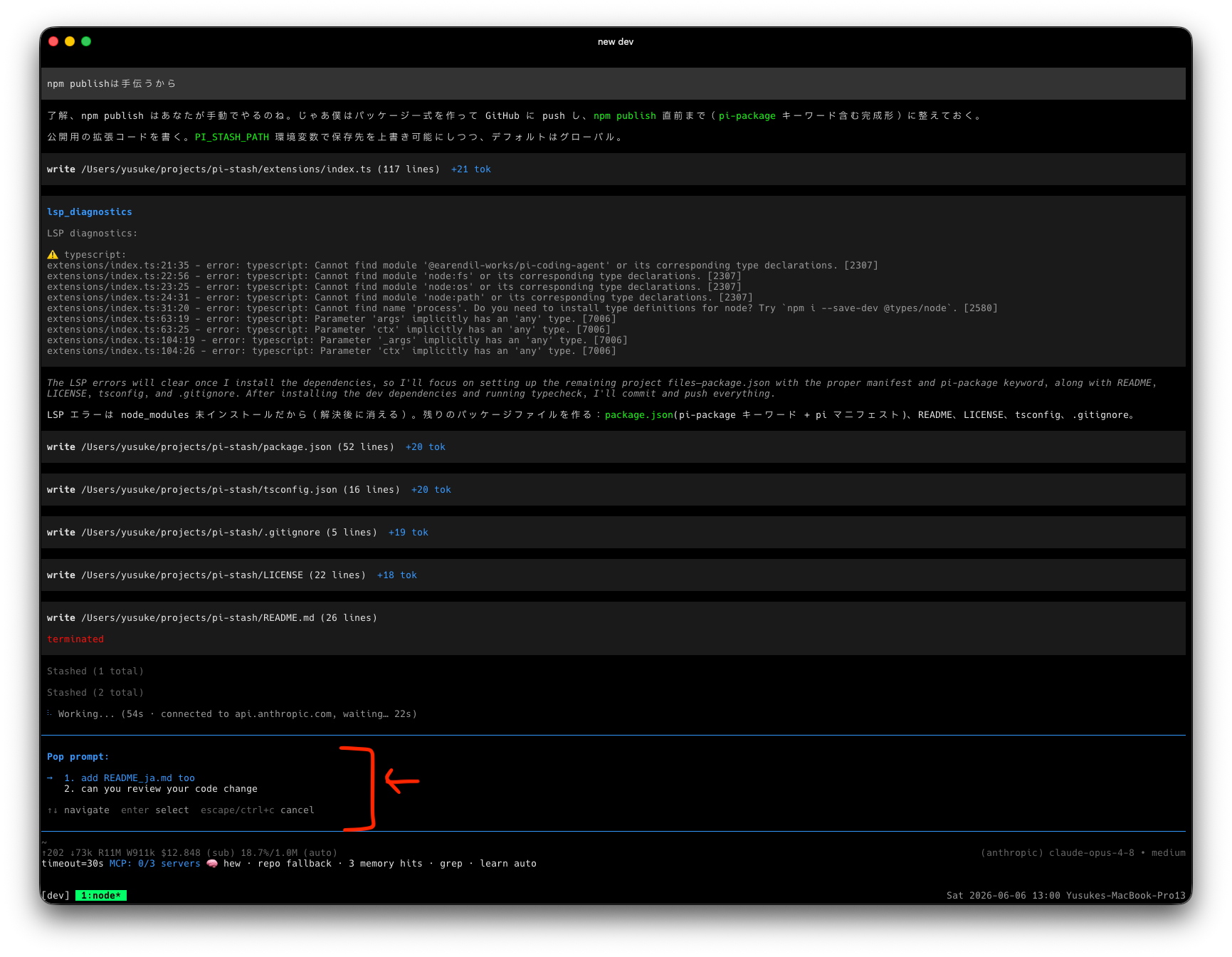
Jot a prompt down whenever you think of it mid-task, then pop it into the editor when you actually need it. Think of it as a stack-like scratchpad for prompts — the ad-hoc, mutable companion to static prompt templates.
Why
You're deep in a task and a thought hits you: "oh, I should also have it rename that module" or "remember to ask for tests after this."
What do you do with that thought right now?
- Queue it as a follow-up? Too eager — follow-ups fire automatically the moment the current turn ends, whether or not you're ready, and in an order you don't fully control.
- Keep it in your head? You'll forget it the second the agent comes back with something interesting.
- Paste it into a scratch file? Now you're juggling another window.
Sometimes you just want to park a prompt somewhere and then pull it out whenever you feel like it — on your own timing, by hand. Not auto-run, not queued the instant the turn ends, just stashed and waiting until you decide it's time.
That's the whole point of pi-stash:
- Push the thought the moment it strikes, so you don't lose it or break flow.
- Pop it back into the editor at exactly the moment you want it — not a second sooner.
- Pick any one, in any order. Your stash is a menu, not a queue. Pop the third thing first, skip the rest, come back for them later — follow-ups can't do that.
You stay in control of what gets said, when, and in what order.
Install
pi install npm:@yusukeshib/pi-stash
Commands
| Command | Action |
|---|---|
/stash <text> |
Push — save the given text onto the stash. |
/stash |
Pop — pick a saved entry, insert it into the editor, and remove it from the stash. Run repeatedly to stack several fragments together. |
/stash-clear |
Delete every stashed entry (with confirm). |
How it works
pi-stash is not a set of predefined /name templates. It is a backlog you
build up by hand during real work:
- While working, you think "I should also ask it to update the docs" — instead
of derailing now, run
/stash update the docs and changelog. - Later, when you're ready, run
/stash, pick that entry, and it drops into the editor. The entry is popped (removed) so the stash stays current. - Pop multiple entries in a row to compose a larger prompt from fragments.
Storage
Entries live in a single global JSON file, shared across every Pi session on the machine (not per-project, not per-session):
~/.pi/agent/prompt-stash.json
Override the location with the PI_STASH_PATH environment variable:
export PI_STASH_PATH="$HOME/.config/pi/stash.json"
Note: the store is read-modify-written on each command. If two sessions edit the stash at the exact same moment, the last write wins.
License
MIT © yusukeshib