@yusukeshib/pi-stash
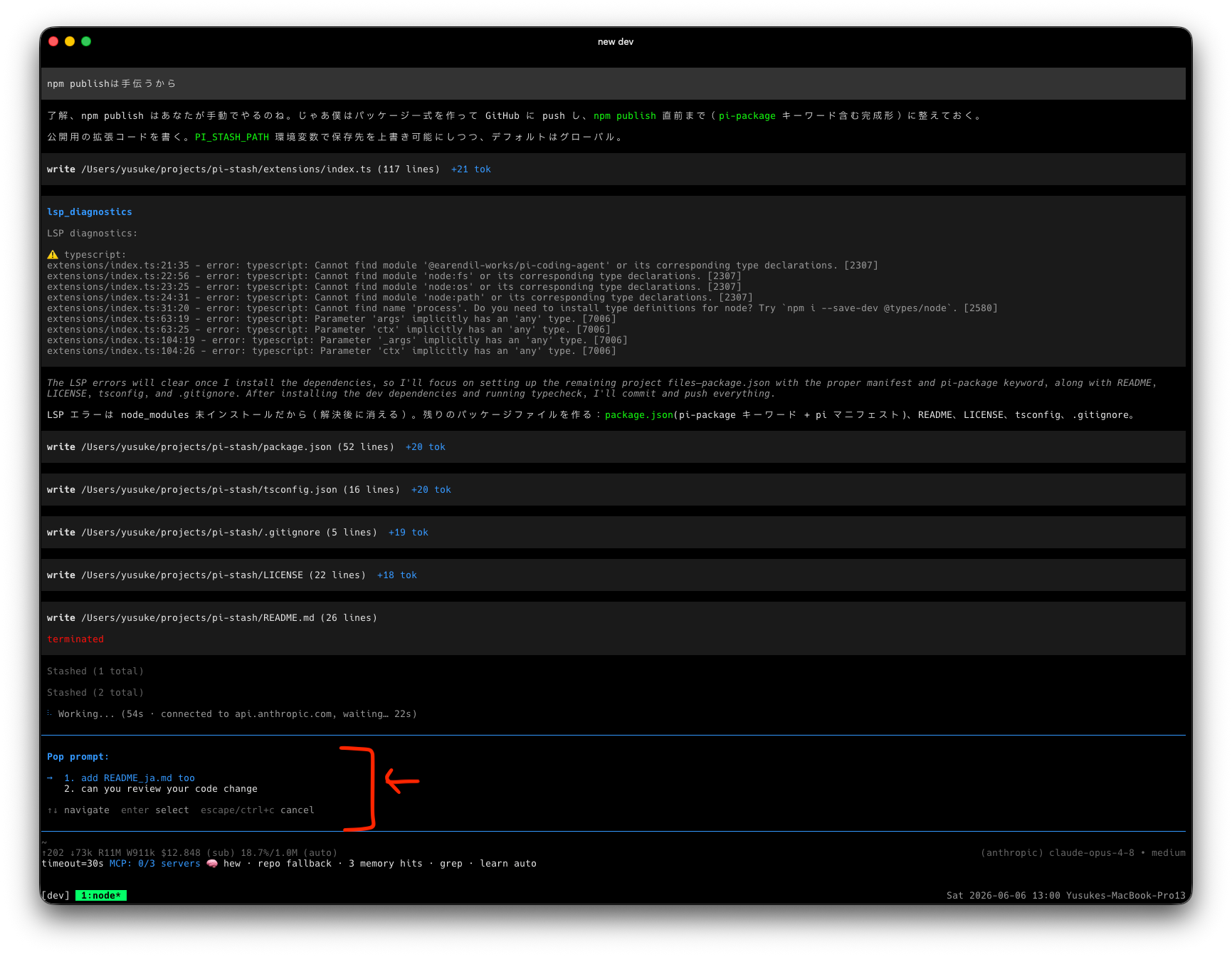
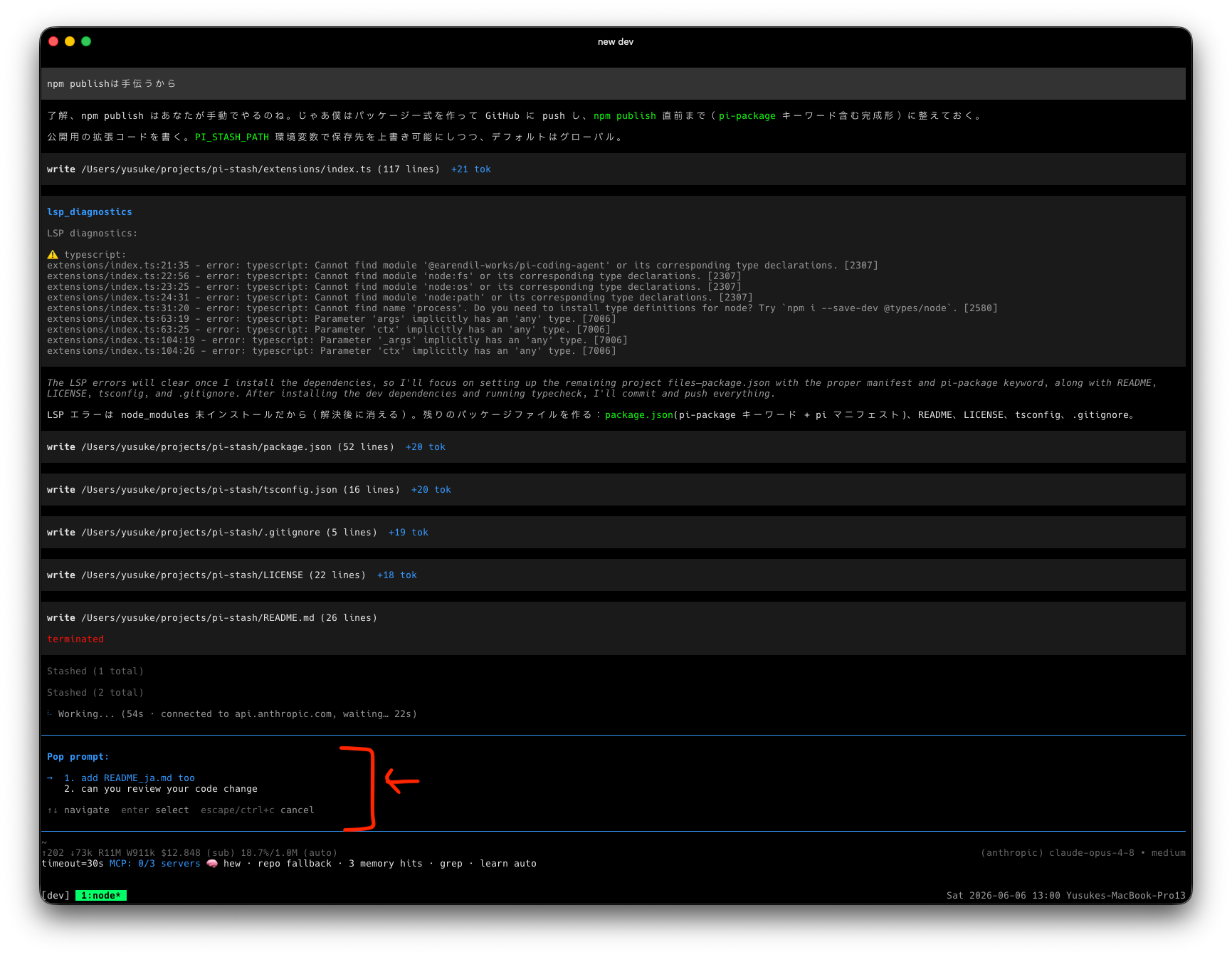
A personal stash of reusable prompt fragments for the Pi coding agent. Push prompts you think of mid-task, then pop them into the editor when you need them.
Package details
Install @yusukeshib/pi-stash from npm and Pi will load the resources declared by the package manifest.
$ pi install npm:@yusukeshib/pi-stash- Package
@yusukeshib/pi-stash- Version
0.2.0- Published
- Jun 10, 2026
- Downloads
- not available
- Author
- yusukeshib
- License
- MIT
- Types
- extension
- Size
- 384.2 KB
- Dependencies
- 0 dependencies · 1 peer
Pi manifest JSON
{
  "extensions": [
    "extensions/index.ts"
  ],
  "image": "https://raw.githubusercontent.com/yusukeshib/pi-stash/main/assets/demo.png"
}
Security note
Pi packages can execute code and influence agent behavior. Review the source before installing third-party packages.
README
pi-stash
A per-session stash of reusable prompt fragments for the Pi coding agent.
Jot a prompt down whenever you think of it mid-task, then pop it into the editor when you actually need it. Think of it as a stack-like scratchpad for prompts — the ad-hoc, mutable companion to static prompt templates.
Why
You're deep in a task and a thought hits you: "oh, I should also have it rename that module" or "remember to ask for tests after this."
What do you do with that thought right now?
- Queue it as a follow-up? Too eager — follow-ups fire automatically the moment the current turn ends, whether or not you're ready, and in an order you don't fully control.
- Keep it in your head? You'll forget it the second the agent comes back with something interesting.
- Paste it into a scratch file? Now you're juggling another window.
Sometimes you just want to park a prompt somewhere and then pull it out whenever you feel like it — on your own timing, by hand. Not auto-run, not queued the instant the turn ends, just stashed and waiting until you decide it's time.
That's the whole point of pi-stash:
- Push the thought the moment it strikes, so you don't lose it or break flow.
- Pop it back into the editor at exactly the moment you want it — not a second sooner.
- Pick any one, in any order. Your stash is a menu, not a queue. Pop the third thing first, skip the rest, come back for them later — follow-ups can't do that.
You stay in control of what gets said, when, and in what order.
Install
pi install npm:@yusukeshib/pi-stash
Commands
| Command | Action |
|---|---|
/stash <text> |
Push — save the given text onto the stash. |
/stash |
Pop — pick a saved entry, insert it into the editor, and remove it from the stash. Run repeatedly to stack several fragments together. |
/stash-clear |
Delete every stashed entry in this session (with confirm). |
While the stash is non-empty, a red stash:N badge is shown in the footer so
you never forget you have prompts parked.
How it works
pi-stash is not a set of predefined /name templates. It is a backlog you
build up by hand during real work:
- While working, you think "I should also ask it to update the docs" — instead
of derailing now, run
/stash update the docs and changelog. - Later, when you're ready, run
/stash, pick that entry, and it drops into the editor. The entry is popped (removed) so the stash stays current. - Pop multiple entries in a row to compose a larger prompt from fragments.
Storage
Entries are stored inside the session itself as custom session entries —
each Pi session has its own independent stash. It survives restarts and
/resume, and follows branching (/fork, /clone) correctly: a forked
session sees the stash as it was at the fork point.
Nothing is written outside the session file, and the stash does not participate in the LLM context.
License
MIT © yusukeshib