@zigai/pi-tree
Pi package that improves /tree with timestamps and preview behavior.
Package details
Install @zigai/pi-tree from npm and Pi will load the resources declared by the package manifest.
$ pi install npm:@zigai/pi-tree- Package
@zigai/pi-tree- Version
0.7.0- Published
- Oct 11, 2026
- Downloads
- 862/mo · 201/wk
- Author
- zigai
- License
- MIT
- Types
- extension
- Size
- 352.6 KB
- Dependencies
- 1 dependency · 3 peers
Pi manifest JSON
{
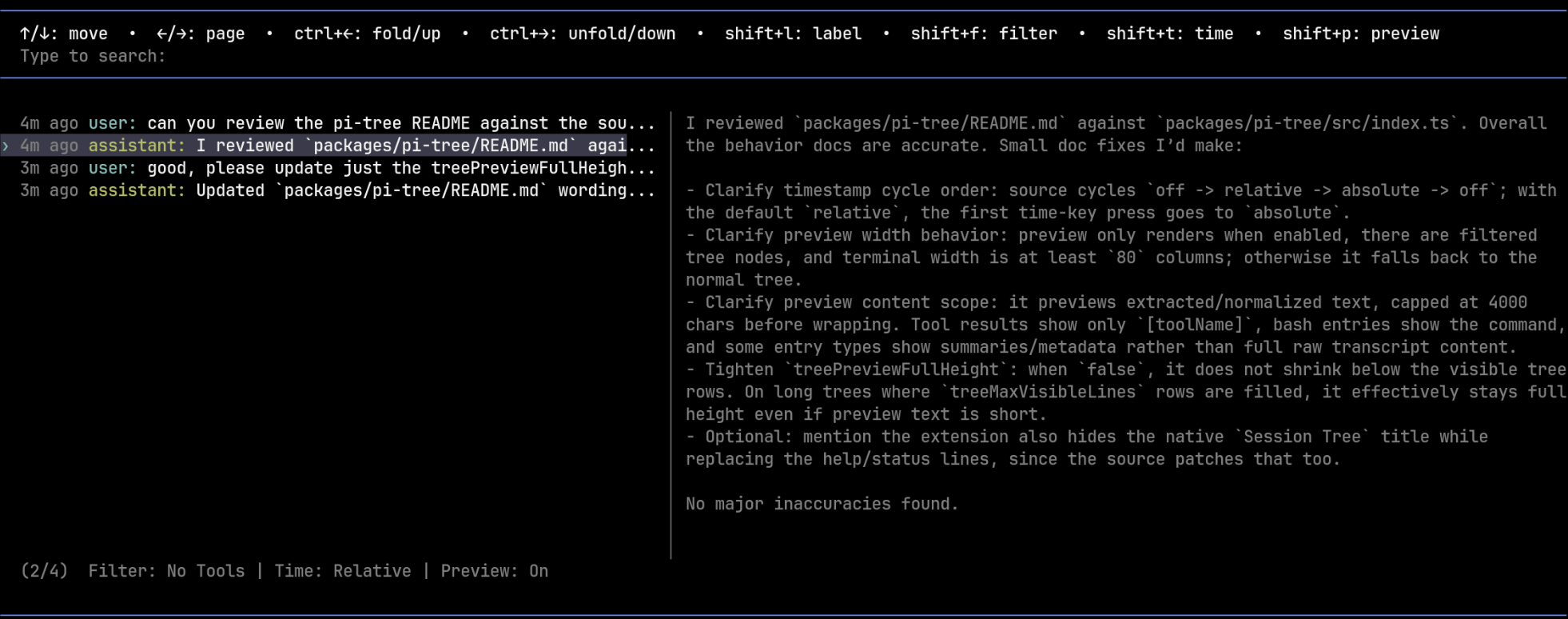
  "image": "https://raw.githubusercontent.com/zigai/pi-tweaks/master/extensions/pi-tree/assets/tree-preview-demo.png",
  "extensions": [
    "./src/index.ts"
  ]
}
Security note
Pi packages can execute code and influence agent behavior. Review the source before installing third-party packages.
README
Pi Tree
A cleaner, more informative /tree for Pi.
Install
pi install npm:@zigai/pi-treeFeatures
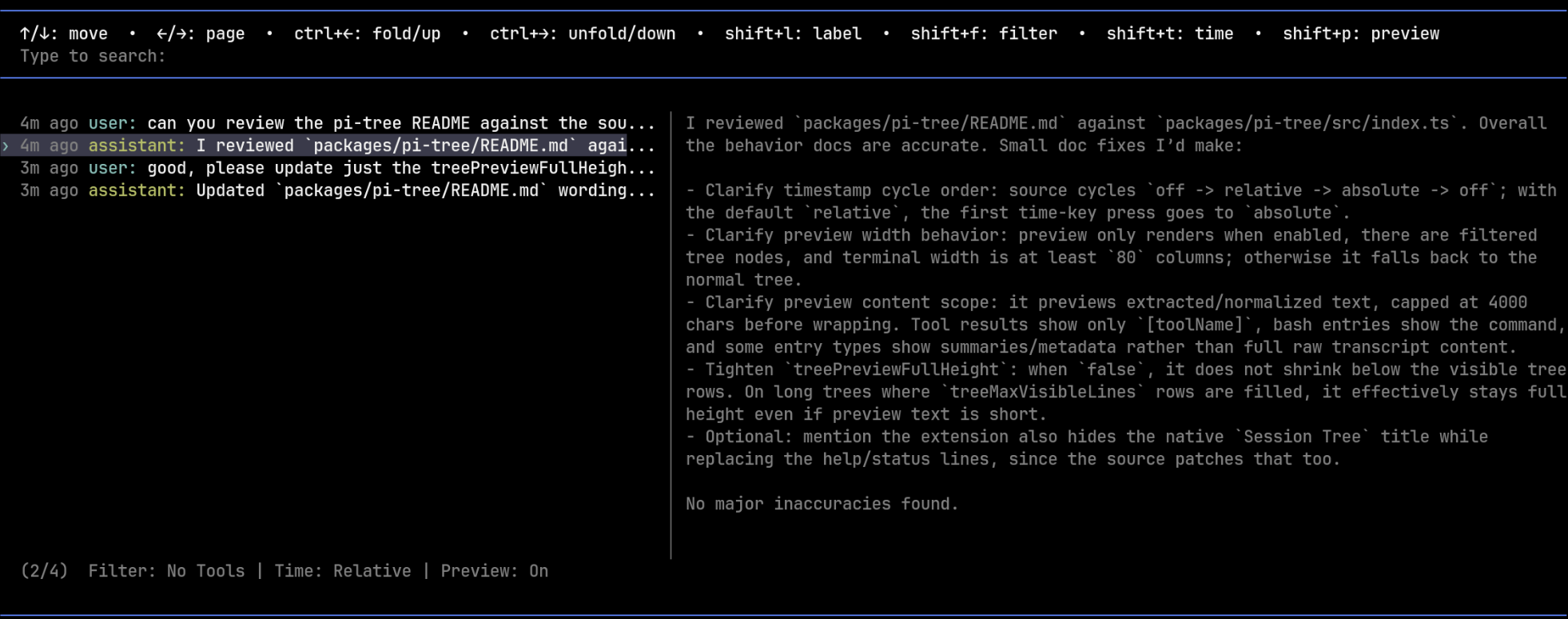
- Shows per-entry timestamps in
/tree. - Supports
off,relative, andabsolutetimestamp modes. - Uses Pi's configured tree label-timestamp keybinding, commonly
Shift+T, to cycle timestamp modes. - Adds an optional selected-entry preview pane on the right side of
/treewhen the terminal is wide enough. - Toggles the preview pane with
Shift+P. - Reads timestamp and preview choices from config.
- Can make
/treetaller withtreeMaxVisibleLines. - Can keep the preview pane at full height or shrink it to fit preview content.
Configuration
Global settings are stored in ~/.pi/agent/extension-settings/pi-tree.json.
| Option | Type | Default | Description |
|---|---|---|---|
treeTimestampMode |
off | relative | absolute |
"relative" |
Timestamp style shown in tree entries. |
treeSelectedPreview |
boolean | false |
Show the selected tree entry preview. |
treeMaxVisibleLines |
number | — | Maximum visible lines in the tree selector. |
treePreviewFullHeight |
boolean | true |
Allow the preview to use the selector's full available height. |
{
  "$schema": "./schemas/pi-tree.schema.json",
  "treeTimestampMode": "relative",
  "treeSelectedPreview": false,
  "treePreviewFullHeight": true
}
Development
npm install
npm run check
License
MIT