amp-themes
Amp-inspired Pi UI suite: theme, editor chrome, and compact tool display.
Package details
Install amp-themes from npm and Pi will load the resources declared by the package manifest.
$ pi install npm:amp-themes- Package
amp-themes- Version
0.2.15- Published
- Apr 29, 2026
- Downloads
- 1,850/mo · 1,850/wk
- Author
- me.frankan
- License
- MIT
- Types
- extension, skill, theme
- Size
- 1.3 MB
- Dependencies
- 1 dependency · 2 peers
Pi manifest JSON
{
  "extensions": [
    "./extensions/amp-editor.ts",
    "./node_modules/pi-tool-display/index.ts",
    "./extensions/amp-user-message.ts"
  ],
  "themes": [
    "./themes"
  ],
  "skills": [
    "./skills"
  ]
}Security note
Pi packages can execute code and influence agent behavior. Review the source before installing third-party packages.
README
amp-themes
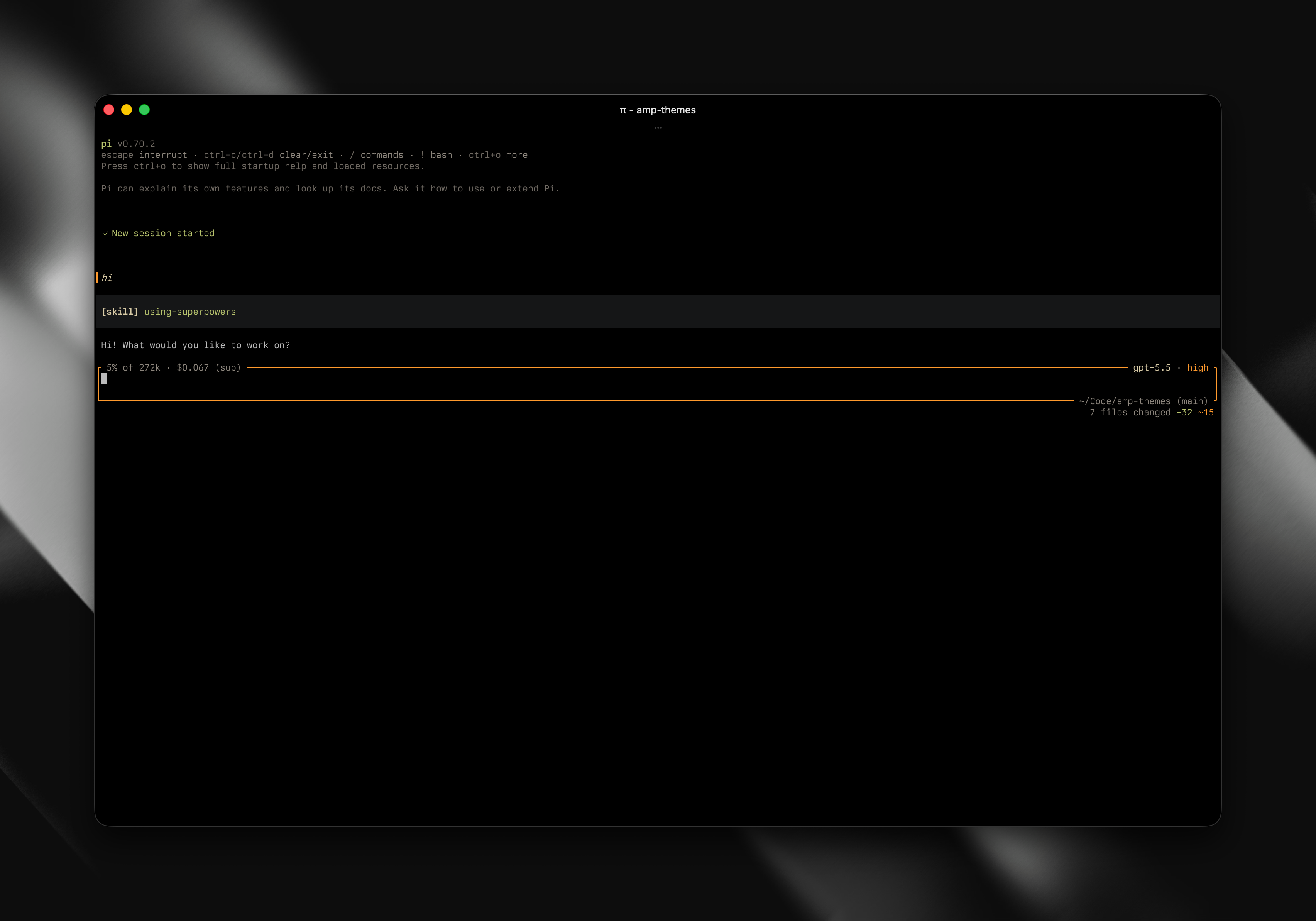
Amp-inspired UI for Pi: Amp dark/light themes, a Gruvbox dark theme, rounded editor chrome, synchronized thinking-level colors, compact user messages, and bundled compact tool rendering.
Install
pi install npm:amp-themes
Set the theme in Pi settings, or in ~/.pi/agent/settings.json:
{
  "theme": "amp-dark"
}
If npm:pi-tool-display is installed separately, remove it. amp-themes already bundles it.
Includes
amp-dark,amp-light, andamp-gruvbox-dark-hardthemes- Amp-style editor chrome with context, cost, model, thinking level, cwd, branch, and git change summary
- Working status integrated into the editor status row, with git changes kept on the right
- Compact Amp-style user messages with thinking-level color sync
- Bundled
pi-tool-display
Development
npm install
npm test
npm run typecheck
npm run check
npm run pack:check
For local Pi testing:
pi install /Users/frank/Code/amp-themes
Switch back to the published package when done:
pi remove /Users/frank/Code/amp-themes
pi install npm:amp-themes
Release
Use the bundled release skill/checklist:
release-amp-themes
At minimum:
npm run release:check
npm publish
See CHANGELOG.md for release notes.
License
MIT