arsenal-agent-skills
Portable workflow skills and controlled runtime for Pi, OMP, Codex, and Claude Code.
Package details
Install arsenal-agent-skills from npm and Pi will load the resources declared by the package manifest.
$ pi install npm:arsenal-agent-skills- Package
arsenal-agent-skills- Version
2.1.4- Published
- Sep 6, 2026
- Downloads
- 422/mo · 422/wk
- Author
- mirkobozzetto
- License
- MIT
- Types
- extension, skill
- Size
- 4.2 MB
- Dependencies
- 5 dependencies · 2 peers
Pi manifest JSON
{
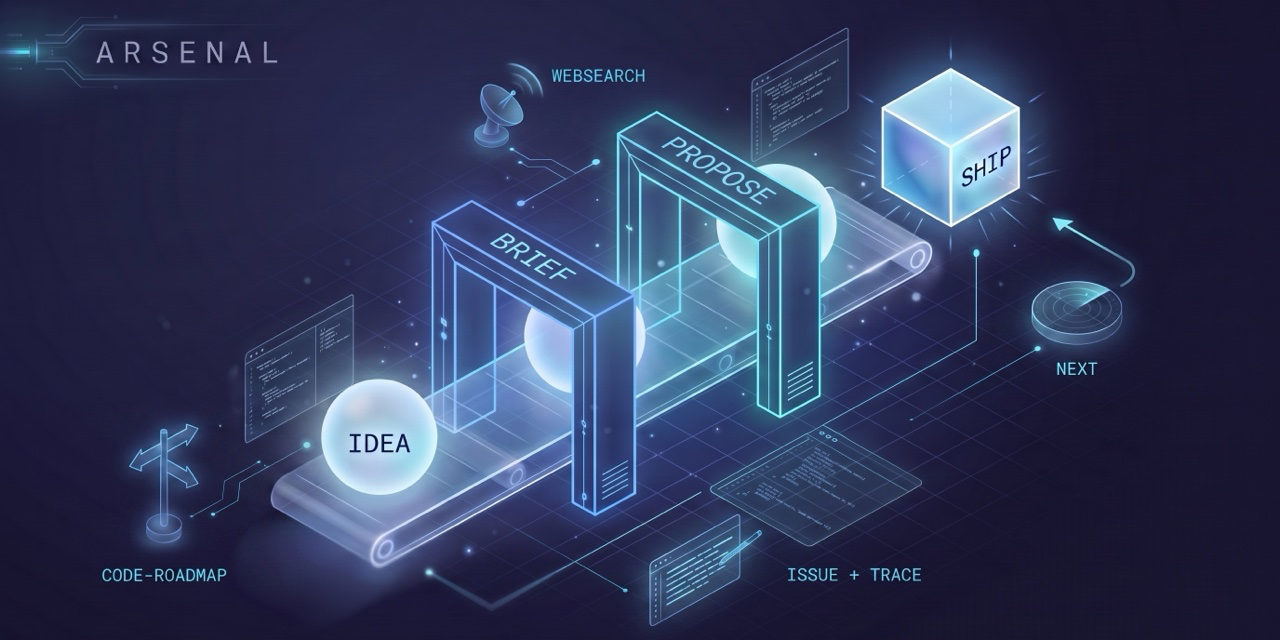
  "image": "https://raw.githubusercontent.com/mirkobozzetto/arsenal/main/assets/social-preview.png",
  "skills": [
    "./plugins/*/skills/*/SKILL.md"
  ],
  "extensions": [
    "./plugins/ship/runtime/pi-extension.ts"
  ]
}
Security note
Pi packages can execute code and influence agent behavior. Review the source before installing third-party packages.
README
Portable skills for Claude Code, Codex, OMP, and Pi, built from one shared workflow. Install Arsenal once, then add only the specialist skills you need.
What's in the arsenal
| Plugin | What it does | You type |
|---|---|---|
arsenal |
One entry point: clarify, select and apply the skills the task needs. | /arsenal add OAuth login |
brief |
The what & why. Interview → product spec + task list. | /brief add OAuth login |
propose |
The how. Alternatives, tradeoffs, risks, plan. One page or a few, hard ceilings. | /propose OAuth token storage |
ship |
The build. Implements a clear request or approved spec and reports verification. | /ship docs/brief/oauth-login/ |
issue |
The 1am bug, logged so you can pick it up cold. | /issue log this bug |
next |
Monday morning: what's open, what's next, exact resume command. | /next |
trace |
Progress ledger that writes itself. A hook, not a habit. | nothing |
websearch |
Evidence-backed web search via Exa. | /websearch <question> |
One entry point
Use /arsenal in Claude Code, $arsenal in Codex, or /arsenal-mode in OMP and Pi.
- Without a description: a short adaptive form clarifies the outcome and whether you want advice, a document or implementation.
- With a description: Arsenal reads the available context first and asks only route-changing questions.
- It selects an installed skill, reads its complete instructions and applies them.
- After each result it reassesses what remains, within your authorization.
| What is missing or requested | Route |
|---|---|
| Product decisions need a specification | brief |
| A consequential technical choice needs resolution | propose |
| Implementation is clear and authorized | ship |
| External evidence | websearch |
| GitHub issue memory | issue |
| Unfinished work or activity history | next or trace |
| A real phased roadmap | Arsenal's optional roadmap branch |
There is no complexity score and no mandatory brief → propose → ship sequence.
A bug does not automatically create an issue; a small clear change goes straight to ship.
A proposal still needs explicit acceptance. Advice-only requests never become implementation.
The specialist skills remain directly usable. Their procedures are not copied into Arsenal. Install each needed plugin separately: Arsenal does not bundle or silently install its dependencies. Missing skills are reported, with installation or an explicitly labeled fallback offered.
Work stays solo unless you approve delegation. No mandatory roadmap, HTML or new state file.
Optional controlled OMP and Pi runtime (macOS)
Install dependencies in plugins/ship/runtime with Bun. For OMP, add the
absolute extension.ts path to its extensions configuration and restart OMP.
For Pi 0.84+, install the local package with
pi install ./plugins/ship/runtime; it loads pi-extension.ts.
The skill commands activate the controller; ordinary sessions stay native.
OMP reserves /trace for its own dashboard; use /skill:trace for Arsenal's ledger.
/arsenal-mode opens an interactive mode picker in both harnesses. Explicit
runtime [root], edit-only [root], status, and off arguments also work.
The LangGraph controller persists transitions, serializes shell commands and reuses an identical successful check until the revision changes. Runtime completion requires recorded successful execution, not an assertion from a reviewer. Exit status alone does not prove semantic correctness.
Controlled Eval accepts literal tool calls only. The macOS sandbox refuses shell networking and writes outside the root/scratch. This deliberately excludes browser automation, dependency downloads and external GitHub writes; authorize a separate native operation when needed. A missing command result stays blocked rather than assuming its process stopped. Other operating systems refuse controlled shell execution. No general-purpose security or token-saving percentage is claimed.
The lineage
Plain names, old discipline. propose is the RFC tradition (RFC 1, 1969, Rust, Oxide) plus Nygard's one-page decision records. brief is the PRD tradition (Cagan) sized by the short-doc school (Google, Shape Up, Linear).
The classic failure is letting the what and the how bleed together. One checkable artifact per question - that's the whole point.
Why I built this
brief pins the what and why. propose settles the how. ship builds.
The gates gave me a precision I never had; and when I just want to move, ship takes a one-line prompt.
Discipline when the stakes call for it, out of the way when they don't.
Mirko
Quick install
Claude Code
# Inside Claude Code:
/plugin marketplace add mirkobozzetto/arsenal

# Install the whole pipeline:
/plugin install arsenal@arsenal
/plugin install brief@arsenal
/plugin install propose@arsenal
/plugin install ship@arsenal
/plugin install issue@arsenal
/plugin install next@arsenal
/plugin install trace@arsenal
/plugin install websearch@arsenal

# ...or just one:
/plugin install ship@arsenal
Then use the entry point or a specialist directly:
/arsenal
/arsenal implement the agreed OAuth login
/arsenal compare token storage approaches, do not implement
/arsenal create a phased roadmap for a meeting-notes app
/brief add OAuth login
/propose OAuth token storage
/ship docs/brief/oauth-login/
/next
Per-plugin setup, flags, and dependencies live in each plugin's README.
Pi
Install the complete Arsenal package from npm:
pi install npm:arsenal-agent-skills@2.1.3
Or install the pinned GitHub release:
pi install git:github.com/mirkobozzetto/arsenal@v2.1.3
Start a fresh Pi session, then run /arsenal-mode. Choose runtime for code
changes that require execution proof or edit-only for prose and configuration.
The package also installs every Arsenal skill, available through Pi's native
/skill:<name> commands.
OMP: local development
To use the current checkout without stale marketplace copies, run this from the repository root after reviewing any existing links in the destination:
mkdir -p "$HOME/.omp/agent/skills"
for skill in arsenal brief propose ship issue next trace websearch; do
  ln -sfn "$PWD/plugins/$skill/skills/$skill" "$HOME/.omp/agent/skills/$skill"
done
Start a new OMP session. /skill:arsenal loads the native skill;
/arsenal uses the optional controller when the extension above is configured.
The native ask tool provides the clarification form in interactive sessions.
Other skills follow the same /skill:<name> syntax, including /skill:trace.
Do not force-reinstall a marketplace plugin whose recorded install path is your
source checkout: OMP may remove that path while replacing the installation.
Codex
# Add the repository marketplace:
codex plugin marketplace add https://github.com/mirkobozzetto/arsenal

# Install the plugins you need:
codex plugin add arsenal@arsenal
codex plugin add brief@arsenal
codex plugin add propose@arsenal
codex plugin add ship@arsenal
codex plugin add issue@arsenal
codex plugin add next@arsenal
codex plugin add trace@arsenal
codex plugin add websearch@arsenal
In Codex, invoke a skill with $arsenal, $brief, $propose, $ship, $next,
or the corresponding skill name. In Claude Code, use the / forms shown above.
next and trace bundle lifecycle hooks for both runtimes. Codex asks you to
review and trust those hooks before running them. ChatGPT does not run plugin
hooks, so both skills remain available there on demand without automation.
Good to know
- Published as I actually use them - adapt to your setup.
- Web lookups go through Exa MCP;
proposealso taps GitNexus when present, greps when not. shipuses the smallest meaningful verification permitted by your project instructions and reports what was actually checked.- Commits and pushes are not automatic. Request Git delivery explicitly;
ship --commitrequests progressive commits. issueneeds an authenticatedghCLI.- Other agents (pi, oh-my-pi, Cursor): copy
plugins/<name>/skills/<name>/into the agent's skill directory and wire its MCPs. - Codex and Claude Code: both use the native plugin manifests included in each plugin folder.
- Companion: espresso, the token-economy side. arsenal is what you build with; espresso keeps it cheap.
License
MIT: see LICENSE.