blink1-pi
A configurable ThingM blink(1) lifecycle status light for the Pi coding agent
Package details
Install blink1-pi from npm and Pi will load the resources declared by the package manifest.
$ pi install npm:blink1-pi- Package
blink1-pi- Version
1.2.0- Published
- Oct 13, 2026
- Downloads
- not available
- Author
- chagwood
- License
- MIT
- Types
- extension
- Size
- 36.4 KB
- Dependencies
- 0 dependencies · 1 peer
Pi manifest JSON
{
  "image": "https://raw.githubusercontent.com/chagwood/blink1-pi/main/assets/blink-pidev.gif",
  "extensions": [
    "./extensions/index.ts"
  ]
}Security note
Pi packages can execute code and influence agent behavior. Review the source before installing third-party packages.
README
blink1-pi
Turn a ThingM blink(1) into a physical lifecycle
status light for the Pi coding agent. blink1-pi shows idle,
working, waiting, and error states with independently configurable colors and effects,
including a smooth hardware-driven front/back fade. It is also subagent-aware: child
work keeps the normal working light active without letting an individual child failure
turn the parent run red.
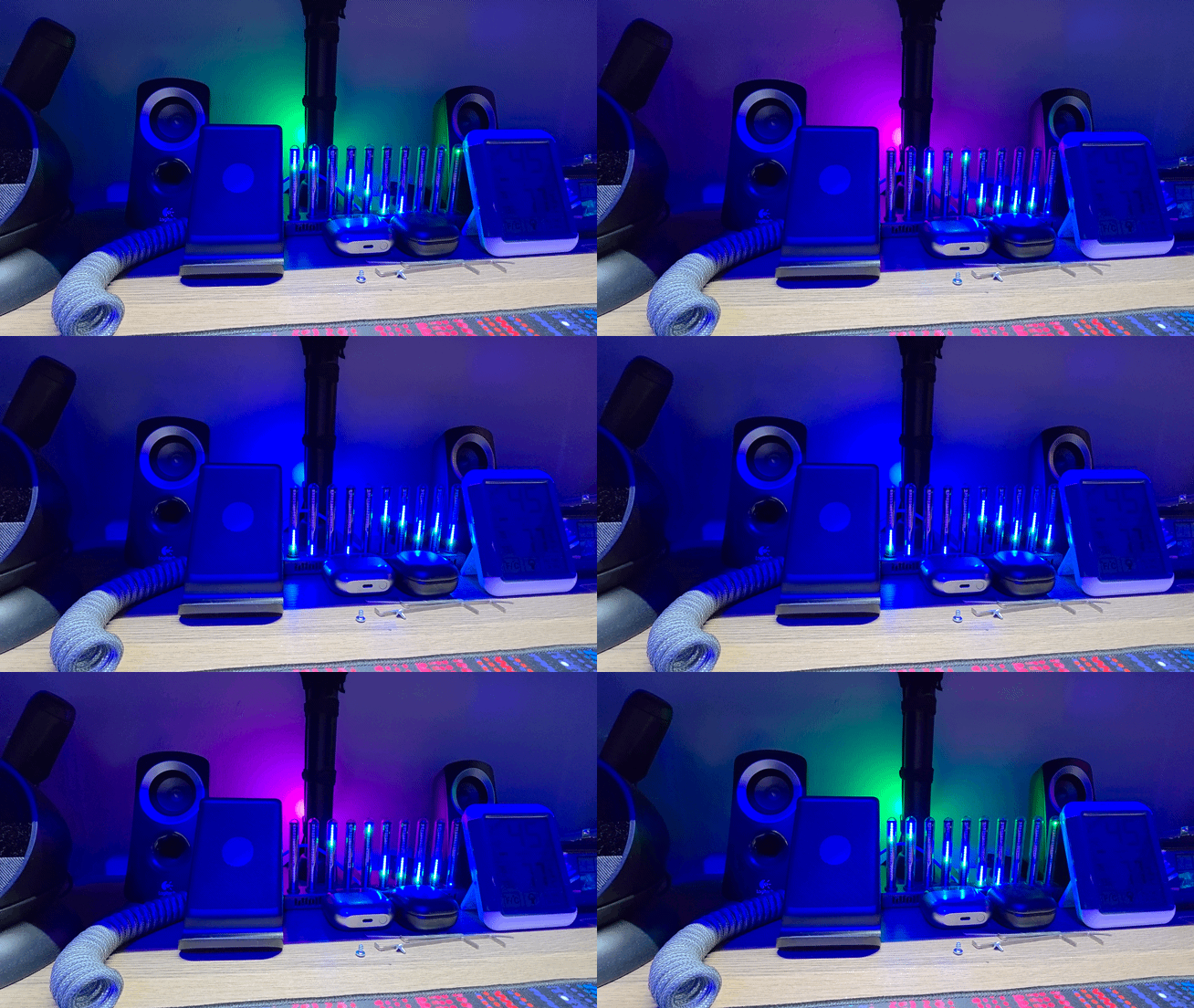
Buy a blink(1): blink1.thingm.com. The extension supports blink(1) mk1, mk2, and mk3 devices; the hardware pattern used by the
frontbackeffect requires mk2 or newer.
Table of contents
Install
1. Install blink1-tool
blink1-pi calls ThingM's official blink1-tool command-line program. The default
location is ~/.local/bin/blink1-tool; set BLINK1_TOOL_PATH if you install it
elsewhere.
The following installs the official, checksum-verified v2.5.0 Linux binary. It
requires curl, unzip, sha256sum, and install.
set -euo pipefail
version=2.5.0
case "$(uname -m)" in
  x86_64|amd64)
    arch=x86_64
    sha256=05f72855816bc5b56cadf96f3d7981c41dfadd4f67b75ac7aec80ef0191bc115
    ;;
  aarch64|arm64)
    arch=aarch64
    sha256=8e66897a8fc75dffaa27648b9080b389e01ce65fd2d76ec4420b27f8a52487e9
    ;;
  *)
    echo "Unsupported prebuilt architecture: $(uname -m)" >&2
    echo "Build blink1-tool from source, then set BLINK1_TOOL_PATH." >&2
    exit 1
    ;;
esac
archive="blink1-tool-v${version}-linux-${arch}.zip"
tmpdir=$(mktemp -d)
trap 'rm -rf "$tmpdir"' EXIT
curl --fail --location --proto '=https' --tlsv1.2 \
  --output "$tmpdir/$archive" \
  "https://github.com/todbot/blink1-tool/releases/download/v${version}/${archive}"
printf '%s  %s\n' "$sha256" "$tmpdir/$archive" | sha256sum --check --status
unzip -q "$tmpdir/$archive" -d "$tmpdir/unpacked"
mkdir -p ~/.local/bin
install -m 0755 "$tmpdir/unpacked/blink1-tool" ~/.local/bin/blink1-tool
~/.local/bin/blink1-tool --version
If you build or package the tool yourself, point the extension at it before starting Pi:
export BLINK1_TOOL_PATH=/absolute/path/to/blink1-toolConfirm that the device is visible:
~/.local/bin/blink1-tool --list2. Grant Linux USB access
On Linux, blink1-tool needs permission to open the device's hidraw node. Install
the udev rule from this repository, reload the rules, and reconnect the blink(1):
curl --fail --location --proto '=https' --tlsv1.2 \
  --output /tmp/60-blink1-pi.rules \
  https://raw.githubusercontent.com/chagwood/blink1-pi/main/udev/60-blink1-pi.rules
sudo install -Dm644 /tmp/60-blink1-pi.rules /etc/udev/rules.d/60-blink1-pi.rules
rm -f /tmp/60-blink1-pi.rules
sudo udevadm control --reload-rules
sudo udevadm trigger --subsystem-match=hidraw
The rule gives the active desktop user access through uaccess and uses the plugdev
group as a fallback for headless sessions. For SSH/headless use, ensure your user is in
plugdev, then log out and back in:
sudo usermod -aG plugdev "$USER"The included rule targets mk2/mk3. If you use an mk1, install your distribution's
blink(1) rule or a model-appropriate hidraw rule instead — solid, blink, and
fade work on any mk1 or newer; only the frontback hardware pattern requires the
mk2+ pattern engine.
If your distribution manages device permissions another way, grant your normal user
read/write access to the blink(1)'s hidraw device instead; do not run Pi as root.
Re-run blink1-tool --list after reconnecting the device to verify access.
3. Install the Pi package
Install from npm:
pi install npm:blink1-piOr install the repository directly with Git:
pi install git:github.com/chagwood/blink1-piRestart Pi or run /reload, then open the guided configuration menu:
/blink1-piMigrating from a manual installation
If you previously copied this extension into
~/.pi/agent/extensions/blink1-pi/index.ts, move that index.ts outside Pi's
extension discovery tree before installing this package. Pi does not deduplicate a
manual extension against an npm package; leaving both loaded makes two processes compete
for the same physical light.
Keep the existing config.json in place. This package intentionally reads the same
configuration path, so your preferences survive the migration:
$PI_CODING_AGENT_DIR/extensions/blink1-pi/config.jsonPI_CODING_AGENT_DIR defaults to ~/.pi/agent. Reload or restart Pi after moving the
manual copy and installing the package.
How it works
blink1-pi listens to Pi lifecycle events rather than polling output. It maintains a
small in-memory state machine and applies the configured visual state to both LEDs.
Lifecycle stages
| Stage | When it is shown | Built-in default |
|---|---|---|
| Idle | Session is ready and no parent or asynchronous child is active | Green, solid |
| Working | The parent agent is active, or one or more asynchronous subagents are active | Yellow, solid |
| Waiting | Pi has opened a blocking prompt (select, confirm, input, editor), or ask_user_question is awaiting an answer |
Blue, solid |
| Error | The parent run reached a terminal error, output-length failure, or non-aborted compaction failure | Red, solid |
| Shutdown | Pi is shutting down | Off |
Parent errors stay visible after settling until the next parent agent_start. Normal
stops and aborts are not errors.
State priority
When several conditions exist at once, the first match wins:
shutdown
  > explicit test preview
  > temporary global off
  > waiting for user
  > error
  > working
  > idle
For example, a user prompt takes priority over working or error, and /blink1-pi off
suppresses every ordinary state until the next parent agent run.
Persistent overlays are not prompts
Pi routes every ctx.ui.custom() call through the same prompt lifecycle as select,
confirm, input, and editor. But custom is also the only way an extension can mount
persistent, non-blocking UI — a status rail, an ambient sidebar, a split pane. Such an
overlay stays open for the whole session, so its ui_prompt_start is never followed by a
ui_prompt_end until it closes.
Counting those would pin the light to Waiting for the entire session. Because Waiting
outranks both Working and Error, that silently masks the two indications you most need.
blink1-pi therefore ignores ui_prompt_start when kind is custom.
The trade-off: an extension dialog that genuinely blocks on the user but renders through
ctx.ui.custom() no longer shows Waiting. ask_user_question is covered explicitly, since
@juicesharp/rpiv-ask-user-question emits rpiv:ask-user:blocked with { active } around
the wait and clears it in a finally. Other custom-based dialogs are not.
A second, wider limitation comes from Pi itself rather than from this filter. Pi emits
ui_prompt_start only for the outermost prompt (uiPromptDepth++ === 0). While a
persistent overlay is mounted that depth is already 1, so a later select, confirm,
input, or editor prompt emits no start event at all and no extension can observe it.
While an ambient sidebar is open, native blocking prompts therefore do not show Waiting
either, and no client-side filter can recover them because the event never fires.
If native prompts must light up, do not keep a persistent overlay mounted for the whole
session. For pi-atelier, set showSidebarOnStartup to false and open the sidebar on demand.
Subagents and device ownership
The root Pi process is the sole owner of the USB light. Background pi-subagent child
processes receive PI_SUBAGENT_CHILD=1; in those children the extension registers no
handlers, command, event listeners, or device calls.
At the root, subagent:async-started, subagent:async-complete, and
subagent:process-terminal events are tracked by top-level run ID. Overlapping children
therefore keep the standard Working effect visible until the last one exits.
Completion outcome is deliberately ignored: a failed child does not select Error.
The parent run remains responsible for deciding whether that child failure is terminal.
Foreground tool-launched children are already covered because the parent stays active
while their tool call blocks.
Effects
| Mode | Behavior |
|---|---|
solid |
Fade both LEDs to the stage color over 100 ms and hold it. |
blink |
Alternate stage color and black every 500 ms with a 50 ms transition. |
fade |
Alternate stage color and black every 1050 ms with a 900 ms transition. |
frontback |
Use the blink(1)'s hardware pattern engine for a continuous front/back fade. |
Every transition first stops host timers and sends blink1-tool --play 0 to stop any
existing pattern playback.
Front/back hardware pattern
frontback reserves the volatile pattern lines 29–31 on mk2 and mk3 devices:
| Line | LED target | Value | Fade |
|---|---|---|---|
| 29 | LED 1 / front | Stage color | 500 ms |
| 30 | LED 2 / back | Stage color | 500 ms |
| 31 | Both LEDs | Black | 500 ms |
It plays them continuously with:
blink1-tool --play 1,29,31,0The pattern runs on the device for smooth movement without repeated host commands.
These lines are volatile RAM only. blink1-pi never calls --savepattern, never
writes device flash, and never changes the device's startup behavior.
Configuration
Run /blink1-pi with no arguments for the guided menu. It can configure any stage,
temporarily turn the light off, test stages, show current settings, and restore defaults.
Direct commands
/blink1-pi
/blink1-pi show          # alias: status
/blink1-pi set <stage> <color> [solid|blink|fade|frontback]
/blink1-pi set <stage> off
/blink1-pi test [stage]
/blink1-pi off
/blink1-pi reset
/blink1-pi help
Examples:
/blink1-pi set idle green solid
/blink1-pi set working magenta frontback
/blink1-pi set waiting #08f fade
/blink1-pi set error ff2400 blink
/blink1-pi set idle disabled
/blink1-pi test waiting
Accepted stage aliases include ready, running, model, question, prompt,
failed, and failure. Named colors are:
black, white, red, green, blue, yellow, cyan, magenta,
purple, orange, pink, off, disabled
You can also use #RGB or #RRGGBB, with or without #; #08f expands to 0088ff.
Effect aliases include blinking, fading, pulse, pulsing, breathing,
front-back, front/back, and sweep.
Disabled stages and temporary off
/blink1-pi set waiting off (or disabled) persistently disables just that stage. It
stores black (000000) as a solid state, stops any playback, and starts no timer when
that stage becomes active.
/blink1-pi off is different: it temporarily suppresses all ordinary stages and
automatically clears on the next parent agent_start.
Settings file and overrides
Settings are written atomically to:
~/.pi/agent/extensions/blink1-pi/config.jsonUse these environment variables for a different layout, alternate tool location, or an isolated test root:
| Variable | Default | Purpose |
|---|---|---|
PI_CODING_AGENT_DIR |
~/.pi/agent |
Base Pi configuration directory. |
BLINK1_TOOL_PATH |
~/.local/bin/blink1-tool |
Absolute path to blink1-tool. |
BLINK1_PI_CONFIG_PATH |
$PI_CODING_AGENT_DIR/extensions/blink1-pi/config.json |
Exact settings-file path. |
If the settings file is absent or unreadable, the extension uses these built-in defaults.
/blink1-pi reset restores the same values.
| Stage | Color | Effect |
|---|---|---|
| Idle | 00ff00 green |
solid |
| Working | ffff00 yellow |
solid |
| Waiting | 0000ff blue |
solid |
| Error | ff0000 red |
solid |
Safety and security
Serialized commands and stale-effect protection. All
blink1-toolcalls pass through one Promise queue. Every transition increments an effect generation; queued commands and timer callbacks stop when their captured generation becomes stale.One owner per orchestration tree. Root-only ownership and child suppression avoid subagent races, but Blink1Control2, another root Pi session, or another automation tool can still write the same device. Between independent controllers, behavior is last-write-wins.
Graceful shutdown. On
session_shutdown, the extension stops pattern playback and turns both LEDs off. AfterSIGKILL, power loss, or a host crash, a pattern can remain active. Recover with:blink1-tool --play 0 blink1-tool --offExtensions are trusted code. Pi extensions run with full system access. This one launches the external
blink1-toolbinary to access USB hardware. Review this source and the binary you install before using it.
Development
The test suite loads the TypeScript extension through Pi's installed jiti loader and
uses a mocked Extension API. It never opens a real blink(1).
npm test
npm run check
npm run check performs shell syntax, optional ShellCheck, mocked lifecycle tests, and
git diff --check. For isolated local experiments, point the extension at a throwaway
Pi configuration root and mock tool path:
PI_CODING_AGENT_DIR="$(mktemp -d)" \
BLINK1_TOOL_PATH=/path/to/mock-blink1-tool \
node tests/extension.test.cjs
The public package contains only the extension, README, and license in its npm tarball; the tests, udev rule, and gallery GIF stay in the Git repository for development and documentation.
License
MIT © 2026 chagwood.