claude-agent-sdk-pi
This extension registers a custom provider that routes LLM calls through the **Claude Agent SDK** while **pi executes tools** and renders tool results in the TUI.
Package details
Install claude-agent-sdk-pi from npm and Pi will load the resources declared by the package manifest.
$ pi install npm:claude-agent-sdk-pi- Package
claude-agent-sdk-pi- Version
1.0.21- Published
- May 3, 2026
- Downloads
- 756/mo · 122/wk
- Author
- prateekmedia
- License
- unknown
- Types
- extension
- Size
- 179.8 KB
- Dependencies
- 3 dependencies · 2 peers
Pi manifest JSON
{
  "extensions": [
    "./index.ts"
  ]
}
Security note
Pi packages can execute code and influence agent behavior. Review the source before installing third-party packages.
README
claude-agent-sdk-pi
This extension registers a custom provider that routes LLM calls through the Claude Agent SDK while pi executes tools and renders tool results in the TUI.
Highlights
- Claude Agent SDK is used as the LLM backend (Claude Code auth or API key).
- Tool execution is blocked in Claude Code; pi executes tools natively.
- Built-in tool calls are mapped to Claude Code tool names.
- Custom tools are exposed to Claude Code via in-process MCP.
- Skills can be appended to Claude Code’s default system prompt (optional).
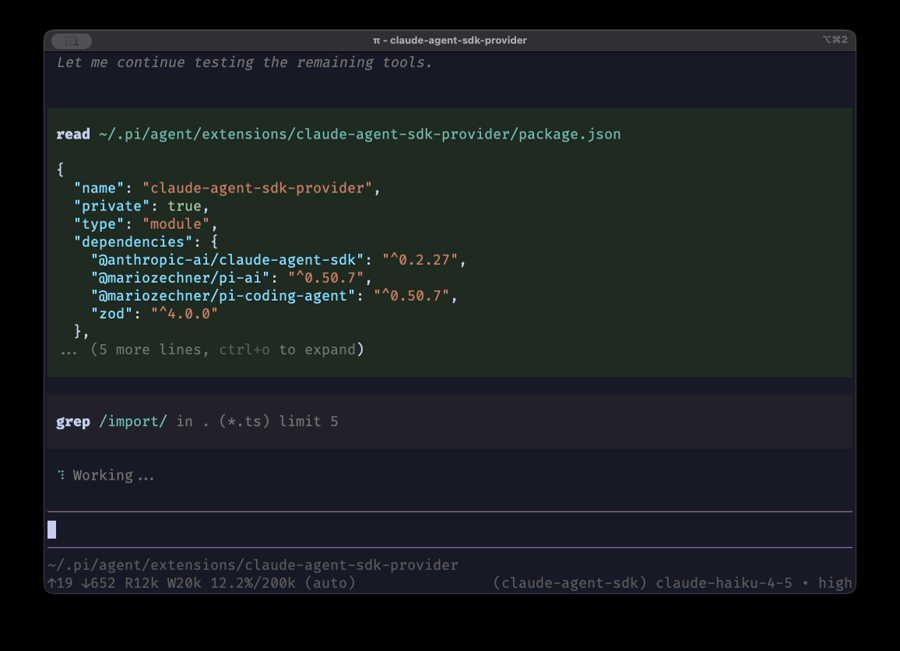
Demo
Setup
- Install the extension globally (npm is the preferred source now):
pi install npm:claude-agent-sdk-pi
(You can pin a specific version for reproducible installs.)
Alternative (git):
pi install git:github.com/prateekmedia/claude-agent-sdk-pi
See pi-coding-agent install docs for other install sources and paths.
- Authenticate (choose one):
Claude Code login (Pro/Max):
npx @anthropic-ai/claude-codeEnsure no API key env vars are set.
API key (API plan):
export ANTHROPIC_API_KEY=sk-ant-...
- Reload pi:
/reload
Provider ID
claude-agent-sdk
Use /model to select:
claude-agent-sdk/claude-opus-4-5claude-agent-sdk/claude-haiku-4-5
Tool Behavior
- Claude Code proposes tool calls.
- pi executes them.
- Tool execution in Claude Code is denied.
Built-in tool mapping (Claude Code → pi):
- Read → read
- Write → write
- Edit → edit
- Bash → bash
- Grep → grep
- Glob → find
Claude Code only sees the tools that are active in pi.
Custom tools
Any extra tools registered in pi are exposed to Claude Code via an in-process MCP server:
- MCP server name:
custom-tools - Claude Code tool name format:
mcp__custom-tools__<toolName> - Example:
mcp__custom-tools__subagent
The provider automatically maps these back to the pi tool name (e.g. subagent).
Context loading
Append to system prompt (Default)
- Uses AGENTS.md + skills from pi and appends to Claude Code’s preset prompt.
- No extra config needed.
Use Claude Code’s dir (Recommended)
- Set
appendSystemPrompt: falseso Claude Code loads its own resources from.claude/. - By default it loads both user + project settings (
["user","project"]). - If you want to ignore project-level
.claude/folders, setsettingSources: ["user"]. - This provider runs Claude Code in a tool-denied mode (pi executes tools), so auto-loading MCP servers from
~/.claude.jsonis usually just token overhead. By default, the provider passes--strict-mcp-configto prevent that tool schema dump. SetstrictMcpConfig: falseto opt out.
Config (user-only CLAUDE.md/skills + no MCP auto-load):
{
  "claudeAgentSdkProvider": {
    "appendSystemPrompt": false,
    "settingSources": ["user"],
    "strictMcpConfig": true
  }
}
ln -s ~/.pi/agent/AGENTS.md ~/.claude/CLAUDE.md ln -s ~/.pi/agent/skills ~/.claude/skills- Set
Append + full isolation
- Pi skills in the prompt, but no settings/MCP inheritance from Claude Code.
{
  "claudeAgentSdkProvider": {
    "appendSystemPrompt": true,
    "settingSources": [],
    "strictMcpConfig": true
  }
}