grok-pi
Bridge Grok 4.6/4.5 session models into Pi by spawning the official Grok CLI headless per turn
Package details
Install grok-pi from npm and Pi will load the resources declared by the package manifest.
$ pi install npm:grok-pi- Package
grok-pi- Version
1.4.3- Published
- Sep 3, 2026
- Downloads
- 959/mo · 102/wk
- Author
- luong.nguyen
- License
- MIT
- Types
- extension
- Size
- 50 KB
- Dependencies
- 0 dependencies · 2 peers
Pi manifest JSON
{
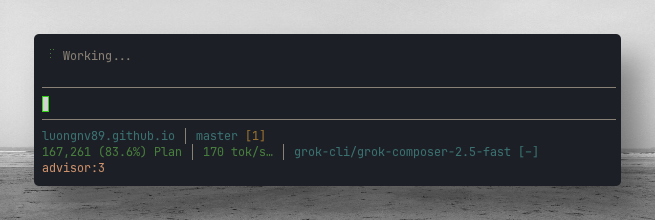
  "image": "https://raw.githubusercontent.com/luongnv89/pi-extensions/main/assets/composer-2.5-170-tok-s.png",
  "extensions": [
    "./src/index.ts"
  ]
}
Security note
Pi packages can execute code and influence agent behavior. Review the source before installing third-party packages.
README
grok-pi
Use Grok CLI session models inside Pi Coding Agent — currently Grok 4.6 and Grok 4.5. Reasoning models expose Pi thinking levels (Shift+Tab, /settings, --thinking).

This extension registers a Pi provider named grok-cli that runs your existing, logged-in Grok CLI in its own supported single-turn mode: every model turn writes the prompt to a temp file and spawns the real grok --prompt-file … binary. Authentication, token refresh, client headers, and telemetry stay entirely inside the official CLI — this extension never reads credentials or talks to xAI endpoints over HTTP itself. It is not the official xAI API-key provider (xai / XAI_API_KEY).
What you get
| Pi provider | Pi model id | Grok name (typical) | Thinking levels |
|---|---|---|---|
grok-cli |
grok-4.6 |
Grok 4.6 | low, medium, high, xhigh |
grok-cli |
grok-4.5 |
Grok 4.5 | low, medium, high |
Model metadata is read from the CLI's own ~/.grok/models_cache.json when present (read-only); otherwise the extension ships safe defaults. Thinking levels come from each entry's reasoning_efforts (same menu as Grok /effort), and per-million-token rates come from cost/pricing metadata when the CLI supplies it. GROK_PI_MODELS selects IDs without discarding matching cached context, reasoning, or cost metadata.
Fallback catalog verification
The fallback was checked on 2026-09-03 with authenticated Grok CLI 1.0.14. grok models confirmed the session was logged in with grok.com and listed only grok-4.6 and grok-4.5; the retired grok-composer-2.5-fast and grok-build defaults were removed.
Repeat this check after a Grok CLI upgrade by signing in with grok login, running grok models, and comparing every listed ID with defaultModelCatalog() in src/models.ts and its exact-list test in test/models.test.mjs.
Image input — known limitation
Grok 4.x models advertise image input, but this bridge cannot transmit images: the grok CLI headless prompt is plain text only. Any image attached in a Pi conversation is replaced with an [image omitted: <mime type>] placeholder before reaching the model, and grok-pi prints a one-time warning per session so degraded turns are explicit rather than silent. Send the relevant content as text (or paste file contents) instead of screenshots when using this provider.
Environment variables
| Variable | Purpose |
|---|---|
GROK_PI_BIN |
Override the grok executable (default: grok on your PATH) |
GROK_PI_MODELS |
Comma/space-separated model id list override |
GROK_PI_TIMEOUT_MS |
Per-turn subprocess timeout in ms (default 300000) |
GROK_PI_HOME |
Override the Grok CLI harness directory (default ~/.grok); both harness checks and models_cache.json resolution follow it |
Prerequisites
- Pi Coding Agent installed (
pion yourPATH). - Grok CLI installed and on your
PATH(grok --version). - Logged in once via
grok login.
At session start the extension checks both prerequisites and tells you which one is missing: a warning naming the Grok CLI install (with https://x.ai/grok) when ~/.grok does not exist, or a warning to run grok login when only auth is missing. /grok-pi status shows the CLI version plus a combined readiness line.
Install
Published on npm: grok-pi. Use Pi's package manager (pi install), not npm install alone.
pi install npm:grok-pi
pi install npm:grok-pi@1.3.0   # pin version
pi install -l npm:grok-pi      # project-local (.pi/settings.json)
pi -e npm:grok-pi              # one session, no install
Then run /reload in Pi (or restart).
pi list
pi update npm:grok-pi
pi remove npm:grok-pi
From pi-extensions (git):
git clone https://github.com/luongnv89/pi-extensions.git ~/.pi/pi-extensions
cp -r ~/.pi/pi-extensions/extensions/grok-pi ~/.pi/agent/extensions/
Full collection:
curl -fsSL https://raw.githubusercontent.com/luongnv89/pi-extensions/main/install.sh | bash -s -- --auto
After install
- Run
/reload(or restart Pi). - Confirm models:
pi --list-models | rg grok-cli
You should see the models from your Grok CLI cache, typically:
grok-cli        grok-4.6
grok-cli        grok-4.5
Step-by-step: authenticate
Authentication is Grok CLI's session, not a separate Pi API key — and it stays that way.
1. Log in with Grok CLI (first time or expired token)
grok login
This opens the browser (or your configured auth flow). The Grok CLI manages all credential storage, refresh, and expiry on its own; this extension never touches those files' contents.
2. Verify Grok CLI works headless
grok --single 'Reply with exactly: OK' --model grok-4.6 --tools "" --output-format json
Expected: a JSON object whose "text" is OK.
3. Start Pi and check the extension notice
pi
On session start you should see an info notification that grok-cli was registered. If auth is missing, you get a warning to run grok login.
Troubleshooting auth
| Symptom | What to do |
|---|---|
grok-pi: Grok CLI not found (~/.grok missing) |
Install Grok CLI (https://x.ai/grok), then /reload |
grok-pi: Grok CLI is installed but ~/.grok/auth.json is missing |
Run grok login, then /reload |
grok --single exited with code 1 |
Run the same command directly to see the CLI's error; re-authenticate with grok login if needed |
spawn ENAMETOOLONG / “could not use the local Grok CLI” on Windows |
Upgrade grok-pi to 1.4.1+. Turns must use grok --prompt-file; putting Pi's prompt on grok --single exceeds Windows' ~32KB command-line limit |
| Models missing in Pi | /reload, then pi --list-models grok-cli |
Inside Pi:
/grok-pi status
/grok-pi help
Step-by-step: use Grok models in Pi
Interactive Pi (TUI)
Start Pi in your project:
cd /path/to/your/repo
pi
Open the model picker:
Ctrl+Lor type/model.Choose provider
grok-cliand a model such asgrok-4.6.Chat as usual; Pi tools (
read,bash,edit,write, etc.) work with the selected model.
Non-interactive one-shot
pi -p --provider grok-cli --model grok-4.6 "Summarize this repo in 3 bullets"
CLI flags on startup
pi --provider grok-cli --model grok-4.6
Provider-prefixed model shorthand also works:
pi --model grok-cli/grok-4.6
Thinking levels
For Grok models that advertise supports_reasoning_effort, Pi's thinking selector is enabled. Cycle with Shift+Tab, pick a level in /settings, or start with --thinking:
pi --provider grok-cli --model grok-4.6 --thinking high
pi --model grok-cli/grok-4.6:high
| Pi thinking | Sent to the grok CLI |
|---|---|
low / medium / high |
--effort <level> |
xhigh |
--effort xhigh when the model lists it (Grok 4.6) |
off / minimal |
hidden unless the CLI cache advertises them |
The extension maps Grok's reasoning_efforts into Pi thinkingLevelMap. Levels the current model does not list are hidden, matching /effort in Grok CLI.
Quick smoke test
pi -p --no-session \
  --provider grok-cli \
  --model grok-4.6 \
  --thinking medium \
  "Reply with exactly OK"
How it works (technical)
The extension calls pi.registerProvider("grok-cli", …) with a custom API that spawns the official Grok binary for each turn:
- Transport: local subprocess
grok --prompt-file <temp> --output-format json(avoids WindowsCreateProcessargv length limits;--singleis kept only for short smoke tests) - Own Grok tools: disabled via
--tools ""+--disable-web-search, so Pi executes all real file/shell/network/MCP actions (tool calls travel as<pi_tool_call>blocks in the prompt text) - Permissions:
--permission-mode dontAsk(no interactive prompts possible) - Auth: handled entirely inside the Grok CLI; no tokens are read, refreshed, or replayed by this extension
- Response parsing: the JSON payload's
text,usage, andtotal_cost_usdfeed Pi's message and usage accounting - Context: prior messages, the system prompt, tool schemas, and past tool results are serialized into the single-turn prompt (same approach as
claude-code-pi)
Each spawned grok run is normal CLI usage from xAI's perspective — genuine binary, genuine headers, first-party telemetry. Note that the CLI persists a small session record under ~/.grok/sessions per turn (its own default behavior); there is no supported flag to suppress this.
Files in this extension
extensions/grok-pi/
├── src/index.ts              # registers grok-cli provider + /grok-pi command
├── src/bridge.ts             # subprocess transport, streaming bridge, status
├── src/cli.ts                # pure helpers: argv building, prompt serialization, output parsing
├── src/harness.ts            # prerequisite checks (~/.grok presence, login guidance)
├── src/models.ts             # model catalog + thinking-level mapping
├── package.json
└── README.md
Commands
| Command | Description |
|---|---|
/grok-pi or /grok-pi status |
CLI version, transport summary, model list |
/grok-pi models |
List registered models and their thinking levels |
/grok-pi test |
Print one-line smoke-test commands (Pi and raw grok) |
/grok-pi help |
Short usage |
Official xAI API vs this bridge
| Approach | Provider in Pi | Auth |
|---|---|---|
| grok-pi (this extension) | grok-cli |
grok login session inside the official CLI |
| Built-in xAI | xai |
XAI_API_KEY or Pi /login for xAI |
Use grok-pi when you want the same Grok 4.6 / 4.5 session models your Grok CLI already uses, including /effort thinking levels. Use xAI when you have a console API key and want Pi's stock grok-* catalog from api.x.ai.
Terms of service posture
Earlier versions of this extension extracted the OAuth token from ~/.grok/auth.json, refreshed it against auth.x.ai themselves, and called xAI's CLI backend proxy directly while spoofing Grok CLI client headers. That pattern implicated two Acceptable Use Policy clauses ("bots … to access" / "bypassing protective measures") because traffic reached xAI outside the official harness.
This version removes that pattern entirely:
| Concern | Old design (≤1.2.x) | This design |
|---|---|---|
| Credential handling | Read + OIDC-refreshed ~/.grok/auth.json |
Untouched — auth stays inside the CLI |
| Client identity | Spoofed X-XAI-Token-Auth, user-agent, client-version headers |
Real binary → genuine headers/telemetry |
| AUP bot-access / bypass clauses | Directly implicated | Not applicable — xAI's own client makes the call |
| Traffic shape | Unusual, no first-party telemetry | Indistinguishable from normal CLI usage |
Remaining considerations (same residual risk profile as claude-code-pi):
- Headless automation on subscription auth — scripted, non-interactive usage at volume may still draw rate-limiting or scrutiny from xAI. Using an
api.x.aiAPI key inside the CLI removes even this. - Terms change — xAI could add explicit anti-automation language later; no architecture is permanently safe. Re-review if you rely on this at scale.
Last reviewed August 25, 2026 against x.ai/legal/terms-of-service (eff. Aug 24, 2026) and x.ai/legal/acceptable-use-policy (eff. Aug 14, 2026); terms may change.
License
MIT — same as pi-extensions.