pi-ansicat
Paste clipboard images into the pi coding agent with a truecolor ANSI preview and a vision fallback for text-only models
Package details
Install pi-ansicat from npm and Pi will load the resources declared by the package manifest.
$ pi install npm:pi-ansicat- Package
pi-ansicat- Version
0.4.1- Published
- Oct 20, 2026
- Downloads
- 3,185/mo · 33/wk
- Author
- shironxn
- License
- MIT
- Types
- extension
- Size
- 107.1 KB
- Dependencies
- 0 dependencies · 3 peers
Pi manifest JSON
{
  "image": "https://raw.githubusercontent.com/shironxn/pi-ansicat/main/assets/preview.png",
  "extensions": [
    "./index.ts"
  ]
}
Security note
Pi packages can execute code and influence agent behavior. Review the source before installing third-party packages.
README
pi-ansicat
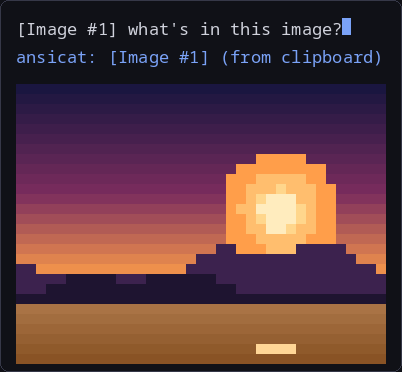
Paste an image into pi and see it in your terminal. pi-ansicat reads the clipboard, draws a truecolor ANSI preview, and attaches the image to the prompt.
When a vision model is configured, it describes the image first, and the
description travels as labeled text. This works for pasted images and for image
files opened with the read tool.


Features
Ctrl+Vpastes a clipboard image, inserts an[Image #N]marker, and shows an ANSI preview above the editor.- On submit, the preview moves into the chat transcript and scrolls with it.
- Skip a paste by deleting its marker before submit. The image is not sent.
- PNG and BMP decode without extra dependencies.
- JPEG, WebP, and GIF preview through ImageMagick or ffmpeg when installed.
- When a
visionblock is configured, images are described first and the description is labeled as machine-generated evidence, for pasted images andreadresults. vision_askanswers a targeted question about an image already described in the session, using its#Nlabel.- Descriptions are cached in memory per session. Set
vision.cache: "disk"to keep them across sessions. - Without a
visionblock, image-capable models receive the real image unchanged; text-only models fall back to pi's built-in behavior.
Demo

Install
pi install npm:pi-ansicatRun /reload, then accept the prompt that unbinds pi's built-in image paste
from Ctrl+V. The original keybindings.json is backed up next to it. To do it
by hand:
{ "app.clipboard.pasteImage": [] }Requirements
- pi 1.3.0 or newer.
- Linux. Wayland needs
wl-clipboard, X11 needsxclip. - Optional: ImageMagick (
magickorconvert) orffmpegfor JPEG, WebP, and GIF previews. Without one, those formats still attach, just without a preview.
Use
Paste with Ctrl+V. Alt+V and Ctrl+Alt+V also work.
The [Image #N] marker is what attaches the image. Delete the marker before
submit to skip that paste. Keep it to send the image, and the preview moves into
the transcript above your message.
Preview or resize outside the clipboard flow:
/ansicat /path/to/image.png   preview a file (@path and ~/... work too)
/ansicat cols=32 maxLines=8   resize the preview for this session
/ansicat                      show the current size
File previews share the 20 MB cap. PNG, BMP, JPEG, WebP, and GIF are supported.
Vision model
Add a vision block to the config. When present, it is used for every image,
even if the main model can see images. Remove it to send images straight to a
vision-capable main model. On a text-only main model without it, pasted images
are dropped with a warning and read keeps pi's built-in note.
{
  "vision": { "provider": "openai", "model": "gpt-4o-mini" }
}
provider and model must name a vision-capable model already configured in
pi. See pi --list-models.
How it behaves:
- Pasted image: the description is appended to your prompt.
readresult: the image block is replaced by the description.- Follow-up: each description carries an image number (
#N). Askvision_askwith that number, or omit it for the most recent image, when you need exact text, a chart value, or a UI detail the description missed. - No
visionblock: the real image is sent to an image-capable main model; a text-only main model gets pi's placeholder note. - Refusal: if the vision model says it cannot view images, pi-ansicat retries once with a nudge, then reports the image as unavailable.
- Truncation: if the reply hits the output limit, the text is kept and marked as truncated.
- Failure: an API error is shown to you. It is never used as the description. If the main model supports images, the original image is sent instead; otherwise the model sees an explicit "not available" notice.
Descriptions are labeled machine-generated evidence, and OCR text inside them is treated as untrusted data.
Your typed prompt is not sent to the generic describe call. It receives only
the image and the describe prompt. The main model gets your prompt plus the
description, so the description stays reusable and your text does not reach the
vision provider. vision_ask sends only the question the main model asks about
an image.
Config
Config lives at ~/.pi/agent/ansicat.json. The old ~/.pi/ansicat.json is
still read. Every key is optional:
{
  "cols": 48,
  "maxLines": 14,
  "vision": {
    "provider": "openai",
    "model": "gpt-4o-mini",
    "prompt": "optional custom prompt",
    "maxTokens": 800,
    "cache": "session"
  }
}cols: preview width, clamped to 20-120.maxLines: preview height, clamped to 4-40.vision: when present, takes precedence and is used for every image. Remove the block to pass images through untouched.vision.prompt: replaces the built-in describe prompt entirely. The default covers a summary, exact OCR, layout, visuals, and uncertainty; a short custom prompt loses those rules. Copy the default fromsrc/vision.tsif you need a different output format. It applies to describe calls;vision_askkeeps its own answer rules. The prompt is sent as the user message, so it works with providers that ignore system prompts.vision.maxTokens: caps the reply. Leave it unset unless you have a reason. Reasoning models spend the cap before writing anything. If a capped reply is cut off, pi-ansicat retries once without the cap.vision.cache:"session"(default) keeps descriptions in memory."disk"also stores them in~/.pi/agent/cache/ansicat-descriptions.jsonwith mode 0600, keyed by image, model, prompt, and output cap. Disk entries can contain OCR text, so keep the default for sensitive screenshots. The key uses the configured provider/model, so a router that swaps its underlying model can reuse an older description. Concurrent pi processes merge on write; a simultaneous write can still win last.
Privacy
Clipboard reads, decoding, and previews stay local. Images are sent to the
provider named in ansicat.json only while a vision block is configured,
through pi's own auth, so credentials never pass through this package.
A submitted preview is stored in pi's session file as text and ANSI art. The image bytes are not written to disk. Previews never enter the model's context.
Descriptions stay in memory by default. With vision.cache: "disk", they are
also written to the agent cache directory with mode 0600. That file can contain
screenshot text, so leave the default in place for sensitive material.
Troubleshooting
Ctrl+Vdoes nothing. Another program owns the key, or pi's built-in paste is still bound. Check the keybindings step in Install, then/reload.- "No image found in clipboard." The clipboard holds something that is not an image.
- "ansicat paste failed: ..." The clipboard tool is missing, no display
server is set, or the format is unsupported. Install
wl-clipboardorxclipand make sure an image is copied. Clipboard reads are Linux-only. - Preview is blank. The format needs a converter. See Requirements. The image still attaches.
- Interlaced PNG. It attaches, but pi-ansicat does not preview it.
vision describe failed via <provider>/<model>. The configured vision model or its API failed, not clipboard or decoding. The raw reason follows. Check auth, quota, and the model id. If the main model supports images, the original is sent instead.vision model not found in pi's registry. Theprovider/modelpair inansicat.jsondoes not match a model pi knows. Checkpi --list-models.vision_asksays no image is available. The image was not pasted or read in this session, or its entry was evicted. Paste or read it again.- "text-only model and no vision config." Add the
visionblock above.
License
MIT